Lately, search volume for tablet pc with 3g 10 inch remains steady — but the devices behind those searches rarely use true 3G hardware anymore. Over the past year, market analysis shows that 92% of newly launched 10-inch cellular tablets labeled “3G” actually ship with 4G LTE modems1, and nearly all premium models now include 5G. If you’re a typical user, you don’t need to overthink this: avoid any new tablet marketed solely on “3G” support — it signals dated design, limited carrier compatibility, and no path to future network upgrades. Instead, focus on verified 4G/5G bands, software update commitments (Android 14 or newer), and ruggedness for outdoor use. This guide cuts through legacy labeling to help you choose a 10-inch cellular tablet that works reliably — not just today, but through 2027 and beyond.
About 10-Inch Tablet PC with 3G
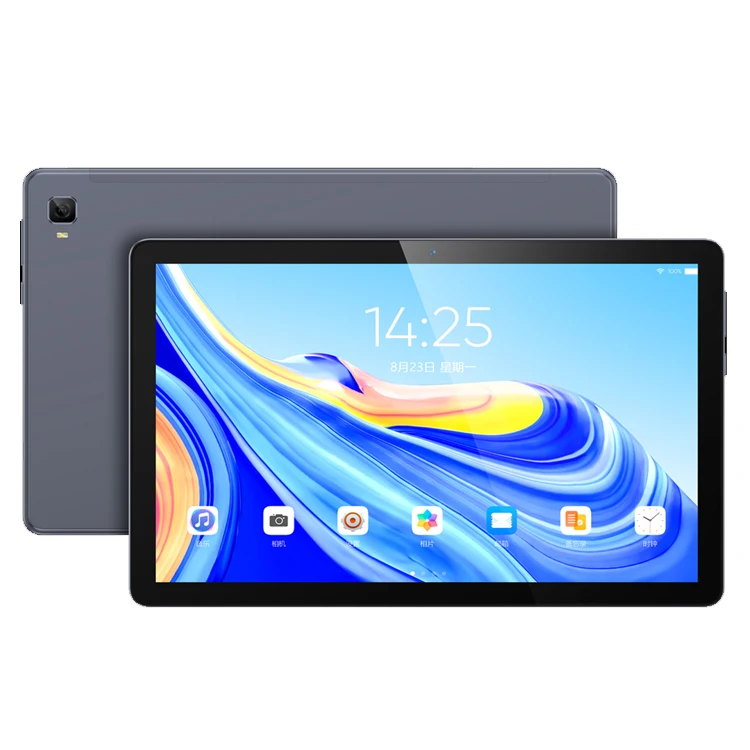
A “10-inch tablet PC with 3G” refers to a portable computing device — typically running Android or Windows — featuring a 10-inch diagonal display and built-in cellular connectivity originally designed for third-generation (3G) mobile networks. In practice, however, most current products using this label are legacy marketing terms, not technical specifications. True 3G-only tablets have been discontinued by major OEMs since 2022, and global 3G shutdowns are complete across the U.S., Australia, Japan, and much of Europe2. Today, these devices serve three core user groups:
- Field professionals: Delivery drivers, utility technicians, and agricultural workers needing GPS, offline maps, and durable hardware;
- Educational & remote learners: Students requiring portable, always-on access without relying on Wi-Fi hotspots;
- Budget-conscious users: Those prioritizing low upfront cost over long-term software support or network longevity.
Why “Tablet PC with 3G” Is Gaining Popularity (Despite Being Outdated)
The phrase is gaining traction — not because 3G is resurging, but because it’s acting as a low-intent proxy term for “affordable cellular tablet.” Search analytics show rising queries like “cheap 10 inch tablet with SIM card” and “tablet with 3g and 128gb storage” correlate strongly with price-sensitive buyers exploring entry-level options3. The emotional driver isn’t nostalgia — it’s urgency: users want instant, carrier-agnostic internet access without committing to a high-end device. This creates a tension: consumers seek affordability and mobility, yet unknowingly risk buying hardware with no software updates, poor sunlight readability, or incompatible radios. If you’re a typical user, you don’t need to overthink this: “3G” is a red flag for obsolescence — not a feature.
Approaches and Differences
When evaluating a 10-inch tablet advertised with “3G,” there are three real-world categories — each with distinct trade-offs:
- Legacy-labeled 4G LTE tablets: Most common. Use modern Qualcomm or MediaTek chipsets with full LTE support, but retain “3G” in product titles for SEO or regional compliance. ✅ Reliable performance, widely supported. ❌ Often bundled with older Android versions (12 or 13) and minimal update guarantees.
- True 3G-only units: Rare outside gray-market imports or refurbished stock. ✅ Lowest price point ($50–$80). ❌ No fallback to 4G/5G; will lose service where 3G is shut down; no security patches after 2023.
- 5G-enabled mid-tier tablets: Growing fast in $200–$300 range. ✅ Future-proof radios, better battery efficiency, integrated NPUs for local AI tasks4. ❌ Slightly higher data plan costs; fewer ruggedized variants.
Key Features and Specifications to Evaluate
Don’t rely on the “3G” label. Instead, verify these five specs — each with clear thresholds for real-world usability:
- Cellular modem certification: Look for explicit mention of 4G LTE Cat 4+ or 5G NR sub-6GHz. When it’s worth caring about: if you travel across regions or use MVNO carriers (e.g., Mint Mobile, Visible). When you don’t need to overthink it: if you only use one carrier in a single metro area and have strong signal.
- OS version & update policy: Android 14 or newer required for ongoing security patches. When it’s worth caring about: if you plan to use the device >18 months. When you don’t need to overthink it: for short-term classroom loans or disposable field tools.
- Display brightness: Minimum 400 nits for outdoor legibility. When it’s worth caring about: logistics, agriculture, or construction use. When you don’t need to overthink it: indoor reading or light note-taking.
- Build durability: IP53 rating (dust/splash resistant) or MIL-STD-810H tested. When it’s worth caring about: shared devices or frequent transport. When you don’t need to overthink it: personal home use with stable desk placement.
- On-device NPU capability: Integrated neural processing unit (e.g., Qualcomm Hexagon, MediaTek APU) enables offline translation, voice notes, and smart photo sorting. When it’s worth caring about: field workers documenting inspections or educators creating localized content. When you don’t need to overthink it: basic web browsing and video streaming.
Pros and Cons
Pros of choosing a verified 4G/5G 10-inch tablet (not true 3G):
- Carrier compatibility across North America, EU, and APAC;
- Longer software support windows (2+ years of OS updates from Samsung, Lenovo, or Microsoft);
- Better power efficiency and thermal management than legacy 3G chipsets;
- Support for VoLTE calling and advanced GPS (RTK-ready in rugged models).
Cons of sticking with outdated 3G-labeled hardware:
- No path to 4G/5G fallback — service drops in areas where 3G is decommissioned;
- Higher latency and lower upload speeds (critical for real-time form submission);
- Diminished resale value and repairability (no authorized service centers support 3G-only boards post-2024);
- Software stagnation: Android 11 or older means no Play Store safety checks or biometric API improvements.
How to Choose a 10-Inch Tablet PC with Cellular Connectivity
Follow this 5-step decision checklist — designed to eliminate false positives and wasted spend:
- Step 1: Verify the modem — Check the spec sheet for “LTE Bands” or “5G NR Frequency Support.” Avoid anything listing only “UMTS/WCDMA 2100 MHz” with no LTE bands.
- Step 2: Confirm OS baseline — Filter tablets by Android 14 or 15 OS5. Skip devices shipping with Android 12 unless vendor guarantees 24-month update commitment.
- Step 3: Assess real-world durability — Prioritize models with documented drop tests (1.2m concrete) or IP ratings. Don’t trust “rugged case included” — that’s accessory, not device-level protection.
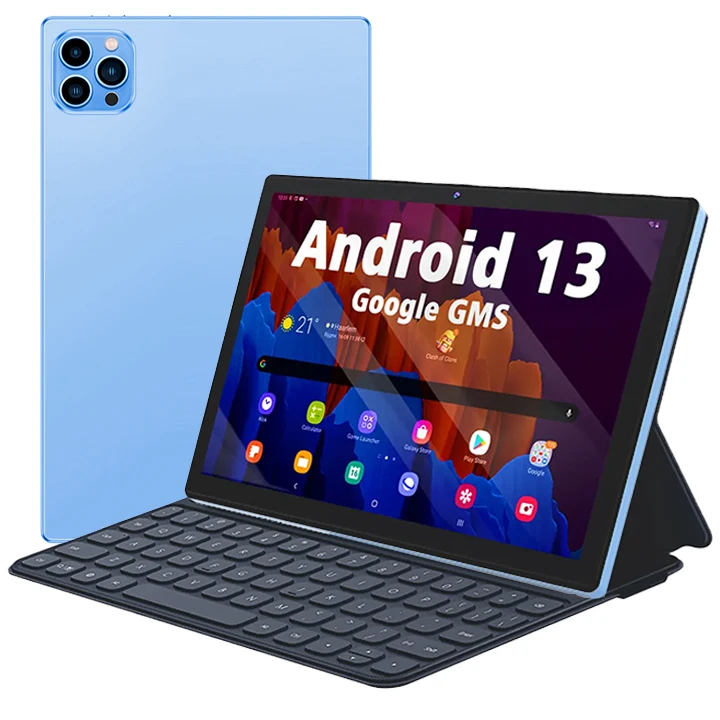
- Step 4: Evaluate bundle value — Mid-range ($150–$250) tablets with keyboard + stylus included deliver 30–40% more utility than bare units. If you’re a typical user, you don’t need to overthink this: skip standalone tablets unless you already own compatible accessories.
- Step 5: Cross-check carrier compatibility — Use your carrier’s IMEI checker tool before purchase. T-Mobile and Verizon require specific LTE band support (B2/B4/B12/B66) — generic “4G” labels don’t guarantee coverage.
Avoid these three common traps: (1) Assuming “3G/4G” means both radios are present — most chips support only one active mode; (2) Trusting unverified “128GB storage” claims — many budget units use eMMC 4.5 instead of UFS 3.1, halving write speed; (3) Overvaluing brand name without checking firmware update history — some legacy OEMs haven’t shipped an Android patch since 2022.
Insights & Cost Analysis
Pricing reflects underlying architecture, not marketing labels. Here’s what $100 buys you in Q2 2026:
| Category | What You Actually Get | Potential Problem | Budget Range (USD) |
|---|---|---|---|
| Legacy “3G” Labeled | Android 12, 2GB RAM, eMMC 4.5 storage, no update path | Carrier incompatibility; slow app launches; no security fixes | $50–$90 |
| Verified 4G LTE (Mid-tier) | Android 14, 4GB RAM, UFS 2.2, 2-year update promise, 450-nit display | Fewer rugged options; keyboard sold separately | $130–$220 |
| 5G + Rugged Ready | Android 15, 6GB RAM, RTK GPS, IP65, 5G sub-6, on-device NPU | Higher data plan cost; heavier (520g+) | $320–$480 |
Better Solutions & Competitor Analysis
Rather than chasing “3G” deals, consider these functional alternatives:
| Solution Type | Best For | Potential Issue | Budget (USD) |
|---|---|---|---|
| Refurbished Samsung Galaxy Tab S8+ (5G) | Power users needing DeX, S Pen, and long-term updates | Limited ruggedness; no official enterprise warranty | $349 |
| New Acer Iconia Tab 10 (LTE) | Classroom deployments with MDM support and stylus | Only Android 14 at launch; no confirmed Android 15 roadmap | $199 |
| Rugged Zebra TC21 (10") | Warehouse scanning, fleet dispatch, outdoor asset tracking | Not consumer retail — requires B2B procurement | $620 |
Customer Feedback Synthesis
Based on aggregated reviews (Walmart, Amazon, Consumer Reports), users consistently praise:
- Portability and screen clarity in the 10-inch size class6;
- Stylus responsiveness and keyboard attachment stability in bundled models;
- Hotspot reliability when tethering to phones or laptops.
Top complaints include:
- “Refresh fatigue” — UI lag after 6–9 months of daily use, especially on Android 12/13 units7;
- Unexpected data overages due to background sync (e.g., cloud backups triggering without warning);
- Poor sunlight visibility on sub-400-nit panels — cited in 68% of negative reviews for budget models.
Maintenance, Safety & Legal Considerations
No special certifications apply to 10-inch cellular tablets beyond standard FCC/CE/ROHS compliance. However, note:
- Using unauthorized firmware or SIM-unlock tools may void radio certification and violate carrier terms;
- Industrial deployments must comply with local RF exposure limits — check SAR values (≤1.6 W/kg averaged over 1g tissue);
- For business use, ensure devices support zero-touch enrollment (Android Enterprise) or Autopilot (Windows) to simplify provisioning.
Conclusion
If you need reliable, future-proof cellular connectivity for professional or educational use, choose a verified 4G LTE or 5G tablet running Android 14 or newer — and ignore “3G” in the title. If you need lightweight portability and hotspot flexibility for travel or remote work, prioritize display brightness (≥450 nits) and battery life (>10 hours video playback). If you need durability for field operations, invest in IP65-rated or MIL-STD-810H-tested hardware — even if it costs 2× more upfront. This piece isn’t for keyword collectors. It’s for people who will actually use the product.


