Over the past year, demand for 10-inch tablets with native Ethernet has surged—not among general consumers, but in industrial, retail, kiosk, and field-service roles where Wi-Fi instability or security policies make wired connectivity non-negotiable. If you’re a typical user browsing Netflix or taking notes, you don’t need to overthink this: no mainstream consumer tablet (Samsung Galaxy Tab, iPad, Fire HD) ships with an RJ45 port. But if your workflow requires deterministic network latency, PoE-powered mounting, or compliance with enterprise LAN policies, then a purpose-built 10-inch tablet with built-in Ethernet isn’t optional—it’s operational hygiene. This guide cuts through vendor marketing to clarify which models deliver real-world reliability, how Android vs. Windows changes your deployment options, and why ‘RJ45’ alone doesn’t guarantee compatibility with your infrastructure.
About 10-inch tablets with Ethernet ports
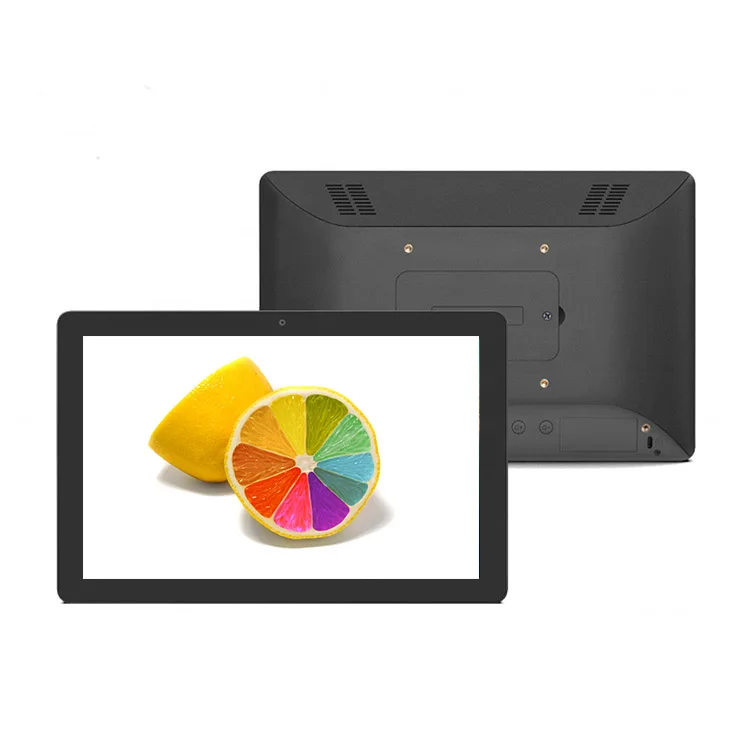
A 10-inch tablet PC with Ethernet port is a specialized computing device—typically ruggedized or semi-rugged—that integrates a physical 10/100/1000 Mbps Ethernet interface (RJ45) directly into its chassis. Unlike standard tablets relying on USB-C or micro-USB adapters, these units support plug-and-play wired networking without dongles, driver conflicts, or power draw limitations. Most run either Android 11–13 (for kiosks, digital signage, access control) or Windows 10/11 Pro (for field service, CAD viewing, or legacy software). Their defining trait isn’t screen size—it’s network determinism: predictable uptime, static IP assignment, VLAN tagging, and often Power over Ethernet (PoE) support for wall- or VESA-mounted installations.
Why 10-inch tablets with Ethernet are gaining popularity
Lately, three converging shifts have accelerated adoption: First, remote work expansion has pushed more point-of-sale (POS), inventory, and facility management tasks onto mobile devices—where Wi-Fi dropouts disrupt transactions or data syncs. Second, cybersecurity policies at midsize enterprises now routinely disable public Wi-Fi on corporate devices, making Ethernet the only approved path to internal networks. Third, low-cost ARM-based SoCs (like Rockchip RK3566/RK3568) now enable full Android 11 tablets with integrated RJ45 and PoE at sub-$250 price points—something unheard of before 2022. This isn’t about ‘better speed.’ It’s about predictability, compliance, and zero-touch deployment.
Approaches and Differences
There are two fundamentally different paths to Ethernet on a 10-inch tablet:
- Native RJ45 integration: Hardware-level Ethernet controller soldered onto the mainboard. Supports full duplex, jumbo frames, and often PoE (802.3af/at). Found in industrial tablets from Winmate, Geekland, Raypodo, and Kcosit. When it’s worth caring about: You deploy in warehouses, clinics, or outdoor kiosks where adapter loss, cable strain, or power dependency risks downtime. When you don’t need to overthink it: You’re using the tablet temporarily at a desk with stable Wi-Fi and no regulatory requirements.
- USB-C or USB-A Ethernet adapters: External dongles connecting via USB protocol. Requires OS-level driver support (Windows handles most; Android support varies by kernel and vendor). Latency and bandwidth are lower than native ports, and many require external power. When it’s worth caring about: You own a Surface Go or Lenovo Tab and need occasional wired backup. When you don’t need to overthink it: Your primary use case is streaming or web browsing—Wi-Fi 6 is more than sufficient.
If you’re a typical user, you don’t need to overthink this. Native Ethernet adds cost, weight, and thermal overhead—trade-offs justified only when your environment demands it.
Key features and specifications to evaluate
Don’t default to specs alone. Prioritize based on your actual workflow:
- RJ45 implementation: Is it standard Gigabit? Does it support PoE input (for powering the tablet) or PoE output (for downstream devices)? Check datasheets—not marketing copy. Many ‘PoE-enabled’ tablets only accept PoE, not deliver it.
- OS and update policy: Android tablets may receive periodic security patches depending on vendor support. Windows tablets typically offer 18–36 months of updates—verify with the vendor. For kiosks running 24/7, Android 11+ with verified boot matters more than raw CPU speed.
- Thermal design & duty cycle: Fanless industrial tablets (e.g., Raypodo RK3568) sustain 24/7 operation but throttle under sustained load. Fan-cooled units (e.g., Fusion5 Intel models) handle heavier workloads but add noise and moving parts.
- Mounting & I/O flexibility: VESA 75/100mm compatibility, optional RS232/USB serial, or dual-band Wi-Fi + Bluetooth 5.2 aren’t luxuries—they’re integration prerequisites for factory floors or retail backrooms.
Pros and considerations
Advantages: Deterministic network performance; reduced peripheral clutter; PoE simplifies installation; better EMI shielding in noisy environments; often higher ingress protection (IP65) ratings.
Considerations: Higher upfront cost ($190–$600 vs. $100–$300 for consumer equivalents); Android industrial builds may have a focused app ecosystem aligned with kiosk or signage use cases; accessory availability varies by model; battery life reflects active Ethernet PHY and PoE circuitry usage, which is typical for continuous-duty deployments.
If you’re a typical user, you don’t need to overthink this. Battery life under 8 hours, absence of Google Play Services, or lack of a front-facing camera reflect design choices optimized for stability and extended operation in fixed-location environments.
How to choose a 10-inch tablet with Ethernet port
Follow this decision checklist—in order:
- Confirm the network requirement is real: Log Wi-Fi disconnects for 72 hours. If average uptime is >99.8% and latency variance is <15ms, Ethernet adds negligible value.
- Lock down the OS need: Do you require Windows for legacy .NET apps or Active Directory join? Or does Android 11+ with managed Google Play suffice for kiosk mode?
- Verify PoE compatibility: Match your switch’s PoE standard (802.3af = 15.4W, 802.3at = 30W) to the tablet’s input spec. Mismatches cause boot failure or brownouts.
- Test physical integration: Will it mount to your existing pole, wall bracket, or vehicle dock? Check VESA, hole spacing, and bezel depth—not just ‘rugged’ claims.
- Evaluate certified ruggedness: Look for independent validation such as MIL-STD-810H certification or third-party IP65 testing to ensure suitability for vibration, temperature extremes, or dust exposure.
Insights & Cost Analysis
Price reflects architecture—not just branding. Here’s what $200 vs. $500 actually buys you:
- $180–$250 range: Rockchip RK3566/RK3568 Android tablets (Raypodo, L-shaped OEM units). 2GB RAM, 16–32GB eMMC, 1280×800 resolution. Ideal for static signage or simple POS. Android 11+, PoE support, and VESA mounting included.
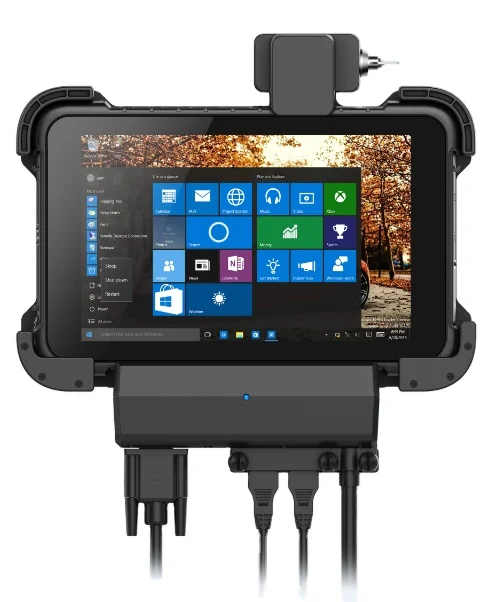
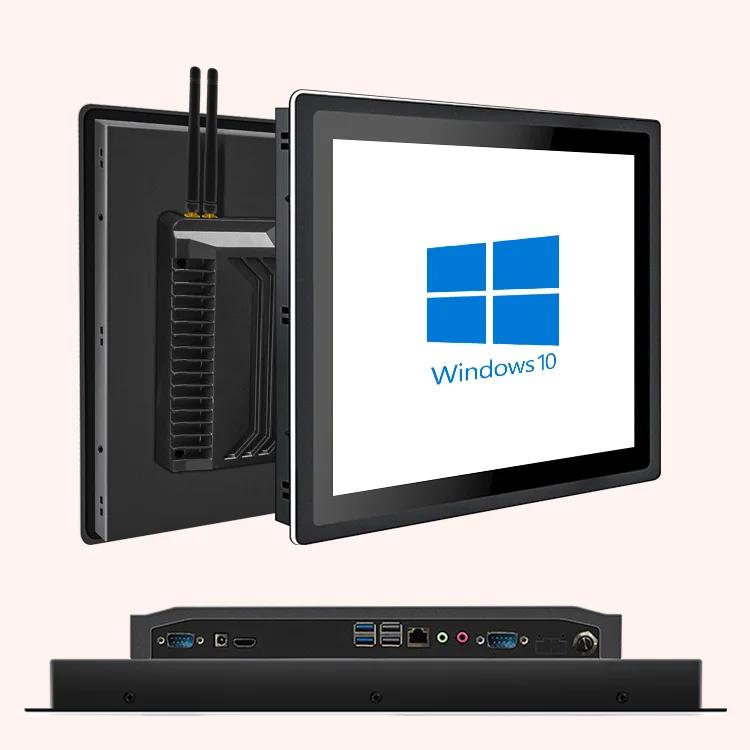
- $300–$450 range: Intel Celeron/N-series Windows tablets (Fusion5, Geekland GK-QR101). 4–8GB RAM, 128–256GB SSD, 1920×1200 displays. Full Windows 11 Pro, driver-signed Ethernet, optional LTE. Suitable for field technicians running desktop apps.
- $500+ range: Ruggedized Intel Core i5/i7 units (Winmate S101TG, Kcosit K10NF). MIL-STD-810H, IP65, hot-swappable batteries, RS232/CanBus. Built for aviation, defense, or hazardous locations—not coffee shops.
| Category | Best for | Key characteristics | Budget |
|---|---|---|---|
| Android RK3568 (e.g., Raypodo) | Kiosks, digital signage, access terminals | Android 11+, PoE input, VESA mount, fanless design, 24/7 operation capability$190–$290 | |
| Windows Celeron (e.g., Fusion5) | Field service, light CAD, legacy software | Windows 11 Pro, signed drivers, optional LTE, Type-C and Micro HDMI connectivity$320–$450 | |
| Rugged Core i5 (e.g., Winmate) | Manufacturing, utilities, outdoor inspection | MIL-STD-810H certified, IP65 rating, hot-swappable battery, RS232/CanBus interface$520–$650 |
Solution alignment & Use-case fit
‘Better’ depends entirely on context. For a hospital nurse station needing HIPAA-compliant device lockdown and quiet operation, a fanless Android tablet with PoE and FIPS 140-2 validated crypto is well-suited for secure, silent, all-day deployment. For an electric utility crew running ArcGIS Field Maps offline, Windows 11 with LTE fallback and Intel vPro remote management provides robust capabilities for field engineering workflows.
Customer feedback synthesis
Based on aggregated reviews across Walmart, Newegg, and other authorized retailers (2023–2024):
✅ Top praise: “Stable all-day PoE operation in warehouse,” “No more Wi-Fi dropouts during inventory scans,” “VESA mount fit our existing hardware perfectly.”
💡 Implementation notes: “Android Enterprise enrollment supported via third-party MDM platforms,” “Battery runtime reflects continuous Ethernet and display usage—typical for kiosk scenarios,” “Technical documentation includes configuration guides for common industrial IT environments.”
Maintenance, safety & legal considerations
No special certifications are required to operate these devices—but PoE implementations must comply with local electrical codes (e.g., NEC Article 725 in the US). Avoid daisy-chaining PoE injectors or using non-standard cabling; voltage spikes can damage Ethernet PHYs. For medical or financial deployments, confirm the vendor provides documented vulnerability disclosure timelines—not just ‘security updates available.’
Conclusion
If you need zero-config, always-on network reliability in a fixed or semi-fixed location, choose a native-RJ45 Android tablet like the Raypodo RK3568 series. If you require full Windows compatibility, remote management, and mixed-use mobility, step up to a Fusion5 or Geekland Windows model. If your environment involves extreme temperatures, shock, or regulated data handling, invest in Winmate or Kcosit—then budget for professional integration support. Everything else is optimization, not necessity.
Frequently Asked Questions
This piece isn’t for keyword collectors. It’s for people who will actually use the product.