Over the past year, demand for 10000 lumen projectors has shifted—not from home theaters, but from commercial AV integrators, large-venue rental houses, and immersive experience studios needing reliable brightness in ambient-light environments. If you’re a typical user evaluating a 10000 lumen projector, you don’t need to overthink this: unless you’re projecting onto >150-inch screens in lit conference halls, retail showrooms, or outdoor daytime events, you almost certainly don’t need 10,000 ANSI lumens. Most high-end home theater setups perform well with 2,500–4,500 lumens and superior contrast; meanwhile, many budget-oriented ‘10000 lumen’ listings use alternative brightness measurement methods not aligned with ANSI standards—and are designed for intermittent use. Real-world suitability depends on three things: your screen size and gain, ambient light control, and whether you require WUXGA (1920×1200) or true 4K resolution at scale. This piece isn’t for keyword collectors. It’s for people who will actually use the product.
About 10000 Lumen Projectors: Definition & Typical Use Cases
A 10000 lumen projector refers to a display device delivering approximately 10,000 ANSI lumens of measured white light output—validated under standardized lab conditions (ANSI IT7.222–2021). This is not marketing brightness (like “LED lumens” or “lamp lumens”), nor peak pulse output. True 10,000-lumen units are engineered for sustained output, thermal stability, and long-life laser or hybrid light sources. They are rarely used in bedrooms or basements.
Typical scenarios where 10000 lumens matters:
- ✅ Corporate auditoriums: 200+ seat rooms with overhead lighting and daylight windows
- ✅ Retail digital signage: Wall-sized projections in well-lit storefronts or malls
- ✅ Outdoor event staging: Daytime projection mapping on building façades (with supplemental shading)
- ✅ Museum & experiential installations: Multi-projector edge-blended domes or curved walls
- ✅ Higher education lecture halls: Fixed-installation systems requiring 10+ years of maintenance-free operation
If you’re projecting onto a 120-inch screen in a light-controlled basement, 10,000 lumens isn’t just unnecessary—it can wash out color depth, increase fan noise, and accelerate panel aging. If you’re a typical user, you don’t need to overthink this.
Why 10000 Lumen Projectors Are Gaining Popularity
Lately, adoption has accelerated—not because consumers want brighter home projectors, but because deployment models have changed. Hybrid workspaces now host dual-purpose rooms (conference + training), churches retrofit sanctuaries with permanent projection, and universities replace aging lamp-based fleets with laser units offering 20,000+ hour lifespans. The shift isn’t about ‘more light,’ but about light resilience: consistent output across 5–10 years without recalibration or lamp replacement.
Also driving interest: tighter integration with Crestron, Extron, and AMX control ecosystems, plus native support for HDBaseT, PoE++ (for certain models), and cloud-based fleet monitoring. These aren’t ‘plug-and-play’ devices—they’re infrastructure-grade tools. That’s why Epson, Panasonic, BenQ, and Vivitek dominate the verified 10,000+ lumen segment: their firmware, thermal architecture, and service networks align with enterprise expectations.
Approaches and Differences: Laser vs. Lamp vs. LED-Laser Hybrids
Three primary architectures deliver verified 10,000 lumens. Each carries trade-offs in lifetime, color fidelity, and serviceability:
- Laser Phosphor (3LCD or DLP): Most common. Uses blue laser + phosphor wheel to generate RGB light. Pros: Stable output, 20,000–30,000 hour life, wide color gamut (DCI-P3 ≥90%). Cons: Slightly lower native contrast than lamp (though dynamic iris helps), higher upfront cost.
- Multi-Laser (RGB Laser): Used in flagship models (e.g., Sony VPL-FHZ101L, Christie 4K10-HS). Pros: Highest color volume, instant on/off, no moving parts in light engine. Cons: Significantly higher price ($12K–$30K), limited lens options, specialized calibration required.
- Hybrid Laser-Lamp: Rare at 10,000 lumens; mostly seen in 6,000–8,000 lumen transitional models. Pros: Lower entry cost. Cons: Lamp still degrades, shorter overall life, inconsistent color over time.
When it’s worth caring about: If your installation requires 24/7 operation or color-critical applications (e.g., medical imaging demos, architectural visualization), RGB laser is objectively superior—but only if budget and service access allow. When you don’t need to overthink it: For standard corporate AV or rental use, laser phosphor (3LCD or DLP) delivers predictable, field-serviceable performance. If you’re a typical user, you don’t need to overthink this.
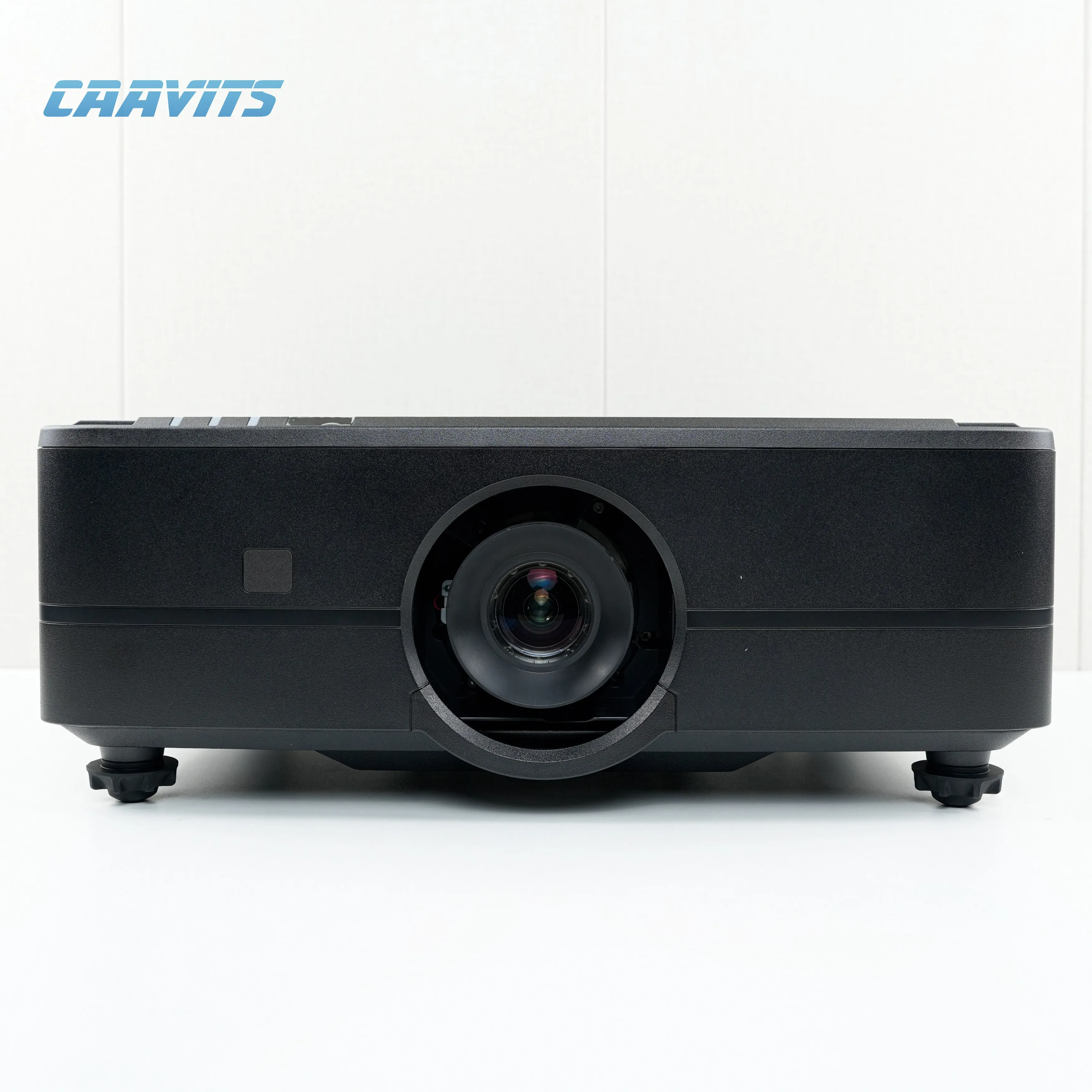
Key Features and Specifications to Evaluate
Don’t default to lumen count alone. Prioritize these five metrics—each tied directly to real-world performance:
- ANSI Lumens (not ‘peak’ or ‘LED lumens’): Must be certified per ANSI IT7.222. Verify test reports—not spec sheets. Many sub-$5,000 units claiming ‘10000 lumens’ list LED-equivalent values inflated by 2–3×.
- Contrast Ratio (native, not dynamic): Look for ≥1,000,000:1 dynamic or ≥3,000:1 native. High brightness means little without deep black levels—especially in mixed-light rooms.
- Resolution & Pixel Structure: WUXGA (1920×1200) is standard at this tier. True 4K (4096×2160) exists (e.g., Epson EB-PQ2010W, Panasonic PT-REQ10WU), but adds $8K–$15K. Note: ‘4K enhancement’ (e.g., XPR) is not native 4K.
- Cooling & Acoustics: Sustained 10,000-lumen output generates heat. Fan noise ≥38 dB(A) becomes intrusive in quiet boardrooms. Check noise rating at ‘high brightness’ mode—not eco.
- Lens Flexibility: Motorized zoom/focus/shift is non-negotiable for fixed installs. Manual lenses limit placement options and increase labor costs.
Pros and Cons: Who Should (and Shouldn’t) Buy
✔️ Worth it if: You install in spaces >1,500 sq ft with uncontrolled ambient light, require 20,000+ hour light source life, or need seamless multi-projector blending (e.g., warping, edge blend).
❌ Not worth it if: Your room has blackout shades, screen size is ≤120”, or you prioritize HDR tone mapping over raw brightness. A $4,000 Epson LS9000 (3,999 lumens, 1,200,000:1 contrast) delivers excellent performance in a dark home theater environment.
How to Choose a 10000 Lumen Projector: Decision Checklist
Follow this sequence—in order—to avoid overspending or under-spec’ing:
- Confirm ambient light level: Use a lux meter. If average illumination >150 lux at screen position, proceed. If <50 lux, stop here—you need contrast, not lumens.
- Measure throw distance & screen size: Use manufacturer throw calculators. If your ceiling height or room depth restricts lens options, verify compatibility before purchase.
- Define resolution need: WUXGA suffices for PowerPoint, video walls, and live feeds. Only choose native 4K if rendering CAD/BIM files or high-res satellite imagery.
- Validate service & warranty: Look for onsite support SLAs (e.g., 4-hour response), not just mail-in repair. Brands like Epson and Panasonic offer regional depot networks; others provide authorized service partnerships.
- Consider connectivity options: Ensure HDMI 2.0/2.1 support for 4K60 content and multiple HDMI inputs for signal redundancy.
Insights & Cost Analysis
Verified 10,000 lumen projectors start at ~$7,300 (Ricoh PJ-WUL6690) and scale to $32,721 (Epson EB-PQ2010B). Price correlates strongly with light engine type, resolution, and service coverage—not just brightness. Below is a representative cross-section:
| Model | Type | Brightness | Resolution | Price (USD) | Notes |
|---|---|---|---|---|---|
| Epson PowerLite L895E | 3LCD Laser | 8,000 lm | WUXGA + XPR 4K | $5,811 | Strong value; excellent color uniformity |
| InFocus IN5009 | 3LCD Laser | 10,000 lm | WUXGA | $7,434 | Entry-tier verified 10K; limited lens options |
| Panasonic PT-REQ10WU | DLP Laser | 10,000 lm | Native 4K | $21,967 | High reliability; supports 360° installation |
| Epson EB-PQ2010W | 3LCD Laser | 10,000 lm | Native 4K | $32,621 | Smallest/lightest 10K 4K unit; premium build |
Rule of thumb: Every $1,000 above $8,000 buys either native 4K, RGB laser, or extended warranty/service—not more brightness. Budget accordingly.
Better Solutions & Competitor Analysis
For most users seeking enhanced brightness performance, optimizing existing setup often yields better results than upgrading to 10,000 lumens:
- ✨ Better screen: A high-gain ALR (ambient light rejecting) screen boosts perceived brightness 2–3× without increasing projector load.
- ✨ Light control: Motorized blackout shades + ceiling baffles reduce ambient contribution more effectively than adding lumens.
- ✨ Signal chain: Upgrading HDMI cables to 48Gbps and using a scaler (e.g., DVDO Edge) improves image integrity far more than marginal lumen gains.
The table below compares realistic alternatives to full 10,000-lumen deployment:
| Solution | Best For | Considerations | Budget Range |
|---|---|---|---|
| 8,000–9,000 lumen WUXGA laser | Medium-large venues with partial light control | Fewer native 4K options; slightly less headroom for aging | $5,500–$8,200 |
| True 4K projector + ALR screen | High-fidelity presentations, design reviews | Requires precise screen positioning; ALR narrows viewing angle | $4,000–$12,000 |
| Rental (daily/weekly) | One-time events, trade shows, pop-ups | No long-term asset ownership; transport/logistics overhead | $300–$1,200/day |
Customer Feedback Synthesis
Based on aggregated reviews (B&H, Crutchfield, Pro AV Warehouse, and AV integrator forums), top recurring themes:
- ✅ Highly praised: Reliability after 12–18 months of daily use; consistent output across temperature ranges; intuitive web UI for remote monitoring.
- ⚠️ Frequently cited: Weight (>55 lbs for most models); complex initial setup (lens calibration, geometric correction); limited consumer-facing support channels.
- ✅ Also noted: Robust thermal management contributing to long-term lumen retention—valued by rental and institutional buyers.
Maintenance, Safety & Legal Considerations
All verified 10,000 lumen projectors comply with IEC 62471 (photobiological safety) and FCC Part 15 Class B. No special permits are required for indoor use. However:
- ⚠️ Ventilation: Maintain ≥12” clearance on intake/exhaust. Enclosed cabinets cause thermal throttling and void warranties.
- ⚠️ Mounting: Use UL-listed projector mounts rated for ≥2× unit weight. Ceiling vibration transfers to image stability.
- ⚠️ Firmware: Apply updates during scheduled maintenance windows—some versions reset network settings.
- ⚠️ Disposal: Laser modules contain rare-earth elements. Return via manufacturer take-back programs (Epson, Panasonic, BenQ all offer this).
Conclusion
A 10000 lumen projector is a purpose-built tool—not a status symbol. If you need sustained brightness on large, unshaded surfaces in active environments, choose a verified laser phosphor WUXGA model with motorized optics and enterprise-grade support. If you need immersive contrast and color fidelity in controlled light, consider a 3,500–4,500 lumen 4K laser projector paired with high-performance screen and light control solutions. There is no universal ‘best.’ There is only the right tool for your space, schedule, and service reality.
FAQs
Yes—if you’re projecting onto >150-inch screens in ambient light (e.g., retail, auditoriums). No—if you’re in a light-controlled home theater. Brightness alone doesn’t define quality; contrast, color accuracy, and uniformity matter more in dark rooms.
Barco’s DP2K-32B holds the Guinness World Record at 32,000 ANSI lumens 4. But it’s a cinema projector—specialized, water-cooled, and not commercially available for general AV use.
Only if your content demands native 4K resolution at scale—e.g., engineering schematics, medical imaging, or broadcast graphics. For presentations and video, WUXGA (1920×1200) provides identical pixel density on screens up to 200 inches and costs significantly less.
Yes—rental companies like Rentex, Pro AV Warehouse, and local AV integrators offer daily/weekly rates starting at ~$300/day. Rental avoids capital expense and includes technical support, transport, and setup.
Those ratings are not ANSI-compliant. They use alternative brightness measurement methods (e.g., ‘LED lumens’) or peak pulse values not reflective of sustained output. Independent testing shows most sub-$1,000 units deliver 800–1,500 true ANSI lumens 2. Always verify ANSI certification before purchase.