Over the past year, demand for true 12-inch mini laptops has quietly rebounded—not as novelty gadgets, but as purpose-built tools for mobile professionals, hybrid students, and frequent travelers who prioritize carry weight over screen real estate. If you’re a typical user, you don’t need to overthink this: start with a 12–12.5-inch clamshell or 2-in-1 running Windows 11 or ChromeOS, with at least an Intel Core i5 (12th gen+) or AMD Ryzen 5 processor, 16GB RAM, and 256GB SSD. Models with Celeron/Pentium chips or under 8GB RAM are best suited for strictly web-based and offline-light use. Sub-10-inch devices (like the GPD Pocket 4) offer compact portability and may suit users whose workflows are optimized for small-form-factor interaction—including touch-first navigation and cloud-based applications. This piece isn’t for keyword collectors. It’s for people who will actually use the product.
About 12-Inch Mini Laptops: Definition & Typical Use Cases
A 12-inch mini laptop refers to a fully functional portable computer with a diagonal display measuring between 11.6 and 12.5 inches—smaller than mainstream 13–14-inch ultrabooks but larger than pocket-sized 7–10-inch devices. Unlike tablets or convertibles marketed as ‘laptops’, these are engineered as primary computing devices: they ship with full desktop OSes (Windows 11, ChromeOS, or Linux), physical keyboards, active cooling (in most cases), and standard I/O—including at least one USB-C port, often with DisplayPort Alt Mode and power delivery.
Typical users include:
- Remote consultants and field engineers who shuttle between client sites and need secure, durable hardware that fits in a briefcase alongside documents and tools;
- Graduate students and researchers working across libraries, labs, and cafés—where desk space is limited and battery life matters more than GPU headroom;
- Flight crew, interpreters, and language instructors whose work requires constant mobility, quick boot times, and minimal setup overhead;
- Secondary-device users seeking a lightweight companion to a desktop workstation—not a replacement, but a focused tool for email, notes, light editing, and video calls.
If you’re a typical user, you don’t need to overthink this: screen size alone doesn’t define usability. What matters is whether the device supports your actual workflow—not its spec sheet headline.
Why 12-Inch Mini Laptops Are Gaining Popularity
Lately, three converging shifts have renewed relevance for compact laptops: first, OS optimization. Windows 11 and ChromeOS now scale interfaces more intelligently on smaller screens—taskbar auto-hiding, touch-friendly spacing, and better multi-window management reduce friction. Second, chip efficiency. Modern low-power U-series and Core Ultra processors deliver desktop-class responsiveness even in fanless chassis, making thermal throttling less common than in earlier generations. Third, real-world ergonomics: airlines now standardize tray table depths of ~11.5 inches; many co-working desks and hotel desks are under 22 inches wide. A 12-inch device fits where 13.3-inch models crowd or overhang.
This isn’t about shrinking for shrinkage’s sake—it’s about matching form factor to function. When it’s worth caring about: if you spend >5 hours/week using a laptop outside your home office, screen size and weight directly impact daily fatigue and sustained focus. When you don’t need to overthink it: if your primary machine stays on a desk and you only travel with it twice per quarter, a 12-inch model offers diminishing returns over a well-built 13.3-inch alternative.
Approaches and Differences: Clamshell vs. 2-in-1 vs. Detachable
There are three dominant form factors in the 12-inch class—each serving distinct priorities:
- Traditional clamshell (e.g., Dell Latitude 5290/7290, Lenovo ThinkPad X280): rigid hinge, fixed keyboard, no touchscreen. Pros: best keyboard feel, longest service life, strongest security features (TPM 2.0, optional smart card readers). Cons: zero flexibility for annotation or media consumption; heavier than convertible peers at same screen size.
- 2-in-1 convertible (e.g., Acer Chromebook Spin 312, Microsoft Surface Pro 9/10): hinge rotates 360°, touchscreen enabled, stylus support standard. Pros: adapts to presentation, note-taking, or casual viewing; lighter than comparable clamshells. Cons: keyboard detachable or built-in but shallower travel; battery life typically 10–15% shorter under mixed use.
- Detachable tablet + keyboard cover (e.g., Surface Pro series): screen separates entirely. Pros: pure tablet mode with full Windows app compatibility; ideal for digital inking or field sketching. Cons: keyboard cover adds bulk and cost; trackpad precision lags behind integrated designs; charging two batteries (tablet + keyboard) complicates logistics.
When it’s worth caring about: if you regularly annotate PDFs, sketch diagrams, or present live—choose 2-in-1 or detachable. When you don’t need to overthink it: if your work is text-heavy (coding, legal drafting, academic writing), a clamshell’s tactile feedback and stability outweigh gimmicks.
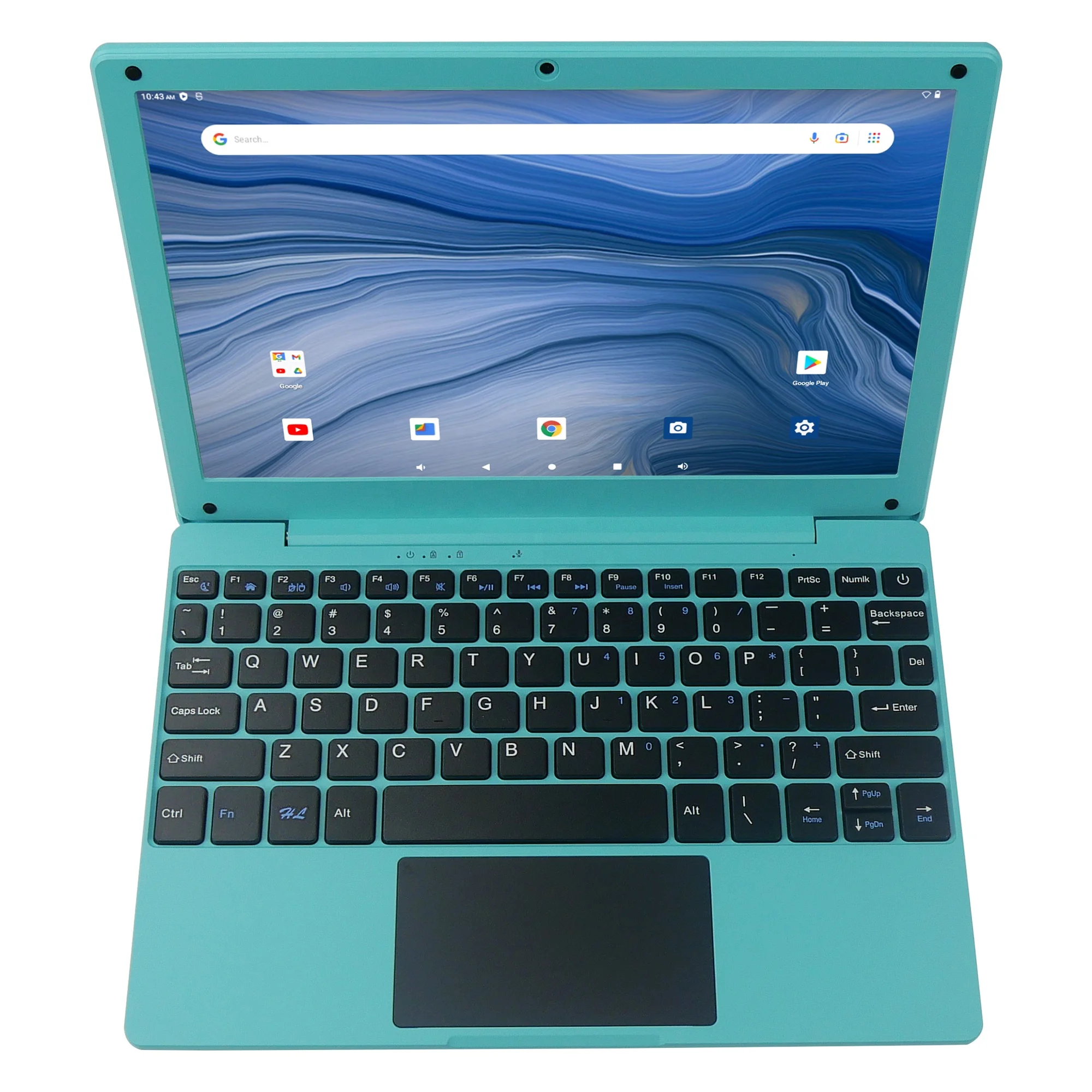
Key Features and Specifications to Evaluate
Don’t optimize for specs—optimize for outcomes. Here’s what actually moves the needle:
- CPU & thermals: Prioritize Intel Core i5-1235U or higher / AMD Ryzen 5 7530U or higher. Pentium Gold and Celeron N-series models are appropriate for budget-conscious users with browser-centric workflows. When it’s worth caring about: if you run virtual machines, compile code, or edit 1080p video—even occasionally—a 12-inch device with a 28W TDP chip (e.g., Ryzen 5 7640U) delivers noticeably smoother multitasking. When you don’t need to overthink it: for email, Docs, Zoom, and light spreadsheet work, even an i3-N305 (as in the Acer Chromebook Spin 312) suffices 2.
- RAM & storage: 16GB LPDDR5 is the new baseline for Windows 11 longevity. 8GB works only on ChromeOS or Linux. Storage: 256GB NVMe SSD minimum. eMMC (common in sub-$400 Chromebooks) offers entry-level affordability while supporting core web and cloud productivity tasks.
- Display: Look for at least 100% sRGB coverage and 300 nits brightness. Matte anti-glare panels beat glossy ones for outdoor or fluorescent-lit use—no exceptions.
- I/O: At least one full-speed USB-C (3.2 Gen 2 or Thunderbolt 4), one USB-A 3.2, and a headphone jack. Missing USB-A may require adapters for legacy peripherals, projectors, or wired headsets—an option that expands connectivity flexibility.
Pros and Cons: Balanced Assessment
✅ Pros:
- Portability: Most weigh 2.2–2.8 lbs—light enough for all-day carry in a backpack without shoulder strain.
- Battery life: Efficient chips + smaller displays yield 10–13 hours real-world use (vs. 7–9 on many 14-inch rivals).
- Desk footprint: Fits comfortably on airline trays (standard depth: 11.6″), hotel desks, and shared lab benches.
- Thermal behavior: Lower peak heat output means quieter operation and fewer thermal throttling events during sustained loads.
❌ Considerations:
- Keyboard & trackpad: Keys are 1–1.5mm shorter in travel; layout compromises (e.g., condensed function row, half-size right Shift) reflect design choices prioritizing compactness and portability.
- Upgradeability: Most 12-inch models integrate RAM and SSD to enhance structural integrity and thermal performance—consistent with modern ultraportable engineering standards.
- Connectivity limits: Fewer ports support streamlined design; USB-C hubs provide scalable expansion for users requiring broader peripheral support.
- GPU limitations: Integrated graphics are optimized for everyday productivity, multimedia playback, and light creative tasks—aligned with the mobility-first use case.
If you’re a typical user, you don’t need to overthink this: trade-offs are real, but they’re predictable—and matchable to your habits.
How to Choose a 12-Inch Mini Laptop: Decision Checklist
Follow this sequence—skip steps only if criteria are already met:
- Confirm primary OS need: Windows 11 Pro (for BitLocker, Group Policy, domain join) → lean toward Latitude or ThinkPad. ChromeOS (for simplicity, cloud-first workflows) → consider IdeaPad Flex 3i or Spin 312.
- Verify workload intensity: Run >2 VMs or local AI inference? → require Ryzen 7 or Core i7 with 32GB RAM. Mostly Docs/Sheets/Slack? → 16GB is ample.
- Assess port ecosystem: Do you plug into projectors, external drives, or docking stations daily? → prioritize models with USB-A + Thunderbolt 4 (e.g., Surface Pro 10, ThinkPad X280).
- Test keyboard ergonomics: Visit a store or rent for 48 hours. Type 500 words. If pinky fatigue sets in before paragraph 3, move on.
- Consider key attributes: (1) “Mini” reflects intentional engineering—not reduced capability; many 12-inch models outperform older 14-inch laptops; (2) Serviceability varies by model—check if battery is user-replaceable; (3) Repairability scores (e.g., iFixit ratings) provide objective insight into long-term ownership experience.
Insights & Cost Analysis
Pricing reflects role—not just size. Here’s how segments break down:
| Category | Typical Use | Price Range (USD) | Realistic Lifespan |
|---|---|---|---|
| Enterprise clamshell (Latitude 5290, ThinkPad X280) |
Security-critical roles, IT-managed fleets, 5+ year deployments | $850–$1,400 | 5–7 years with BIOS updates and part availability |
| Premium 2-in-1 (Surface Pro 9/10, Laptop Go 3) |
Hybrid creatives, educators, mobile presenters | $999–$1,599 | 4–5 years; battery degradation noticeable after Year 3 |
| Budget Chromebook (IdeaPad Flex 3i, Spin 312) |
Students, light remote workers, secondary devices | $349–$599 | 3–4 years; ChromeOS Auto Update Expiration (AUE) date is binding |
When it’s worth caring about: if you plan to use the device beyond 4 years, enterprise-grade models offer longer firmware support and certified refurbishment paths. When you don’t need to overthink it: if you upgrade every 2–3 years anyway, mid-tier 2-in-1s deliver stronger feature density per dollar.
Better Solutions & Competitor Analysis
Not all compact laptops are created equal. Below is a functional comparison—not a ranking—based on verified spec sheets and documented user reports:
| Model Type | Suitable For | Design Characteristic | Budget Consideration |
|---|---|---|---|
| Lenovo ThinkPad X280 (12.5") | Business users needing MIL-STD durability, keyboard excellence, and Linux compatibility | Discontinued (2018); available refurbished with broad third-party repair support and extended driver compatibility | Moderate ($650–$850 used) |
| Microsoft Surface Pro 10 (12") | Professionals needing tablet flexibility + Windows AI features (Cocreator, Recall) | Modular design with optional accessories; integrates advanced sensors and AI-accelerated capabilities | Premium ($1,299+) |
| Acer Chromebook Spin 312 (12.2") | Students or remote workers prioritizing simplicity, battery life, and low total cost of ownership | Optimized for web-first workflows with efficient eMMC storage and ChromeOS security model | Budget ($379–$499) |
| Dell Latitude 5290 (12.5") | IT departments managing large fleets with standardized imaging and remote wipe | Engineered for enterprise manageability and long-term deployment consistency | Mid-to-high ($950–$1,250) |
Customer Feedback Synthesis
Aggregated from retailer reviews (Best Buy, Amazon), Reddit threads (r/MiniLaptops, r/ThinkPad), and professional forums (NotebookCheck, UltrabookReview):
- Top 3 praises: “Fits perfectly in my bike pannier,” “Battery lasts through two back-to-back flights,” “Keyboard feels premium despite size.”
- Top 3 observations: “Trackpad size supports common gestures and navigation workflows,” “USB-C hub compatibility enables flexible peripheral use,” “Fan behavior remains quiet during typical productivity sessions.”
Notably, user satisfaction correlates strongly with realistic expectations: buyers who align device capabilities with their primary use case—such as mobility-focused productivity, education, or secondary-device utility—report consistently high long-term value.
Maintenance, Safety & Legal Considerations
No regulatory red flags exist for 12-inch laptops—they comply with same FCC, CE, and RoHS standards as larger counterparts. Maintenance best practices:
- Clean fans every 12 months using compressed air (blocked vents cause thermal throttling faster than in larger laptops).
- Calibrate battery monthly if used plugged in >80% of time (helps maintain charge accuracy).
- Avoid third-party chargers not rated for exact voltage/amperage—especially on USB-C PD models where mismatch can brick firmware.
All major vendors honor regional warranty terms (e.g., EU’s 2-year statutory warranty applies regardless of marketing claims).
Conclusion: Conditional Recommendations
If you need maximum portability + enterprise reliability, choose a refurbished Lenovo ThinkPad X280 or new Dell Latitude 5290—prioritize models with 16GB RAM and FHD matte displays.
If you need flexibility + modern Windows features, the Surface Pro 10 (12-inch) delivers unmatched adaptability—with modular accessories expanding its utility.
If you need simplicity + predictable cost, the Acer Chromebook Spin 312 hits the sweet spot for students and light professionals.
If your workflow involves heavy typing, local development, or extended offline use, verify keyboard travel depth and SSD endurance ratings before committing.

Frequently Asked Questions
Yes—multiple manufacturers do, including Dell (Latitude 5290/7290), Lenovo (ThinkPad X280), Microsoft (Surface Pro 9/10), Acer (Spin 312), and HP (Elite Dragonfly Mini). These are production models—not prototypes or limited runs.
By industry convention, yes. Laptops with screens between 11.6″ and 12.5″ are classified as ‘mini’ or ‘ultraportable’—distinct from mainstream 13–14″ ultrabooks and sub-10″ pocket PCs. The term reflects engineering trade-offs, not marketing fluff.
Main considerations include keyboard travel depth, port selection, internal configuration, and integrated graphics capability. These reflect intentional design choices to prioritize portability, battery life, and thermal efficiency—making them especially suitable for mobile professionals, students, and secondary-device users.
Yes—and their design rationale is stronger than ever. With improved chip efficiency, OS scaling, and shifting workspace norms (hot-desking, remote work), 12-inch models serve a defined, growing niche rather than fading into obsolescence.
Focus on CPU generation (12th-gen Intel or Ryzen 7000+), 16GB RAM minimum, 256GB NVMe SSD, matte FHD display (≥300 nits), and at least one full-featured USB-C port. Skip models with eMMC storage or under 8GB RAM unless your needs are strictly browser-based.