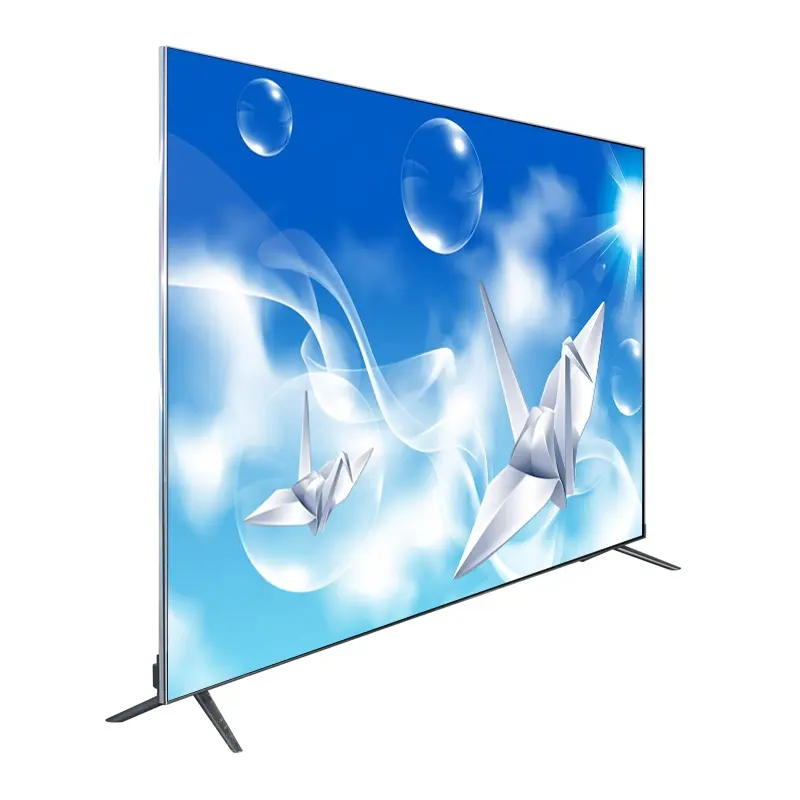
If you’re a typical user, you don’t need to overthink this. A true 200-inch flat screen TV — meaning a single-panel, wall-mountable, consumer-grade display — does not exist at retail scale. What you’ll actually find are three viable alternatives: (1) modular LED video walls (commercial-grade, high-cost, professional install), (2) ultra-short-throw (UST) projectors paired with 200-inch fixed or motorized screens, and (3) multi-TV arrays (e.g., four 98-inch TVs tiled into a near-200-inch surface). Over the past year, UST projector performance has improved significantly — particularly in ambient-light rejection and brightness — making them the most realistic, cost-effective, and homeowner-friendly path to a 200-inch viewing experience 1. If your goal is cinematic immersion without commercial infrastructure, start with a 200-inch projector screen + 4,000–5,000-lumen UST projector — not a ‘200-inch TV’ listing on Alibaba or Amazon.
About 200-Inch Flat Screen TVs: Definition and Typical Use Cases
The phrase 200-inch flat screen TV triggers strong visual expectations — but it’s functionally ambiguous. Technically, “200-inch” refers to diagonal screen measurement (≈174″ wide × 98″ tall in 16:9 aspect ratio). However, no single-panel consumer LCD, OLED, or QLED TV ships at that size 2. What’s marketed as such falls into three categories:
- Commercial LED video walls: Modular panels (e.g., P1.8 or P2.5 pitch) assembled into large-format displays. Used in lobbies, stadiums, and event centers 3. Not plug-and-play; requires structural mounting, power distribution, and content processing hardware.
- Ultra-short-throw projector + screen systems: A projector placed inches from the wall projects onto a dedicated 200-inch screen (e.g., Elite Screens Sable 200-inch fixed frame). This is the only solution delivering true flat-screen aesthetics, low latency, and residential compatibility.
- Multi-TV tiling arrays: Four 98-inch TVs mounted in a 2×2 grid. While visually impressive (as demonstrated by B The Installer’s YouTube build 4), it introduces bezel gaps (~20–24 mm per seam), calibration complexity, and safety concerns around weight and mounting.
Why 200-Inch Flat Screen TVs Are Gaining Popularity
Lately, demand for oversized home entertainment has surged — driven less by novelty and more by measurable shifts: higher-resolution content (8K streaming, native 4K Blu-rays), wider adoption of immersive audio (Dolby Atmos), and growing tolerance for intentional, space-dedicated media rooms. People aren’t just buying bigger screens — they’re optimizing for perceived field of view, where screen height occupies ≥40% of seated viewing angle. At typical living room distances (10–14 ft), a 200-inch image delivers that effect reliably.
But popularity ≠ accessibility. Search volume for “200 inch flat screen tv price” and “200 inch flat screen tv in India” reflects widespread curiosity — yet most users quickly confront two realities: (1) listings labeled “200-inch TV” are either mislabeled projector screens or commercial LED walls, and (2) genuine single-panel solutions remain confined to lab prototypes or $250k+ MicroLED installations like Samsung’s 292-inch Wall Luxury 5. This gap between aspiration and availability is why pragmatic alternatives now dominate real-world deployments.
Approaches and Differences
Three approaches deliver ~200-inch viewing area. Each solves different problems — and introduces distinct constraints.
✅ Ultra-Short-Throw Projector + Screen
- Pros: Single seamless image; minimal floor/wall footprint; mature tech (Hisense L9Q, XGIMI Horizon Ultra); supports HDR, Dolby Vision, and low input lag (<20 ms); works in moderate ambient light (5,000 lumens).
- Cons: Requires precise screen placement and wall flatness; screen material affects contrast and viewing angle; projector lamp/laser lifespan (20,000–30,000 hrs); no built-in smart OS (relies on external streaming stick or AV receiver).
- When it’s worth caring about: If you control lighting, have a dedicated wall, and prioritize image uniformity and simplicity.
- When you don’t need to overthink it: If you already own a quality 16:9 wall-mounted screen — upgrading the projector is faster and cheaper than replacing the entire system.
⚠️ Multi-TV Tiled Array (e.g., 4 × 98″)
- Pros: Pixel-perfect resolution per panel; familiar interface and smart features; no projection artifacts; usable in full daylight.
- Cons: Visible bezels (up to 24 mm gap per seam); complex cabling, sync, and color calibration; structural load >600 lbs; mounting requires reinforced studs or ceiling suspension; no native 200-inch UI scaling.
- When it’s worth caring about: For permanent commercial installations where uptime, brightness, and serviceability outweigh aesthetic continuity.
- When you don’t need to overthink it: If your goal is occasional movie nights — the setup overhead and long-term maintenance make this over-engineered.
🔧 Commercial LED Video Wall
- Pros: True scalability (add panels horizontally/vertically); daylight-readable brightness (>1,000 nits); IP65-rated outdoor variants; seamless pixel pitch options (P1.5–P2.5).
- Cons: Minimum order quantity (often 6+ panels); requires certified AV integrator; no consumer HDMI input — uses SDI or HDBaseT; no built-in speakers or tuners; cooling and power draw require dedicated circuits.
- When it’s worth caring about: For hospitality venues, corporate briefing centers, or permanent outdoor signage where reliability and visibility trump convenience.
- When you don’t need to overthink it: If you’re outfitting a home theater — this is industrial infrastructure, not home electronics.
Key Features and Specifications to Evaluate
Don’t optimize for “200-inch” alone. Prioritize metrics that impact real-world usability:
- Brightness (lumens): For UST projectors, ≥4,000 ANSI lumens enables use with blinds partially open. Below 3,500, expect dimming in daytime.
- Screen gain & material: Fixed-frame ALR (ambient light rejecting) screens (e.g., Elite Screens CineGrey 5D) preserve contrast better than matte white in lit rooms — but narrow viewing angles.
- Input lag & processing: Look for <25 ms at 4K/60Hz. Avoid projectors with heavy motion interpolation unless gaming isn’t a priority.
- Mounting depth & throw ratio: True UST = throw ratio ≤0.25. Verify clearance: some models need 15–20 cm from wall to lens.
- Bezel width (for tiled arrays): Measure actual visible gap — not just spec sheet “design bezel.” Real-world seam visibility depends on viewing distance and content contrast.
Pros and Cons: Balanced Assessment
A 200-inch display isn’t inherently “better” — it’s situationally appropriate.
- Best for: Dedicated media rooms, large open-plan spaces, commercial lobbies, or outdoor entertainment zones where screen dominance enhances engagement.
- Not ideal for: Small apartments (<400 sq ft), rooms with uncontrolled natural light (unless using ALR screen + UST), renters (drilling/mounting restrictions), or users expecting plug-and-play operation.
- If you’re a typical user, you don’t need to overthink this. Most households benefit more from optimizing seating distance, acoustic treatment, and source quality than chasing diagonal inches.
How to Choose a 200-Inch Flat Screen TV: Step-by-Step Decision Guide
Follow this sequence — not in order of preference, but logic:
- Confirm your primary use case: Movie immersion? Sports viewing? Digital signage? Gaming? Each weights specs differently (e.g., gamers prioritize input lag; signage prioritizes brightness and uptime).
- Measure your space — twice: Wall width/height, viewing distance, ceiling height (for projector ceiling mounts), and electrical outlet locations. Note obstructions (windows, doors, HVAC vents).
- Rule out non-starters first: No reinforced wall? Skip tiled arrays. No budget for professional calibration? Skip LED walls. No darkening capability? Avoid standard projector screens.
- Test ambient light conditions: Take lux meter readings at noon and dusk. If >100 lux at screen position, invest in ALR screen + ≥4,500-lumen UST — not a basic white screen.
- Avoid these common pitfalls: Buying “200-inch TV” without checking if it’s a screen or panel; assuming all 98″ TVs tile seamlessly (HDMI-CEC and firmware sync vary); skipping thermal management for LED walls (overheating degrades longevity).
Insights & Cost Analysis
Realistic entry points (mid-2024, global averages):
- UST + 200″ screen: $2,800–$5,200 (projector $1,600–$3,500 + screen $1,200–$1,700)
- Tiled 4×98″ array: $12,000–$24,000 (TVs $2,500–$5,000 each + mount $800–$2,000 + calibration $1,200–$3,000)
- Commercial LED wall (200″ equivalent): $18,000–$45,000+ (panels $12,000–$30,000 + processor $2,500–$6,000 + install $3,500–$9,000)
ROI favors UST for 90% of residential users: lower upfront cost, no structural mods, easier upgrades, and proven reliability. Tiled arrays offer longevity (10+ years panel life) but steep learning curve. LED walls depreciate rapidly outside commercial contracts.
| Solution | Best For | Potential Problems | Budget Range (USD) |
|---|---|---|---|
| UST Projector + Screen | Home theaters, controlled lighting, simplicity seekers | Wall flatness critical; screen material affects color accuracy | $2,800–$5,200 |
| 4×98″ TV Array | Commercial venues, 24/7 operation, bright environments | Visible seams; complex calibration; mounting safety risk | $12,000–$24,000 |
| LED Video Wall | Outdoor signage, stadiums, corporate lobbies | No consumer inputs; requires AV integrator; high power draw | $18,000–$45,000+ |
Customer Feedback Synthesis
Based on aggregated reviews (Amazon, YouTube comments, IndiaMART, Alibaba buyer notes):
✅ Top praise: “The immersion is unmatched — feels like front-row cinema”; “Setup was simpler than expected once we chose UST”; “Brightness holds up even with afternoon sun.”
❌ Top complaints: “Bezels distract during dark scenes”; “Projector fan noise noticeable during quiet dialogue”; “No return policy on custom-sized screens.”
Maintenance, Safety & Legal Considerations
Safety: Tiled TV arrays exceeding 500 lbs require engineer-certified mounting per local building codes. Do not rely on drywall anchors. LED walls need dedicated 20A circuits and thermal monitoring.
Maintenance: UST projectors need filter cleaning every 3 months in dusty environments; laser light sources degrade gradually (no sudden failure). LED panels require periodic firmware updates and pixel-refresh cycles.
Legal: In India and EU, commercial LED installations may require CE/ISI certification and fire-rated enclosures. Residential UST setups face no regulatory barriers.
Conclusion
If you need cinematic immersion in a residential setting: choose an ultra-short-throw projector + 200-inch ALR screen.
If you operate a venue requiring all-day visibility and zero downtime: evaluate P2.0 LED video walls with professional integration.
If you’re drawn to the idea of four massive TVs — pause. Unless you have structural engineering support, calibrated color workflow, and tolerance for visible seams, it’s rarely the optimal path.
This piece isn’t for keyword collectors. It’s for people who will actually use the product.