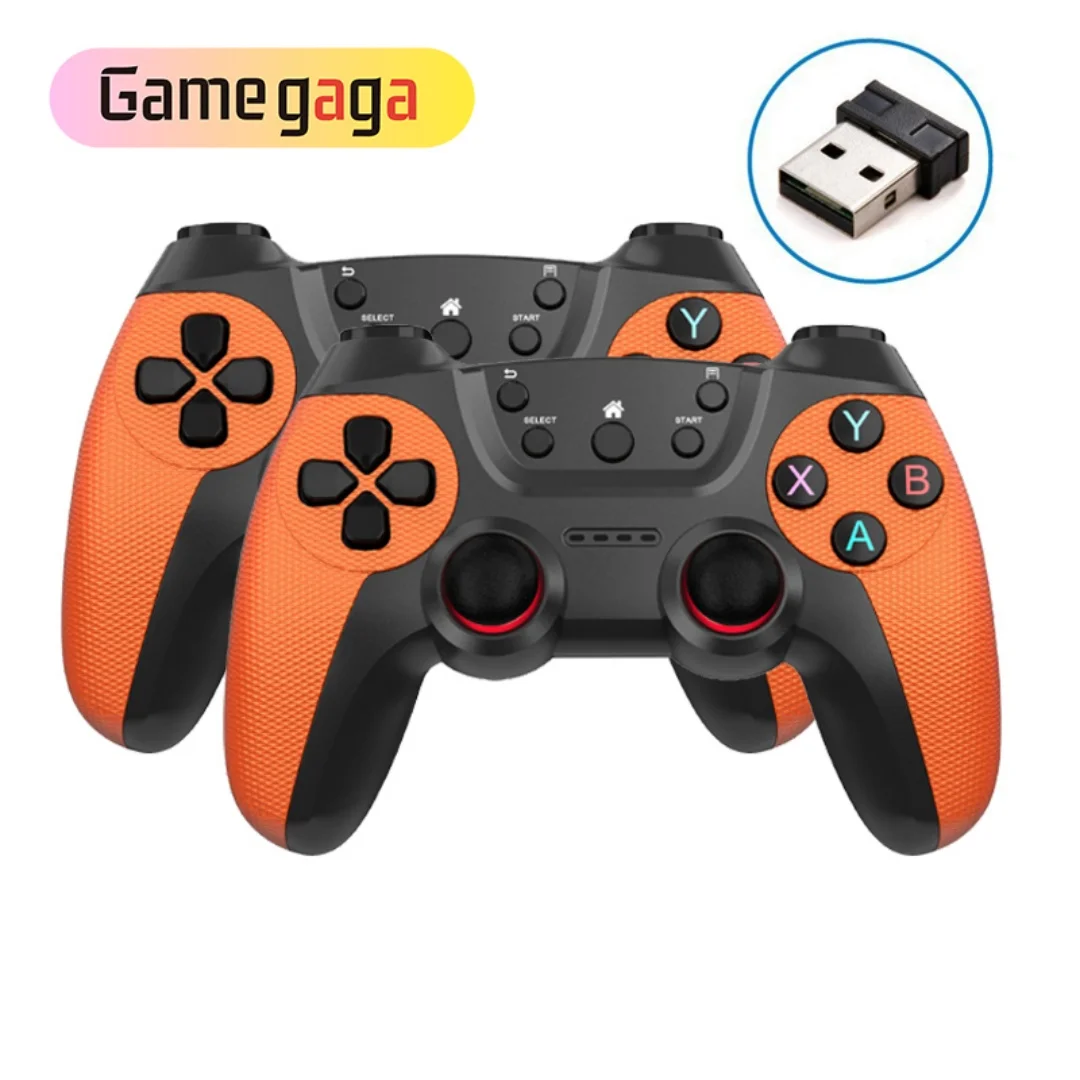
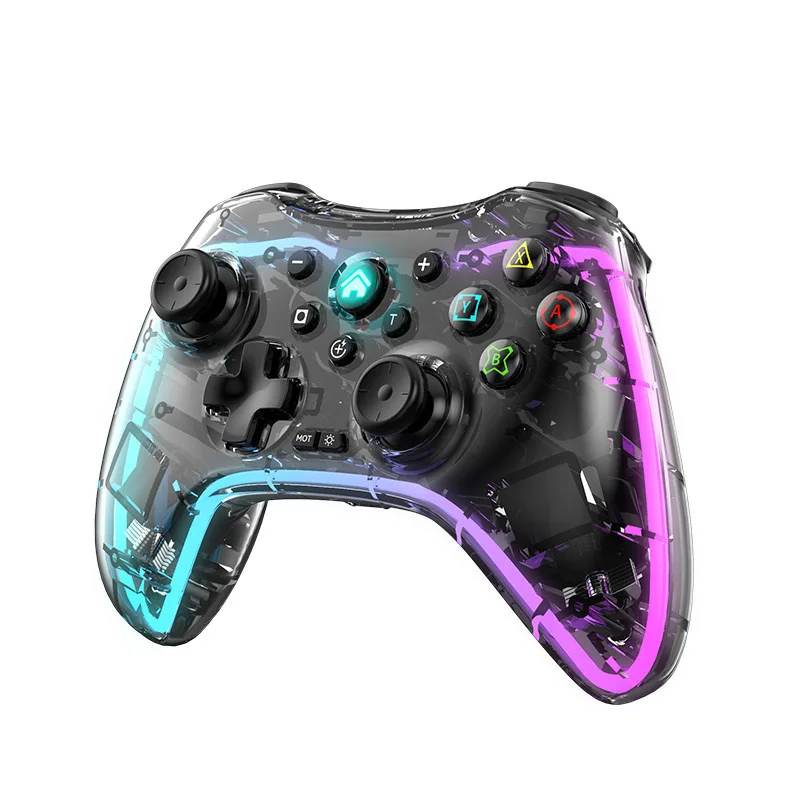
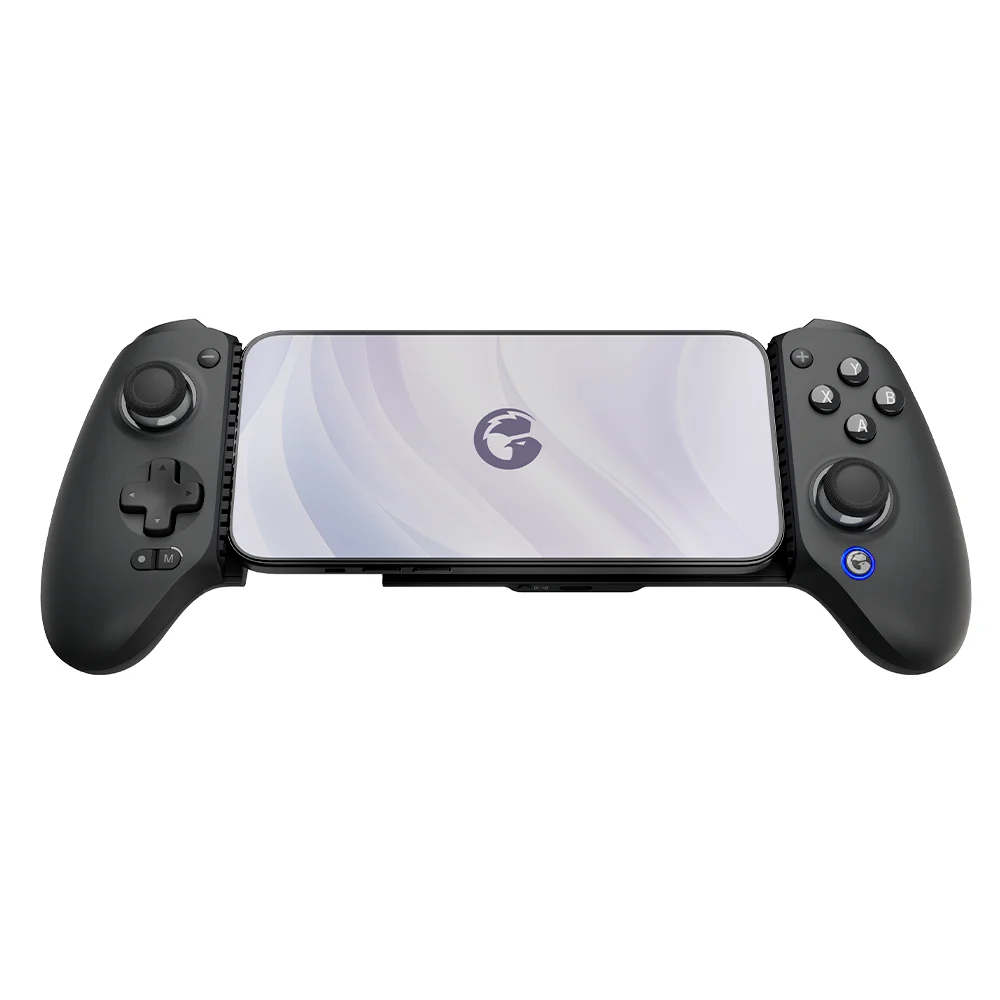
For most Android gamers in 2026, a Bluetooth 5.3/5.4 controller with Hall Effect joysticks and native Android 17 support is the optimal starting point — especially if you play cloud games (Xbox Cloud, GeForce Now) or competitive mobile titles like Call of Duty Mobile or PUBG Mobile. If you’re a typical user, you don’t need to overthink this. Over the past year, Android’s controller ecosystem has shifted decisively: Android 17 introduced system-level button remapping, sub-10ms input latency, and plug-and-play HID compliance — making hardware compatibility less about workarounds and more about performance fidelity. That’s why what used to be a niche accessory is now a functional extension of your device. Skip proprietary docks or $200+ pro rigs unless you’re streaming tournaments or building a dedicated mobile eSports setup. This piece isn’t for keyword collectors. It’s for people who will actually use the product.
About Game Controllers for Android Devices
A game controller for Android devices is a physical input peripheral — typically shaped like a console pad (dual analog sticks, face buttons, triggers) — designed to interface wirelessly (or occasionally via USB-C) with smartphones and tablets running Android OS. Unlike keyboard-and-mouse setups or touchscreen-only play, these controllers deliver tactile feedback, precise analog control, and ergonomic positioning for extended sessions. They’re not universal remote replacements or generic Bluetooth HID devices: they’re engineered for low-latency, consistent polling, and compatibility with both native Android gaming APIs and third-party cloud platforms.
Typical usage scenarios include:
- 🕹️ Playing cloud-streamed AAA titles (Assassin’s Creed Mirage, Starfield) via Xbox Cloud Gaming or GeForce Now;
- 🎮 Competing in ranked matches of mobile shooters or battle arenas where timing and stick precision matter;
- 📱 Using Android TV or foldables as hybrid entertainment hubs — pairing one controller across phone, tablet, and TV;
- ☁️ Running emulators (e.g., RetroArch) or Steam Link with reliable input mapping.
Why Game Controllers for Android Devices Are Gaining Popularity
Lately, adoption has accelerated beyond seasonal gifting spikes. Search interest for “android controller” hit a score of 91/100 in December 2025, but crucially, February 2026 saw a sustained secondary peak — indicating year-round utility, not just holiday impulse buys 1. Three structural shifts explain this:
- Android 17’s native gamepad stack: Google’s 2026 OS update added built-in button remapping, per-app profiles, and reduced average input latency from ~32ms to under 8ms for certified Bluetooth 5.3/5.4 devices 2. This eliminated the need for third-party overlay apps — a major friction point in prior years.
- Cloud gaming maturity: With Xbox Cloud Gaming reaching 98% global coverage and GeForce Now adding Android-native streaming in Q1 2026, users now expect console-grade responsiveness on handhelds. A 25% YoY increase in demand for adaptive-trigger controllers confirms this shift 3.
- Hardware standardization: Hall Effect joysticks (magnetic, drift-resistant) and Bluetooth 5.3/5.4 have moved from premium-tier features to baseline expectations — even in sub-$50 models. That lowers the barrier to entry without sacrificing longevity.
Approaches and Differences
Three primary form factors dominate the market — each solving distinct problems:
- Clip-on controllers (e.g., Razer Kishi V3, Backbone One): Attach directly to phone frames; offer zero latency (wired USB-C passthrough) and full phone functionality (calls, notifications). When it’s worth caring about: If you primarily game on a single flagship phone and value portability + battery neutrality. When you don’t need to overthink it: If you rotate between multiple devices, use thick cases, or own a non-standard screen size — clip-ons become fragile or incompatible.
- Standalone Bluetooth controllers (e.g., DualShock 4 derivatives, 8BitDo Pro 2, newer Hall Effect models): Fully wireless, cross-device compatible, and often feature-rich (RGB, macro keys, swappable caps). When it’s worth caring about: If you switch between phone, tablet, PC, or Android TV — or prioritize long-term durability (Hall Effect = no stick drift). When you don’t need to overthink it: If you only game 30 minutes weekly and already own a PS5 DualSense — its Android 17 support is sufficient for casual play.
- Modular/expandable kits (e.g., Gamesir X2 Pro with detachable grips): Target hybrid use — phone-first but with optional tablet cradles or desktop docking. When it’s worth caring about: If you own a foldable or frequently switch between vertical and horizontal gameplay. When you don’t need to overthink it: If your workflow is strictly portrait-based (e.g., rhythm games) or you dislike managing extra accessories.
Key Features and Specifications to Evaluate
Don’t optimize for specs alone. Prioritize features that impact real-world usability:
- Hall Effect joysticks & triggers: Magnetic sensors eliminate mechanical wear and stick drift — the #1 cause of mid-life controller failure. When it’s worth caring about: If you plan >12 months of regular use or play precision-heavy titles (e.g., racing sims, platformers). When you don’t need to overthink it: If you replace controllers every 6–8 months or only use them for occasional cloud sessions.
- Bluetooth version & latency: Bluetooth 5.3/5.4 cuts average latency to <5ms — matching wired responsiveness. Older BT 5.0/5.1 adds 12–18ms delay, perceptible in fast-paced shooters. When it’s worth caring about: For competitive multiplayer or rhythm games. When you don’t need to overthink it: For turn-based RPGs or narrative adventures.
- Android 17 certification: Not a formal logo — but verified support for native HID profiles, system-level remapping, and auto-pairing. Look for firmware update logs mentioning “Android 17 compatibility” or “system-wide button mapping.” When it’s worth caring about: If you avoid sideloading apps or want plug-and-play reliability. When you don’t need to overthink it: If you’re comfortable using third-party tools like Octopus or GameSir World.
- Battery life & charging: Most modern controllers last 15–30 hours per charge. USB-C fast charging (0–80% in <45 mins) matters more than total capacity if you game daily. When it’s worth caring about: If you travel frequently or lack consistent access to outlets. When you don’t need to overthink it: If you charge nightly and game at home.
Pros and Cons
Every controller involves trade-offs. Here’s how they map to real behavior:
- Pros of modern Android controllers: Lower input latency than touchscreens; ergonomic support for 45+ minute sessions; consistent control across cloud, native, and emulator environments; growing library of Android-optimized titles (e.g., Horizon Chase Turbo, Dead Cells).
- Cons to acknowledge: No universal case compatibility (clip-ons); minor learning curve for remapping; limited haptic feedback depth vs. PS5 DualSense; some older games still require manual HID configuration.
- Who benefits most: Players using Android for cloud gaming, competitive mobile titles, or emulators — especially those upgrading from touchscreen-only input.
- Who may not need one yet: Casual puzzle or idle game users; those whose primary device lacks Android 17 or Bluetooth 5.3; users unwilling to manage firmware updates or minor setup steps.
How to Choose a Game Controller for Android Devices
Follow this decision checklist — and avoid two common traps:
- Avoid the “brand loyalty trap”: Don’t assume PlayStation or Xbox controllers are automatically best. While DualSense and Xbox Wireless work well, their Android 17 integration lags behind purpose-built models (e.g., 8BitDo Ultimate Wireless) in latency consistency and remapping flexibility.
- Avoid the “feature overload trap”: RGB lighting, macro keys, and swappable D-pads rarely improve core gameplay. They add cost, complexity, and battery drain — without measurable input gains.
- The one constraint that actually matters: Your primary device’s Bluetooth stack and OS version. An Android 16 phone with BT 5.1 won’t benefit from a BT 5.4 controller’s latency improvements — no matter how premium it is. Check Settings > About Phone > Android Version and Bluetooth Version first.
Your step-by-step selection path:
- Confirm your device runs Android 17 or later (or will receive it by mid-2026).
- Determine your dominant use case: cloud gaming? competitive mobile? emulation?
- Choose form factor: clip-on (single-device focus), standalone (multi-device), or modular (foldables/tablets).
- Verify Hall Effect joysticks and Bluetooth 5.3/5.4 support — check manufacturer firmware notes, not just packaging.
- Test remapping: Use Android’s native Settings > Connected Devices > Connection Preferences > Game Controllers to confirm button layout recognition.
Insights & Cost Analysis
The $159.25 million mobile controller market is split 59% Android-specific 3. Price tiers reflect real engineering differences:
- $25–$45 range: Entry-level Bluetooth 5.3 controllers (e.g., Redragon K552-Android edition). Include Hall Effect sticks, basic remapping, 20hr battery. Ideal for new adopters or secondary devices.
- $46–$79 range: Mid-tier (e.g., 8BitDo Ultimate Wireless, Gamesir T4 Pro). Add adaptive triggers, multi-profile memory, USB-C fast charge, and certified Android 17 firmware. Best balance of longevity and features.
- $80+ range: Niche or pro-focused (e.g., Nacon MG-X, Razer Kishi V3 Pro). Include hall-effect triggers, ultra-low latency modes, and Android TV optimization — justified only for tournament players or power users.
If you’re a typical user, you don’t need to overthink this. The $46–$79 segment delivers 90% of measurable performance gains at half the price of premium models.
Better Solutions & Competitor Analysis
| Category | Best-Suited Advantage | Potential Problem | Budget Range |
|---|---|---|---|
| Standalone w/ Hall Effect | Cross-device consistency; no case interference; longest lifespan | Slightly bulkier to carry; requires separate charging | $46–$79 |
| Clip-on (USB-C) | Zero-latency wired mode; preserves phone battery; ultra-portable | Fragile hinge mechanism; limited case/thickness compatibility | $49–$69 |
| Legacy Console Controllers | Familiar layout; wide app support; often already owned | Inconsistent Android 17 remapping; higher latency on older BT versions | $0 (if owned) – $70 (new) |
Customer Feedback Synthesis
Based on aggregated reviews (Amazon, Reddit r/MobileGaming, 360Researchreports), top recurring themes:
- High-frequency praise: “Stick drift vanished after switching to Hall Effect,” “Finally plays Fortnite without lag spikes,” “Remapping works across all my apps — no more Octopus needed.”
- High-frequency complaints: “Clip-on hinge snapped after 4 months,” “RGB drains battery faster than advertised,” “Firmware update failed twice — had to factory reset.”
- Underreported but critical: Users consistently overlook Bluetooth version verification — leading to mismatched expectations about latency. Always check your phone’s spec sheet before purchase.
Maintenance, Safety & Legal Considerations
No regulatory certifications (e.g., FCC, CE) are mandatory for Bluetooth controllers sold in most regions — but reputable brands self-certify for radio emissions and electrical safety. Look for ISO 9001 manufacturing certification in supplier documentation if sourcing wholesale. From a user standpoint:
- Store controllers in dry, room-temperature environments — extreme heat degrades lithium batteries and Hall sensors.
- Clean joysticks with >70% isopropyl alcohol on a microfiber cloth — never water or compressed air.
- Firmware updates are safe and recommended; skip only if your current version resolves known bugs (e.g., pairing instability).
- No legal restrictions apply to personal use — though enterprise deployments (e.g., gaming cafes) may require local import compliance documentation.
Conclusion
If you need low-latency, long-term reliability, and multi-device flexibility, choose a standalone Bluetooth 5.3/5.4 controller with Hall Effect joysticks and documented Android 17 firmware support — ideally in the $46–$79 range. If you prioritize zero-latency portability on one flagship phone, a clip-on with USB-C passthrough remains valid — but verify hinge warranty terms. If you already own a DualSense or Xbox Wireless controller and mainly play single-player cloud titles, start there: Android 17 compatibility is sufficient for most use cases. If you’re a typical user, you don’t need to overthink this.
FAQs