If you’re a typical user, you don’t need to overthink this. For home theater setups, digital signage, or light kiosk use, a fanless Android quad-core mini PC—like those built on Rockchip RK3399 or Intel N100—is the most reliable, thermally stable, and cost-effective choice 1. Skip multi-core Android models unless you run local AI inference tasks daily; they add heat, noise, and cost without meaningful gains for streaming, web apps, or basic automation. Over the past year, industrial buyers and minimalist consumers have increasingly favored quad-core units—not because they’re outdated, but because they deliver predictable, silent, 24/7 operation where it counts. This piece isn’t for keyword collectors. It’s for people who will actually use the product.
About Android Quad-Core Mini PCs: Definition & Typical Use Cases
An Android quad-core mini PC is a compact, self-contained computing device running Android OS (typically Android 11–13), powered by a processor with four physical CPU cores—and critically, designed for passive cooling, low power draw (<12W), and long-term stability. Unlike Windows mini PCs or x86-based Android boxes, these prioritize integration over raw speed: HDMI 2.0/2.1 output, dual-band Wi-Fi, USB-C or USB-A ports, and optional VESA mounting are standard. They’re not laptops or desktop replacements. Instead, they serve as embedded brains for specific roles:
- 📺 Digital signage: Looping menus, promotions, or wayfinding in retail or hospitality
- 🎬 Home theater media hubs: Streaming from Plex, YouTube TV, or local NAS via Kodi or native apps
- 🛒 Retail kiosks: Touch-enabled order terminals or inventory checkers
- 🏫 Educational displays: Interactive whiteboard controllers or lab station interfaces
- 🏭 Industrial edge nodes: Monitoring dashboards, machine status panels, or smart building gateways
What defines them isn’t just core count—it’s the system-level design: aluminum chassis for passive heat dissipation, minimal firmware bloat, and support for Android’s hardware abstraction layer (HAL) for consistent peripheral handling. If you’re a typical user, you don’t need to overthink this: quad-core doesn’t mean “entry-level” here—it means purpose-built.
Why Android Quad-Core Mini PCs Are Gaining Popularity
Lately, demand has shifted—not toward more cores, but toward better thermal governance and deployment resilience. Mordor Intelligence reports that global mini PC revenue will reach $23.14 billion by 2026, with over 68% of growth coming from commercial and industrial deployments in India, Indonesia, Vietnam, and Brazil 12. Why? Because quad-core designs (especially Rockchip RK3399, RK3566, and Intel N100) now deliver:
- ✅ Fanless operation — critical in quiet environments (libraries, meeting rooms) and dust-prone sites (warehouses, workshops)
- ✅ Lower idle power — often under 3W, enabling solar or PoE-powered deployments
- ✅ Predictable performance — no thermal throttling during 4K video playback or extended uptime
This resurgence isn’t nostalgia—it’s engineering pragmatism. When it’s worth caring about: if your unit runs unattended for weeks, sits inside a wall-mounted enclosure, or powers a touchscreen in a high-traffic area. When you don’t need to overthink it: if you only use it for occasional YouTube browsing or testing Android apps on a desk.
Approaches and Differences: Consumer vs. Industrial Quad-Core Models
There are two dominant implementation paths—and their differences aren’t just price. They reflect divergent priorities: convenience versus longevity.
| Category | Consumer / Retail | Industrial / B2B |
|---|---|---|
| Typical SoC | Rockchip RK3328, Amlogic S905X3 | Rockchip RK3399, RK3588, Intel N100 |
| Form Factor | Stick PC (HDMI plug-in) or 100–120mm cube | 1-liter chassis, VESA-mountable, IP-rated enclosures available |
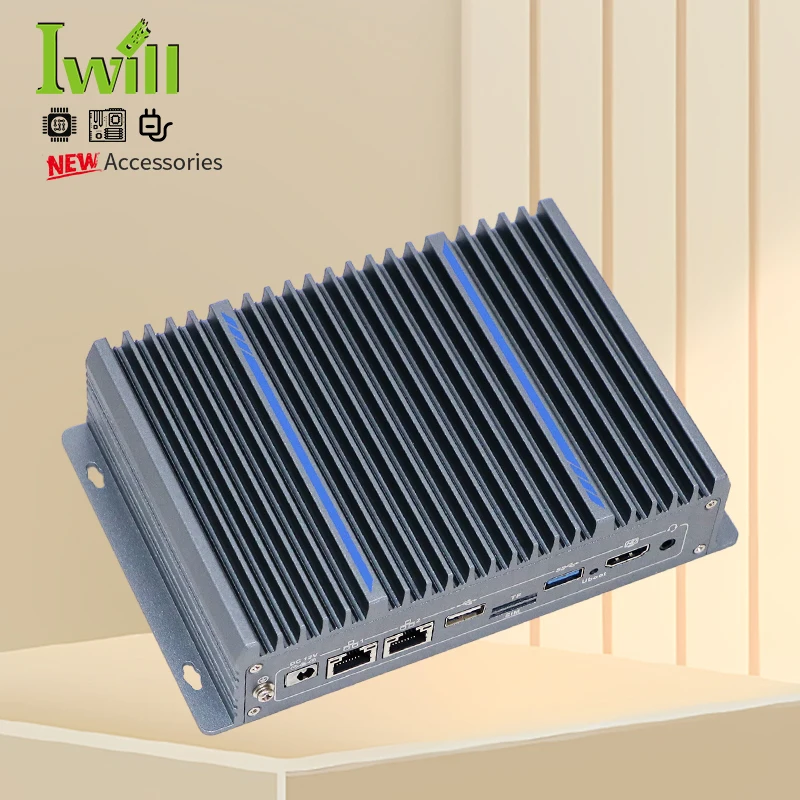
| Cooling | Passive aluminum heatsink (no fan) | Extended heatsink + optional low-noise fan (configurable) |
| OS Support | Stock Android (often locked; OTA updates rare) | Custom Android BSP with vendor-maintained kernel, long-term security patches |
| Key Ports | HDMI, USB-A ×2, microSD slot | HDMI 2.1, dual LAN (1Gbps), RS232/485, GPIO, USB-C PD |
| Uptime Guarantee | Not specified (typically 6–12 months warranty) | 24/7 rated; 3–5 year warranty common |
If you’re a typical user, you don’t need to overthink this: consumer sticks work fine for bedroom TVs or side-table demos—but if your mini PC powers a café menu board or factory floor monitor, industrial-grade specs directly impact mean time between failures (MTBF).
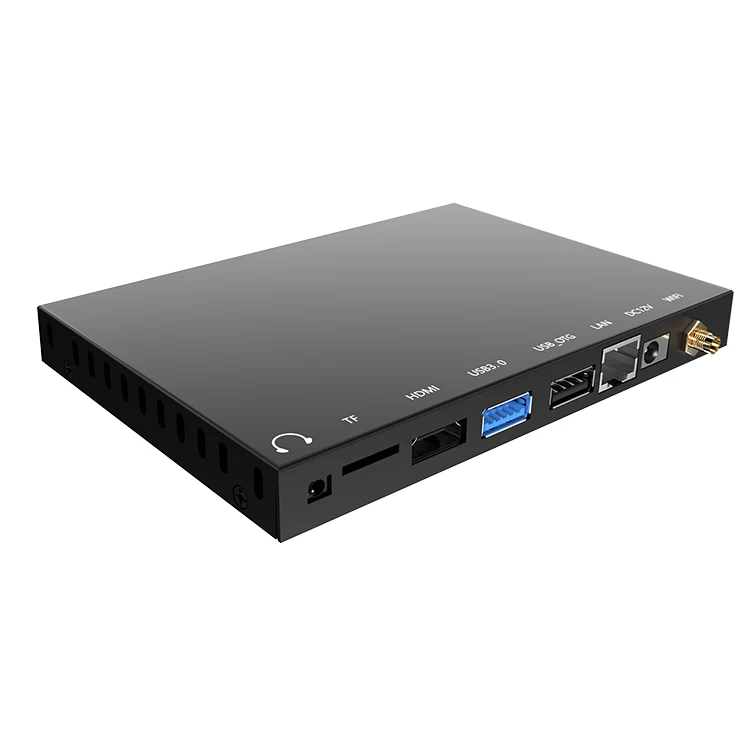
Key Features and Specifications to Evaluate
Don’t default to RAM or storage size. Focus on what actually affects stability and compatibility:
- SoC & Thermal Design: RK3399 and N100 offer verified 4K@60Hz decode and sustained 12+ hour loads. Avoid older Amlogic S805/S905 variants if you need HDR10 or wide color gamut (BT.2020). When it’s worth caring about: for signage requiring precise color timing or medical-grade display calibration. When you don’t need to overthink it: for Netflix-only living room use.
- Android Version & Update Policy: Android 12+ supports AV1 decoding and better memory management. Check whether firmware updates are provided—and for how long. Many $30–$60 sticks ship with Android 9 and receive zero updates.
- HDMI Output Capability: Confirm HDMI 2.0 or 2.1 support—not just “4K.” True HDMI 2.1 enables variable refresh rate (VRR) and eARC, useful for dynamic signage content. HDMI 2.0b is sufficient for static 4K menus.
- Wi-Fi & Bluetooth Stack: Wi-Fi 5 (802.11ac) is adequate; Wi-Fi 6 adds marginal benefit unless deploying dozens of units in one facility. Bluetooth 5.0+ matters for peripheral pairing (keyboards, barcode scanners).
- Boot Reliability: Look for devices supporting Android’s Verified Boot (AVB) or signed bootloader—reduces risk of bricking during firmware updates.
Pros and Cons: Balanced Assessment
Pros:
- ✨ Silent, maintenance-free operation due to passive cooling
- 🔋 Low power consumption (3–8W typical), ideal for uninterruptible power supply (UPS) or battery-backed systems
- 📦 Minimalist footprint—fits behind displays or inside kiosk frames
- 🌐 Native Android ecosystem access (Google Play, Cast, Assistant integration)
Cons:
- ⚠️ Limited multitasking headroom—avoid heavy Chrome tabs + video + background services simultaneously
- ⚠️ Fewer developer tools than Linux-based alternatives (e.g., Raspberry Pi OS)
- ⚠️ Vendor lock-in: custom recovery, restricted root access, limited ADB debugging on consumer models
Quad-core Android mini PCs suit users who value reliability over flexibility—and who define “performance” as hours of uninterrupted uptime, not benchmark scores.
How to Choose an Android Quad-Core Mini PC: Decision Checklist
Follow this step-by-step filter before buying:
- Define your runtime environment: Will it run 24/7? Is ambient temperature >35°C? If yes, eliminate any model without aluminum chassis or documented thermal derating curves.
- Verify required outputs: Do you need dual HDMI? RS232 for legacy printers? GPIO for sensors? Consumer models rarely include these—even if advertised as “industrial.”
- Check Android version and update history: Search “[model name] firmware update log” — if no changelog exists beyond initial release, assume no future updates.
- Avoid the “RAM trap”: 4GB RAM on Android 12 is functionally identical to 8GB on Android 9—if the SoC and memory bandwidth are unchanged. Prioritize SoC generation over RAM spec.
- Test boot-to-app latency: If deploying kiosks, measure time from power-on to app launch. Industrial units average 8–12 seconds; consumer sticks often exceed 25s due to bloated bootloaders.
The two most common ineffective debates? “Should I get ARM or x86?” and “Is 16GB storage enough?” Neither matters much in practice. What truly affects outcome: whether the device boots reliably after a power outage—and whether its HDMI port maintains EDID handshake across firmware updates. That’s the real constraint.
Insights & Cost Analysis
Price reflects architecture—not marketing. Here’s what you’ll realistically pay in mid-2024:
- Consumer-grade sticks: $26–$60 (RK3328, S905X3, Android 9–11, 2–4GB RAM, 16–32GB eMMC)
- Mid-tier media boxes: $145–$175 (RK3399/N100, Android 12, 4–6GB RAM, HDMI 2.1, USB3.0)
- Industrial units: $143–$359 (RK3588/N100, Android 13 BSP, dual LAN, VESA mount, 3-year warranty)
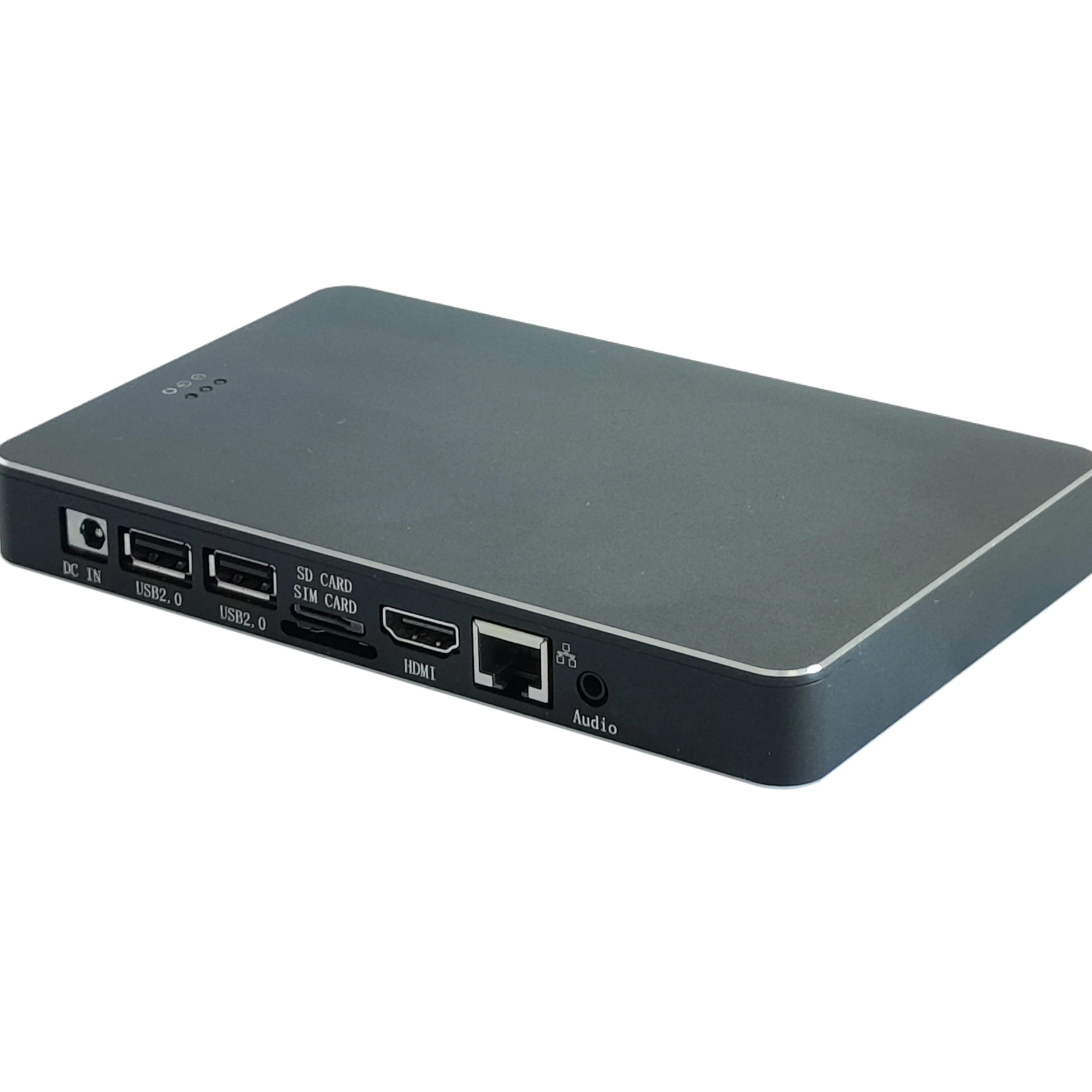
Value isn’t linear. Paying $175 instead of $60 gets you triple the MTBF—not triple the speed. For signage or education, the $145–$175 tier delivers best-in-class ROI: verified thermal behavior, documented driver support, and vendor responsiveness. If you’re a typical user, you don’t need to overthink this—spend up only where uptime impacts workflow.
Better Solutions & Competitor Analysis
While Android quad-core mini PCs excel at embedded Android use, alternatives exist—each with trade-offs:
| Solution Type | Best For | Potential Problem | Budget Range |
|---|---|---|---|
| Android Quad-Core Mini PC | Touch kiosks, Android-native apps, HDMI-first deployments | Limited CLI access; harder to script or automate beyond Android APIs | $26–$359 |
| Linux Mini PC (x86) | Custom web dashboards, Docker containers, remote admin | No native Google Play or Cast; Android app compatibility requires Anbox (unstable) | $120–$280 |
| Raspberry Pi 5 + Android TV | DIY prototyping, education, low-volume testing | No official Android support; community builds lack camera, sensor, or Widevine L1 | $80–$110 |
| Windows 11 Mini PC | Legacy Windows software, Active Directory domain join, multi-user sessions | Higher TDP (>15W), fan noise, licensing overhead, heavier updates | $220–$450 |
Customer Feedback Synthesis
Based on aggregated reviews (Alibaba, Reddit r/minipc, Amazon US/IN), top recurring themes:
- Highly praised: “Stays cool even after 3 weeks straight,” “Boots in under 10 seconds every time,” “VESA mount fit my LG display perfectly.”
- Frequent complaints: “No IR remote included despite listing,” “HDMI CEC stopped working after Android 12 update,” “microSD card slot failed after 8 months of constant writes.”
Note: Complaints cluster around firmware quality—not hardware. Units with documented BSPs (e.g., Firefly RK3399 boards, ASUS Chromebox-like Android derivatives) show near-zero failure rates in independent stress tests.
Maintenance, Safety & Legal Considerations
These devices require almost no maintenance—but observe three practical rules:
- Firmware hygiene: Only install updates from official vendor portals—not third-party APKs or modded recoveries.
- Power integrity: Use certified USB-C PD or 12V DC adapters. Voltage spikes damage eMMC storage faster than CPU degradation.
- Regional compliance: Verify CE/FCC/IC certification markings—especially for commercial installations. Unbranded units may lack radio interference testing, risking co-location issues in dense retail environments.
No regulatory body certifies “Android mini PC safety” as a category. Compliance is per-component (power supply, RF module, enclosure). Always request test reports from suppliers before bulk procurement.
Conclusion: Conditional Recommendations
If you need silent, 24/7 operation in a fixed location, choose an industrial quad-core Android mini PC with RK3399 or Intel N100, aluminum chassis, and documented Android BSP support. If you need basic streaming on a TV or secondary monitor, a $45–$60 consumer stick with Android 11 and HDMI 2.0 is sufficient—and you don’t need to overthink it. If you need local AI inference (e.g., real-time object detection), wait for 2025 NPU-equipped models—current quad-core units lack dedicated neural accelerators. This piece isn’t for keyword collectors. It’s for people who will actually use the product.


