If you’re a typical user—running a small e-commerce fulfillment operation, managing warehouse inventory, or labeling products for retail distribution—you don’t need to overthink this: start with a thermal barcode stick printer that supports 2D barcodes (≥300 dpi), USB connectivity, and linerless label compatibility. Skip RFID unless your buyers (e.g., Walmart, Target, or EU retailers) explicitly require it—and avoid desktop printers under $70 if you print >500 labels/day. Over the past year, GS1’s Sunrise 2027 deadline has accelerated adoption of Data Matrix and QR codes, making 2D-readiness no longer optional for new purchases 1. This piece isn’t for keyword collectors. It’s for people who will actually use the product.
About Barcode Stick Printers: Definition & Typical Use Cases
A barcode stick printer—often called a thermal label printer or desktop barcode printer—is a compact, direct-thermal or thermal-transfer device designed to produce adhesive-backed barcode labels on demand. Unlike industrial roll-fed printers, stick printers typically accept 1–4″ wide label rolls mounted on a fixed spindle or clip-in holder, and most operate via USB or Bluetooth. They’re not label makers like Brother P-touch devices; they’re production-grade tools calibrated for consistent barcode decode reliability.
Typical users include:
- E-commerce sellers printing shipping labels (USPS, UPS, FedEx) and item SKUs
- Small manufacturers applying lot/batch numbers and expiration dates
- Retail backroom staff generating shelf tags or price labels
- Field service teams printing asset IDs or equipment maintenance tags
What defines a “stick” form factor? Physical portability (under 3 kg), single-roll loading, and plug-and-play setup—not raw speed or duty cycle. If you need >200 labels/min or continuous 8-hour runs, you’re outside this category.
Why Barcode Stick Printers Are Gaining Popularity in 2026
Lately, three structural shifts have converged to boost demand for modern barcode stick printers:
- GS1 Sunrise 2027 compliance: Major retailers now require 2D barcodes (Data Matrix, QR) on consumer packaging by 2027. That means more data per label—batch, expiry, serial number—and higher resolution demands (2). A 200-dpi printer can’t reliably encode a 12×12 Data Matrix with embedded timestamps.
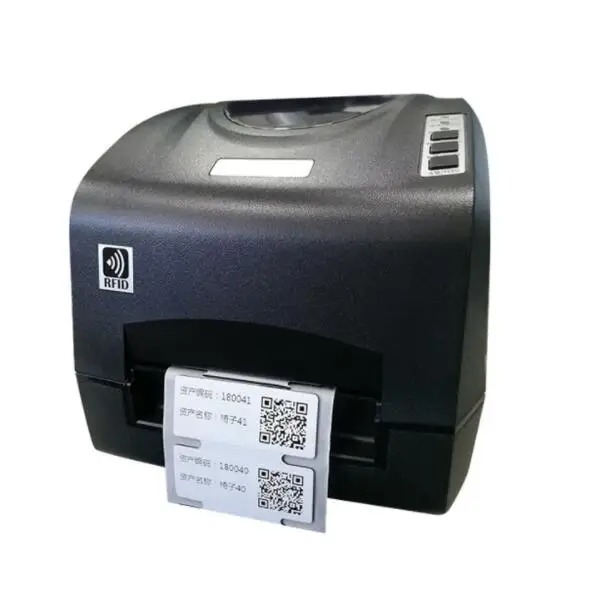
- RFID mandates tightening: While still niche for SMBs, top-tier retailers (e.g., Macy’s, Zara, Metro Group) now enforce RFID tagging for apparel, cosmetics, and pharmaceutical logistics 2. Hybrid printers that encode EPC Gen2 chips *and* print visual barcodes are moving from enterprise-only to mid-tier B2B catalogs.
- Sustainability pressure: The EU’s Packaging and Packaging Waste Regulation (PPWR) and California’s SB 54 push linerless label adoption—reducing paper waste by up to 40% per roll 1. Linerless-compatible printers now ship with adjustable gap sensors and peel-off mechanisms to handle unsupported substrates.
Approaches and Differences: Thermal vs. Thermal Transfer, 2D vs. RFID
There are two core technical paths—and one hybrid path—for barcode stick printers in 2026:
1. Direct Thermal (No Ribbon)
How it works: Heat-sensitive label stock darkens where the printhead applies heat. No ink or ribbon required.
When it’s worth caring about: You need low-cost, fast setup, and labels stay indoors or in climate-controlled environments for ≤12 months.
When you don’t need to overthink it: If you’re printing shipping labels or internal inventory tags used within 6 months—yes, direct thermal is sufficient. If you’re a typical user, you don’t need to overthink this.
2. Thermal Transfer (With Ribbon)
How it works: A heated printhead melts wax/resin-based ink from a ribbon onto standard paper or synthetic label stock.
When it’s worth caring about: Labels must survive outdoor exposure, UV light, abrasion, or chemical contact—or last >2 years.
When you don’t need to overthink it: For general-purpose SKU or WMS-generated labels stored indoors, thermal transfer adds cost and complexity without benefit.
3. RFID + Printing Hybrids
How it works: Integrated UHF antenna encodes EPC Gen2 tags while simultaneously printing human-readable barcodes.
When it’s worth caring about: Your buyer contract includes RFID compliance clauses—or you manage high-value, high-theft-risk goods (e.g., electronics, luxury apparel).
When you don’t need to overthink it: If no retailer or ERP system requires RFID read/write logs, skip it. The $700–$1,900 premium rarely pays back for SMBs without mandate-driven volume 3.
Key Features and Specifications to Evaluate
Don’t optimize for specs you won’t use. Focus on four measurable criteria:
- Resolution (dpi): Minimum 300 dpi for reliable 2D code generation (especially Data Matrix at 8×8 mm). 203 dpi is adequate only for legacy 1D UPC/EAN-13.
- Print Width & Media Handling: Confirm support for your label width (e.g., 2″ or 3″) and thickness (0.08–0.15 mm). Linerless labels require precise gap sensing—check firmware version for ‘linerless mode’.
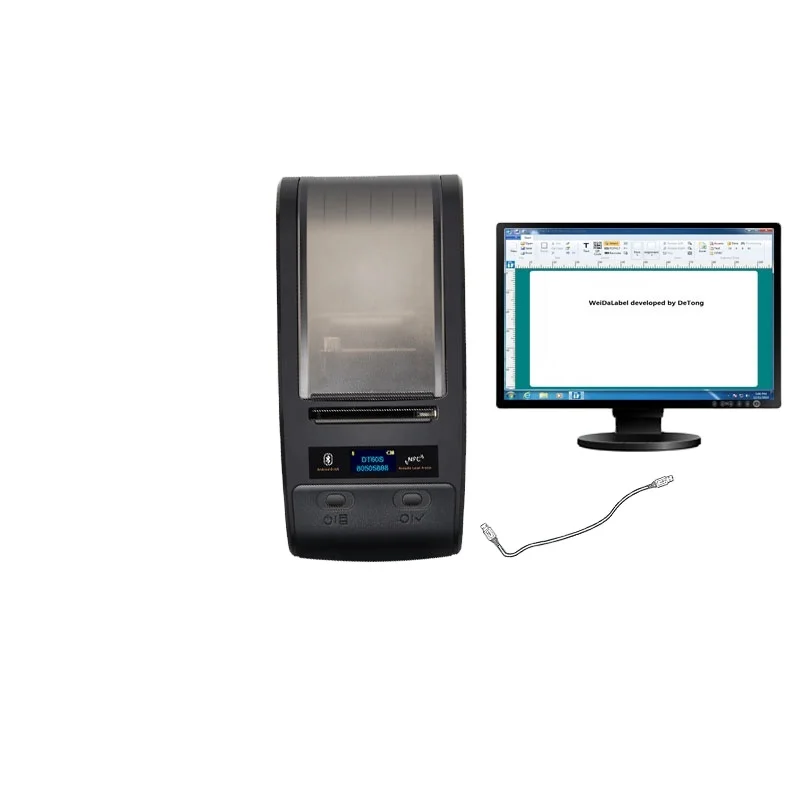
- Connectivity & Integration: USB remains universal and stable. Bluetooth is convenient but adds pairing latency. Cloud-ready models (with Wi-Fi + API access) matter only if your WMS/ERP pushes label templates automatically 4.
- Duty Cycle: Rated daily capacity (e.g., 5,000 labels/day). Exceeding it shortens printhead life. Most stick printers max out at 10,000–15,000 labels/day—sufficient for SMBs.
Pros and Cons: Who Should (and Shouldn’t) Use a Barcode Stick Printer?
✅ Best for: Small-to-midsize operations needing flexible, on-demand label output; teams with limited IT support; businesses preparing for GS1 Sunrise 2027; users prioritizing sustainability (linerless, low energy).
❌ Not ideal for: High-volume manufacturing lines (>50 labels/min sustained); environments with extreme dust, moisture, or temperature swings; organizations requiring full audit trails across RFID encoding events; users lacking basic Windows/macOS drivers or label design software (e.g., NiceLabel, Bartender, or free alternatives like DYMO Label).
How to Choose a Barcode Stick Printer: A Step-by-Step Decision Guide
- Confirm your barcode format requirement: Check buyer portals (e.g., Walmart Retail Link, Amazon Seller Central) or ERP outputs. If you see Data Matrix, QR, or ‘GS1-128 with Application Identifiers’, you need ≥300 dpi.
- Verify label stock specs: Measure current label width, thickness, and liner presence. If switching to linerless, confirm printer firmware supports ‘gapless’ or ‘mark-sensing’ modes.
- Assess integration needs: Do you print manually (via Excel/PDF) or auto-generate from Shopify/WooCommerce/SAP? USB suffices for manual; cloud APIs help only if your stack supports them.
- Set a realistic budget: Desktop 2D-capable units start at $40–$100. Avoid sub-$60 models lacking firmware updates or driver support. RFID hybrids begin at $700 5.
- Avoid these common missteps:
- Buying based solely on ‘print speed’ (e.g., 150 mm/s)—real-world throughput depends more on host PC processing and label design complexity.
- Assuming all ‘Bluetooth’ models work reliably with iOS iPadOS—many require Android-specific apps or lack MFi certification.
- Overlooking label rewind capability: Some stick printers eject labels facing up, making peel-and-apply awkward during high-volume packing.
Insights & Cost Analysis
Price isn’t linear with capability—but key thresholds exist:
- $40–$75: Entry-level 203 dpi, USB-only, direct thermal only. Suitable for hobbyists or micro-fulfillment (≤100 labels/day).
- $75–$150: 300 dpi, thermal transfer option, linerless support, basic driver stability. Ideal for growing e-commerce sellers and light manufacturing.
- $150–$450: Industrial-grade printheads (≥1M cycles), Ethernet/Wi-Fi, cloud API, firmware update history. Fits regulated industries (food, pharma) needing traceability.
- $700+: RFID encoding + printing. Justified only when mandated—and only after validating tag performance (read range, orientation sensitivity) in your actual environment.
| Category | Best For | Potential Problem | Budget Range (USD) |
|---|---|---|---|
| Basic 2D Thermal | Small e-commerce, startup labs, internal tracking | Limited durability on harsh substrates; no RFID | $40–$100 |
| 2D + Linerless Ready | EU/CA sellers, sustainability-focused ops | Firmware updates may lag; fewer third-party label stock options | $90–$180 |
| Cloud-Integrated | Multi-location teams using ERP/WMS sync | Setup complexity; subscription features sometimes locked behind paywall | $150–$450 |
| RFID + 2D Hybrid | Retail suppliers, apparel brands, high-value logistics | Tag encoding failure rates vary widely; calibration needed per label type | $700–$1,900 |
Customer Feedback Synthesis
Based on aggregated reviews (Alibaba, Amazon, and reseller forums), top recurring themes:
- High satisfaction: Plug-and-play USB setup, crisp 2D barcode scan success rate (>99.7% on mobile scanners), quiet operation, low power draw.
- Top complaints: Inconsistent driver support on macOS Monterey+; missing firmware updates for linerless mode; thermal printhead wear after ~18 months of heavy use (mitigated by cleaning kits and proper media alignment).
Maintenance, Safety & Legal Considerations
No special certifications apply to barcode stick printers under general-use regulations. However:
- Maintenance: Clean the printhead weekly with isopropyl alcohol swabs; calibrate gap sensors monthly if using linerless labels.
- Safety: These are Class I devices (IEC 62368-1 compliant). No laser or high-voltage hazards—standard USB power limits apply.
- Legal: GS1 compliance is contractual, not regulatory—but failure to meet buyer requirements triggers chargebacks. EU PPWR doesn’t ban liner-based labels yet, but incentivizes reduction through extended producer responsibility (EPR) fees.
Conclusion: Conditional Recommendations
If you need reliable, future-proof labeling for e-commerce or light manufacturing—and want to avoid re-buying before 2027—choose a 300 dpi thermal transfer or direct thermal printer with linerless support and active firmware updates. If you’re a typical user, you don’t need to overthink this. Skip RFID unless your customer portal enforces it. Avoid ultra-low-cost models lacking driver support or resolution headroom. Prioritize vendors with documented firmware release history—not just spec sheet promises.


