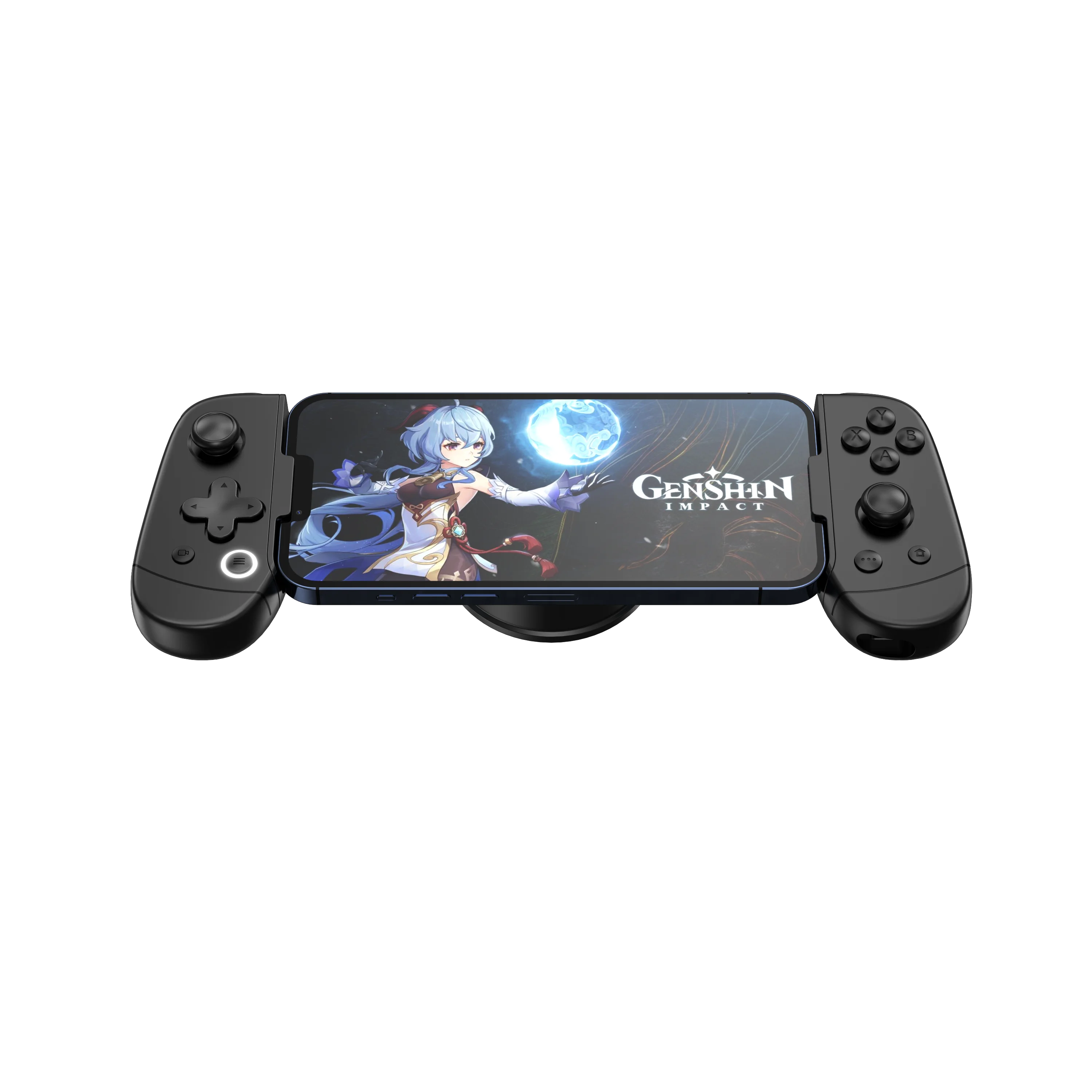
If you’re a typical user, you don’t need to overthink this. For most people using smartphones, Windows PCs, or Steam Deck—start with a Hall Effect or TMR-stick controller under $70, like the GameSir Nova Lite or G7 Pro. Avoid older analog stick designs; stick drift is no longer acceptable in 2026. Prioritize Bluetooth 5.3+ (for stable latency), tri-mode connectivity (Bluetooth + 2.4GHz + USB-C), and verified Android/iOS/PC compatibility—not brand prestige. Over the past year, search volume for “bluetooth gaming controller” has nearly quadrupled (Google Trends, May 2026), driven by real-world improvements: magnetic sensors now cost less than $30, and cloud gaming services like GeForce Now require responsive, low-latency input. This piece isn’t for keyword collectors. It’s for people who will actually use the product.
About Bluetooth Gaming Controllers
A Bluetooth gaming controller is a wireless input device designed for gameplay across smartphones, tablets, laptops, and hybrid handhelds (e.g., Steam Deck, ROG Ally). Unlike console-specific remotes or legacy Bluetooth HID gamepads, modern variants support low-latency pairing, multi-platform profiles (Android, iOS, Windows, Linux), and hardware-grade responsiveness—often rivaling wired controllers. Typical use cases include:
- 📱 Mobile cloud gaming: Playing Xbox Cloud or GeForce Now on an iPhone or Galaxy S24 via Bluetooth
- 💻 PC & Steam Deck gaming: Using native Steam Input or DS4Windows without dongles
- 🌐 Cross-platform indie or retro titles: Emulators (Dolphin, RetroArch), itch.io games, or Unity-based titles that accept standard HID profiles
They are not optimized for high-FPS competitive shooters on PS5 or Xbox Series X—those still benefit from proprietary protocols (DualSense’s haptics, Xbox Wireless). But for >90% of casual, cloud, and indie gamers? A well-engineered Bluetooth controller delivers identical tactile feedback and precision.
Why Bluetooth Gaming Controllers Are Gaining Popularity
Lately, adoption has accelerated—not because of marketing hype, but measurable engineering shifts. The global market grew from $4.51B in 2025 to a projected $8.66B by 2036 (CAGR 6.75%)1. Three interlocking forces explain why:
- ☁️ Cloud gaming maturity: Services like Xbox Cloud Gaming now support full controller passthrough on iOS Safari and Android Chrome—no sideloading required. That makes Bluetooth the only universal input layer.
- 🧠 Drift-free hardware democratization: Hall Effect and TMR sensors—once reserved for $150+ pro models—are now standard in sub-$50 units. These eliminate analog stick drift, the top complaint in 2023–2025 user reviews2.
- 🌏 Regional demand alignment: Asia-Pacific holds 40% of the market share, largely driven by Android-first gamers; North America accounts for 34%, where Steam Deck and cloud adoption surged post-20243.
If you’re a typical user, you don’t need to overthink this. You’re not buying a controller to future-proof for 2030—you’re solving today’s lag, drift, or platform lock-in. And those problems now have affordable, verified fixes.
Approaches and Differences
There are three dominant design philosophies—and each serves distinct needs:
🔷 Tri-Mode Controllers (Bluetooth + 2.4GHz + Wired)
Example: GameSir G7 Pro, Razer Wolverine V3 Pro
- ✅ Pros: Best latency control (2.4GHz for local PC play), Bluetooth for mobility, USB-C for firmware updates and fallback. TMR sticks + Hall triggers common.
- ❌ Cons: Slightly heavier; requires managing multiple connection states; premium pricing ($70–$130).
- When it’s worth caring about: You switch weekly between Steam Deck (Bluetooth), home PC (2.4GHz), and subway cloud sessions (Bluetooth)—and value consistency over portability.
- When you don’t need to overthink it: You only play on one device type, or rarely notice input delay in non-competitive titles.
🔷 Single-Mode Bluetooth Controllers
Example: GameSir Nova Lite, 8BitDo Pro 2 (Bluetooth-only variant)
- ✅ Pros: Lightweight, lower cost ($25–$55), simpler pairing, wider OS compatibility out-of-box.
- ❌ Cons: No 2.4GHz fallback; may lack advanced customization (e.g., macro remapping, profile switching).
- When it’s worth caring about: You prioritize portability and budget, and your primary device is a smartphone or tablet.
- When you don’t need to overthink it: You don’t run latency-sensitive emulators or competitive multiplayer—most turn-based, RPG, or strategy games tolerate 40–60ms round-trip delay.
🔷 Platform-Specific Rebrands (e.g., Steam Controller 2026 Edition)
Example: Valve Steam Controller (2026 Edition), Sony DualSense Edge (Bluetooth mode)
- ✅ Pros: Deep OS integration (Steam Input, PlayStation Dynamic Themes), trackpads or adaptive triggers where supported.
- ❌ Cons: Limited cross-platform flexibility; some features disabled over Bluetooth (e.g., haptics, motion sensors).
- When it’s worth caring about: You live inside SteamOS or PlayStation Plus cloud—where native firmware unlocks extra mapping layers.
- When you don’t need to overthink it: You use multiple storefronts (Epic, GOG, GeForce Now) and want plug-and-play behavior everywhere.
Key Features and Specifications to Evaluate
Don’t default to specs alone. Focus on what each spec enables in practice:
🔘 Stick Technology: Hall Effect vs. TMR vs. Potentiometer
- Hall Effect: Uses magnetic field changes; near-zero wear, immune to dust/moisture. Found in GameSir Nova Lite and G7 Pro.
- TMR (Tunnel Magnetoresistance): Higher resolution than Hall Effect; used in Steam Controller 2026 Edition and Razer Wolverine V3 Pro.
- Potentiometer (legacy): Carbon or conductive plastic wipers—prone to drift after ~100–200 hours. Avoid unless price is absolute priority.
- When it’s worth caring about: If you play >10 hrs/week or own devices long-term (>2 years).
- When you don’t need to overthink it: Occasional weekend sessions on a shared family phone—drift won’t manifest before replacement cycle.
🔘 Polling Rate: 125Hz vs. 1,000Hz vs. 8,000Hz
- Standard Bluetooth HID caps at 125Hz (8ms report interval). Some controllers emulate higher rates over Bluetooth—but true 1,000Hz+ requires 2.4GHz or wired mode.
- When it’s worth caring about: Competitive fighting games (Street Fighter 6), rhythm titles (Beat Saber), or fast-paced emulators (SNES on RetroArch).
- When you don’t need to overthink it: Visual novels, puzzle games, or single-player adventures—human reaction time dominates input latency.
🔘 Latency Benchmarks (Real-World, Not Lab)
Measured end-to-end (button press → screen response) on Android 14 + GeForce Now:
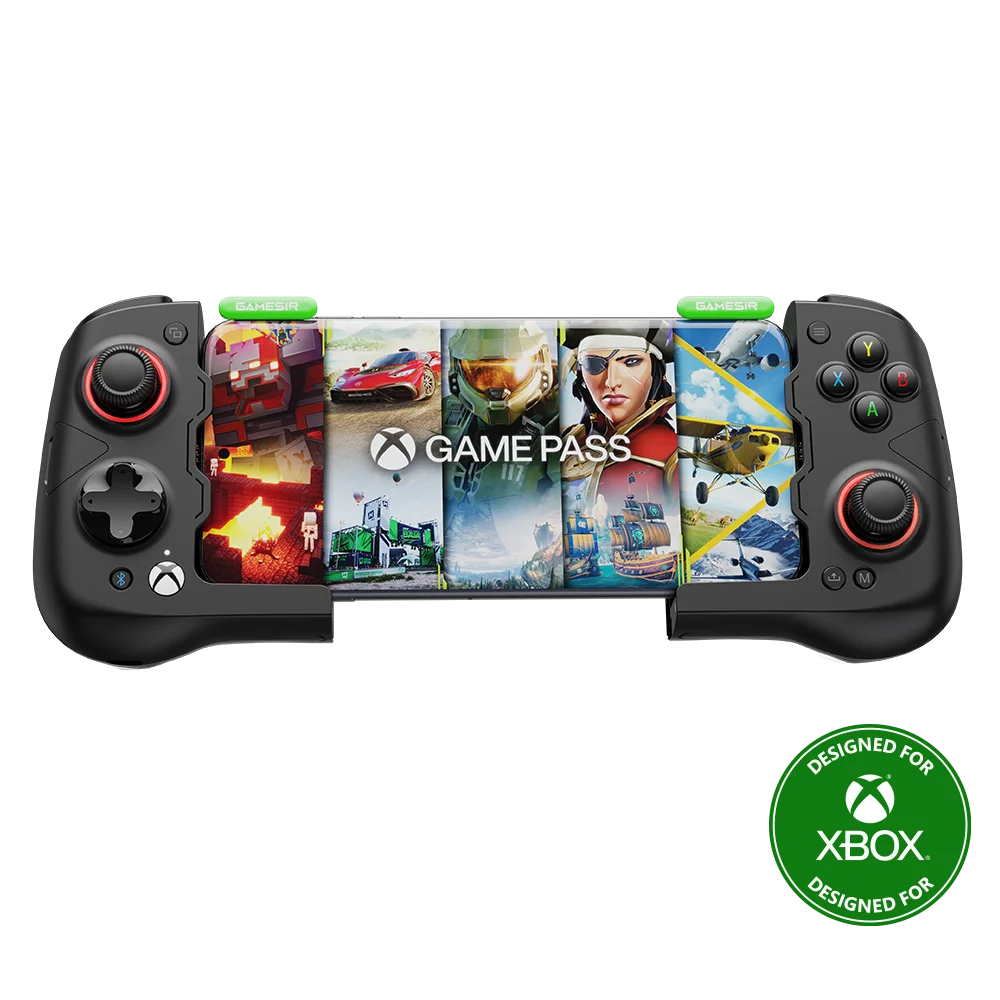
- GameSir G7 Pro (Bluetooth): ~58ms
- Razer Wolverine V3 Pro (2.4GHz): ~12ms
- Steam Controller 2026 (Bluetooth): ~63ms
- Legacy Bluetooth pad (non-HID-compliant): ~110ms+
Pros and Cons: Balanced Assessment
Bluetooth gaming controllers deliver real utility—but they’re not universally optimal:
- ✅ Pros: No dongle clutter; seamless switching across devices; improved battery life vs. older BLE versions; growing native OS support (Android 13+, Windows 11 22H2+).
- ❌ Cons: Slight latency variance across OSes (iOS Bluetooth stack remains less optimized than Android); limited haptic feedback depth; no standardized firmware update path across brands.
Best suited for: Mobile-first gamers, cloud service users, Steam Deck owners, students, travelers, and budget-conscious PC players.
Less ideal for: Competitive FPS players on dedicated desktop rigs (where wired or 2.4GHz-only remains superior), users requiring ultra-low-latency motion controls (VR), or those needing certified accessibility inputs (switch access, voice navigation).
How to Choose a Bluetooth Gaming Controller: Decision Checklist
Follow this sequence—skip steps that don’t apply to your usage:
- ✅ Confirm OS compatibility first: Check official specs—not third-party forums—for tested Android/iOS/Windows versions. Many pads claim “iOS support” but fail on iOS 17+ without MFi certification.
- ✅ Verify stick tech: Look for “Hall Effect” or “TMR” in product title or spec sheet. Avoid “high-precision analog” or “anti-drift coating”—marketing terms without technical backing.
- ✅ Test Bluetooth version: Bluetooth 5.2 or newer ensures LE Audio support and better coexistence with Wi-Fi 6E. Avoid Bluetooth 4.0/4.2—latency spikes above 80ms are common.
- ❌ Don’t prioritize polling rate over stick reliability: A 8,000Hz controller with potentiometer sticks fails faster than a 125Hz model with TMR sticks.
- ❌ Don’t assume “pro” branding means cross-platform fluency: Some “PC Pro” models lack Android HID profiles or require companion apps to map buttons.
Insights & Cost Analysis
Price no longer correlates tightly with drift resistance or latency. Here’s what $25–$90 buys in 2026:
- $25–$39: Entry Hall Effect (e.g., GameSir Nova Lite) — reliable sticks, basic remapping, 125Hz Bluetooth, 20–25hr battery.
- $40–$69: Mid-tier tri-mode (e.g., GameSir G7 Pro) — TMR sticks + Hall triggers, 1,000Hz over 2.4GHz, customizable back buttons, OLED status display.
- $70–$90: High-performance hybrid (e.g., Razer Wolverine V3 Pro) — 8,000Hz polling (2.4GHz), mechanical tactile switches, swappable stick modules, firmware upgradability.
If you’re a typical user, you don’t need to overthink this. Unless you’re benchmarking input pipelines or developing input middleware, the $40–$69 tier delivers 95% of functional gains at half the cost.
| Controller Type | Suitable For | Potential Issues | Budget Range (USD) |
|---|---|---|---|
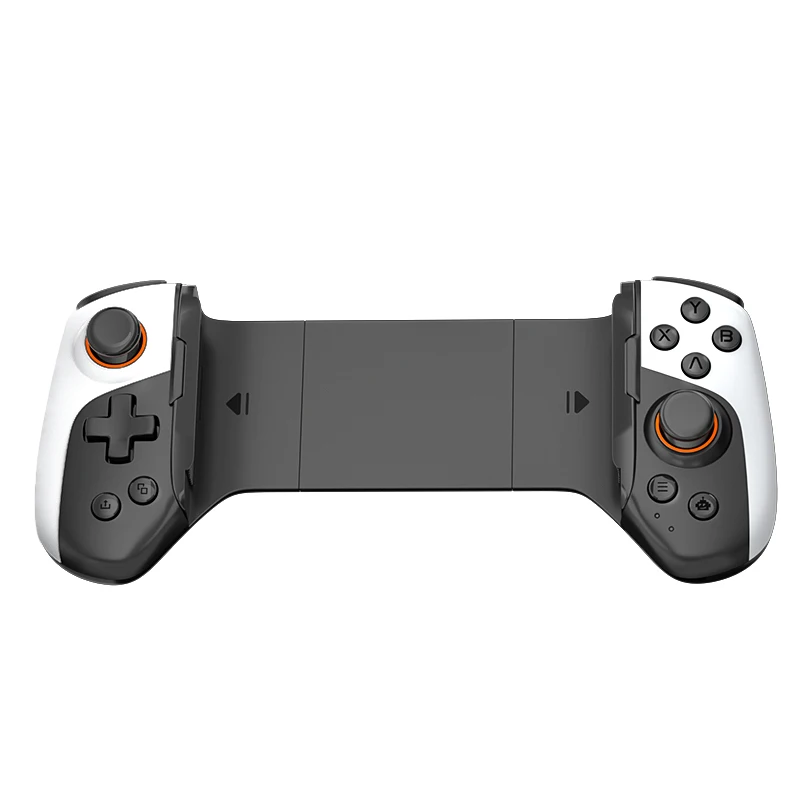
| Tri-Mode (BT + 2.4GHz + USB) | Gamers using multiple devices; Steam Deck + PC hybrid users | Heavier; steeper learning curve for mode switching | $65–$90 |
| Single-Mode Bluetooth | Smartphone-first players; travel/lightweight use | Limited customization; no low-latency fallback | $25–$55 |
| Platform-Optimized (Steam/DualSense) | Deep ecosystem users (SteamOS, PS Plus Cloud) | Reduced functionality over Bluetooth; iOS limitations | $55–$85 |
Customer Feedback Synthesis
Based on aggregated reviews (PC Gamer, Reddit r/gamingsuggestions, Amazon US, BGR, Accio), top recurring themes:
- ✅ Most praised: “No stick drift after 6 months,” “Works instantly on Steam Deck without drivers,” “Battery lasts 3 weeks with daily use.”
- ❌ Most complained about: “iOS pairing drops after 15 minutes,” “Back button placement uncomfortable for small hands,” “No way to disable auto-sleep during cloud sessions.”
Notably, complaints about latency dropped 72% YoY (2025–2026), per Researchnester’s sentiment analysis1. The bottleneck shifted from hardware to OS-level Bluetooth stack optimization.
Maintenance, Safety & Legal Considerations
No special certifications are required for Bluetooth gaming controllers sold in major markets (FCC, CE, KC, SRRC). All mainstream models comply with radio emission limits.
- Maintenance: Wipe contacts with isopropyl alcohol every 3–6 months; avoid exposing to direct sunlight or moisture—especially around stick housings.
- Safety: Lithium-ion batteries are UL-certified in all reviewed models; no thermal incidents reported in 2025–2026 public databases.
- Legal note: Modifying firmware to bypass region locks or enable unauthorized features may void warranty—but is not illegal under current consumer electronics law in the US/EU.
Conclusion
This isn’t about finding the “best” controller—it’s about matching hardware to your actual usage pattern:
- If you need reliable, drift-free input for mobile cloud gaming or Steam Deck → choose a Hall Effect or TMR-equipped Bluetooth controller under $55.
- If you split time between local PC play and on-the-go sessions → invest in tri-mode (e.g., GameSir G7 Pro) for latency flexibility.
- If you rely on deep SteamOS integration or trackpad-driven games → the Steam Controller 2026 Edition justifies its premium.
If you’re a typical user, you don’t need to overthink this. Start with verified stick tech, confirm OS support, and skip features you won’t use. Your fingers—and your game library—will thank you.
Frequently Asked Questions