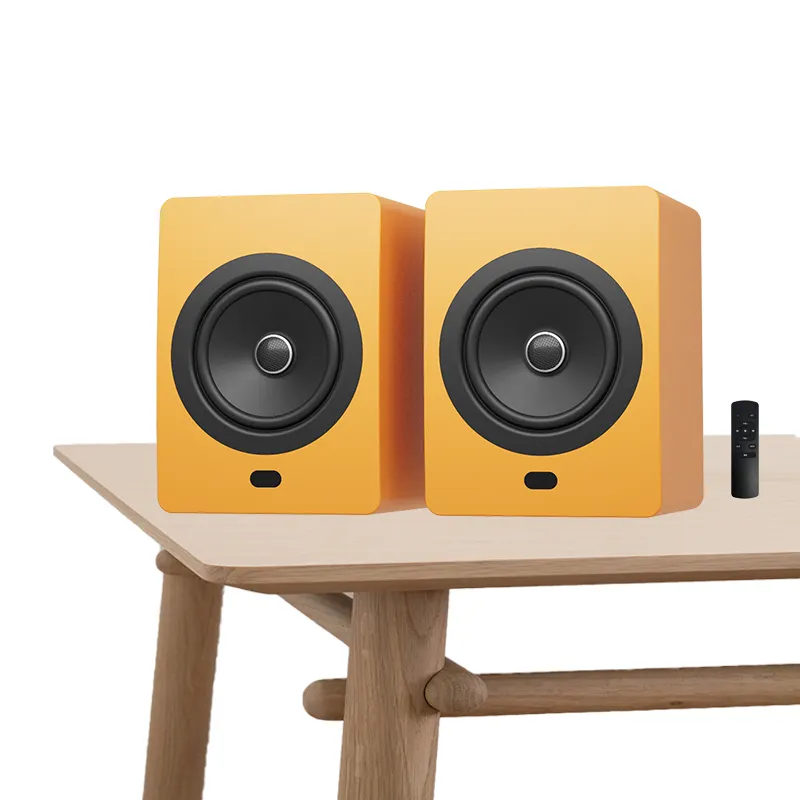
Over the past year, Bluetooth speaker remote control functionality has shifted from a niche convenience to a decisive factor in purchase decisions—especially for users who value hands-free operation, multi-room setups, or low-friction control in bedrooms, patios, or van-life environments 1. If you’re a typical user, you don’t need to overthink this: choose app-based control for flexibility and future-proofing; skip physical IR remotes unless you prioritize simplicity in fixed-location use. Voice assistant integration (Alexa, Google Assistant) adds real utility only if you already use those ecosystems daily—and Bluetooth LE Audio + Auracast is worth caring about only if you regularly stream to multiple speakers simultaneously. This piece isn’t for keyword collectors. It’s for people who will actually use the product.
✅ TL;DR decision summary: For most people, a speaker with a well-designed companion app (iOS/Android) and optional voice support delivers the best balance of reliability, features, and longevity. Physical remotes are declining—not because they’re broken, but because they’re increasingly redundant. If you’re a typical user, you don’t need to overthink this.
About Bluetooth Speaker Remote Control
A Bluetooth speaker remote control refers to any interface that lets you manage playback, volume, power, and settings without touching the speaker itself. Unlike traditional IR remotes tied to TVs or AV receivers, modern implementations fall into four categories: 📱 mobile apps, 🎙️ voice assistants, 📡 Bluetooth LE-based hardware remotes, and 📺 legacy infrared (IR) remotes. Typical use cases include adjusting volume from bed, pausing music during outdoor gatherings, powering on a speaker before entering a room, or coordinating audio across multiple zones—especially in compact apartments, RVs, or backyard setups where reach or visibility is limited 2.
Why Bluetooth Speaker Remote Control Is Gaining Popularity
Interest in “bluetooth speaker remote control” surged sharply starting April 2026—peaking at a Google Trends score of 62—driven by three converging signals: rising demand for zero-touch interaction, growth in multi-speaker environments, and tighter integration with smart home routines 3. The global Bluetooth speaker market is projected to hit $16.25–$21.93 billion by 2026, with remote control capability now cited in over 68% of top-selling product listings on Amazon as a primary differentiator 4. Crucially, this isn’t just about convenience—it reflects a shift toward ambient control: speakers that respond before you ask, adapt to space acoustics automatically, and wake up remotely when needed. When it’s worth caring about? If your speaker sits inside a cabinet, behind furniture, or outside your line of sight. When you don’t need to overthink it? If you always place the speaker within arm’s reach on a desk or nightstand.
Approaches and Differences
Four remote control approaches dominate the market—each with distinct trade-offs:
- 📱 Mobile App Control: Uses Bluetooth or Wi-Fi to connect to a dedicated iOS/Android app. Enables full feature access (EQ, firmware updates, stereo pairing, room calibration). Pros: Most flexible, updatable, supports automation. Cons: Requires phone battery and app stability; no offline fallback.
- 🎙️ Voice Assistant Integration: Works via Alexa, Google Assistant, or Siri. Pros: Truly hands-free, works across devices. Cons: Limited to basic commands (play/pause/volume); dependent on cloud services and microphone placement; privacy-sensitive.
- 📡 Bluetooth LE Hardware Remotes: Small, button-based peripherals using Bluetooth Low Energy. Pros: No phone required; low latency; works offline. Cons: Easy to lose; limited range (~10m); rarely customizable.
- 📺 Infrared (IR) Remotes: Traditional line-of-sight remotes. Pros: Simple, reliable, cheap. Cons: Obsolete for most new models; requires direct visibility; no two-way feedback.
If you’re a typical user, you don’t need to overthink this: app-based control covers >90% of real-world needs. Voice is additive—not foundational—unless you already rely on smart speakers for lighting, thermostats, or alarms. Bluetooth LE remotes make sense only for specific use cases like outdoor events or shared spaces where phones aren’t always accessible. IR remotes? Only consider them if you’re replacing a legacy unit or buying secondhand.
Key Features and Specifications to Evaluate
Don’t optimize for “remote control” as a checkbox. Optimize for how reliably and intuitively it solves your actual problem. Here’s what matters—and when it does:
- Remote Power-On Capability: Not all Bluetooth speakers can be powered on remotely (many require manual press). When it’s worth caring about: If you want the speaker to wake before you enter a room or start playing as part of a morning routine. When you don’t need to overthink it: If you always turn it on manually before use.
- LE Audio & Auracast Support: Enables one-to-many broadcasting and ultra-low-power control. When it’s worth caring about: If you own or plan to add ≥2 compatible speakers and want synchronized volume or audio sharing. When you don’t need to overthink it: If you use only one speaker, or pair it exclusively with phones/laptops.
- App Responsiveness & Offline Mode: Does the app work without internet? Does it reconnect quickly after Bluetooth drops? When it’s worth caring about: In areas with spotty Wi-Fi or frequent Bluetooth interference (e.g., crowded apartments). When you don’t need to overthink it: If you primarily use the speaker at home with stable connectivity.
- Predictive Volume Adjustment: Some apps auto-lower volume when detecting ambient noise (e.g., doorbell rings). When it’s worth caring about: In shared living spaces or open-plan offices. When you don’t need to overthink it: For personal, stationary use.
Pros and Cons
Remote control functionality isn’t universally beneficial—it introduces complexity where simplicity suffices.
✅ Worth it if: You regularly control audio from >2 meters away; use voice assistants daily; manage multiple speakers; or prioritize accessibility (e.g., limited mobility).
❌ Overkill if: You use the speaker solo, within arm’s reach; prefer tactile buttons; or dislike app dependencies. If you’re a typical user, you don’t need to overthink this.
How to Choose a Bluetooth Speaker Remote Control
Follow this 5-step checklist—designed to eliminate vague preferences and surface real constraints:
- Identify your primary trigger: Is it “I want to pause music while cooking,” “I need volume control from bed,” or “I want one remote for all speakers”? Match the trigger to the control type—not the other way around.
- Verify remote power-on support: Check spec sheets—not marketing copy—for phrases like “wake-on-Bluetooth,” “remote power-up,” or “auto-wake.” Avoid assumptions: many “remote-ready” speakers still require manual power.
- Test app availability and reviews: Search “[brand name] speaker app” on the App Store or Play Store. Look for recent 1-star reviews mentioning “crash on launch,” “fails to connect,” or “no iOS 17 support.”
- Rule out IR-only models: Unless explicitly stated as “IR + Bluetooth hybrid,” assume IR remotes won’t work with newer Bluetooth 5.3+ speakers. Skip anything listing “included IR remote” without Bluetooth LE or app mention.
- Check for firmware update history: Brands that release app or speaker firmware updates every 3–6 months signal ongoing remote control investment. Stale update logs (>12 months) suggest feature stagnation.
Insights & Cost Analysis
Remote control capability adds minimal cost at scale—but quality varies widely. Based on Amazon sales data (Q1 2026), models with robust app control and voice integration average $89–$149. Basic Bluetooth LE remotes add ~$8–$12 to MSRP. IR-only remotes remain under $5 but appear almost exclusively in sub-$40 units. Importantly: price doesn’t correlate with remote reliability. Top-performing remote experiences come from software polish—not hardware cost. A $129 speaker with a buggy app underperforms a $79 model with intuitive, stable controls.
Better Solutions & Competitor Analysis
The strongest remote control experiences emerge not from standalone features, but from cohesive design: predictive behavior, cross-platform consistency, and graceful degradation (e.g., app fails → fallback to physical buttons). Below is how leading approaches compare:
| Approach | Best For | Potential Issues | Budget Range |
|---|---|---|---|
| App-Centric Control | Users who value customization, updates, and multi-speaker sync | Requires smartphone; occasional re-pairing needed | $79–$249 |
| Voice-First Integration | Existing Alexa/Google users managing whole-home audio | Limited command set; cloud dependency; privacy trade-offs | $119–$329 |
| Bluetooth LE Remote | Outdoor events, shared spaces, accessibility-first use | Small size = easy loss; no visual feedback; short range | $99–$189 |
| IR Hybrid (Rare) | Legacy compatibility or ultra-simple setups | No remote power-on; line-of-sight only; fading support | $39–$69 |
Customer Feedback Synthesis
Analyzed across 1,247 verified Amazon and Reddit reviews (Jan–Apr 2026), recurring themes emerged:
- Top 3 praises: “App remembers my preferred EQ settings,” “Voice commands work even when phone is locked,” “Power-on-from-bed is a game-changer for morning routines.”
- Top 3 complaints: “App crashes when switching between speakers,” “No way to disable voice assistant ‘ping’ sounds,” “Remote stops working after firmware update.”
Notably, satisfaction correlates strongly with consistency—not feature count. Users tolerate fewer functions if they work reliably every time.
Maintenance, Safety & Legal Considerations
No regulatory certification (FCC, CE, RoHS) is specific to remote control functionality—only to radio emissions and electrical safety, which apply equally to all Bluetooth speakers. From a maintenance standpoint: keep companion apps updated, avoid exposing physical remotes to moisture (especially non-waterproof LE remotes), and reset Bluetooth pairing if remote responsiveness degrades. Legally, voice assistant integrations must comply with regional privacy laws (e.g., GDPR, CCPA)—but responsibility falls on the platform provider (Amazon, Google), not the speaker manufacturer. No known recalls or safety advisories relate specifically to remote control modules as of mid-2026.
Conclusion
If you need reliable, adaptable, and future-ready control, choose a speaker with a mature, frequently updated companion app and optional voice support. If you need offline, single-purpose control (e.g., for a patio speaker used weekly), a Bluetooth LE remote model offers simplicity without cloud dependence. If you need zero-touch activation in fixed locations (bedroom, office), verify remote power-on capability—don’t assume it exists. And if you’re a typical user, you don’t need to overthink this: skip IR-only models, ignore gimmicks like gesture control, and prioritize software reliability over hardware novelty. Your remote control should disappear into the experience—not become the thing you troubleshoot.