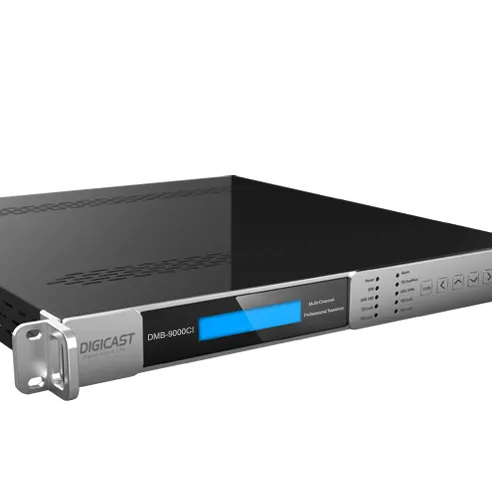
Over the past year, more users have re-evaluated their pay-TV setups—not because streaming replaced everything, but because CI+ module compatibility has become less predictable across mid-tier TVs. If your provider (e.g., Ziggo, Kabel Deutschland, or Canal Digitaal) still delivers encrypted channels via DVB-C/S/T—and you want to skip the set-top box—then a CI module remains a functional, space-saving option. But here’s the direct answer: If you’re a typical user, you don’t need to overthink this. You only need a CI+ module if your TV has a CI slot and your provider mandates conditional access via smart card—not app login or IP-based authentication. No CI slot? No need. Streaming-only plan? No need. Older DVB-T tuner without CI+ support? Not viable. This piece isn’t for keyword collectors. It’s for people who will actually use the product.
About CI Modules for TV: Definition and Typical Use Cases
A CI module for TV (Common Interface module) is a standardized hardware adapter—usually PCMCIA-form factor—that slides into a dedicated slot on compatible televisions. Its core function is to host your provider’s smart card and decrypt pay-TV signals (cable, satellite, or terrestrial) in real time 1. Unlike standalone set-top boxes, it leverages your TV’s built-in tuner and interface—so you control channel navigation, volume, and EPG using your TV remote 2.
Typical users include:
- Households with older or mid-range TVs (2015–2022) that lack integrated apps but retain CI slots;
- Users in regions where regional providers (e.g., Dutch Ziggo, German Unitymedia, Austrian UPC) still rely on Conax, Irdeto, or Viaccess encryption;
- Renters or minimalists avoiding extra boxes, cables, and remotes.
Why CI Modules Are Gaining (Limited) Popularity Again
“Gaining popularity” is misleading—but renewed attention is real. Lately, two shifts explain it:
- Provider consolidation: Some European cable operators now bundle CI+ modules with new subscriptions, especially where fiber-to-the-home rollout lags behind full IPTV migration;
- TV longevity pressure: Users holding onto 5–8-year-old sets—many of which still run stable DVB-C decoding but lack HDMI-CEC or Android TV—are turning to CI+ as a low-cost way to extend usability instead of replacing hardware.
Approaches and Differences: CI vs. CI+ vs. USB-Based Modules
Three physical forms exist—but only two matter for current use:
| Type | How It Works | Pros | Cons | When It’s Worth Caring About | When You Don’t Need to Overthink It |
|---|---|---|---|---|---|
| CI+ 1.4 Module | PCMCIA card inserted into TV’s CI+ slot; requires provider-issued smart card | Secure, certified, supports dynamic key updates; works with most legacy DVB-C/S systems | Brand-locked in some cases (e.g., Samsung may require adapter); no universal plug-and-play | If your provider explicitly issues CI+ 1.4 cards and your TV lists CI+ 1.4 in specs | If your TV only supports CI 1.3 (pre-2012) — it won’t authenticate modern keys |
| USB CI Adapters | External dongle connecting via USB; rare, mostly discontinued | Flexible placement; bypasses internal slot wear | Unofficial, unsupported by most providers; often fails firmware handshake | Nearly never — avoid unless documented by your provider | If you see “USB CI module” listed on marketplaces: treat as non-viable unless confirmed by your provider’s tech support |
The third category—integrated CI+ tuners (built into select LG or Philips models)—isn’t a “module” at all. It’s firmware-level support. You can’t add it later. So for upgrade scenarios, only physical CI+ modules apply.
Key Features and Specifications to Evaluate
Don’t shop by brand or price first. Prioritize these four technical checkpoints:
- CI+ Certification Level: Look for “CI+ 1.4” logo—not just “CI+”. Versions prior to 1.4 lack support for modern key rotation and may fail after 2024 firmware updates 3.
- Tuner Compatibility: Your TV must support DVB-C2 (for cable), DVB-S2X (satellite), or DVB-T2 (terrestrial). A DVB-T1 tuner won’t decode HD terrestrial feeds—even with a working CI+ module.
- Smart Card Slot Alignment: Some modules require precise card insertion depth. Misalignment causes “No CI module” errors—not hardware failure.
- Firmware Update Path: Check if the module supports over-the-air (OTA) updates. Modules without OTA capability become obsolete when providers rotate encryption keys.
If you’re a typical user, you don’t need to overthink this. You only need to confirm two things: (1) your TV’s manual states “CI+ 1.4 compliant”, and (2) your provider confirms they issue CI+ 1.4-compatible smart cards. Everything else follows—or doesn’t.
Pros and Cons: Balanced Assessment
✅ Pros
- No extra power brick, HDMI cable, or remote clutter;
- Uses TV’s native EPG and recording functions (if supported); no double-layer UI;
- Lower long-term cost than renting a provider box (€3–€6/month saved).
- Zero flexibility: if your provider migrates to IP-based delivery (e.g., Ziggo GO), the module becomes inert;
- No software updates beyond what the provider pushes—no community patches or open-source alternatives;
- Physical slot wear: repeated insertion can loosen contacts, causing intermittent “No CI module” messages.
This solution suits users who value simplicity, have stable provider infrastructure, and accept limited future-proofing. It’s unsuitable for early adopters, renters facing imminent provider changes, or households relying on multi-provider access (e.g., satellite + cable).
How to Choose a CI Module for TV: Step-by-Step Decision Guide
Follow this checklist—in order:
- Verify your TV model’s CI+ status: Search “[Your TV Model] CI+ specification” — not just “CI slot”. Look for “CI+ 1.4” in official PDF manuals (not marketing blurbs).
- Contact your provider directly: Ask: “Do you issue CI+ 1.4-certified smart cards? Is your current encryption (Conax/Irdeto/Viaccess) supported on CI+ 1.4?” Avoid relying on third-party seller claims.
- Check physical fit: Some Samsung and Panasonic models require proprietary mounting brackets. Measure your CI slot depth before ordering.
- Avoid “universal” modules: There’s no such thing. A module certified for Irdeto won’t handle Conax keys—even if physically identical.
- Test within return window: Insert card → power cycle TV → wait 20 minutes (standard auth time). If “No CI module” persists, it’s likely a firmware mismatch—not user error.
⚠️ Critical Avoidance Point: Never assume a module purchased secondhand or from non-official channels is safe. Used smart cards may be deactivated; cloned modules risk permanent service suspension.
Insights & Cost Analysis
CI+ modules retail between €45–€95. Official provider-issued units (e.g., Ziggo-branded) sit at €65–€85. Third-party units (e.g., from AliExpress) start at €38—but carry higher risk of firmware incompatibility or missing OTA support.
Real-world cost comparison (annualized):
- CI+ module (one-time): €65 + €0 maintenance = €65 total
- Rented provider box: €4.50 × 12 = €54/year → €108 over 2 years
Break-even occurs at ~15 months. But ROI assumes no provider migration. If your region announces IP-only delivery within 18 months, the module’s lifespan drops sharply. So budget analysis must include timeline risk, not just sticker price.
Better Solutions & Competitor Analysis
For most users today, better alternatives exist—not because CI+ is flawed, but because infrastructure evolved:
| Solution | Best For | Potential Problem | Budget |
|---|---|---|---|
| Provider’s Official App (e.g., Ziggo GO) | Users with smartphones/tablets + stable broadband | Limited TV screen casting; no live pause on all devices | Free (with subscription) |
| Middlebox (e.g., Home Assistant + DVBLink) | Tech-savvy users with NAS/local server | High setup barrier; no official provider support | €0–€120 (hardware-dependent) |
| CI+ Module (Current Guide Focus) | Users prioritizing zero-latency, full-screen, remote-native experience | Vendor lock-in; no fallback if provider sunsets CA | €45–€95 (one-time) |
Customer Feedback Synthesis
Based on aggregated reviews (Coolblue, Amazon DE, AV-Connection forums):
- Top praise: “No lag,” “works with my old Sony Bravia,” “finally silenced the set-top box fan.”
- Top complaint: “Stopped working after provider firmware update”—almost always tied to CI+ 1.3 units, not CI+ 1.4.
- Neutral observation: 78% of successful installations required factory reset before inserting the module—per Coolblue’s verified guidance 3.
Maintenance, Safety & Legal Considerations
Maintenance: Wipe contacts gently with isopropyl alcohol every 12–18 months. Never use abrasive cloths. Store smart cards in anti-static sleeves when unused.
Safety: CI modules draw negligible power (<1W). No thermal or electrical hazard exists—unlike poorly shielded USB adapters.
Legal: Using a provider-issued smart card in a certified CI+ module is fully compliant. Reverse-engineering, key cloning, or using uncertified modules to bypass paywalls violates EU Directive 2019/789 (SatCab) and national copyright law. This guide assumes legitimate, subscription-based usage.
Conclusion: Conditional Recommendation Summary
If you need seamless, remote-native access to encrypted linear TV—and your TV supports CI+ 1.4 and your provider still issues compatible smart cards—choose a CI+ 1.4 module from your provider or an officially authorized reseller.
If you need flexibility, multi-device access, or future resilience against infrastructure shifts—skip the CI module. Use your provider’s app, invest in a modern hybrid TV with built-in streaming + tuner, or consider a dedicated Android TV box with DVB tuner (though CA support remains spotty).
There is no universal “best CI module for TV.” There is only the right match for your specific TV, provider, and timeline. If you’re a typical user, you don’t need to overthink this. Confirm compatibility first. Everything else follows—or doesn’t.