Over the past year, enterprise IT teams have increasingly deployed devices described as a computer without CPU—not because they lack processing entirely, but because they delegate computation to centralized infrastructure. If you’re evaluating thin clients, zero clients, or cloud terminals for remote work, secure endpoints, or cost-controlled deployments, here’s your decisive starting point: choose zero clients for high-security BFSI or healthcare use cases where local data persistence is unacceptable; choose thin clients only if you need light local execution (e.g., peripheral drivers or offline fallback); and avoid both for general-purpose home use—they’re not productivity replacements for traditional PCs. This isn’t about novelty—it’s about matching architecture to risk profile, management scale, and lifecycle expectations. If you’re a typical user, you don’t need to overthink this.
About "Computer Without CPU": Definition and Typical Use Cases
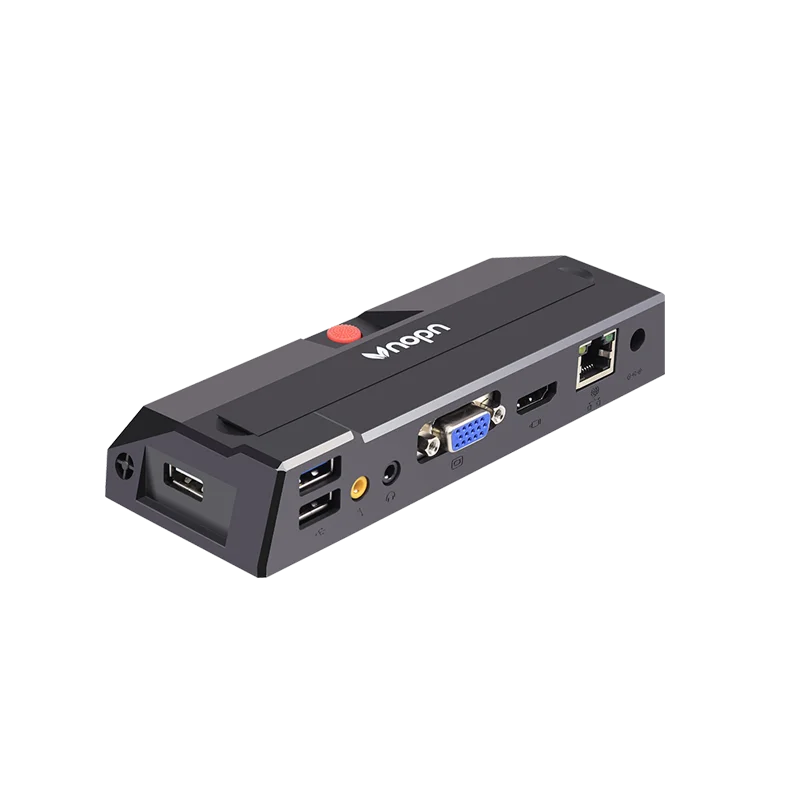
The phrase computer without CPU is a colloquial shorthand—not a literal hardware description—but one that signals a fundamental architectural shift. No commercially available endpoint truly operates with zero silicon logic; rather, these devices minimize or eliminate local compute responsibility. They fall into three functional categories:
- 🖥️ Thin Clients: Run a lightweight OS (often Linux-based or Windows IoT) and handle basic I/O, display rendering, and protocol translation (e.g., RDP, PCoIP). Local CPU usage is minimal—typically dual-core ARM or Intel Celeron—and used only for session negotiation and peripheral handling.
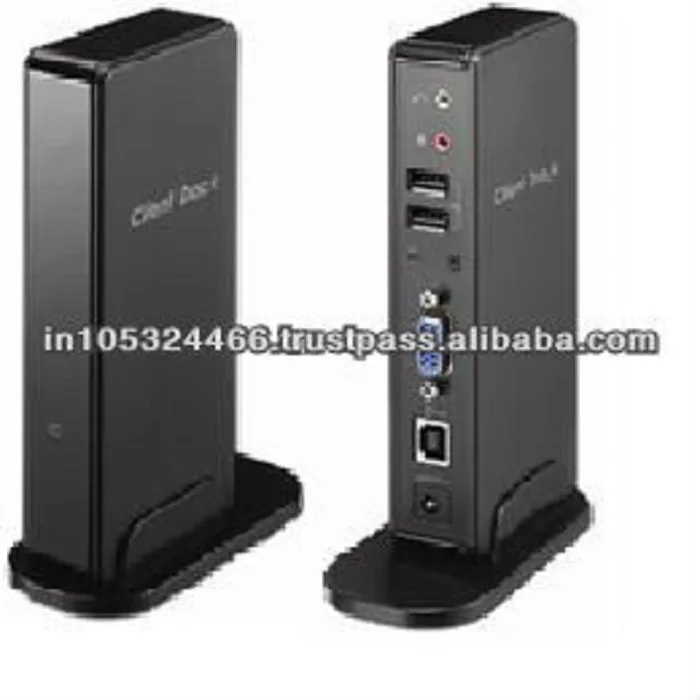
- 🔒 Zero Clients: Contain no local OS, no storage, and no upgradable firmware. They are purpose-built hardware designed solely to decode video streams from a remote host. All logic resides on the server or cloud platform. Their “CPU” is essentially a dedicated media decoder ASIC.
- ☁️ Cloud Terminals: A broader category encompassing low-spec hardware (e.g., $25 ARM sticks) running lightweight clients for services like Windows 365, Amazon WorkSpaces, or Citrix DaaS. These rely on consistent broadband and assume persistent connectivity.
Typical deployment scenarios include call center workstations, bank teller terminals, hospital nurse stations, kiosks, and contractor-access devices in regulated environments. What unites them is a shared constraint: no sensitive data ever resides locally. That’s not a feature—it’s the core design requirement.
Why "Computer Without CPU" Is Gaining Popularity
Lately, adoption has accelerated—not due to raw performance gains, but because of converging operational imperatives. The global thin client market is projected to reach ~$1.52 billion by 2026, growing at a 2.2% CAGR 1. Three drivers explain why this architecture now matters more than ever:
- Hybrid work sustainability: With 40% of enterprises expected to use AI-driven tools for predictive endpoint maintenance by 2026 2, centrally managed endpoints reduce field service overhead and ensure uniform patching—even across globally distributed users.
- Zero Trust compliance pressure: In BFSI and healthcare, regulatory scrutiny has made local data residency a liability. A device with no writable storage and no local OS dramatically shrinks the attack surface. As one 2026 Deloitte analysis notes, “endpoint simplification is no longer optional—it’s a baseline control for Tier-1 data environments” 3.
- Energy and TCO discipline: Thin clients consume up to 85% less power than traditional desktops 4. Combined with lifespans extending to 7–10 years (vs. 3–4 for consumer PCs), this delivers measurable reductions in both CapEx and OpEx—especially at scale.
This piece isn’t for keyword collectors. It’s for people who will actually use the product.
Approaches and Differences: Thin Client vs. Zero Client vs. Cloud Terminal
Choosing among these isn’t about “which is better”—it’s about which aligns with your infrastructure reality, security posture, and failure tolerance. Here’s how they differ in practice:
- Thin clients offer flexibility (USB passthrough, local printing, limited offline capability) but require OS updates, driver compatibility checks, and occasional local troubleshooting. When it’s worth caring about: You manage heterogeneous peripherals (specialized scanners, signature pads) or need fallback access during brief network outages. When you don’t need to overthink it: Your environment uses standardized peripherals and assumes stable, low-latency connectivity.
- Zero clients deliver near-zero maintenance: no patches, no antivirus, no local logs. But they demand strict protocol alignment (e.g., VMware Blast or Citrix HDX) and cannot run local apps—even browser-based ones requiring local storage. When it’s worth caring about: You operate in highly audited environments where any local code execution violates policy. When you don’t need to overthink it: You’re deploying in a greenfield VDI environment with full vendor alignment and no legacy peripheral dependencies.
- Cloud terminals (e.g., $19–$35 ARM-based boxes) maximize affordability but introduce variability: browser-based clients may lack GPU acceleration, audio redirection can be inconsistent, and latency sensitivity increases sharply below 25 Mbps upload. When it’s worth caring about: You’re provisioning temporary contractor access or classroom labs with tight budgets and acceptable UX trade-offs. When you don’t need to overthink it: You already standardize on Windows 365 or Azure Virtual Desktop and have validated bandwidth profiles across all locations.
Key Features and Specifications to Evaluate
Don’t start with price. Start with protocol support, peripheral fidelity, and update discipline. Here’s what actually moves the needle:
- VDI Protocol Compatibility: Confirm native support for your chosen stack—RDP 8.1+, VMware Blast Extreme, Citrix HDX, or Amazon WorkSpaces protocols. Emulation layers add latency and reduce multimedia fidelity.
- Peripheral Redirection Quality: Does USB 3.0 redirection preserve throughput for webcams or HID devices? Does audio redirection support echo cancellation? Test with your actual devices—not spec sheets.
- Firmware Update Mechanism: Zero clients should support silent, server-initiated updates. Thin clients need centralized OTA update orchestration—not manual USB stick flashes.
- Display Output & Resolution Support: Verify multi-monitor support (including mixed DPI) and whether 4K@60Hz requires DisplayPort 1.4 or HDMI 2.0+. Many entry-level models cap at 1080p@60Hz across two displays.
- Boot Time & Session Reconnect Reliability: Sub-10-second boot-to-login and automatic reconnection after network blips are non-negotiable for frontline staff. Check third-party validation reports—not vendor claims.
Pros and Cons: Balanced Assessment
✅ Pros: Drastic reduction in endpoint management overhead; significantly lower energy consumption; inherent resistance to ransomware (no local write surface); extended hardware lifespan; simplified compliance reporting.
❌ Cons: Total dependency on network stability and backend infrastructure health; limited ability to run local utilities or offline tools; higher initial backend licensing costs (VDI seats, cloud subscriptions); potential latency impact on real-time collaboration or graphics-heavy apps.
Best suited for: Organizations with mature cloud or virtual desktop infrastructure, centralized IT governance, and workforce roles defined by task-based, application-agnostic workflows (e.g., data entry, CRM interaction, telephony).
Not suited for: Creative professionals, developers, engineers running local IDEs or simulation tools, or any role requiring local file manipulation, GPU-accelerated rendering, or frequent offline operation. If you’re a typical user, you don’t need to overthink this.
How to Choose the Right Computer Without CPU
Follow this five-step decision checklist—designed to prevent misalignment before procurement:
- Map your application delivery model first. Are all critical apps delivered via browser, published app, or full desktop virtualization? If any rely on local installation or file system access, thin/zero clients won’t work.
- Validate network readiness. Measure sustained upload/download bandwidth and jitter across every location—not just HQ. VDI fails silently when jitter exceeds 30ms.
- Test peripheral compatibility with your exact models. A $200 zero client may not support your existing biometric fingerprint reader—even if the spec sheet says “USB HID.”
- Calculate total 5-year TCO—not just unit cost. Include backend licensing, helpdesk time saved, energy savings, and replacement cycle extension. Entry-level units at $19 may triple support tickets due to driver gaps.
- Avoid “cloud terminal” marketing traps. If the vendor doesn’t specify supported DaaS platforms or provide protocol-level latency benchmarks, treat it as a proof-of-concept device—not an enterprise endpoint.
Insights & Cost Analysis
Pricing reflects functional scope—not just brand:
| Category | Typical Price Range (2026) | Core Value Driver | Real-World Constraint |
|---|---|---|---|
| Entry-Level Cloud Terminal | $19–$35 | Ultra-low CapEx for temporary or low-risk roles | No enterprise-grade support; inconsistent peripheral handling; browser-dependent |
| Mid-Tier Thin Client | $120–$220 | Balanced flexibility + manageability for hybrid VDI | Requires ongoing OS/firmware patching; peripheral compatibility varies |
| Industrial Thin Client (Dell, HP) | $450–$499 | Long-term reliability, ruggedized build, certified drivers | Higher upfront cost; over-engineered for most knowledge-worker roles |
| Zero Client (e.g., IGEL, Stratodesk) | $250–$380 | Maximum security posture; zero local attack surface | Rigid protocol lock-in; no local fallback capability |
For most regulated deployments, the $250–$380 zero client delivers the strongest ROI—not because it’s cheapest, but because it eliminates recurring labor costs tied to endpoint hygiene.
Better Solutions & Competitor Analysis
“Better” depends on your anchor point. For pure security and auditability, zero clients remain unmatched. But emerging alternatives address specific friction points:
| Solution Type | Best For | Potential Problem | Budget Consideration |
|---|---|---|---|
| Modern Zero Client (e.g., Dell Wyse 5070) | High-compliance BFSI/healthcare | Vendor lock-in to specific VDI stacks | $350–$420|
| Linux-Based Thin Client (e.g., IGEL OS) | Multi-protocol environments; legacy peripheral needs | Requires Linux admin skills for customization | $200–$320|
| Windows Cloud PC Client (e.g., Surface Go + Win365) | Users needing local Windows familiarity + cloud backend | Still runs local Windows—retains some attack surface | $449+ device + $31/mo subscription|
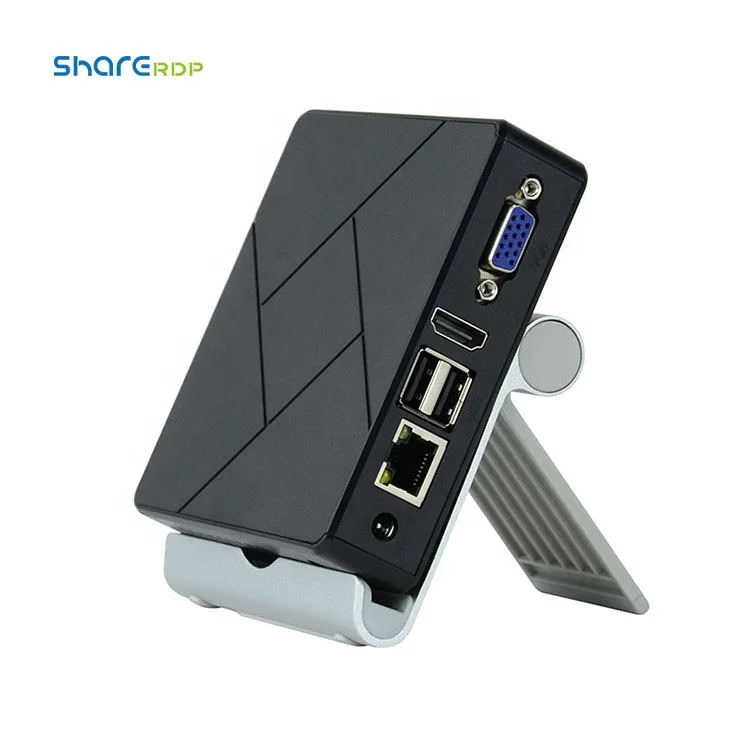
| ARM-Based Cloud Terminal (AliExpress OEM) | Classroom labs or contractor kiosks | Inconsistent firmware updates; no SLA | $19–$35
Customer Feedback Synthesis
Based on aggregated reviews from enterprise forums (r/sysadmin, TechTarget, Spiceworks) and vendor case studies:
- Top 3 Reported Benefits: “No more imaging laptops every quarter,” “We cut helpdesk tickets for endpoint issues by 70%,” “Auditors stopped asking about local SSD encryption—because there is none.”
- Top 3 Reported Pain Points: “Webcam quality dropped 40% after switching to RDP redirection,” “Our legacy barcode scanner only works on thin clients—not zero clients,” “Session reconnect fails after 5+ minutes offline, forcing full re-authentication.”
Maintenance, Safety & Legal Considerations
Maintenance is radically simplified: zero clients receive firmware updates exclusively through the management console; thin clients follow scheduled OTA cycles. No local antivirus, disk defrag, or registry cleanup is required.
Safety-wise, these devices generate negligible heat and electromagnetic emissions—well within FCC/CE limits. Their primary safety advantage is operational: reduced risk of data exfiltration via lost/stolen hardware.
Legally, they support compliance with GDPR, HIPAA, and PCI-DSS *only if* the underlying VDI/cloud platform is also certified. A zero client doesn’t absolve you of backend responsibility—it shifts the threat model upstream. Always verify shared responsibility matrices with your cloud provider.
Conclusion
If you need maximum security assurance and centralized control for standardized, task-oriented roles—choose a zero client. If you require peripheral flexibility, light local processing, or phased migration from physical desktops—choose a managed thin client. If you’re sourcing for personal use, education, or creative work—don’t choose either. A computer without CPU is a deliberate architectural constraint, not a consumer upgrade path. Its value emerges only when matched precisely to infrastructure maturity, compliance requirements, and workflow uniformity. If you’re a typical user, you don’t need to overthink this.


