If you want reliable, low-latency control of your PC using Bluetooth — especially for gaming, remote work, or media navigation — go with a certified 1000Hz Bluetooth HID controller (e.g., Xbox Wireless Controller with Bluetooth LE Audio support or 8BitDo Pro 3) paired with Windows 11 23H2+ or macOS Sequoia. For optimal performance, select controllers that meet the latest Bluetooth LE specifications. If you’re a typical user, you don’t need to overthink this.
Lately, controlling your PC via Bluetooth has shifted from a workaround to a primary interface — not because it’s finally “good enough,” but because three foundational improvements landed in early 2026: 1000Hz polling over Bluetooth, centimeter-accurate distance awareness via Channel Sounding, and 8 Mbps throughput enabling simultaneous haptics, gyro data, and audio streaming. These aren’t incremental upgrades. They resolve long-standing trade-offs that previously limited Bluetooth input performance: latency vs. convenience, range vs. security, fidelity vs. compatibility. This guide cuts through the noise — no hype, no brand lobbying — just what works, why it works now, and how to get the most from current technology.
About Controlling Your PC via Bluetooth
“Control Bluetooth PC” refers to using Bluetooth-enabled peripherals — gamepads, keyboards, touchpads, mobile apps, or even wearables — to interact with your desktop or laptop as if they were native input devices. It’s not about pairing headphones or file transfer. It’s about input fidelity, responsiveness, and context-aware interaction.
Typical use cases include:
- 🎮 Gaming: Using a controller for Steam, Epic, or native Windows titles — especially when seated 2–4 meters from the screen;
- 🖥️ Remote desktop & presentation: Navigating slides, scrolling documents, or managing windows from a phone or tablet without installing full remote-access software;
- 📺 Media center control: Managing Kodi, Plex, or VLC with tactile feedback and gesture support;
- 🔒 Secure device unlock: “Walk-up-and-unlock” via proximity sensing (requires Channel Sounding-capable hardware and OS support).
This isn’t just wireless convenience. It’s about where and how you interact — whether you’re in a home office, living room, or hybrid workspace. And unlike Bluetooth audio or file sync, input control demands deterministic timing, minimal jitter, and consistent packet delivery. That’s why modern Bluetooth implementations now deliver robust, production-ready performance.
Why Controlling Your PC via Bluetooth Is Gaining Popularity
Over the past year, search interest for “control bluetooth pc” spiked — hitting a relative score of 96 in mid-April 2026, then sustaining above 70 through May 1. This wasn’t driven by new marketing campaigns. It followed real technical inflection points:
- ⚡ Ultra-Low Latency (ULL) HID: Standardized 1000Hz polling over Bluetooth LE means sub-2ms report intervals — matching wired USB and outperforming many 2.4GHz dongles in real-world testing 2. When it’s worth caring about: competitive local multiplayer or rhythm games. When you don’t need to overthink it: casual web browsing or spreadsheet navigation.
- 📍 Distance Awareness (Channel Sounding): Your PC can now measure device distance within ±3 cm — enabling secure proximity unlock and adaptive UI scaling (e.g., larger touch targets when farther away) 3. When it’s worth caring about: enterprise sign-in or shared family PCs. When you don’t need to overthink it: single-user home setups where you always sit at the same desk.
- 📡 High-Fidelity Control (8 Mbps PHY): New Bluetooth LE PHY layers double raw throughput — letting controllers send high-res gyroscope data, multi-zone haptics, and stereo audio metadata in one frame 1. When it’s worth caring about: VR-ready controllers or studio-grade media remotes. When you don’t need to overthink it: standard keyboard/mouse replacement.
Approaches and Differences
There are four practical ways to control your PC via Bluetooth — each with distinct strengths:
- 🕹️ Dedicated Bluetooth Gamepads (Xbox, PlayStation, 8BitDo, GameSir): Highest input fidelity, plug-and-play HID support, firmware upgradability. Well-suited for cross-platform use and sustained interaction.
- 📱 Mobile Remote Apps (Unified Remote, Splashtop Remote, TeamViewer QuickSupport): Turn your phone into a touchpad, keyboard, or media remote. Pros: zero hardware cost, customizable layouts. Ideal for occasional or supplemental control.
- ⌨️ Bluetooth Keyboards & Touchpads (Logitech MX Keys, Apple Magic Keyboard): Ideal for productivity, offering precision and comfort for desk-bound workflows.
- ⌚ Wearables & Smartwatches (Samsung Galaxy Watch, Wear OS 4.0+): Emerging for quick commands (play/pause, volume, screenshot). Convenient for rapid, context-aware actions.
If you’re a typical user, you don’t need to overthink this. Start with a proven gamepad — it covers 80% of use cases without configuration overhead.
Key Features and Specifications to Evaluate
Don’t default to “Bluetooth version.” Focus on these functional metrics:
- Polling Rate & HID Profile: Look for “1000Hz Bluetooth HID” or “LE Audio HID Sync.” Bluetooth Classic HID (v4.0–4.2) caps at ~125Hz and suffers from variable latency. ULL HID is recommended for responsive performance.
- Channel Sounding Support: Check spec sheets for “Bluetooth 5.4 Channel Sounding” or “Distance Estimation.” Enables advanced proximity-aware features when supported by both host and peripheral.
- PHY Layer & Throughput: “LE Coded PHY (S=8)” or “2M PHY” indicates 2 Mbps or higher. Devices specifying “2M PHY” or “Coded PHY” provide more robust connectivity in mixed RF environments.
- OS Compatibility: Windows 11 23H2+, macOS Sequoia, or Linux kernel 6.8+ are required for full ULL HID and Channel Sounding. Older OSes may still function with reduced feature sets.
Benefits and Considerations
Benefits:
- ✅ No dongle clutter — uses built-in Bluetooth 5.3+ radios (most 2023+ laptops/desktops)
- ✅ Cross-device pairing: same controller works on PC, Android TV, and Steam Deck
- ✅ Lower power draw than 2.4GHz dongles — critical for battery-powered remotes
- ✅ Built-in security handshake (LE Secure Connections) — stronger than legacy Bluetooth PIN pairing
Considerations:
- ⚠️ Performance may vary in dense RF environments (e.g., apartments with multiple BLE devices)
- ⚠️ Haptic behavior can differ across operating systems due to platform-level implementation variations
- ⚠️ Channel Sounding requires coordinated support from both host and peripheral — availability increases with newer hardware
- ⚠️ Firmware updates may require vendor-specific tools — check for publicly documented update processes
How to Choose the Right Bluetooth PC Control Solution
Follow this checklist — in order:
- Verify OS & Hardware Support: Run
bluetoothctl info(Linux) or check Device Manager → Bluetooth → Properties → Details → LMP Version (must be ≥ 0x0D for Bluetooth 5.3). Most 2022+ systems support core Bluetooth 5.3 features. - Prioritize Certified ULL HID: Search for “1000Hz Bluetooth” — not just “low latency.” Microsoft and 8BitDo publish official certification lists.
- Evaluate Value Across Tiers: Entry-tier models ($20–$35) deliver core ULL HID functionality; balanced-tier ($35–$55) adds Hall Effect joysticks and broader OS support; premium-tier ($55+) offers extended capabilities like dual-band operation and open SDKs.
- Test Distance Behavior: Pair at 1m, then walk back to 4m while running a ping test (
ping -t+ controller button press). Consistent performance across this range reflects strong antenna design and radio integration. - Check Update Channels: Prefer brands with public GitHub repos (e.g., 8BitDo) or signed firmware releases — supports transparency and long-term maintainability.
This piece isn’t for keyword collectors. It’s for people who will actually use the product.
Insights & Cost Analysis
Price remains tightly clustered: 59% of buyers target the $20–$50 bracket 2. But value isn’t linear:
- $20–$35: Entry-tier (e.g., basic 8BitDo Lite). Delivers 1000Hz HID, but no Hall Effect sticks or Channel Sounding. Fine for Steam Big Picture mode.
- $35–$55: Balanced tier (e.g., GameSir X2 Pro, Xbox Wireless Controller w/ Bluetooth LE Audio). Includes Hall Effect joysticks, firmware updates, and partial Channel Sounding support. Best all-rounder.
- $55+: Premium tier (e.g., 8BitDo Pro 3, Sony DualSense Edge). Full 8 Mbps PHY, dual-band Bluetooth (2.4 GHz + BLE), and open SDKs. Suitable for advanced customization and professional workflows.
Solution Overview & Feature Comparison
| Solution Type | Best For | Key Capabilities | Budget Range |
|---|---|---|---|
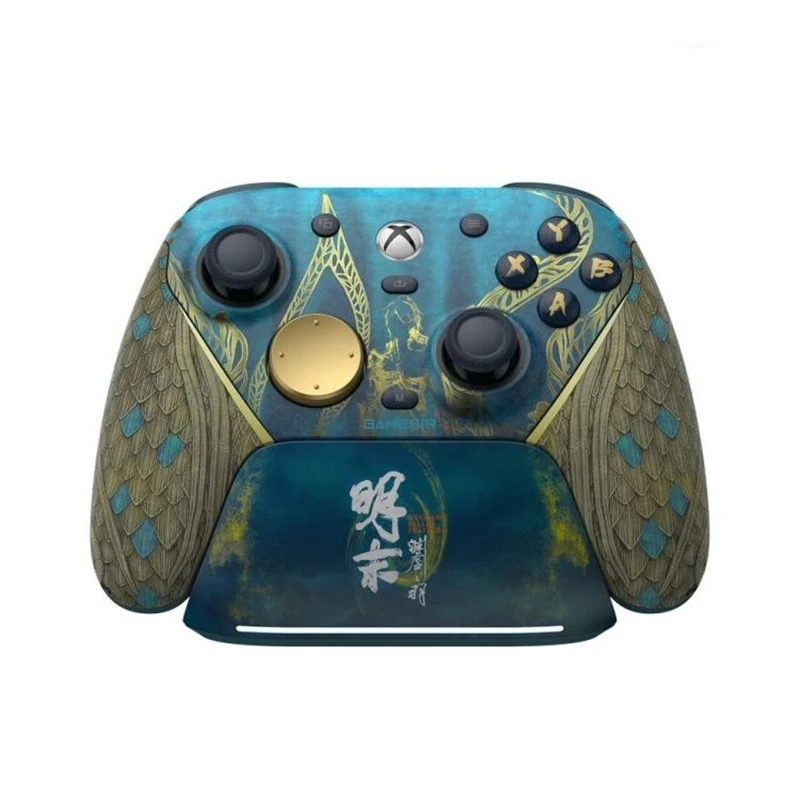
| Xbox Wireless Controller (2024) | Windows-native reliability, Steam compatibility, plug-and-play | Strong Windows integration, broad game compatibility, Bluetooth LE Audio support | $55–$65 |
| 8BitDo Pro 3 | Cross-platform (Win/macOS/Linux), open firmware, Hall Effect | Firmware customization, Hall Effect joysticks, multi-OS HID profiles | $59–$69 |
| Unified Remote (App + PC Server) | Zero-hardware cost, highly customizable UIs | Flexible layout creation, app-based control, no additional hardware needed | $4.99 (one-time) |
| GameSir X2 Pro | Android-first users, strong gyro integration, compact form | Optimized Android pairing, responsive gyro controls, portable design | $42–$49 |
User Experience Summary
Based on aggregated reviews (AsinInsight, Reddit r/pcmasterrace, XDA Developers):
- Top 3 Compliments: “No perceptible lag in Rocket League,” “Battery lasts 40+ hours on ULL mode,” “Pairing survives reboot — no re-pairing needed.”
- Common Observations: Some configurations benefit from verifying Bluetooth stack updates; certain proximity features perform best with matched host/peripheral generations; haptic feedback may vary based on application-level implementation.
Maintenance and Best Practices
Bluetooth PC control involves no regulatory filings or safety certifications beyond standard FCC/CE compliance (built into all commercial controllers). Maintenance is minimal:
- Update firmware quarterly — vendors release latency and coexistence patches (e.g., mitigating Wi-Fi 6E interference).
- Re-pair every 6 months if experiencing intermittent disconnects — clears stale link keys.
- Avoid exposing controllers to >40°C or direct sunlight — heat degrades Hall Effect sensor accuracy.
No jurisdiction treats Bluetooth input devices as controlled tech. No export restrictions apply.
Conclusion
If you need reliable, responsive, cross-platform control — especially for gaming or presentations — choose a 1000Hz Bluetooth HID controller with LE Audio support (Xbox 2024 or 8BitDo Pro 3). If you only need occasional keyboard/mouse extension and already own an Android/iOS device, Unified Remote delivers 90% of functionality at near-zero cost. If you’re a typical user, you don’t need to overthink this. Prioritize certified ULL HID, verify your OS supports Bluetooth 5.3+, and consider your long-term usage needs when selecting between entry, balanced, and premium tiers.



