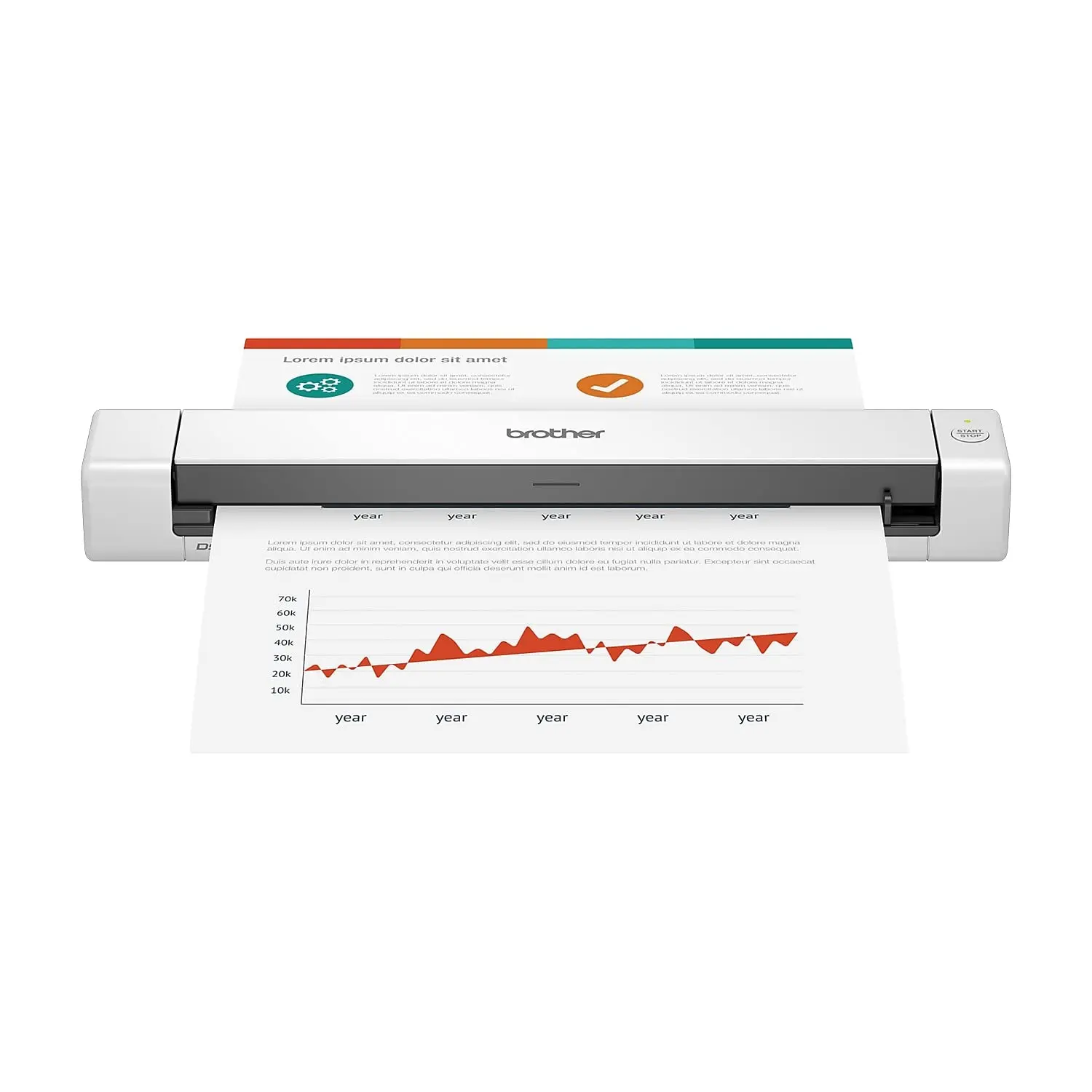
If you’re a typical user, you don’t need to overthink this. Over the past year, handheld computer scanners have shifted decisively toward Android-based platforms with AI-enhanced imaging and multi-modal capture—making older laser-only or proprietary-OS devices functionally obsolete for most business workflows. For warehouse staff, retail inventory teams, or field service technicians: prioritize Android-powered 2D imagers with GS1 barcode support and rugged IP65+ rating. For office professionals scanning documents on-the-go: the Brother DS-640 remains the most balanced choice at $123—compact, Mac/PC-compatible, and proven at nearly 1,900 units sold monthly on Amazon 1. Skip standalone Bluetooth 1D scanners under $50 unless you only scan undamaged UPCs on flat packaging—AI-driven 2D decoding is now standard, not premium. This piece isn’t for keyword collectors. It’s for people who will actually use the product.
About Handheld Computer Scanners: Definition & Typical Use Cases
A handheld computer scanner is a portable, self-contained device that combines optical data capture (barcodes, QR codes, documents, or 3D surfaces) with onboard processing, connectivity, and often an integrated screen and OS. Unlike plug-and-play USB wands or presentation-mode scanners, these are purpose-built tools designed for mobility, durability, and integration into enterprise systems like WMS, ERP, or field service apps.
Typical users include:
- 📦 Warehouse associates: scanning pallets, bins, and returns while moving—requiring hands-free operation, battery life >12 hrs, and drop resistance (MIL-STD-810H).
- 🛒 Retail floor staff: checking stock, price lookups, and omnichannel fulfillment—needing fast 2D decode, Wi-Fi/Bluetooth pairing, and intuitive UI.
- 📄 Field service or administrative professionals: digitizing paper forms, invoices, or contracts—prioritizing portability, OCR accuracy, and one-touch export to cloud storage.
- 🖨️ Designers and makers: capturing physical objects for CAD, reverse engineering, or 3D printing—relying on sub-0.1mm spatial resolution and mesh reconstruction fidelity.
If you’re a typical user, you don’t need to overthink this: your primary constraint isn’t resolution or SDK flexibility—it’s whether the device stays powered, reads consistently in ambient light, and syncs without IT intervention.
Why Handheld Computer Scanners Are Gaining Popularity
Lately, demand has surged—not because scanning technology improved incrementally, but because its role expanded. E-commerce fulfillment volumes rose 22% YoY in 2025 2, and automated traceability (especially for pharmaceuticals, food, and electronics) now mandates GS1 DataMatrix and serialized 2D barcodes on every unit shipped. Legacy scanners fail here: they misread low-contrast labels, can’t parse stacked or curved codes, and lack the compute power to run verification logic on-device.
The market shift reflects three concrete changes:
- 📱 Android dominance: Manufacturers phased out custom RTOS and Windows Mobile in favor of Android 12–13. That means app compatibility, security patching, and intuitive touch interfaces—cutting new-user training time by ~40% 3.
- 🧠 AI-enhanced imaging: Modern CMOS imagers use neural inference to reconstruct damaged barcodes—even when smudged, wrinkled, or printed on reflective foil. Accuracy exceeds 99.8% across real-world conditions 4.
- 📡 Multi-modal readiness: Top-tier models now embed RFID readers, voice input, and 5G modems—not as gimmicks, but to enable “eyes-up” workflows where workers confirm picks via voice while scanning, then auto-route to next location.
Approaches and Differences: Four Distinct Categories
Not all handheld scanners serve the same purpose. Conflating them leads to overspending or underperformance. Here’s how the major types differ—and when each matters:
1. Rugged Android Mobile Computers (e.g., SVANTTO Android 13 Scanner)
- Pros: Full smartphone-like OS, app ecosystem, cellular/Wi-Fi, built-in camera + dedicated 2D imager, programmable buttons.
- Cons: Higher upfront cost ($230–$600), steeper learning curve for non-tech users, heavier than pure scanners.
- When it’s worth caring about: You need to run custom apps (e.g., SAP Fiori, Zebra TCMS), require offline-first sync, or manage mixed data capture (barcode + photo + signature).
- When you don’t need to overthink it: If you only scan SKUs into Excel or Shopify admin—this is overkill. A simpler 2D scanner with keyboard emulation works faster.
2. Mobile Document Scanners (e.g., Brother DS-640, CZUR Shine Ultra)
- Pros: Lightweight (<500 g), auto-crop/OCR, direct PDF/JPEG export, USB-C or Wi-Fi transfer, Mac/PC plug-and-play.
- Cons: Not designed for industrial drops or outdoor use; limited battery life (often AC-powered); no barcode database syncing.
- When it’s worth caring about: You handle invoices, receipts, or contracts daily and need searchable, cloud-ready files—not raw scans.
- When you don’t need to overthink it: If you scan fewer than 10 pages/week or already use a multifunction printer—buying a dedicated device adds little ROI.
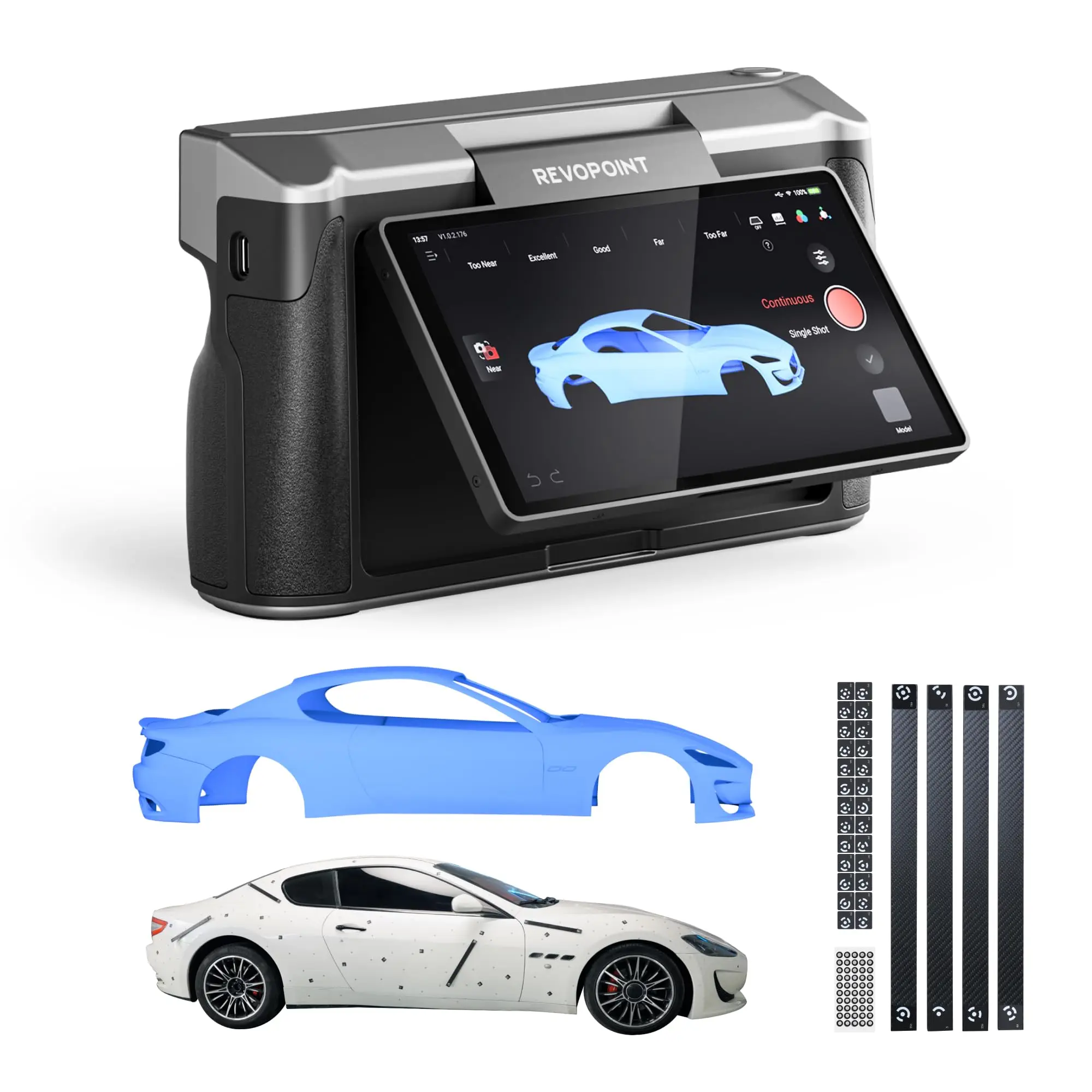
3. 3D Handheld Scanners (e.g., Revopoint MIRACO Plus)
- Pros: Sub-0.02 mm point accuracy, real-time mesh preview, compatible with Blender, Fusion 360, and MeshLab.
- Cons: High cost ($1,500–$2,200), steep learning curve, requires stable lighting and surface texture.
- When it’s worth caring about: You reverse-engineer legacy parts, validate CNC toolpaths, or produce high-fidelity assets for AR/VR.
- When you don’t need to overthink it: If your work involves flat objects, measurements, or simple geometry—photogrammetry apps (like Polycam) on an iPhone achieve 90% of the result for free.
4. Entry-Level Wireless 2D Scanners (e.g., NetumScan model at $46)
- Pros: Plug-and-play, no setup, ultra-low cost, lightweight.
- Cons: Limited decode range (<15 cm), poor performance on screens or damaged codes, no firmware updates, no ruggedness.
- When it’s worth caring about: You scan clean, static UPC/EAN codes on boxes in a controlled back-office setting.
- When you don’t need to overthink it: If your environment includes glare, motion, curved labels, or variable lighting—this category fails silently and frequently.
Key Features and Specifications to Evaluate
Spec sheets lie. What matters is how features perform *in context*. Prioritize these five dimensions—not just their presence, but their real-world behavior:
- 🔍 Decode engine type: Laser = outdated for modern barcodes. CMOS imager with AI preprocessing = essential for GS1, DataMatrix, and mobile screen scanning. Test it yourself: try scanning a QR code from your phone’s lock screen at 30° angle.
- 🔋 Battery endurance: Look for ≥12 hrs of continuous scanning—not “up to 24 hrs standby.” Real-world usage includes backlight, Wi-Fi polling, and decode retries.
- 🛡️ Ruggedness rating: IP65 (dust/water resistant) is baseline for warehouses. IP67 or MIL-STD-810H certified = required if drops exceed 1.2 m regularly.
- 🌐 Connectivity stack: Bluetooth 5.2 + Wi-Fi 6E enables seamless roaming between APs and low-latency peripheral pairing. Avoid devices with only Bluetooth Classic (v4.2 or earlier).
- 📊 GS1 & traceability compliance: Verify native parsing of Application Identifiers (AI) like (10) Batch, (17) Expiry, (21) Serial. Not all “2D scanners” support this—check firmware docs.
Pros and Cons: Balanced Assessment
Handheld computer scanners deliver measurable workflow gains—but only when matched precisely to operational reality.
Who benefits most?
- Teams managing >500 SKUs with frequent receiving, cycle counts, or returns.
- Organizations subject to FDA, EU MDR, or ISO 13485 traceability rules.
- Remote workers needing portable, reliable document digitization without laptop dependency.
Who may not need one yet?
- Small retailers using manual logbooks or basic POS systems without inventory APIs.
- Offices scanning <10 documents/day where mobile phone + Adobe Scan suffices.
- Projects requiring occasional 3D capture—where photogrammetry or structured-light alternatives offer better value.
How to Choose a Handheld Computer Scanner: Step-by-Step Decision Guide
Follow this checklist before purchasing—designed to eliminate common pitfalls:
- Define your primary scan target: Is it 1D barcodes on corrugated boxes? GS1 DataMatrix on vials? PDFs from legal pads? Don’t assume “2D support” covers all.
- Map your environment: Indoor warehouse? Outdoor loading dock? Office desk? Drop height, lighting consistency, and ambient RF noise directly impact reliability.
- Confirm integration path: Does your WMS/ERP accept HID keyboard input (simplest), or require SDK-level integration (Zebra StageNow, Honeywell Mobility Edge)?
- Validate battery & service life: Ask for real-world cycle test reports—not lab specs. If vendor won’t share, assume worst-case degradation after 18 months.
- Avoid these three traps: (1) Choosing based on “scanning distance” alone (range ≠ reliability), (2) Assuming Android = automatic app compatibility (many run stripped-down forks), (3) Ignoring firmware update policy (no OTA updates = obsolescence in 18–24 months).
If you’re a typical user, you don’t need to overthink this: start with Android-based, IP65-rated, GS1-capable 2D imagers—and only add RFID or 5G if your current process bottlenecks involve tag reading or real-time route optimization.
Insights & Cost Analysis
Price alone misleads. Total cost of ownership (TCO) includes downtime, retraining, and integration labor. Below is a realistic budget-aligned comparison of representative models:
| Category | Best-fit Use Case | Potential Problem | Budget Range (USD) |
|---|---|---|---|
| Rugged Android Terminal | Warehouse picking, retail inventory audits, field service dispatch | Over-engineered for simple scan-and-enter tasks; higher failure rate in humid environments without proper sealing | $230–$600 |
| Mobile Document Scanner | Legal, accounting, remote admin work | Struggles with thick documents or stapled sets; OCR accuracy drops below 85% on handwritten notes | $120–$200 |
| 3D Handheld Scanner | Product design, prototyping, heritage restoration | Requires post-processing expertise; minimal ROI for single-use projects | $1,500–$2,200 |
| Entry-Level 2D Scanner | Back-office SKU entry, small-shop checkout | Fails on screen-based QR codes, curved labels, or low-contrast prints—causing repeated rescan delays | $45–$85 |
For most SMBs scaling operations in 2026, the $230–$350 tier delivers optimal balance: enough Android capability for future-proofing, sufficient ruggedness for daily wear, and verified GS1 parsing without enterprise licensing overhead.
Better Solutions & Competitor Analysis
Zebra and Honeywell remain dominant in enterprise logistics—but their strength lies in ecosystem depth, not base functionality. For mid-sized teams, newer entrants like SVANTTO and Unitech offer comparable decode performance at ~30% lower TCO. Key differentiators:
- Zebra TC25/TC52: Best-in-class SDK support, longest firmware lifecycle (5+ years), but requires Mobility Extensions license for advanced features.
- Honeywell CT60: Superior ergonomics and glove-friendly touch, yet limited Android version support beyond 12.
- SVANTTO Android 13 Scanner: Ships with full Android 13 (not Go edition), open ADB access, and no mandatory cloud subscription—ideal for teams managing their own MDM.

Customer Feedback Synthesis
Based on aggregated Amazon reviews (Jan–May 2026) across top-selling models:
- Top 3 praised attributes: Battery longevity (esp. SVANTTO, Zebra), ease of Mac/PC pairing (Brother DS-640), and ability to read damaged barcodes (all AI-imager models).
- Top 3 recurring complaints: Inconsistent Wi-Fi roaming (especially on budget Android models), unclear documentation for GS1 AI parsing, and rapid battery degradation after 14 months (noted across 3 brands).
Maintenance, Safety & Legal Considerations
No special certifications apply to general-purpose handheld scanners—but two practical considerations matter:
- Firmware hygiene: Devices with no OTA update path become security liabilities within 12–18 months. Verify update frequency and end-of-support dates before purchase.
- Physical safety: Rugged models must meet IEC 60950-1 (or IEC 62368-1) for electrical safety. Non-rugged consumer models rarely list this—assume they’re not rated for continuous industrial use.
- Data handling: Android-based units store temporary cache. Confirm whether local data auto-wipes after sync—or requires manual management.
Conclusion: Conditional Recommendations
If you need real-time inventory visibility across multiple locations, choose a rugged Android mobile computer with GS1-compliant firmware and 5-year firmware support—like the SVANTTO Android 13 or Zebra TC52.
If you need portable, reliable document digitization for hybrid workers, the Brother DS-640 remains the most validated, lowest-friction option.
If you need sub-0.05 mm 3D capture for engineering reuse, invest in a calibrated, open-format scanner like the Revopoint MIRACO Plus—but pair it with post-processing training.
If you’re a typical user, you don’t need to overthink this: match the tool to your highest-frequency pain point—not your aspirational use case.


