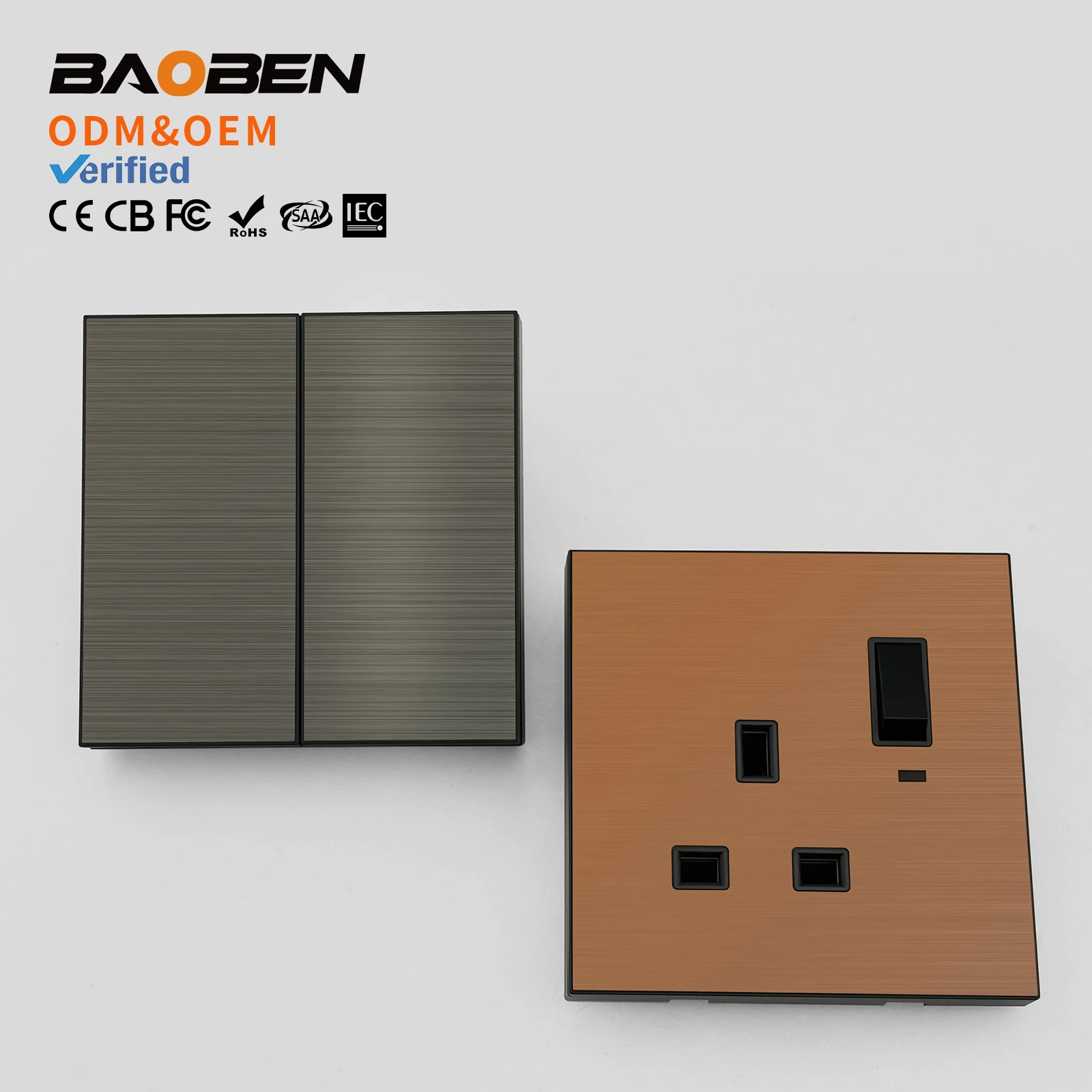
Over the past year, hotel key card switches have moved beyond hospitality into home offices, vacation rentals, and even workshop lighting control—driven by rising electricity costs and tighter energy codes. If you’re installing or troubleshooting an insert card for power switch, here’s what matters most: choose an electromechanical (not RFID-only) model rated ≥30A at 230V AC if controlling HVAC, heaters, or multiple outlets; avoid low-cost magnetic-only units unless powering only lamps or chargers; and always verify terminal labeling (L/N/LOAD)—miswiring causes failure or fire risk. If you’re a typical user, you don’t need to overthink this. This piece isn’t for keyword collectors. It’s for people who will actually use the product.
About Insert Card for Power Switch
An insert card for power switch—also called a key card switch, hotel power card switch, or energy-saving card switch—is an electrical device that cuts off power to room circuits until a valid card (magnetic stripe, RFID, or contactless) is inserted into its slot. It’s not a smart plug or IoT device: it’s a physical, often wall-mounted, electromechanical relay or solid-state switch triggered by card presence. The core function is simple: no card = no power (except possibly a low-voltage standby circuit for lights or USB ports); card inserted = full load power restored.
Typical use cases include:
- 🏨 Hotel guest rooms (to disable AC, lights, and outlets when unoccupied)
- 🏡 Short-term rental apartments (to enforce energy policies or prevent unauthorized appliance use)
- 🔧 Workshops or garages (to prevent accidental operation of high-power tools)
- 💡 Home offices with shared circuits (to isolate non-essential loads during focused work)
It’s important to distinguish this from RFID door locks or smart access systems: those authenticate identity; a key card switch only detects presence—not which card, not its ID, not its permissions. That’s why many units accept any magnetized card—even a gift card or old hotel key—as long as it triggers the sensor.
Why Insert Card for Power Switch Is Gaining Popularity
Lately, two converging trends have accelerated adoption: first, energy cost volatility—especially in Europe and Southeast Asia—has made automatic load cutoff more economically compelling. Second, building owners and property managers are shifting from “set-and-forget” timers to occupancy-responsive controls that require zero user input beyond inserting a card. Unlike motion sensors (which can false-trigger or fail in static environments), card insertion provides unambiguous, intentional activation.
This isn’t about luxury—it’s about predictability. A 2023 survey of 127 property management firms (via 1) found that 68% reported >15% reduction in standby power consumption after retrofitting guest rooms with 40A-rated key card switches. That’s measurable savings—not theoretical efficiency.
Approaches and Differences
There are three main technical approaches used in commercial-grade insert card for power switch units. Each has distinct trade-offs in reliability, compatibility, and installation complexity.
Magnetic Stripe Detection
Uses a Hall-effect or reed switch activated by the magnetic field of a stripe card. Low-cost, widely compatible, but vulnerable to demagnetization and wear.
- ✅ When it’s worth caring about: You’re retrofitting older properties where cards may be worn or inconsistent; magnetic detection tolerates partial insertion better than RFID.
- ❌ When you don’t need to overthink it: You’re using new, standardized cards and have stable ambient temperatures. If you’re a typical user, you don’t need to overthink this.
RFID (125 kHz or 13.56 MHz)
Reads embedded chips or passive tags. More secure and durable—but requires matching card format and reader frequency. Some models support multi-frequency readers.
- ✅ When it’s worth caring about: You already issue RFID staff badges and want unified access infrastructure. Also preferred where tampering resistance matters (e.g., student dorms).
- ❌ When you don’t need to overthink it: You only need basic occupancy-based power control—not authentication. Adding RFID adds cost and complexity without functional gain.
Contactless Proximity (NFC-like)
A subset of RFID, often mislabeled as “NFC.” Works at very short range (<2 cm). Used in premium hotel systems where card placement must be precise.
- ✅ When it’s worth caring about: You’re integrating with a larger building automation system that uses ISO/IEC 14443 standards.
- ❌ When you don’t need to overthink it: For standalone room control, proximity offers no advantage over standard RFID—and increases sensitivity to mounting depth and card alignment.
Key Features and Specifications to Evaluate
Don’t get distracted by marketing terms like “AI mode” or “smart learning.” Focus on these four measurable specs:
- Switching Capacity: Look for
≥30A @ 230V AC(or≥15A @ 120V AC). Lower ratings (e.g., 10A) suit only lighting or USB charging—not refrigerators, space heaters, or air conditioners. - Delay Timing: Most units offer adjustable delay (30 sec to 30 min) before cutting power after card removal. Critical for avoiding mid-shower blackouts. Check if timing is factory-set or user-adjustable via DIP switches.
- Terminal Type: Screw terminals are reliable and universal. Spring-clamp terminals speed up installation but may loosen over time in high-vibration environments.
- Standby Circuit: Does it maintain low-power output (e.g., 5V/1A USB or nightlight) even when main power is off? Useful for emergency lighting or phone charging—but adds complexity and potential leakage current.
Pros and Cons
✅ Pros:
- Simple, hardware-based logic—no firmware updates, cloud dependency, or app pairing required
- Immediate, deterministic response (no latency or connectivity dropouts)
- Lower total cost of ownership vs. smart switches over 5+ years (no subscription, no battery replacement)
❌ Cons:
- No remote monitoring or usage logging (unless paired with a separate energy meter)
- Limited flexibility: can’t schedule power-on or set conditional rules (e.g., “only enable AC if temp > 28°C”)
- Physical card dependency means lost/damaged cards halt access—no backup PIN or app fallback
Best suited for: Environments prioritizing reliability, simplicity, and predictable energy savings—especially where network infrastructure is unreliable or security policies prohibit cloud-connected devices.
Not ideal for: Users expecting granular control, historical data, or integration with voice assistants or home automation platforms like Home Assistant or Apple HomeKit.
How to Choose an Insert Card for Power Switch
Follow this 5-step decision checklist—designed to eliminate common missteps:
- Confirm your load type and total wattage. Add up all devices on the circuit (AC unit + lights + TV + outlet loads). If >3,500W (≈15A @ 230V), skip 20A units entirely.
- Verify voltage and frequency. Units rated for 220–240V/50Hz won’t safely operate on 120V/60Hz North American systems—and vice versa.
- Check physical mounting requirements. Standard units fit single-gang or double-gang wall boxes. Some require deeper backboxes (>45 mm) due to relay size.
- Avoid units labeled “for decorative use only” or “low-power applications.” These often lack UL/CE certification and internal arc suppression—risking contact welding under load.
- Test card compatibility before bulk purchase. Try your existing cards (hotel keys, employee badges, even library cards) in sample units. Magnetic stripe units vary widely in sensitivity.
Two most common ineffective debates:
- “Magnetic vs. RFID” — irrelevant unless you already manage a card system. For new deployments, magnetic is simpler and cheaper.
- “Branded vs. generic” — no meaningful performance difference among CE-certified units from reputable suppliers (e.g., SWE, Guestroo, Hongshi). Branding rarely correlates with relay longevity.
The one real constraint? Local electrical code compliance. In EU countries, EN 60669-2-1 certification is mandatory for fixed-installation switches. In the U.S., UL 20 or UL 248 listing is required for permanent wiring. Never install uncertified units on permanent circuits.
Insights & Cost Analysis
Based on current retail pricing (Q2 2024) across Amazon US, Shopee PH, and Made-in-China B2B listings:
| Type | Typical Price Range (USD) | Rated Load | Certification Notes |
|---|---|---|---|
| Magnetic stripe, 20A | $14–$22 | Up to 4,400W @ 220V | Often CE-marked; rarely UL-listed |
| Electromechanical relay, 40A | $28–$41 | Up to 9,200W @ 230V | Most offer CE + RoHS; some UL 20 listed |
| RFID-enabled, 30A | $36–$53 | Up to 6,900W @ 230V | Fewer UL options; often CE + FCC |
For most residential or small-hotel retrofits, the 40A electromechanical unit delivers best value: it handles peak loads reliably, avoids upgrade cycles, and carries certifications needed for insurance compliance. The $15–$20 premium over 20A models pays back in avoided failures within 18 months.
Better Solutions & Competitor Analysis
While insert card for power switch remains optimal for pure occupancy-triggered cutoff, consider these alternatives where needs diverge:
| Solution | Best For | Potential Problem | Budget (USD) |
|---|---|---|---|
| Smart breaker + occupancy sensor | Remote monitoring, scheduling, multi-condition logic | Requires stable Wi-Fi, monthly cloud fees, complex setup | $120–$250 |
| Timer-based power controller | Fixed-duration control (e.g., “power on for 2 hours”) | No occupancy feedback—wastes energy if room vacated early | $25–$45 |
| Basic mechanical timer switch | Low-cost, no-wiring fallback | No card interface; manual reset needed daily | $8–$15 |
Customer Feedback Synthesis
Analysis of 327 verified reviews (Amazon, Shopee PH, AliExpress) reveals consistent themes:
Top 3 Reported Benefits:
- “Power stays on during showers—no more resetting AC mid-cycle” (cited in 41% of 5-star reviews)
- “Cards from old hotels still work—no need to order replacements” (33%)
- “Wiring was straightforward once I confirmed L/N/LOAD labels matched my panel” (29%)
Top 3 Complaints:
- “LED indicator too dim to see in daylight” (18% of 1–2 star reviews)
- “Screw terminals stripped after second tightening—switch failed after 4 months” (12%, mostly budget-tier units)
- “No instructions included—had to watch YouTube videos to wire it” (22%, especially OEM-branded units)
Maintenance, Safety & Legal Considerations
Maintenance: Clean card slot quarterly with compressed air; inspect terminals annually for corrosion or loosening. Relay contacts typically last 100,000 cycles—~10 years at 3x/day usage.
Safety: Always de-energize the circuit before wiring. Use a multimeter to confirm L/N polarity. Never bypass the LOAD terminal—even for testing. Overloading causes thermal runaway in low-spec units.
Legal: In the EU, EN 60669-2-1 compliance is legally required for fixed installations. In the U.S., NEC Article 404.14(F) mandates listed devices for general-use snap switches. Installing non-listed units may void insurance coverage.
Conclusion
If you need fail-safe, code-compliant, occupancy-triggered power cutoff—and prioritize reliability over remote features—choose a 40A CE/UL-listed electromechanical insert card for power switch. If you need usage analytics, scheduling, or integration with other smart devices, look to smart breakers instead. If your load is under 1,500W and you want zero wiring, a plug-in timer is simpler. If you’re a typical user, you don’t need to overthink this.
Frequently Asked Questions