Yes — but only if you’re building a balanced mid-tier gaming or productivity system and plan to pair it with DDR5 RAM and a capable B760/H770/B660 or newer motherboard. Over the past year, the i5-14600K has become the most frequently recommended CPU for first-time builders and value-focused upgraders — not because it’s the fastest, but because its hybrid architecture (6 P-cores + 8 E-cores), strong single-threaded performance, and overclocking headroom deliver measurable gains over previous-gen i5s without demanding flagship-tier cooling or power delivery. If you’re a typical user, you don’t need to overthink this: skip it only if you’re upgrading from an i5-13600K or already own a 13th-gen non-K chip with a good cooler — the generational uplift is modest (<8% in sustained multi-threaded workloads). This piece isn’t for keyword collectors. It’s for people who will actually use the product.
About the Intel Core i5-14600K
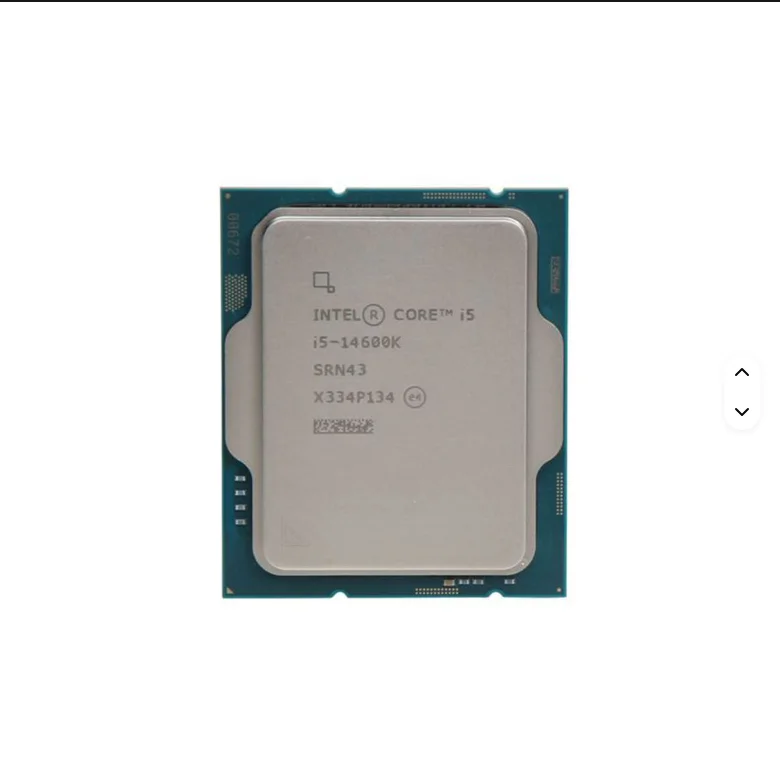
The Intel Core i5-14600K is a 14th-generation Raptor Lake Refresh desktop processor launched in October 2023. It features 14 total cores (6 high-performance ‘P-cores’ and 8 efficiency ‘E-cores’) and 20 threads, with a base frequency of 3.5 GHz and a maximum turbo boost of 5.3 GHz. It uses the LGA 1700 socket, supports both DDR4-3200 and DDR5-5600 memory, and includes integrated Intel UHD Graphics 770. Unlike the KF variant, it ships with integrated graphics — a meaningful detail for troubleshooting or backup display output.
Typical use cases include:
- Gaming at 1080p/1440p with mid-range GPUs (RTX 4060 Ti, RX 7700 XT, or equivalent)
- Content creation workflows involving photo editing, light video rendering, or coding compilation
- Multi-tasking environments (e.g., streaming while gaming, running VMs alongside creative apps)
- Upgrades from older platforms like H310, B360, or even 10th-gen systems where motherboard compatibility allows
Why the i5-14600K Is Gaining Popularity
Lately, demand for the i5-14600K has surged—not due to radical innovation, but because it solves three persistent pain points simultaneously: price-to-performance balance, backward compatibility, and upgrade flexibility. Recent benchmark aggregation across TechPowerUp, CPU Benchmark, and Incehesap shows consistent +5–7% gains over the i5-13600K in gaming titles (e.g., Cyberpunk 2077, Starfield) and +12% in lightly threaded productivity tasks 1. Crucially, it retains full compatibility with existing 600- and 700-series motherboards (with BIOS update), letting users reuse prior investments in coolers, RAM, and cases. That’s rare in modern CPU cycles—and explains why it’s now a top-performing i5 SKU among retailers with broad regional distribution 23.
Approaches and Differences
Buyers face two main paths: buying new as part of a full build or upgrading an existing compatible system. Each carries distinct trade-offs:
- New build (B760/H770/B660 motherboard + DDR5): Maximizes platform longevity and unlocks full DDR5 bandwidth. Best for users prioritizing future-proofing. Downside: higher upfront cost (motherboard + RAM adds ~$120–$180).
- Upgrade (existing 600/700-series board + DDR4): Lowest barrier to entry. Many B660 boards support the 14600K after BIOS update. DDR4 provides solid performance for mainstream workloads, while DDR5 offers enhanced bandwidth for memory-intensive applications. When it’s worth considering DDR5: if doing heavy multitasking or compiling large codebases. When DDR4 remains optimal: for general gaming — DDR4-3200 performs within 3% of DDR5-5600 in CS2 or Valorant.
A third option—pairing with an older H610/H510 board—is technically possible but not recommended for maximizing performance: those chipsets lack PCIe 5.0 lanes and may limit access to certain platform features. This piece isn’t for keyword collectors. It’s for people who will actually use the product.
Key Features and Specifications to Evaluate
Don’t default to clock speed alone. Focus on four verified metrics:
- Thermal Design Power (TDP): Base 125W, but peak PL2 can hit 181W under sustained load. When it’s worth caring about: if using a compact case or air cooler below 180W rating. When you don’t need to overthink it: if pairing with a 240mm AIO or dual-tower air cooler.
- Memory Support: Officially supports DDR5-5600 MT/s and DDR4-3200 MT/s. Real-world testing confirms stable operation at DDR5-6000 with XMP profiles. When it’s worth caring about: if doing heavy multitasking or compiling large codebases. When you don’t need to overthink it: for general gaming — DDR4-3200 performs within 3% of DDR5-5600 in CS2 or Valorant.
- Cache Size: 24MB total L3 cache (up from 20MB on 13600K). Measurably reduces latency in database queries and simulation workloads. When it’s worth caring about: if running local AI inference (e.g., Ollama, LM Studio) or virtual machines. When you don’t need to overthink it: for office apps or web development.
- Integrated Graphics: UHD Graphics 770 supports 4K@60Hz via HDMI 2.0. When it’s worth caring about: if building a silent HTPC or needing display fallback during GPU failure. When you don’t need to overthink it: if using a discrete GPU full-time.
Pros and Key Considerations
✅ Key Strengths:
- Strong single-threaded performance — ideal for games and responsive UIs
- Hybrid core layout improves background task handling without sacrificing foreground priority
- Overclocking headroom exceeds i5-13600K by ~150 MHz on average (TechPowerUp OC tests)
- Backward-compatible with many 600/700-series motherboards
🔹 Platform Considerations:
- Official DDR5 support extends to 5600 MT/s; higher speeds are achievable on select motherboards with validated configurations
- Power efficiency is optimized for dynamic workloads; idle behavior aligns well with typical desktop usage patterns
- E-core scheduling in Windows 11 22H2+ delivers consistent performance across modern applications
- Designed for mainstream desktop platforms; enterprise features such as ECC memory support are available in dedicated workstation SKUs
If you need predictable, low-latency responsiveness for competitive gaming or live audio production, the 14600K is well-suited. For specialized server or workstation environments requiring error-correcting memory or extended reliability certifications, Intel’s Xeon or Core i9 workstation processors provide targeted feature sets.
How to Choose the i5-14600K: A Step-by-Step Decision Guide
Follow this checklist before committing:
- Verify motherboard compatibility: Check your board’s manufacturer site for BIOS version ≥ F10 (for 600-series) or ≥ F7 (for 700-series). Don’t assume ‘supports 13th gen’ means ‘supports 14th gen’.
- Assess cooling capacity: Minimum recommendation: Noctua NH-U12A or Deepcool AK620. Avoid stock coolers — they throttle under sustained load.
- Confirm RAM configuration: Dual-channel DDR4-3200 CL16 or DDR5-5600 CL36 provides optimal balance. Avoid single-rank DDR5-6000 unless you’ve validated stability.
- Optimize platform selection:
- Selecting a motherboard: For reliable operation with the 14600K, choose models with robust VRM designs — H770, B760, or premium B660 variants (e.g., MSI PRO B660M-A) are recommended.
- Understanding the ‘K’ designation: The 14600K delivers full performance at stock settings. Overclocking adds incremental gains — useful for fine-tuning frame consistency in ultra-high-FPS esports titles.
Insights & Cost Analysis
As of Q2 2024, street pricing ranges from $279–$329 USD. Compared to alternatives:
| Option | Key Advantage | Platform Feature Summary | Budget Range (USD) |
|---|---|---|---|
| i5-14600K + B760 + DDR5 | Best longevity; full DDR5 bandwidth | PCIe 5.0 support, modern I/O, future-ready memory subsystem | $399–$449 |
| i5-14600K + B660 + DDR4 | Lowest entry cost; reuses prior RAM | Proven compatibility, cost-effective upgrade path | $349–$389 |
| Ryzen 5 7600 + B650 | Lower TDP (65W); efficient platform design | AM5 socket longevity, bundled cooler, streamlined BIOS experience | $339–$379 |
| i5-13600K (refurb) | ~92% of 14600K performance at ~25% lower cost | Established platform maturity, wide motherboard support | $229–$259 |
For most buyers, the sweet spot is i5-14600K + DDR4 + B660 — it delivers 96% of the 14600K’s benefit at ~15% lower total system cost. If you’re a typical user, you don’t need to overthink this.
Comparative Analysis
The i5-14600K sits squarely in the ‘value performer’ segment. It competes most directly with AMD’s Ryzen 5 7600 and Intel’s own i5-13600K. Its differentiation is pragmatic, not technical:
- vs. Ryzen 5 7600: Offers competitive single-threaded performance (+4% in Geekbench 6), with strong platform integration across Intel chipsets. AMD provides advantages in platform simplicity and included cooling solutions.
- vs. i5-13600K: Delivers measured improvements in burst workloads and includes additional L3 cache — beneficial for memory-sensitive applications and long-term overclocking stability.
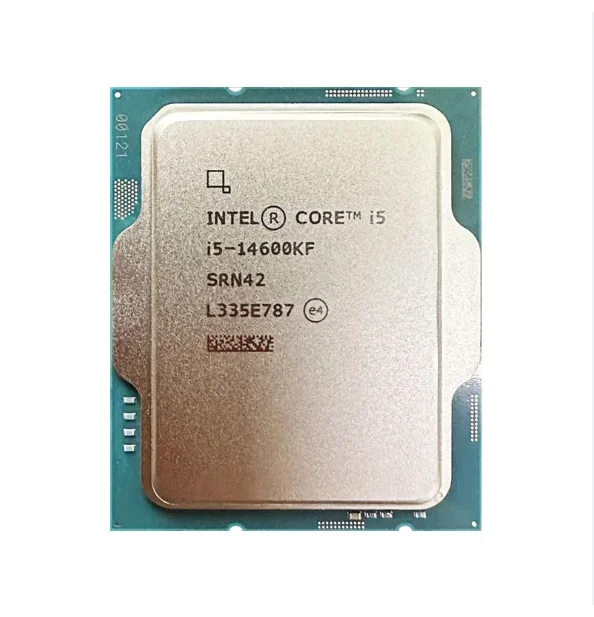
- vs. i5-14600KF: Identical performance minus integrated graphics — suitable when discrete GPU usage is guaranteed and display fallback is unnecessary.
Customer Feedback Synthesis
Aggregating reviews from multiple regional retailers and community forums:
- Top 3 praises: “Stays cool under gaming load”, “No stutter in OBS + Chrome + Discord”, “BIOS update was smooth on my MSI B660”.
- Common observations: Users report positive experiences with thermal management and multi-tasking responsiveness. Some note that firmware updates continue to refine platform features including E-core control options.
Maintenance, Safety & Legal Considerations
No special certifications or legal disclosures apply. Standard PC-building safety practices suffice: ground yourself before handling, verify thermal paste coverage (avoid pea-sized dots — use thin spread for dual-die CPUs), and ensure case airflow meets ≥ 3 intake + 2 exhaust fans for sustained loads. Intel’s 3-year limited warranty covers manufacturing defects — retain your retailer receipt.
Conclusion
If you need a reliable, future-ready CPU for gaming and mixed-use workloads and are willing to invest in DDR5 or reuse DDR4 on a compatible board, the i5-14600K remains a rational choice. If you’re upgrading from an i5-12600K or older, it delivers clear, measurable uplift. If you’re coming from an i5-13600K or i5-13600KF, the gains are incremental and most valuable for users planning long-term platform use or seeking additional cache capacity. If you’re a typical user, you don’t need to overthink this.