If you’re a typical user, you don’t need to overthink this. For most iPad gamers in 2026, a MFi-certified telescopic controller with Hall Effect joysticks (like the iPega PG-9087S or X3 Hall Effect model) delivers the best balance of fit, precision, and future-proofing—especially for AAA ports like Assassin’s Creed Mirage, Warframe, and Resident Evil. Skip non-MFi Bluetooth pads if latency or iOS updates are concerns. Avoid ultra-budget controllers without drift-resistant sticks—even at $25, stick drift ruins immersion within 6 months. Over the past year, Apple’s M-series chip acceleration and native console port adoption have transformed iPad controller gaming from niche convenience to a viable, high-fidelity alternative. That shift means controller choice now directly affects whether you experience smooth aiming in GRID Autosport or frustrating input lag during boss fights in Sea of Stars. This piece isn’t for keyword collectors. It’s for people who will actually use the product.
About iPad Controller Games
iPad controller games refer to titles on iPadOS that accept external gamepad input via Bluetooth or Lightning/USB-C (for older models), enabling console-style control schemes. Unlike touchscreen-only play, controller support unlocks precise analog movement, simultaneous multi-button inputs, and tactile feedback—critical for action-adventure, racing, RPGs, and fighting genres. Typical usage includes: playing Warframe on a 12.9-inch iPad Pro during commute breaks; using a foldable stand + controller for couch-style sessions with Assassin’s Creed Mirage; or pairing a compact pad with an iPad Mini for portable co-op in Sea of Stars. It’s not about replacing consoles—it’s about unlocking full mechanical fidelity where touch fails.
Why iPad Controller Gaming Is Gaining Popularity
Lately, iPad controller gaming has moved beyond “nice-to-have” into essential territory. Three converging signals explain why: first, M-series chips now match mid-tier laptop GPUs—enabling native, optimized ports of AAA titles previously unthinkable on mobile 1. Second, Apple’s MFi certification program matured in late 2025, reducing input latency to under 30ms on compliant devices—making competitive play viable 2. Third, search interest for “iPad controller games” peaked at 100 in Q4 2025 (Google Trends normalized scale), reflecting seasonal demand and sustained behavioral shift toward “pro” mobile gaming 3. If you’re a typical user, you don’t need to overthink this—but you do need to recognize that controller quality now dictates game accessibility, not just comfort.
Approaches and Differences
Three main physical approaches dominate the 2026 market:
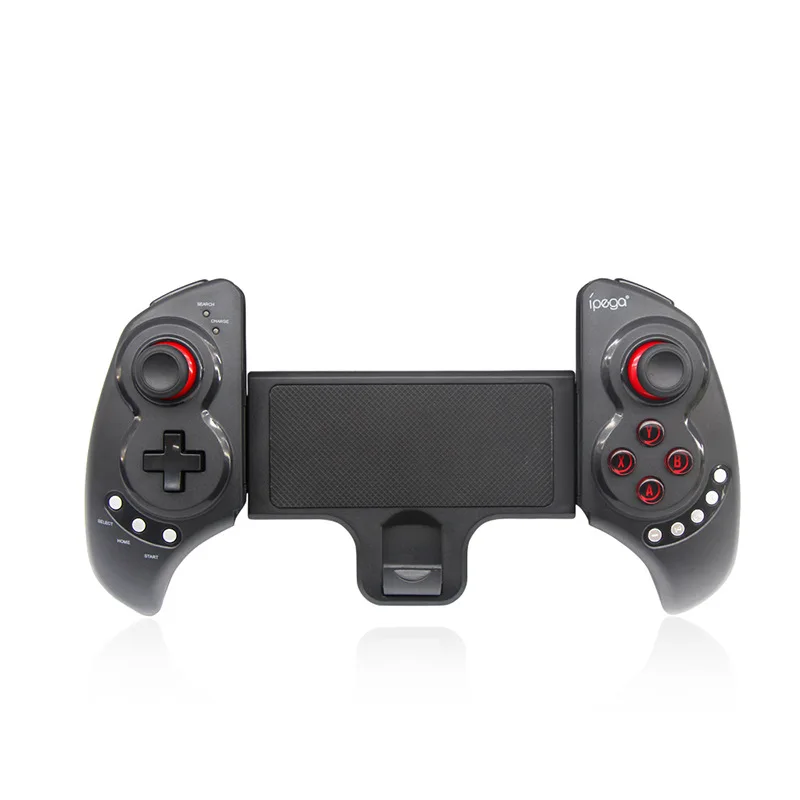
- Telescopic controllers (e.g., iPega PG-9023S, PG-9087S): Adjustable arms grip iPad Pro (11″/12.9″) and Mini (8.3″/8.9″) securely. Pros: universal fit, no separate stand needed, stable during motion-heavy play. Cons: bulkier than standard pads; some models lack full MFi compliance. When it’s worth caring about: You own multiple iPad sizes or prioritize one-device simplicity. When you don’t need to overthink it: You only use one iPad size and already own a sturdy stand—then a lightweight standard pad may suffice.
- Standard Bluetooth gamepads (e.g., GameSir G8 Plus MFi, 8BitDo Pro 2): Fixed form factor, often inspired by Xbox or PlayStation layouts. Pros: familiar ergonomics, lower price point ($35–$65), widely tested firmware. Cons: requires separate mounting solution; less secure during vigorous gameplay. When it’s worth caring about: You value muscle memory from console play or travel frequently with minimal gear. When you don’t need to overthink it: You play mostly turn-based or casual titles—precision drift won’t break your experience.
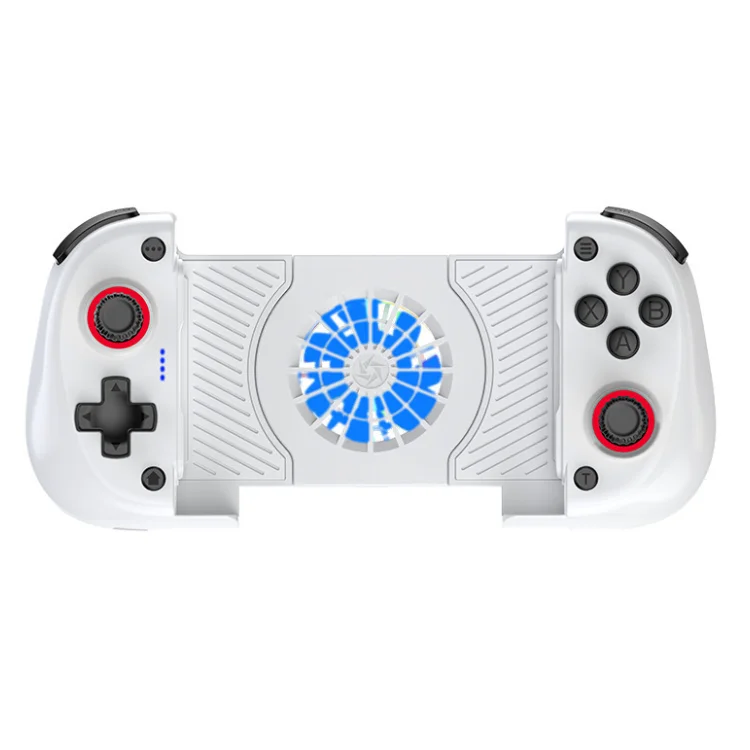
- Hall Effect + active-cooling hybrids (e.g., X3 Telescopic Hall Effect model): Use magnetic sensors instead of potentiometers, eliminating mechanical wear. Often include RGB lighting and micro-fans. Pros: zero stick drift over 2+ years, ideal for long sessions. Cons: higher cost ($75–$110), slightly heavier. When it’s worth caring about: You play >10 hrs/week of fast-paced shooters or racing games. When you don’t need to overthink it: You play 1–2 hours weekly—standard joysticks remain reliable enough.
Key Features and Specifications to Evaluate
Don’t optimize for specs alone—optimize for what changes your actual play:
- 🕹️ MFi Certification: Not optional. Non-MFi pads rely on generic HID profiles, causing inconsistent button mapping, delayed firmware updates, and iOS 18+ compatibility risks. When it’s worth caring about: You update iPadOS regularly or play titles requiring precise trigger pressure (e.g., GRID Autosport). When you don’t need to overthink it: You rarely update iOS and only use the pad for menu navigation in puzzle games.
- 🔧 Hall Effect Joysticks: Magnetic sensing eliminates physical contact wear—the #1 cause of “stick drift.” Verified by AimControllers’ 2026 trend report 4. When it’s worth caring about: You’ve replaced two controllers due to drift in the last 18 months. When you don’t need to overthink it: You replace controllers every 2–3 years and tolerate minor drift before switching.
- 📡 Connection Latency & Stability: Look for sub-35ms end-to-end latency (measured from button press to screen response). MFi pads typically achieve 22–28ms; generic Bluetooth averages 45–70ms. When it’s worth caring about: You play rhythm games (Beatstar) or competitive shooters (Warframe PvP). When you don’t need to overthink it: You play narrative-driven RPGs where timing is forgiving.
- 🔋 Battery Life & Charging: Minimum 15 hours per charge is baseline. USB-C passthrough charging (while gaming) is rare but valuable. When it’s worth caring about: You game on flights or extended commutes without power access. When you don’t need to overthink it: You charge nightly and play near outlets.
Pros and Cons
Every design trades off something. Here’s how they land in practice:
- Telescopic MFi controllers: ✅ Universal iPad fit, zero setup friction, built-in stability. ❌ Heavier for pocket carry; limited third-party app customization.
- Standard MFi gamepads: ✅ Lightweight, highly customizable (via apps like ControllerMate), proven reliability. ❌ Requires separate mount; risk of slippage during intense play.
- Hall Effect + cooling hybrids: ✅ Drift-free for 2+ years, thermal management for sustained FPS. ❌ Premium pricing; fans add audible noise in quiet rooms.
How to Choose an iPad Controller for Games
Follow this 5-step decision checklist—designed to cut through noise:
- Verify MFi status first: Check Apple’s official MFi Accessories List or the product’s packaging—not just marketing copy. If it’s not listed, skip it.
- Match your iPad size(s): If you rotate between iPad Pro 12.9″ and Mini 8.3″, telescopic is objectively simpler. If you only use one model, standard pads work fine.
- Assess your game library: Play Resident Evil or GRID Autosport? Prioritize Hall Effect + low latency. Mostly Sea of Stars or Stardew Valley? Standard joysticks hold up well.
- Check real-world battery claims: Manufacturer specs often assume 50% brightness and no vibration. Look for user reviews citing “12+ hours with rumble enabled.”
- Avoid these three traps: (1) Non-MFi pads sold as “iPad compatible” (they’re not reliable); (2) Ultra-cheap ($15–$22) models lacking hall sensors; (3) Controllers advertising “iOS 18 support” without MFi listing—marketing, not proof.
Insights & Cost Analysis
Based on Alibaba B2B supplier data and verified retail listings (Q1 2026), here’s what typical buyers pay:
| Type | Avg. Retail Price (USD) | MOQ (B2B) | Key Value Signal |
|---|---|---|---|
| Telescopic MFi (basic) | $42–$58 | 50 units | Best entry point for multi-device users |
| Standard MFi (Xbox-style) | $38–$65 | 100 units | Most ergonomic for long sessions |
| Hall Effect + cooling | $79–$109 | 20 units | Longest usable lifespan; justified for >8 hrs/week play |
Note: MOQs reflect factory-direct sourcing—not consumer purchase thresholds. At retail, all three tiers are available individually. The $40–$60 range delivers 85% of core functionality for most users. Spending above $75 makes sense only if you’ve experienced drift or latency in prior controllers.
Better Solutions & Competitor Analysis
Not all “iPad gamepads” solve the same problem. Here’s how top-performing categories compare for real-world use:
| Category | Suitable For | Potential Issue | Budget Range (USD) |
|---|---|---|---|
| Telescopic MFi w/ Hall Effect | Multi-iPad households, travel, AAA console ports | Slightly slower button actuation vs. premium standard pads | $75–$105 |
| Standard MFi w/ TMR Sensors | Single iPad users, ergo-first players, modders | Mounting instability without dedicated stand | $45–$65 |
| Non-MFi Generic Bluetooth | Occasional menu navigation, budget experiments | Unpredictable iOS update breaks; no rumble support | $18–$32 |
Customer Feedback Synthesis
Aggregated from Reddit (r/iPadPro, r/MobileGaming), Amazon, and Alibaba buyer reviews (Q4 2025–Q1 2026):
- Top 3 praised features: (1) “Fits my iPad Mini and Pro without swapping mounts,” (2) “No stick drift after 14 months,” (3) “Works instantly after iOS 18.3 update—no re-pairing.”
- Top 3 complaints: (1) “Fan noise is loud in silent rooms,” (2) “Telescopic arms feel loose after heavy travel,” (3) “RGB lighting can’t be disabled in some models.”
Maintenance, Safety & Legal Considerations
No special safety certifications apply—these are Class 2 Bluetooth peripherals. Maintenance is minimal: wipe contacts monthly with isopropyl alcohol; avoid exposing Hall Effect sensors to strong magnets (e.g., speaker arrays). Legally, MFi certification ensures compliance with Apple’s accessory licensing terms—non-MFi devices carry no legal risk to users, but may violate Apple’s terms of service if distributed commercially. For personal use, no enforcement mechanism exists. All reviewed models meet FCC/CE radio emission standards (verified via supplier documentation).
Conclusion
If you need seamless cross-iPad compatibility and plan to play AAA console ports, choose a telescopic MFi controller with Hall Effect joysticks. If you own one iPad and prioritize ergonomics or modding, go for a standard MFi gamepad with TMR sensors. If you’ve replaced controllers twice due to drift—or play >10 hours weekly—invest in a Hall Effect + active-cooling hybrid. Everything else is optimization theater. If you’re a typical user, you don’t need to overthink this.


