Over the past year, demand for scalable, low-maintenance IPTV headend solution equipment has risen—not because of new protocols or breakthrough hardware, but because more small-to-midsize operators have moved from legacy broadcast infrastructure to IP-native delivery. If you’re a typical user—a regional ISP, campus network manager, or hospitality tech lead—you don’t need to overthink this. Start with a modular encoder + stream processor + content management stack that supports HLS/DASH, handles your channel count (under 100 is standard), and integrates cleanly with existing authentication systems. Skip proprietary lock-in, skip redundant redundancy layers, and skip gear rated for carrier-grade uptime unless you’re delivering to >50,000 concurrent users.
This piece isn’t for keyword collectors. It’s for people who will actually use the product.
About IPTV Headend Solution Equipment
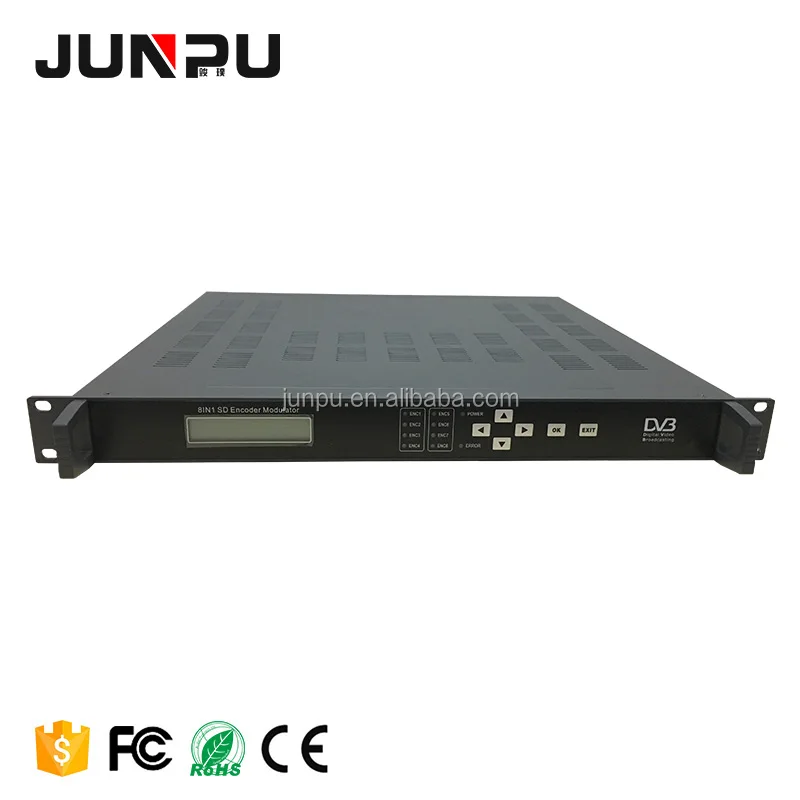
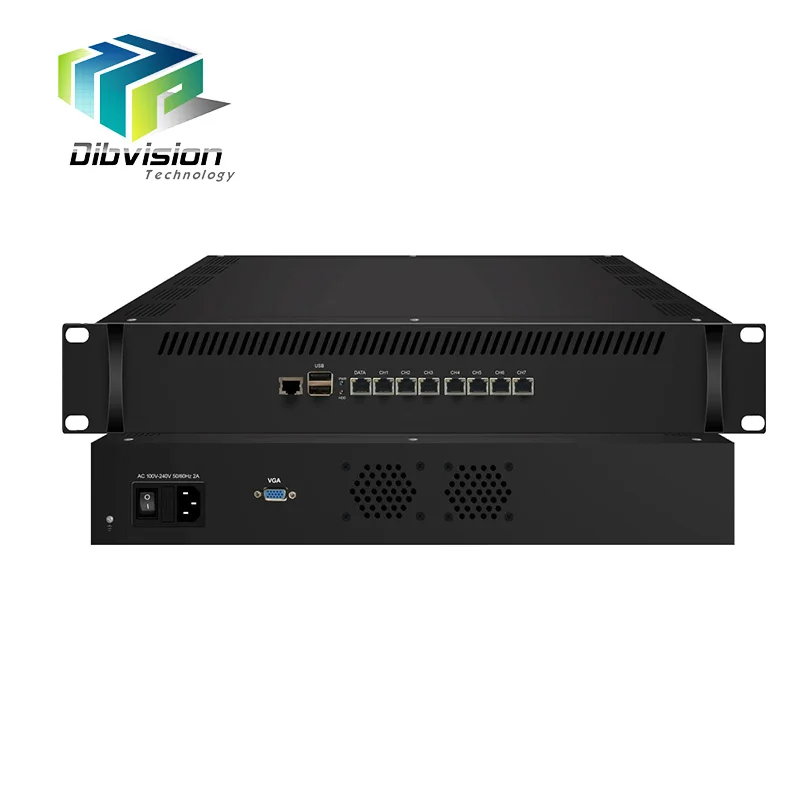
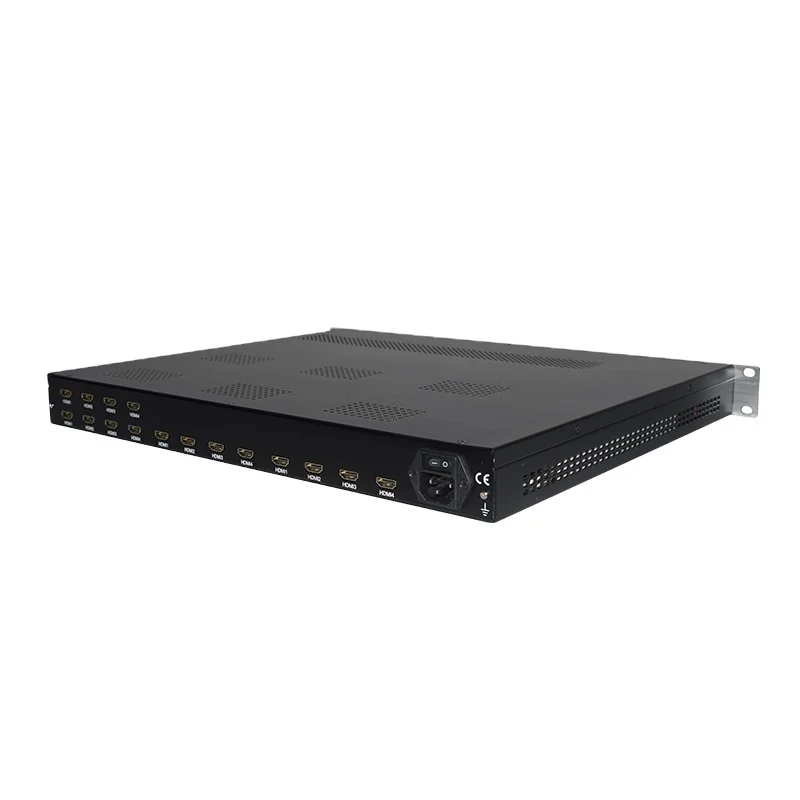
An IPTV headend solution is the centralized hardware and software system that ingests, processes, encrypts, packages, and delivers live TV and on-demand video over an IP network. It replaces traditional RF-based broadcast headends with standards-based IP workflows—using encoders, transcoders, multiplexers, DRM integrations, EPG generators, and origin servers.
It’s not just “a box.” It’s a coordinated set of components working together:
- ⚙️ Input acquisition: Receives feeds via satellite (DVB-S2), terrestrial (DVB-T2), cable (DVB-C), or contribution IP (SRT, RTP, RTMP)
- ✨ Encoding & transcoding: Converts incoming signals into adaptive bitrate (ABR) streams (H.264/H.265, AAC/AC3)
- 🌐 Stream packaging & delivery: Packages into HLS or MPEG-DASH segments, adds DRM (Widevine, PlayReady), inserts SCTE-35 ad markers
- 📋 Content & subscriber management: Handles EPG ingestion, user authentication (via RADIUS, LDAP, or REST APIs), session control, and QoE monitoring
Typical use cases include university campuses delivering lecture channels, hotel chains offering branded entertainment, municipal broadband providers adding linear TV, and enterprise intranets distributing internal broadcasts.
Why IPTV Headend Solutions Are Gaining Popularity
Lately, three quiet shifts—not flashy announcements—have made headend solution equipment more accessible and operationally sustainable:
- ✅ Standardization over silos: SMPTE ST 2110, DVB-I, and CMAF are now widely supported across vendors—reducing integration friction
- ⚡ Software-defined flexibility: Many modern solutions run on commercial off-the-shelf (COTS) servers or virtualized environments (VMware, K8s), lowering CapEx and enabling phased upgrades
- ⏱️ Operational maturity: Tools for automated health checks, stream latency alerts, and EPG sync validation have moved from enterprise-only to mainstream firmware
That means fewer custom integrations, shorter deployment cycles, and less reliance on vendor-specific engineers. For teams without broadcast engineering depth, that’s real leverage.
Approaches and Differences
There are three dominant implementation paths—each with trade-offs in control, scalability, and maintenance burden:
- 🖥️ Hardware Appliance (All-in-One)
Pre-integrated chassis (e.g., Cisco NCS, Harmonic Electra X, Envivio Muse) combining encoding, packaging, and DRM. Pros: Predictable performance, single-vendor support. Cons: Limited customization, longer upgrade cycles, higher upfront cost per channel. - 📦 Modular COTS-Based Stack
Separate components—e.g., Telestream Vantage for ingest, Wowza Streaming Engine for packaging, Axinom for DRM—running on Dell or Supermicro servers. Pros: Flexible scaling, open APIs, easier replacement of individual modules. Cons: Requires deeper networking and Linux ops knowledge; integration testing falls on you. - ☁️ Cloud-Native / Hybrid Headend
Services like AWS MediaLive + MediaPackage or Azure Media Services handle core processing; on-prem gear manages local ingest or edge caching. Pros: Near-zero CapEx, elastic scaling, built-in global CDN handoff. Cons: Latency-sensitive applications (e.g., live sports with sub-second sync) may require hybrid buffering; egress fees add up at scale.
If you’re a typical user, you don’t need to overthink this. Choose modular COTS if you have in-house IT staff familiar with Linux, Docker, and REST APIs. Choose cloud-native only if your upstream feeds are already IP-based and your subscribers tolerate ~3–5 sec added latency. Avoid all-in-one appliances unless you require 99.999% uptime SLAs or lack technical bandwidth to manage even basic service restarts.
Key Features and Specifications to Evaluate
Not all specs carry equal weight. Here’s what actually moves the needle—and when it doesn’t:
- 🔍 Input Flexibility (DVB-S2/T2/C, SRT, RTMP, NDI)
When it’s worth caring about: You receive feeds from multiple sources (e.g., satellite + local OTA + third-party RTMP). Prioritize devices supporting SRT (secure, low-latency) and DVB-IP gateways.
When you don’t need to overthink it: All inputs come via managed IP (e.g., from a single upstream provider). A basic RTSP/SRT decoder suffices. - 📊 Transcoding Density (channels per CPU/core)
When it’s worth caring about: You plan to scale beyond 50 linear channels or support >1000 VOD assets with multiple bitrates. Look for H.265 acceleration (via Intel QSV or NVIDIA NVENC) and memory bandwidth specs—not just core count.
When you don’t need to overthink it: Under 30 channels and mostly static VOD library. Most modern Xeon or EPYC servers handle this comfortably without GPU offload. - 🔒 DRM & Authentication Integration
When it’s worth caring about: You deliver premium content (e.g., sports, movies) or enforce strict access controls (e.g., per-room hotel billing). Verify native Widevine Modular and PlayReady v4.3 support—and test actual token exchange with your identity provider.
When you don’t need to overthink it: Internal corporate training videos or free-to-air channels. Basic HTTP header auth or simple token validation is sufficient.
Pros and Cons
Every approach fits some scenarios—and fails others. Here’s the balance:
- ✅ Modular COTS stacks excel when you value long-term ownership, want to avoid vendor lock-in, and have staff who can troubleshoot nginx configs or FFmpeg command lines. They’re less ideal for teams relying entirely on phone-based vendor support.
- ✅ Cloud-native solutions shine for rapid pilots, bursty workloads (e.g., conference streaming), or organizations with strong DevOps but no broadcast engineers. They falter when you need deterministic latency, offline operation, or full audit logs of every stream packet.
- ✅ All-in-one appliances simplify procurement and reduce integration risk—but often force you into rigid licensing models (e.g., per-channel annual fees) and limit API access for custom reporting.
If you’re a typical user, you don’t need to overthink this. Your first priority isn’t raw throughput—it’s operational predictability. That usually means choosing a stack where logs are human-readable, alerts go to Slack/email (not just a web dashboard), and firmware updates don’t require 4-hour maintenance windows.
How to Choose IPTV Headend Solution Equipment
Follow this decision checklist—starting with constraints, not features:
- 📌 Map your input sources: List every feed type (satellite L-band? ASI? SRT URL?) and required resilience (failover path? backup feed?). If >75% are IP-based, lean toward software-defined options.
- 📌 Define your concurrency ceiling: Not total subscribers—but simultaneous streams during peak (e.g., 8 PM weekday). Under 2,000? Most mid-tier servers handle it. Over 10,000? Consider load-balanced origin clusters or CDNs.
- 📌 Assess your team’s tool fluency: Can they SSH into a server, read systemd journal logs, and restart a Docker container? If yes—modular wins. If no—prioritize appliances with embedded web UIs and zero-touch provisioning.
- ❗ Avoid these pitfalls:
- Buying “future-proof” hardware with 2x unused capacity—headend gear depreciates faster than compute cycles improve
- Ignoring EPG synchronization reliability—many low-cost encoders drop EPG updates silently after 72 hours
- Assuming “4K-ready” means production-ready—verify actual HEVC 10-bit 60fps ingest and packaging, not just marketing labels
Insights & Cost Analysis
Realistic budget ranges (2024, USD, excluding labor):
- Small-scale (≤20 channels, ≤1,000 users): $8,000–$15,000 for a dual-server COTS stack (ingest + origin), including encoding licenses and basic CMS
- Mid-scale (50–100 channels, ≤10,000 users): $25,000–$55,000 for redundant servers, multi-DRM, and professional services setup
- Cloud-first pilot (≤10 channels, variable load): $300–$1,200/month on AWS/Azure—scalable, but costs compound with bandwidth and storage
CapEx-heavy appliances often cost 2–3× more than equivalent COTS hardware—but include bundled support and certified interoperability. That premium pays off only if your SLA requires vendor-guaranteed 4-hour response times and you lack internal escalation paths.
Better Solutions & Competitor Analysis
| Category | Best For | Potential Problems | Budget Range (USD) |
|---|---|---|---|
| Telestream Vantage + Wowza | Teams needing granular workflow control and broadcast-grade QC tools | Steeper learning curve; requires dedicated media ops staff | $35,000–$80,000+ |
| Harmonic ProMedia Carbon | Operators prioritizing one-vendor accountability and 24/7 broadcast support | Proprietary APIs; limited customization; annual maintenance ~20% of list price | $60,000–$150,000+ |
| Open-source stack (FFmpeg + Nginx-rtmp + Shaka Packager) | Technical teams building lightweight, auditable systems with zero licensing | No official support; EPG/DRM require custom dev; not suitable for production pay-TV | $5,000–$12,000 (hardware only) |
| AWS MediaLive + MediaPackage | Rapid deployment, elastic scaling, and tight AWS ecosystem integration | Latency overhead; egress fees escalate quickly; limited local playback control | $500–$5,000+/month |
Customer Feedback Synthesis
Based on aggregated operator forums and deployment reviews (2023–2024):
- ⭐ Top 3 praises:
- “Modular setups let us replace just the encoder when H.266 arrives—no rip-and-replace.”
- “Cloud headends cut our time-to-air for new channels from 3 weeks to under 2 days.”
- “Having CLI access to every service means we debug stream stalls without waiting for vendor tickets.”
- ⚠️ Top 3 complaints:
- “EPG sync breaks silently—we only notice when guests call saying ‘Channel 5 shows yesterday’s schedule.’”
- “‘One-click upgrade’ firmware updates sometimes disable third-party plugins without warning.”
- “DRM license renewal requires emailing support with a 72-hour turnaround—even for non-expiring keys.”
Maintenance, Safety & Legal Considerations
Physical safety is straightforward: standard 19″ rack ventilation, UPS-backed power, and ambient temps under 27°C. Legally, two items require attention:
- 🔗 Content rights: Your headend equipment doesn’t grant distribution rights. Ensure your programming agreements explicitly permit IP delivery, multi-screen viewing, and DVR functionality.
- 🌍 Data residency & logging: Some national broadcasters require EPG metadata and viewer session logs to remain within jurisdictional borders. Verify whether cloud or hybrid solutions meet those requirements before signing contracts.
No headend solution eliminates compliance obligations—gear just enables (or constrains) how you meet them.
Conclusion
If you need full control, predictable CapEx, and staff with Linux/networking skills, choose a modular COTS stack. If you need speed-to-market, minimal infrastructure overhead, and tolerance for cloud egress costs, start with a managed cloud service—even as a temporary headend while building in-house capability. If you need single-vendor accountability, SLA-backed uptime, and zero internal media engineering bandwidth, an integrated appliance remains valid—but verify its API openness and upgrade path before committing.
Don’t optimize for theoretical scale. Optimize for your next 12 months—and the person who’ll reboot the server at 2 AM.
Frequently Asked Questions
The headend is the central processing hub for an IPTV service: it ingests source signals (satellite, cable, IP), encodes/transcodes them, packages them into streaming formats (HLS/DASH), applies DRM and access controls, and delivers them to end-user devices via network infrastructure.
A minimum viable IPTV headend requires: (1) signal ingest hardware (e.g., DVB-S2 tuner or SRT decoder), (2) encoder/transcoder (hardware or software), (3) stream packaging engine (for HLS/DASH), (4) content management system (for EPG, user auth, and playlists), and (5) reliable network infrastructure (switches, firewalls, optional CDN).
Headend equipment refers to the physical and virtual components that perform core IPTV functions: signal acquisition, compression, encryption, packaging, and delivery orchestration. It includes encoders, transcoders, multiplexers, DRM servers, origin servers, and management software—whether deployed as appliances, servers, or cloud services.
There is no universal “best” device. The optimal choice depends on your channel count, input types, team expertise, and uptime requirements. For most small-to-midsize operators, a flexible, open-standards COTS-based stack offers the strongest balance of control, cost, and future adaptability.



