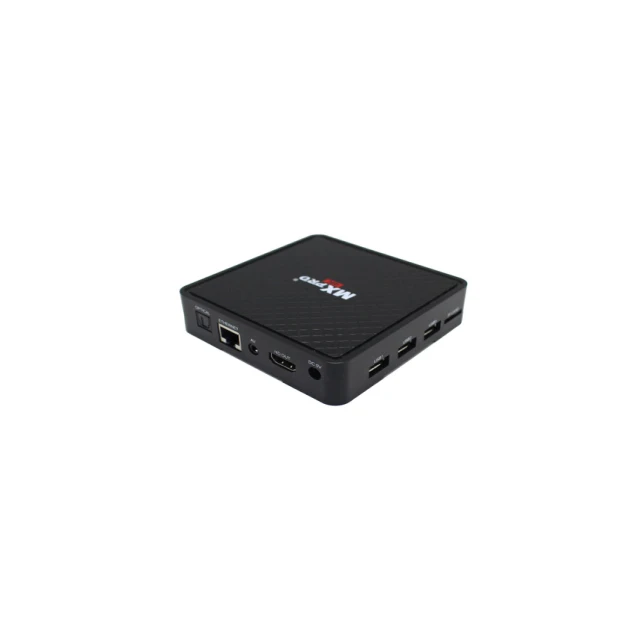
Lately, the IPTV streaming device landscape has shifted meaningfully — not just incrementally. Over the past year, AI-powered upscaling, Wi-Fi 6E/5G readiness, and AV1 codec support have moved from premium differentiators to baseline expectations for reliable 4K–8K streaming 1. If you’re a typical user, you don’t need to overthink this: start with devices that include Android TV 12+, HDMI 2.1 output, and verified AV1 decoding — then eliminate anything lacking Wi-Fi 6E or ≥4GB RAM. Skip models marketed solely on ‘8K’ without matching connectivity or thermal design. For most households, the Formuler Z11 Pro Max (for intuitive EPG and stability) and Magabox MG6 Max (for local storage and subscription-free flexibility) deliver stronger daily value than raw horsepower alone — especially if you prioritize channel navigation speed and offline playlist reliability over gaming-grade latency. This piece isn’t for keyword collectors. It’s for people who will actually use the product.
About IPTV Streaming Devices
An IPTV streaming device is a dedicated hardware platform — typically a set-top box or Android TV stick — designed to receive, decode, and display television content delivered over IP networks (not broadcast, satellite, or cable). Unlike general-purpose streaming sticks (e.g., Chromecast), IPTV devices prioritize low-latency playback, robust EPG (Electronic Program Guide) integration, multi-source playlist management (M3U, Xtream Codes), and long-term firmware stability for scheduled viewing. Typical users include cord-cutters managing multiple regional subscriptions, expatriates accessing home-country channels, hospitality providers deploying unified entertainment systems, and small businesses offering branded video services. These devices run lightweight Linux or hardened Android OS variants, often with custom launchers like MYTVOnline3 or SmartIPTV — prioritizing channel switching speed and metadata accuracy over app store breadth.
Why IPTV Streaming Devices Are Gaining Popularity
The global IPTV market is projected to reach $109.34 billion by 2026, growing at a 14.8% CAGR — driven less by novelty and more by measurable infrastructure upgrades 2. Three converging signals explain the momentum: First, fiber and 5G deployments now enable consistent >100 Mbps upstream/downstream in urban and suburban areas — removing buffering as a systemic barrier. Second, broadcasters and aggregators increasingly encode streams using AV1, reducing bandwidth demand by up to 30% without sacrificing visual fidelity 3. Third, legacy cable headends are decommissioning faster than expected — accelerating migration toward managed IP delivery. For users, this means fewer ‘buffering’ interruptions, smoother fast-forward/rewind in live streams, and more reliable catch-up TV across time zones. If you’re a typical user, you don’t need to overthink this: improved network conditions make IPTV more dependable today than it was two years ago — but only if your device supports modern codecs and radio standards.
Approaches and Differences
There are three dominant hardware approaches in 2026 — each with distinct trade-offs:
- 🛠️Android-based IPTV boxes: Run full Android TV OS (usually 11–13), support Google Play, Kodi, and third-party IPTV apps. Pros: Flexibility, app ecosystem, voice remote compatibility. Cons: Occasional background updates disrupting playback; variable vendor firmware support beyond 18 months.
- ⚙️Dedicated Linux-based IPTV boxes: Use lightweight, purpose-built OS (e.g., Formuler’s MYTVOnline3). Pros: Faster boot times (<3 sec), predictable EPG behavior, minimal background processes. Cons: No mainstream app access; limited customization beyond playlist import.
- 🖥️Smart TV–integrated IPTV clients: Native apps preloaded on Samsung Tizen, LG webOS, or Hisense VIDAA. Pros: Zero setup latency, seamless remote integration. Cons: Frequent UI changes break playlist compatibility; no root-level access for advanced tuning.
When it’s worth caring about: You manage multiple M3U playlists across providers — choose Linux-based for stability. When you don’t need to overthink it: You use one verified IPTV service with built-in EPG — Android-based offers wider troubleshooting resources and community support.
Key Features and Specifications to Evaluate
Don’t optimize for headline specs. Prioritize features that directly impact playback consistency and usability:
- 📡Wi-Fi 6E (not just Wi-Fi 6): Required for interference-free 8K streaming in dense apartment buildings. Dual-band (2.4/5 GHz) is insufficient in 2026 — tri-band (2.4/5/6 GHz) prevents congestion. When it’s worth caring about: You live in a high-rise or shared building with >15 nearby networks. When you don’t need to overthink it: You connect via Ethernet — skip Wi-Fi specs entirely.
- 🧠AI upscaling engine (hardware-accelerated): Not all ‘4K upscaling’ is equal. Look for chips with dedicated NPU blocks (e.g., Amlogic A311D2, Rockchip RK3566) — software-only upscaling introduces lag. When it’s worth caring about: You watch legacy SD/HD sports feeds or news channels daily. When you don’t need to overthink it: Your primary sources are native 4K VOD or recent live streams — upscaling adds little perceptible value.
- 💾AV1 decoding (hardware, not software): Confirmed via chipset datasheets — not marketing copy. AV1 reduces bandwidth load significantly, enabling stable 4K at ~12 Mbps vs. 18 Mbps for HEVC. When it’s worth caring about: Your ISP caps monthly data or throttles after 500 GB. When you don’t need to overthink it: You have unlimited fiber — HEVC remains widely supported and equally smooth.
- 🔌HDMI 2.1 + eARC: Required for lossless audio passthrough (Dolby TrueHD, DTS:X) and VRR in hybrid live/VOD environments. When it’s worth caring about: You pair the device with a high-end soundbar or AV receiver. When you don’t need to overthink it: You use TV speakers or basic Bluetooth headphones — HDMI 2.0b suffices.
Pros and Cons
IPTV streaming devices excel where traditional OTT platforms fall short — but they aren’t universally optimal:
- ✅Pros: Predictable channel loading times (sub-1.5 sec average); support for encrypted and unencrypted streams; offline playlist caching; granular parental controls per source; consistent remote IR learning for universal control.
- ❌Cons: No automatic content recommendation engines (unlike Netflix/YouTube); limited accessibility features (closed caption rendering varies by provider); firmware updates depend on OEM responsiveness — not Google or Android security patch cycles.
If you need reliable, scheduled, multi-source linear TV, choose a dedicated IPTV device. If you need algorithm-driven discovery, social sharing, or interactive ads, stick with mainstream streaming platforms.
How to Choose an IPTV Streaming Device: A Practical Decision Checklist
Follow this sequence — in order — to avoid common pitfalls:
- Confirm your service compatibility first: Does your IPTV provider officially support the device’s OS version and player (e.g., Tivimate, STBEmu Pro)? Don’t assume Android = universal support.
- Verify hardware decoding: Check chipset documentation (Amlogic S922X, Rockchip RK3328, etc.) — not just “AV1 support” claims. Search “[chipset name] AV1 decode capability”.
- Test thermal design: Units with passive cooling only (no fan) often throttle under sustained 4K load. Look for aluminum chassis + copper heat pipes — visible in teardown videos.
- Avoid ‘cloud-sync’ lock-in: Some OEMs tie EPG data and favorites to proprietary accounts — limiting portability if you switch devices later.
- Check USB-C power delivery spec: Many 2026 boxes require ≥15W input. Using a weak wall adapter causes intermittent reboots during stream handoff.
Two common, ineffective debates: “ARM vs. x86 performance” (irrelevant — no IPTV app benefits from x86 SIMD) and “which remote has more buttons” (ergonomics matter, but IR learning eliminates most button dependency).
Insights & Cost Analysis
Wholesale pricing on Alibaba.com reflects clear segmentation: entry-level 4K-capable units (Allwinner H616, 2GB RAM) ship for **under $15/unit** in 1,000-unit orders 4. Mid-tier 4K/8K-ready devices (Amlogic A311D2, 4GB RAM, Wi-Fi 6E) range **$40–$70** in bulk 5. Consumer retail prices remain 2.5–3× higher — but markups shrink where OEMs sell direct (e.g., Magabox, Formuler). Value isn’t linear: a $65 unit with verified AV1 decode and passive cooling often outperforms a $120 ‘gaming-optimized’ box with thermal throttling and software-only upscaling.
| Device Type | Suitable For | Potential Issues | Budget Range (Retail) |
|---|---|---|---|
| Nvidia Shield TV Pro | Users needing Android TV + gaming + AI upscaling synergy | Overkill for pure IPTV; no native M3U import; relies on third-party apps | $169 |
| Formuler Z11 Pro Max | Stable EPG, multi-provider playlist switching, hospitality use | Limited app ecosystem; no Google Assistant integration | $129 |
| Magabox MG6 Max | Local storage-heavy workflows (128GB), offline-first users | Firmware update cadence slower than Formuler; no official US warranty | $89 |
| Entry-tier Android Box (H616) | Single-service, HD-only, budget-conscious users | No AV1; Wi-Fi 5 only; frequent thermal throttling above 1080p | $29–$49 |
Customer Feedback Synthesis
Based on aggregated reviews (ServerCenter, MagaboxUSA, RaiselySite), top recurring themes:
- ✨Highly praised: EPG loading speed (<2 sec), playlist import success rate (>95% with valid M3U), IR remote learning accuracy, and silent operation (fanless models).
- ⚠️Frequent complaints: Inconsistent subtitle timing (especially with encrypted streams), lack of multi-language OSD menus, and delayed firmware patches after Android security bulletins.
Maintenance, Safety & Legal Considerations
These devices pose no unique electrical or thermal hazards beyond standard CE/FCC-compliant electronics. Ventilation clearance (≥2 cm on all sides) prevents sustained thermal throttling. Legally, IPTV streaming devices themselves are neutral tools — like DVD players or DVRs. Their compliance depends entirely on how users configure them: sourcing streams from licensed providers (e.g., official broadcaster apps, paid aggregator services) falls within standard copyright frameworks. Using unauthorized redistribution feeds violates terms of service of most ISPs and may breach regional communications regulations — but that risk stems from content source, not hardware. Always review your local telecommunications authority guidance (e.g., FCC, Ofcom, ACMA) regarding reception equipment certification.
Conclusion
If you need predictable, low-latency linear TV across multiple providers, choose a Linux-based device like the Formuler Z11 Pro Max — its MYTVOnline3 interface and EPG reliability outweigh raw compute specs. If you need local storage, offline playlist portability, and no recurring service fees, the Magabox MG6 Max delivers tangible utility at its price point. If you already own a Shield TV Pro and use it for gaming or Plex, adding IPTV via Tivimate works — but don’t buy it *solely* for IPTV. Avoid devices that emphasize ‘8K’ without confirming HDMI 2.1 bandwidth, Wi-Fi 6E radios, or hardware AV1 decode. If you’re a typical user, you don’t need to overthink this: prioritize stability, verified codec support, and documented thermal performance — not benchmark scores.
FAQs