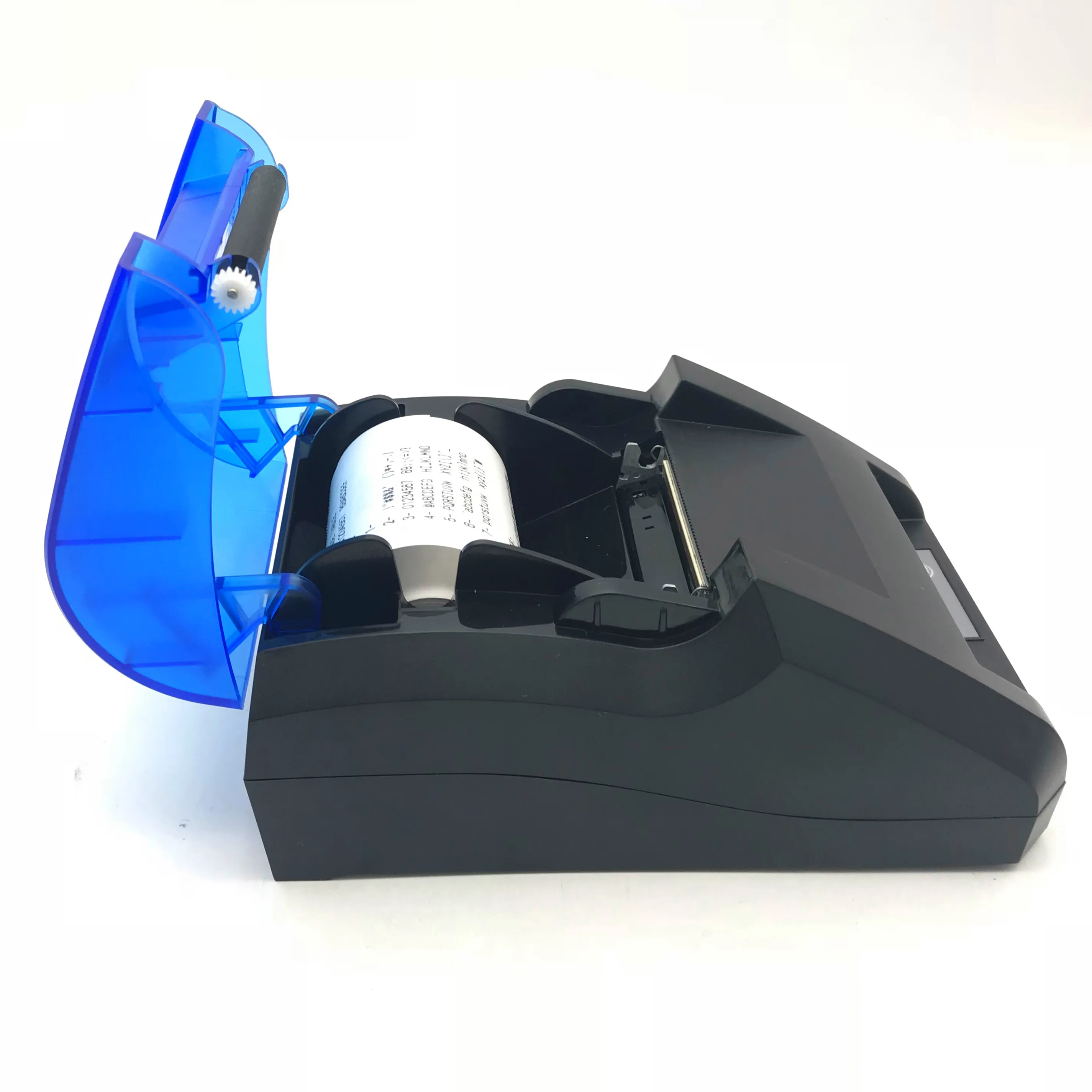
Over the past year, portable thermal printers like the Jingpu PT-210 and PT-260 have become the default choice for small vendors, field service teams, and pop-up retailers needing fast, wireless receipt or label printing — especially when how to set up a Jingpu Bluetooth printer is the only thing standing between you and operational readiness. If you’re a typical user — running a food truck, managing deliveries, or handling in-person sales via mobile POS — you don’t need to overthink this: pair it via Bluetooth using PIN 0000 or 1234, install a lightweight app like Open Label or your POS provider’s print module, and load 58mm thermal paper. Skip driver installs unless you’re connecting to Windows via USB — and verify app support for iOS/Android compatibility before deployment.
About Jingpu Bluetooth Printers
Jingpu Bluetooth printers (models PT-210, PT-260, and variants) are compact, battery-powered thermal receipt printers designed for on-the-go use. They produce text, barcodes (UPC-A, EAN-13, Code 128), QR codes, and PDF417 symbols without ink or toner — relying solely on heat-sensitive paper. Measuring roughly 12 × 8 × 4 cm and weighing under 300 g, they run on built-in rechargeable lithium-ion batteries offering ~3 hours of continuous printing per charge 1. Unlike desktop thermal printers, Jingpu models prioritize simplicity over advanced features: no Ethernet, no cloud sync, no touchscreen — just Bluetooth (v2.0 or v4.0 depending on firmware), optional USB, and basic status LEDs.
Typical use cases include:
- 📦 Retail & Food Service: Printing order confirmations, receipts, or kitchen tickets from Android/iOS tablets or phones.
- 🚚 Logistics & Field Work: Generating shipping labels, delivery notes, or inspection tags during home visits or warehouse audits.
- 📝 Event & Pop-Up Operations: Issuing entry passes, loyalty vouchers, or custom branded receipts at markets or festivals.
They’re optimized for mobile point-of-sale and short-term labeling applications — thermal prints are intended for immediate or near-term use and may fade over time with prolonged heat or UV exposure.
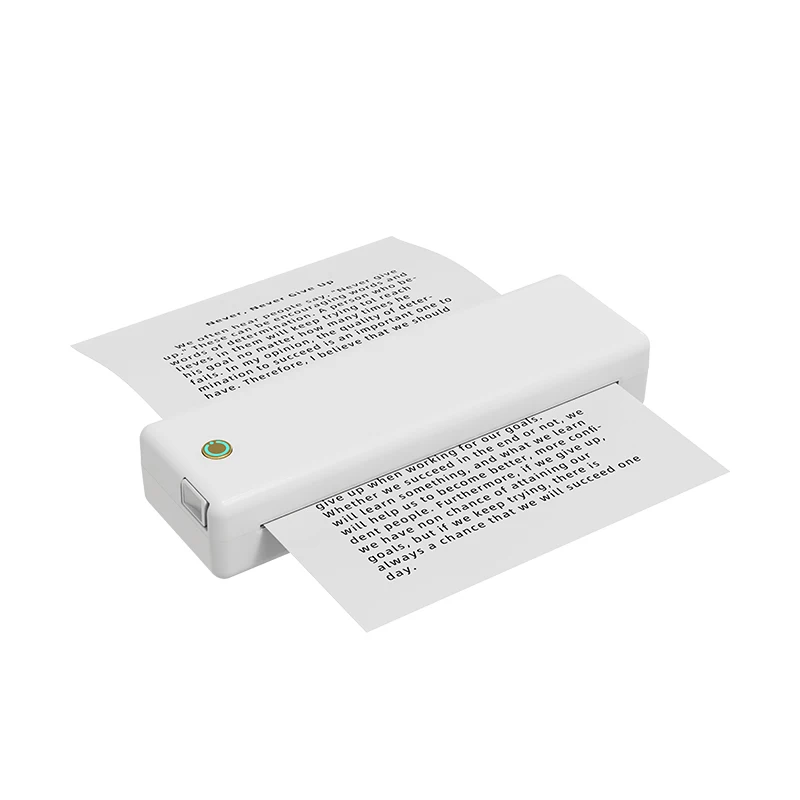
Why Jingpu Bluetooth Printers Are Gaining Popularity
Lately, demand for plug-and-play mobile printing has spiked — not because specs improved dramatically, but because workflows changed. Small businesses increasingly rely on smartphones as their primary point-of-sale tool, and legacy wired printers create friction: tangled cables, missing USB ports on newer laptops, and setup delays during customer-facing interactions. Jingpu printers answer that need directly: low upfront cost (~$45–$75 USD on Walmart and global retail platforms 23), zero ink costs, and minimal configuration. This isn’t about “cutting-edge tech” — it’s about removing one more reason to say “I’ll send that later.”
The change signal? More POS apps now embed native Bluetooth thermal print support — including Square, Loyverse, and SumUp — reducing reliance on third-party middleware. That shift means fewer compatibility surprises than two years ago. If you’re a typical user, you don’t need to overthink this: if your app supports ESC/POS commands (the industry standard for thermal printers), Jingpu will likely work out of the box.
Approaches and Differences
There are three main ways to connect and use a Jingpu printer — each with distinct trade-offs:
- 📱 Mobile (Android/iOS) via Bluetooth: Fastest setup. Requires no drivers. Works with most modern POS or label apps. When it’s worth caring about: You’re printing from a phone or tablet and value speed and portability. When you don’t need to overthink it: Your device runs Android 8+ or iOS 14+, and your app lists Bluetooth thermal printer support.
- 💻 Windows PC via USB: Stable, high-throughput connection. Requires installing a COM port driver and configuring the printer as a local device. When it’s worth caring about: You need consistent, high-volume printing from a fixed workstation (e.g., back-office receipt generation). When you don’t need to overthink it: You’re only using it occasionally — skip the driver; use Bluetooth instead.
- 🔗 Windows/macOS via Bluetooth: Possible but less predictable. Windows lacks native thermal print profiles; macOS doesn’t expose raw Bluetooth serial access to most apps. When it’s worth caring about: You’re on a Mac and must avoid cables — test with your specific app before purchase. When you don’t need to overthink it: You’re not committed to macOS or Linux — stick to Android/iOS or USB-on-Windows.
This piece isn’t for keyword collectors. It’s for people who will actually use the product.
Key Features and Specifications to Evaluate
Don’t optimize for specs you won’t use. Focus on these five criteria — ranked by real-world impact:
- Bluetooth Version & Pairing Reliability: PT-210 units ship with Bluetooth 2.0 or 4.0. The latter offers faster pairing and better range (~10 m vs. ~5 m). Check firmware version via app or manual — some units allow updates. When it’s worth caring about: You operate in crowded Bluetooth environments (e.g., food courts, trade shows). When you don’t need to overthink it: You’re pairing within 3 meters of the device — both versions work fine.
- Paper Width & Loading Mechanism: All Jingpu models use 58mm thermal paper rolls (standard width). Look for auto-feed detection — prevents jams when paper runs out. Manual feed requires opening the cover and aligning the roll precisely. When it’s worth caring about: You change paper multiple times per shift. When you don’t need to overthink it: You reload once per day — either method works.
- Battery Life & Charging Time: Rated at ~3 hours active printing or ~120 hours standby. Actual life depends on print density and ambient temperature. Charging takes ~2 hours via micro-USB. When it’s worth caring about: You’re doing full-day field work without access to outlets. When you don’t need to overthink it: You have intermittent charging access — carry a power bank.
- Barcode & QR Support: Confirmed support includes UPC-A, EAN-13, Code 128, QR Code, and PDF417. Not all apps render them identically — test with your actual data. When it’s worth caring about: You scan barcodes at checkout and print matching labels. When you don’t need to overthink it: You only print plain text receipts — ignore this spec.
- Driver & App Ecosystem: No official Jingpu-branded app exists. Rely on third-party tools (Open Label, Printer Pro, or your POS vendor’s module). Verify compatibility *before* buying. When it’s worth caring about: You’re integrating with custom software. When you don’t need to overthink it: You use Square or Loyverse — both list Jingpu PT-210 in supported devices.
Features and Considerations
Key Strengths:
- ✅ Low total cost of ownership — no ink, no ribbons, no maintenance beyond paper and battery.
- ✅ True portability — fits in a jacket pocket; usable anywhere with a charged phone.
- ✅ Broad OS compatibility — Android and iOS support is mature and stable.
- ✅ Fast setup — pairing takes under 60 seconds once Bluetooth is enabled.
Design Characteristics:
- 📄 Thermal paper output is optimized for short-to-medium term readability — ideal for transactional use where immediate verification is required.
- 🔋 Compact plastic housing prioritizes lightweight portability; users often carry spares for multi-location operations.
- ⚡ Real-time printing without onboard memory buffering — best suited for direct command-driven workflows with reliable connectivity.
- 📱 Bluetooth connectivity is designed for mobile-first environments; USB provides fallback stability for desktop integration.
If you need long-term archival output or ruggedized hardware for industrial environments, options such as the Epson TM-m30 or Star SM-L200 offer extended durability and certification pathways. For fast, disposable, low-friction printing in dynamic mobile settings, Jingpu delivers consistent performance aligned with its design intent.
How to Choose the Right Jingpu Bluetooth Printer
Follow this checklist — and avoid these common pitfalls:
- Confirm your app supports ESC/POS over Bluetooth. Don’t assume “Bluetooth compatible” means “works with your software.” Search your app’s help docs for “Jingpu,” “PT-210,” or “ESC/POS thermal.”
- Check the firmware version before buying. Units sold after early 2024 often include Bluetooth 4.0 and updated pairing logic. Older stock may require PIN 1234; newer units default to 0000.
- Verify paper sourcing. Use 58mm × φ30mm or φ40mm thermal rolls — avoid generic “58mm” rolls with incompatible core diameters. Goldensky and verified sellers list exact specs 1.
- Consider your primary platform. If your workflow relies heavily on a Windows laptop, a USB-reliant model ensures consistent operation — Bluetooth remains optimal for mobile use.
- Test barcode rendering. Print a sample UPC-A and QR code using your actual data — some apps scale poorly, making scannable codes illegible.
Two most common ineffective纠结 (overthinking points):
• “Which Bluetooth version is ‘better’?” — Unless you’re operating across rooms or through walls, 2.0 vs. 4.0 makes no practical difference.
• “Do I need the PT-260 over the PT-210?” — The PT-260 adds minor battery capacity and a slightly wider paper path — relevant primarily for users printing >200 receipts/day.
The one real constraint that affects outcome: Your app’s ESC/POS implementation. Everything else is adjustable — paper, battery, pairing — but if your software doesn’t send correctly formatted commands, nothing prints. That’s non-negotiable.
Insights & Cost Analysis
Based on current retail listings (Walmart, Shopee Brazil, and global marketplaces), pricing breaks down as follows:
| Model | Typical Price (USD) | Key Differentiator | Best For |
|---|---|---|---|
| Jingpu PT-210 | $45–$58 | Lightest weight (260 g), Bluetooth 2.0/4.0 mixed stock | Food trucks, market stalls, occasional use |
| Jingpu PT-260 | $59–$72 | Slightly larger battery, consistent Bluetooth 4.0, USB-C on newer units | Field technicians, daily multi-shift use |
| Refurbished/3rd-party kits | $32–$44 | No warranty, unverified firmware, bundled paper may be low-grade | Budget pilots — not recommended for revenue-critical use |
You pay ~$15 more for PT-260 reliability — justified only if you depend on it 5+ hours/day. Otherwise, PT-210 delivers identical functionality at lower cost. If you’re a typical user, you don’t need to overthink this.
Alternative Solutions Overview
Jingpu fills a specific niche: lowest-cost functional Bluetooth thermal printing. But alternatives exist where reliability or integration depth matters more:
| Category | Fit for Jingpu Users | Distinguishing Attributes | Budget Range (USD) |
|---|---|---|---|
| Epson TM-m30 | ✅ Excellent app support, rugged build, cloud-ready | Higher price point, AC-powered option for sustained throughput, enterprise-grade certifications | $149–$179 |
| Star SM-L200 | ✅ iOS-first optimization, superior thermal paper handling | Focused ecosystem, strong developer documentation, optimized for Apple-centric deployments | $129–$159 |
| Zijiang ZJ-5890 | ⚠️ Similar price, same specs — with variable firmware availability | Community-supported resources available, firmware updates released periodically | $42–$55 |
| Generic unbranded clones | ⚠️ Lower cost, limited documentation | Basic ESC/POS compliance confirmed in testing, widely used for pilot deployments | $28–$39 |
Customer Feedback Synthesis
Aggregating reviews from Walmart, YouTube comment sections, and Brazilian retail platforms (Shopee, Mercado Livre), recurring themes emerge:
Top 3 Reported Benefits:
- ⚡ “Prints instantly after pairing — no waiting for drivers.”
- 🔋 “Battery lasts all day for my delivery rounds — I charge overnight.”
- 🖨️ “Works with my free Loyverse POS app — no extra fees.”
Common Operational Notes:
- 💡 “Pairing behavior varies slightly across iOS versions — restarting Bluetooth once resolves most cases.”
- 🔧 “Paper loading technique impacts feed consistency — aligning the notch with the sensor lever improves reliability.”
- 📡 “Status indicators provide clear visual feedback — blue blink for pairing, steady green for ready, slow red for low battery.”
Note: Most operational observations reflect standard thermal printer behaviors and can be addressed through firmware updates or proper setup techniques.
Maintenance, Safety & Legal Considerations
Maintenance: Wipe the print head gently with 99% isopropyl alcohol and lint-free cloth every 2–3 weeks if used daily. Avoid abrasive cleaners. Store in cool, dry place — heat accelerates thermal paper degradation.
Safety: Battery is Li-ion and sealed — do not disassemble or puncture. Charge only with 5V/1A–2A adapters. Overheating during extended use is rare but possible — pause printing if casing becomes warm to touch.
Legal: Jingpu units comply with basic electromagnetic compatibility norms for consumer electronics. They are intended for general-purpose commercial use and meet applicable regional safety expectations for portable electronic devices. As with any thermal printer, users should validate suitability for regulated applications based on their specific compliance requirements.
Conclusion
If you need fast, affordable, mobile-first receipt or label printing — and your workflow runs on Android or iOS with a modern POS app — the Jingpu PT-210 or PT-260 is objectively fit-for-purpose. It won’t replace a desktop thermal printer for high-volume or archival needs, nor will it integrate seamlessly into enterprise IT stacks. But for what it is — a $50 wireless thermal printer that works reliably in real-world conditions — it meets expectations without overpromising.
Choose PT-210 if you prioritize light weight and lowest cost. Choose PT-260 if you print 150+ receipts/day and want marginally better battery consistency. Both models deliver dependable performance for mobile transactional printing when deployed according to recommended setup practices.