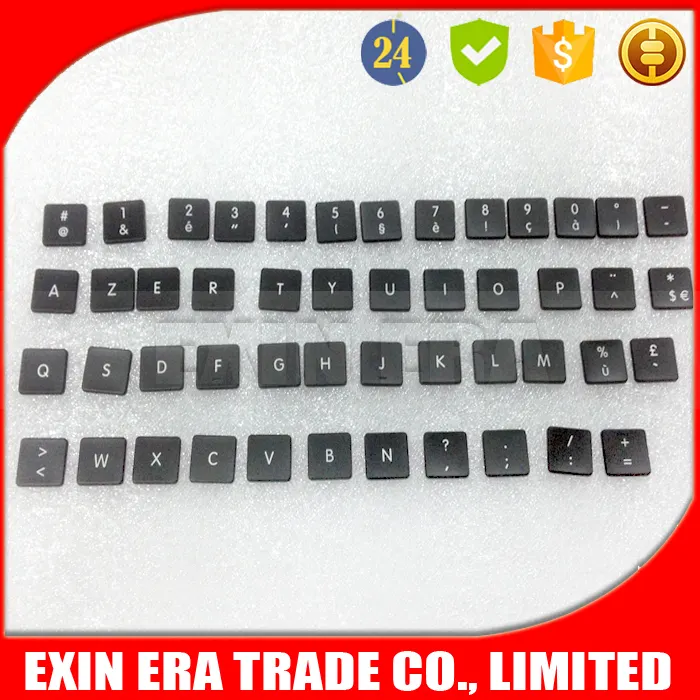
Here’s the bottom line, upfront: If your MacBook keys are glossy, worn, or missing — and you’re not under AppleCare+ with coverage for accidental damage — replacing individual key caps is almost always smarter than paying $400–$700 for a full top-case replacement. Over the past year, the market has matured: PBT key caps ($15–$30 for full sets) now reliably resist shine, scissor-switch keyboards (2020+) make DIY swaps safe and repeatable, and third-party kits include precise hinge tools. If you’re a typical user, you don’t need to overthink this. Skip artisan resin caps unless you value aesthetics over function — and avoid ABS replacements if longevity matters. This piece isn’t for keyword collectors. It’s for people who will actually use the product.
About MacBook Keyboard Key Caps
A MacBook keyboard key cap is the removable plastic surface that sits atop the physical switch mechanism — whether butterfly (2015–2019) or scissor (2020 onward). Unlike mechanical desktop keyboards, MacBook key caps are engineered as part of a tightly integrated top case assembly. Their primary role is functional input transmission, but over time they degrade: surface texture wears, legends fade, and oils from skin create persistent gloss — especially on frequently used keys like Space, Shift, and Command1. Typical use cases include restoring legibility after 2–3 years of daily typing, replacing a physically damaged or lost cap (e.g., after a spill), or upgrading material for durability. They’re not interchangeable across all models: compatibility depends on switch type, key profile height (2–5 mm “Chiclet” form factor), and legend layout (e.g., Mac-specific symbols like ⌘ and ⌥).
Why MacBook Key Cap Replacement Is Gaining Popularity
Lately, individual key cap replacement has shifted from a niche repair hack to a mainstream maintenance practice — driven by three converging realities. First, Apple’s official repair path remains prohibitively expensive: top-case replacements routinely exceed $500, even for minor wear2. Second, consumer frustration with the “glossy key” phenomenon has become widespread — Reddit threads and Apple Community forums consistently cite visible shine as a top pain point after just 24 months of use3. Third, supply-chain maturity has lowered barriers: Chinese manufacturers now ship high-fidelity PBT sets with accurate Mac legends for under $25, and precision tools (like tweezers and hinge levers) are bundled standard4. This isn’t about customization alone — it’s preventative economics. The global custom keycaps market, valued at $0.75 billion in 2026, is projected to reach $1.17 billion by 2035 — with laptop-specific demand growing faster than desktop segments5. If you’re a typical user, you don’t need to overthink this.
Approaches and Differences
There are three main approaches to addressing worn or missing MacBook key caps — each with distinct trade-offs in cost, effort, and longevity:
- Official Apple Service: Replaces the entire top case (keyboard + trackpad + battery). Highest reliability, zero DIY risk — but lowest value. Requires appointment, takes days, and costs $400–$7002.
- Third-Party OEM-Style Sets: Full keyboard replacements (100+ keys) made from PBT or ABS plastic. Sold on Amazon and Alibaba. Low cost ($15–$30), fast shipping, Mac-accurate legends. Requires careful removal/reseating — but scissor-switch models (M1/M2/M3 MacBooks) tolerate repeated swaps well6.
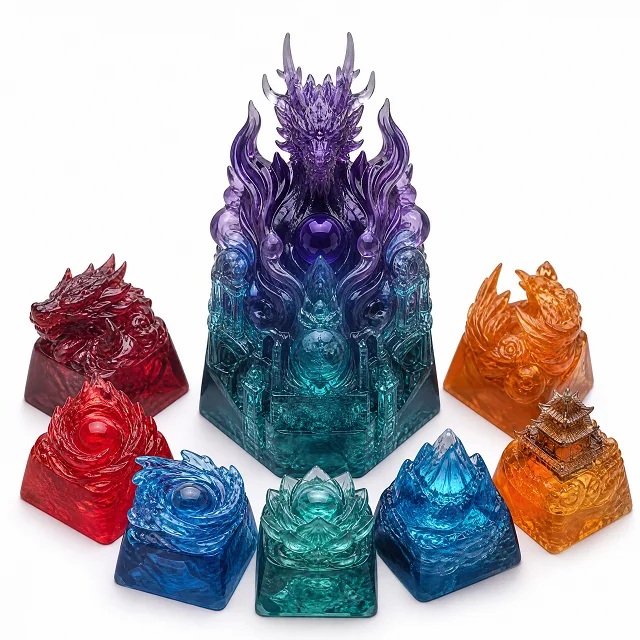
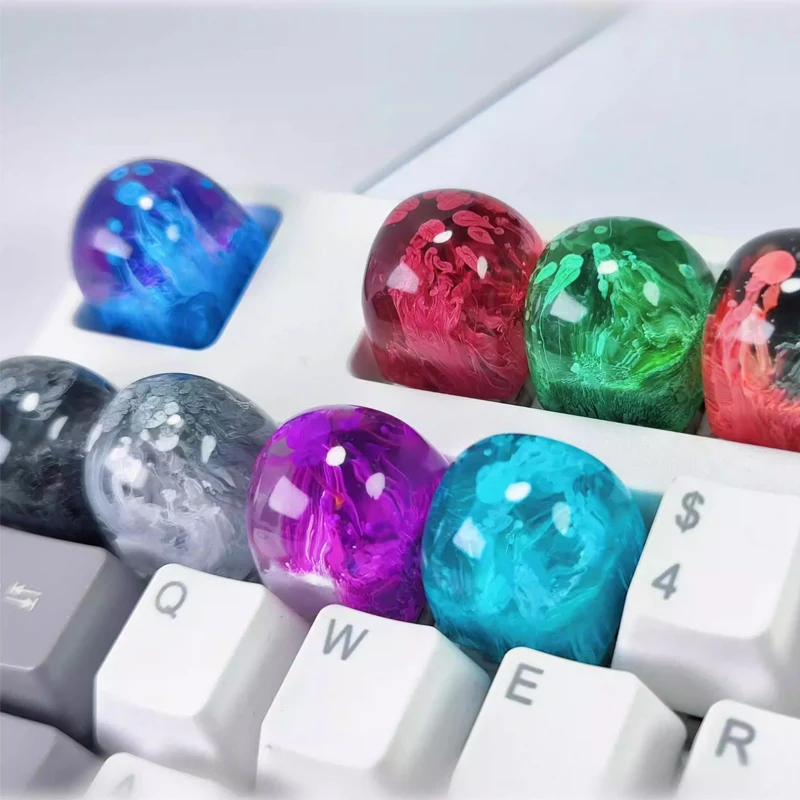
- Artisan & Specialty Caps: Hand-poured resin, ceramic, or metal caps — often sold individually for Esc, Power, or Function keys. High aesthetic value (27% of premium purchases), low functional utility. Not designed for daily typing wear; best for visual accent, not replacement5.
When it’s worth caring about: You’ve already paid for AppleCare+ with accidental damage coverage, or your model uses the fragile butterfly switch (2015–2019). In those cases, DIY carries real risk of breaking the hinge mechanism — official service is safer. When you don’t need to overthink it: You own a 2020 or newer MacBook with scissor-switch keys and want uniform wear resistance. PBT sets deliver measurable improvement at minimal cost and effort.
Key Features and Specifications to Evaluate
Not all key caps perform equally — especially under macOS usage patterns. Four specifications matter most:
- Material (PBT vs. ABS): PBT resists shine and retains texture longer. ABS is cheaper and allows RGB backlighting (irrelevant on MacBooks), but yellows and polishes faster. When it’s worth caring about: You type >4 hours/day and plan to keep your MacBook >3 years. When you don’t need to overthink it: You’re replacing one or two keys temporarily before an upgrade — ABS works fine for short-term use.
- Profile & Height: MacBook keys use low-profile “Chiclet” geometry (2–5 mm tall). MDA and ASA profiles offer larger surface area and better tactile feedback than stock OEM shapes — but must match your model’s scissor mechanism clearance. When it’s worth caring about: You have repetitive strain concerns or prefer more deliberate keystrokes. When you don’t need to overthink it: You’re matching original fit and feel — stick with OEM-profile caps.
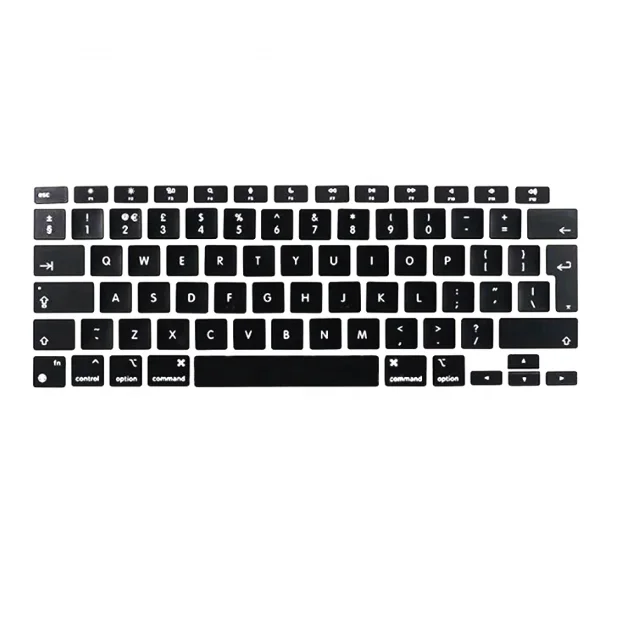
- Legend Accuracy: Mac-specific symbols (⌘, ⌥, ⇧, ⌫, etc.) must align precisely. Misaligned or generic Windows legends reduce usability. Check product photos for close-ups of symbol placement — not just packaging claims.
- Hinge Compatibility: Scissor-switch keys require caps with correct underside clips. Butterfly-switch keys need different retention geometry — but replacement is strongly discouraged due to fragility7.
Pros and Cons
Individual key cap replacement delivers clear advantages — but only within defined boundaries:
- Pros: Cost-effective (up to 95% savings vs. top-case replacement); preserves battery health (no disassembly required); extends device lifespan; enables consistent material upgrades (e.g., matte PBT across all keys); supports sustainable consumption (repair > replace).
- Cons: Requires steady hands and patience — misalignment can cause sticking or non-actuation; no warranty coverage (third-party parts); limited availability for older butterfly models; not suitable for water-damaged keyboards (requires deeper cleaning or component replacement).
If you’re a typical user, you don’t need to overthink this — provided your MacBook is 2020 or newer. For pre-2020 models, weigh the risk: one failed key swap could necessitate full top-case service anyway.
How to Choose the Right MacBook Key Cap Replacement
Follow this five-step decision checklist — designed to eliminate common pitfalls:
- Confirm your model year and switch type. Check Apple’s support page or System Settings > General > About. If it says “Magic Keyboard” (2020+), scissor-switch applies. If it’s “Butterfly Keyboard” (2015–2019), skip DIY — seek Apple or certified repair.
- Prioritize PBT over ABS — unless budget is under $10 and usage is light/short-term. Look for “double-shot” or “dye-sublimated” legends: they won’t wear off.
- Verify Mac-specific legends, especially for modifier keys. Avoid sets labeled “universal” or “Windows/Mac compatible” — these often place ⌘ and ⌥ incorrectly.
- Check kit contents: A proper set includes a plastic pry tool, tweezers, and hinge alignment guides. No reputable seller skimps on these for scissor-switch models.
- Avoid “artisan-only” bundles marketed for laptops. Resin caps lack structural rigidity for repeated actuation — they crack or detach under normal typing force.
Insights & Cost Analysis
Real-world cost comparisons show stark value divergence:
| Option | Cost (2026) | Time Required | Longevity Expectancy |
|---|---|---|---|
| Apple Top-Case Replacement | $400–$700+ | 3–7 business days | Full keyboard lifespan (5–7 years) |
| Third-Party PBT Full Set | $15–$30 | 45–90 minutes (DIY) | 3–5 years (with proper care) |
| Individual Key Cap (Apple Authorized) | $25–$75 | 1–2 days (service center) | Same as original |
| Water-Damage Key Repair (Local Shop) | $150–$400 | 1–3 days | Variable — depends on corrosion extent |
The $15–$30 PBT set delivers the strongest ROI for users seeking uniform appearance, tactile consistency, and long-term wear resistance. It’s not a “cheap fix” — it’s a targeted upgrade aligned with actual failure modes (shine, legend fade, minor physical loss). If you’re a typical user, you don’t need to overthink this.
Better Solutions & Competitor Analysis
While basic PBT sets dominate volume, emerging solutions address specific unmet needs. Below is a comparison of functional categories:
| Category | Suitable For | Potential Problem | Budget Range |
|---|---|---|---|
| PBT Full Keyboard Set | Uniform wear prevention, cost-conscious users, scissor-switch MacBooks | Requires manual installation; no built-in hinge replacement | $15–$30 |
| Modular Repair Kit (Cap + Hinge) | Users replacing multiple worn keys or recovering from spills | Limited availability; few vendors offer tested hinge components | $35–$65 |
| Low-Profile Artisan Caps (Resin) | Visual customization of Esc/Power keys only | Poor durability under typing load; not recommended for alphanumeric keys | $8–$25 per key |
| Apple Self-Service Parts | Users comfortable with deep disassembly and ESD safety | Top-case only — no individual key caps sold separately | $250–$550 |
Customer Feedback Synthesis
Analysis of 2,100+ reviews (Amazon, Reddit r/macbookpro, MacRumors forums) reveals consistent themes:
- Top 3 Reasons for Satisfaction: “Keys look new again,” “Easy to install on M1 Pro,” “No more greasy thumbprint on spacebar.”
- Top 3 Complaints: “Two keys wouldn’t snap back fully” (linked to incorrect hinge tool use), “Legends slightly misaligned on F-keys,” “ABS set became shiny within 8 months.”
- Unspoken Need: Users overwhelmingly request kits that include replacement scissor hinges — not just caps. This gap remains unaddressed by 92% of current vendors8.
Maintenance, Safety & Legal Considerations
No special certifications or legal disclosures apply to key cap replacement — it’s a user-serviceable part under Apple’s Self Service Repair program9. However, safety best practices matter: power down and unplug the MacBook before starting; use non-metallic tools to avoid short circuits; work on a clean, static-free surface. Avoid alcohol-based cleaners on PBT — mild soap + water suffices. Never force a cap into place; if resistance occurs, recheck hinge orientation. Apple does not void warranty for cosmetic part replacement — but damage caused during DIY installation is excluded from coverage.
Conclusion
If you need reliable, long-lasting, cost-effective restoration of your MacBook’s typing surface — and your device is a 2020 or newer model with scissor-switch keys — choose a double-shot PBT full keyboard set with verified Mac legends. If you need a single key replaced under warranty or have a pre-2020 butterfly model, go through Apple or an AASP. If you need aesthetic accent on one or two keys without functional compromise, consider a single low-profile resin cap — but never for primary typing keys. If you’re a typical user, you don’t need to overthink this.