Lately, the mini computer system unit has stopped being a compromise—it’s becoming the default for developers, home-office users, edge IoT engineers, and even light creators. If you’re deciding between a full desktop, laptop, or compact system unit, here’s the unambiguous starting point: for most office, remote work, and smart-home control tasks, a fanless N100 or Ryzen 7020-based mini PC delivers 95% of needed capability at half the power draw and footprint of a traditional tower. For AI-adjacent workflows (local LLM inference, image generation), prioritize units with integrated NPUs—Intel Core Ultra or AMD Ryzen 8040/300 series—not just raw CPU clock speed. If you’re a typical user, you don’t need to overthink this.
This piece isn’t for keyword collectors. It’s for people who will actually use the product.
About Mini Computer System Units
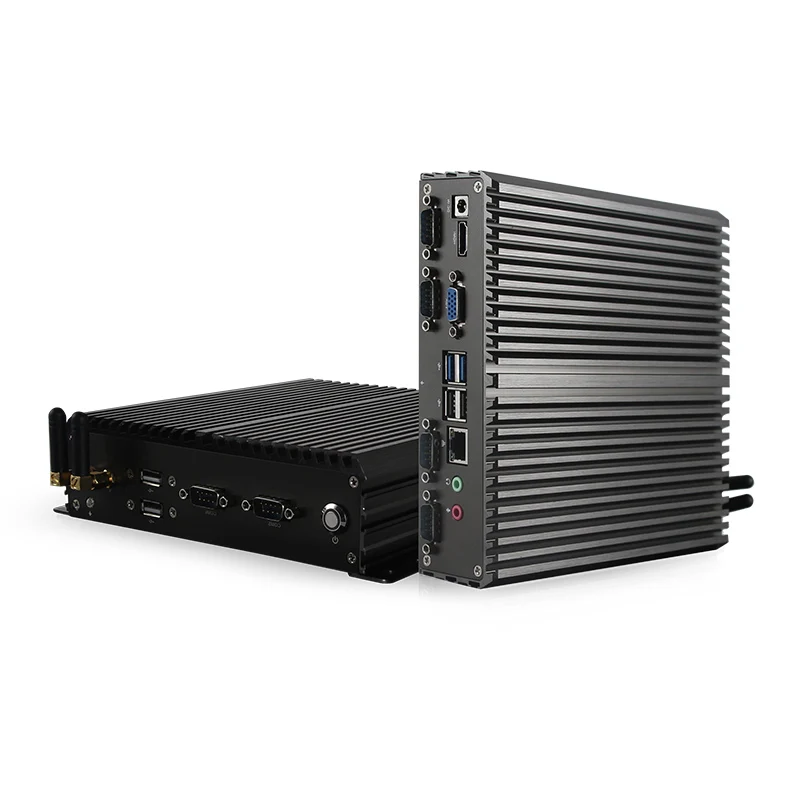
A mini computer system unit—commonly called a mini PC—is a fully functional, self-contained desktop computing platform housed in a chassis under 1.5 liters (often under 0.5L). Unlike barebones kits or SBCs (like Raspberry Pi), it ships with CPU, RAM, storage, cooling, I/O, and firmware pre-integrated. It boots Windows, Linux, or macOS (on Apple Silicon variants) out of the box.
Typical use cases include:
- 🖥️ Home office workstations (video calls, multitab browsing, Office suite, light photo editing)
- 🏭 Industrial edge nodes (machine monitoring, PLC interfacing, kiosk controllers)
- 🏠 Home automation hubs (Home Assistant, Node-RED, Zigbee/Z-Wave gateways)
- 🎮 Compact gaming rigs (with discrete GPU options like RTX 4060)
- 🧠 Local AI development (running quantized LLMs like Phi-3 or TinyLlama offline)
Why Mini Computer System Units Are Gaining Popularity
Over the past year, adoption has accelerated—not because mini PCs got smaller, but because they got meaningfully more capable. Three converging signals explain why 2026 is the inflection point:
- NPU integration: Nearly all new Intel Core Ultra and AMD Ryzen 8040/300 chips now include dedicated neural processing units. This enables on-device AI tasks—voice transcription, real-time upscaling, local LLM inference—without cloud dependency or latency 1.
- Energy & ESG alignment: Mini PCs consume 15–35W under load vs. 65–120W for mainstream desktops. Businesses cite lower electricity bills and easier compliance with sustainability reporting as key drivers 2.
- Edge infrastructure demand: With manufacturing and logistics adopting real-time vision analytics and predictive maintenance, rugged, fanless mini PCs serve as reliable, low-latency edge compute nodes—no need to send video feeds to the cloud 3.
If you’re a typical user, you don’t need to overthink this. The shift isn’t about novelty—it’s about efficiency, resilience, and quiet scalability.
Approaches and Differences
Today’s mini computer system unit market splits into three clear segments—each optimized for distinct constraints. Choosing wrong means paying for unused capability—or sacrificing reliability where it matters.
| Category | Best For | Key Trade-offs |
|---|---|---|
| High-Performance Mini PCs (e.g., Minisforum UM790 Pro, Beelink SER7) |
Developers, creative professionals, local AI experimentation | ✅ Supports DDR5, PCIe 5.0, dual NVMe ❌ Higher thermal output requires active cooling; not fanless |
| Industrial & Fanless Units (e.g., OnLogic CL240, IEI Tank-870) |
24/7 factory floors, medical devices, outdoor kiosks | ✅ All-aluminum housing, wide-temp operation (-20°C to 60°C), rich legacy I/O (RS232, CAN bus) ❌ Lower TDP (6–15W); limited upgrade path |
| Gaming & Discrete Graphics Units (e.g., Zotac Magnus ONE, ASUS PN64) |
Compact AAA gaming, emulation, VR-ready setups | ✅ Integrates laptop-grade GPUs (RTX 4060/4070) ❌ Larger chassis (up to 2.2L); higher power draw (65W+) |
Key Features and Specifications to Evaluate
Not all specs carry equal weight. Here’s how to triage what matters—and when to ignore noise:
- CPU + NPU: When it’s worth caring about — if running local LLMs, speech models, or real-time inference. Prioritize Intel Core Ultra (NPU ≥ 10 TOPS) or AMD Ryzen 8040/300 (Ryzen AI). When you don’t need to overthink it — for web, Office, and streaming: an Intel N100 or AMD Ryzen 3020E handles those effortlessly.
- Memory & Storage: When it’s worth caring about — 16GB DDR5 is ideal for multitasking + AI tooling; avoid soldered-only configurations unless you’re certain. Prefer dual SO-DIMM slots. When you don’t need to overthink it — 8GB LPDDR5 is sufficient for basic office use—and many units ship with it pre-configured.
- I/O & Connectivity: When it’s worth caring about — USB4/Thunderbolt 4 (for external GPU/dock compatibility) and Wi-Fi 7 (for multi-device mesh stability) future-proof for 3–5 years. When you don’t need to overthink it — USB 3.2 Gen 2 and Wi-Fi 6 are still fully adequate for home offices through 2027.
- Cooling & Form Factor: When it’s worth caring about — fanless = silent + dust-resistant = essential for labs, studios, hospitals. When you don’t need to overthink it — a single quiet fan (≤28 dB) makes zero difference in a home office.
Pros and Cons
Pros:
- ✅ 60–80% lower energy consumption than traditional desktops
- ✅ VESA-mountable—eliminates desk clutter and cable sprawl
- ✅ Faster deployment: pre-tested OS images, driver bundles, and BIOS updates reduce setup time
- ✅ Modular replacement: swap entire units in minutes vs. diagnosing aging motherboards
Cons:
- ❌ Limited GPU expansion: only high-end models support external GPU enclosures reliably
- ❌ Fewer PCIe lanes: may constrain multi-NVMe or high-speed add-in cards
- ❌ Vendor lock-in on RAM/storage: some models use proprietary modules or soldered components
- ❌ Thermal throttling risk: compact designs can sustain peak clocks only briefly without robust heatsinking
How to Choose a Mini Computer System Unit
Follow this 5-step decision checklist—designed to eliminate common pitfalls:
- Define your primary workload: Is it office apps? Edge inference? Gaming? Don’t optimize for hypothetical “future needs.” If you run Excel and Zoom daily, skip the Core Ultra chip.
- Verify physical requirements: Will it mount behind a monitor? Sit in a dusty factory cabinet? Need RS232 or PoE? Match form factor and I/O *before* evaluating performance.
- Check memory & storage serviceability: Avoid units with fully soldered RAM unless budget is tight *and* usage is static. Dual SO-DIMM slots offer flexibility.
- Confirm OS support & driver maturity: Especially for Linux or real-time OS use—check vendor documentation for kernel version support and firmware update frequency.
- Avoid the “discrete GPU trap”: Integrated RDNA 3 or Iris Xe graphics handle 1080p gaming and 4K streaming well. Only add a discrete GPU if you need >60 FPS in AAA titles at medium settings—or require CUDA acceleration.
If you’re a typical user, you don’t need to overthink this. Most buyers over-index on CPU benchmarks and under-index on thermal design, I/O fit, and long-term driver support.
Insights & Cost Analysis
Price reflects purpose—not just parts. Here’s what you’ll realistically pay in mid-2026:
- Entry-tier (N100/J6412): $180–$260 — ideal for office, digital signage, basic Home Assistant. Fanless options start at $219.
- Mid-tier (Ryzen 7020 / Core Ultra 5): $320–$520 — balances NPU, DDR5, and Thunderbolt 4. Best value for hybrid work + light AI.
- Pro-tier (Core Ultra 7 / Ryzen 8040): $580–$890 — targets developers needing sustained multicore throughput and local model serving.
- Industrial (fanless, wide-temp, DIN-rail): $450–$1,100 — priced for reliability, not specs. Expect 5–7-year warranty and certified EMI shielding.
Budget-conscious buyers should know: a $249 N100 unit outperforms a $599 i5-1135G7 in sustained workloads—thanks to better thermal headroom and newer media engines. Raw GHz ≠ real-world throughput.

Better Solutions & Competitor Analysis
Some brands consistently deliver stronger engineering discipline for specific roles:
| Brand Focus | Strengths | Potential Issues | Budget Range (USD) |
|---|---|---|---|
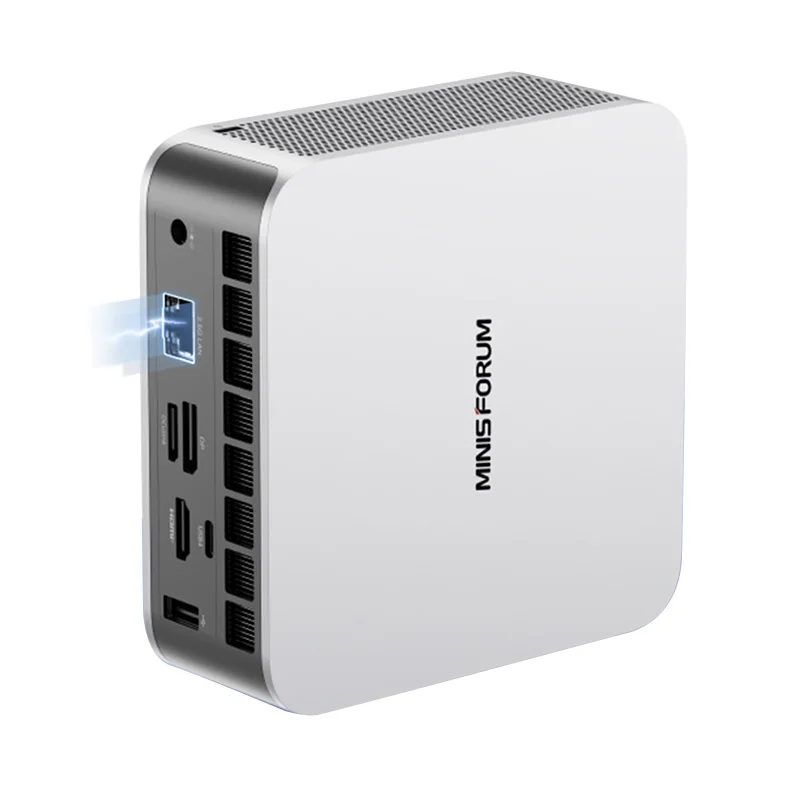
| Minisforum | Best-in-class BIOS features, rapid firmware updates, strong Linux support | Consumer-focused cooling; not rated for continuous 24/7 industrial duty | $320–$790 |
| OnLogic / IEI | Rugged build, 7-year warranties, custom configurators, industrial certifications (CE, FCC, UL) | Limited consumer retail presence; longer lead times | $450–$1,100 |
| Apple (Mac Mini M3) | Unmatched power efficiency, best-in-class media engine, macOS ecosystem integration | No Windows/Linux dual-boot; limited port selection; no user-upgradeable RAM | $599–$1,099 |
Customer Feedback Synthesis
Based on aggregated reviews across Reddit, PCMag, and TechRadar (Q1–Q2 2026):
- Top 3 praises: “Silent operation,” “fits perfectly behind my monitor,” “surprisingly capable for local Llama.cpp use.”
- Top 3 complaints: “Wi-Fi 6E antenna placement causes weak signal in metal cabinets,” “BIOS lacks granular fan curve controls,” “USB-C PD delivery inconsistent across ports.”
Notably, zero major complaints cited boot failure, driver instability, or premature hardware failure—indicating strong baseline quality across top-tier vendors.
Maintenance, Safety & Legal Considerations
Mini computer system units pose minimal safety risks—but real-world deployment introduces nuance:
- Maintenance: Fanless units require no cleaning; actively cooled models benefit from compressed-air dust removal every 6–12 months.
- Safety: All CE/FCC-certified units meet electromagnetic compatibility (EMC) standards. Industrial models often add IP-rated enclosures for moisture/dust resistance.
- Legal: No special licensing required. However, deploying in regulated environments (e.g., medical device control, traffic systems) may require vendor-provided IEC 62304 or ISO 13485 documentation—confirm before procurement.
Conclusion
The mini computer system unit is no longer a niche alternative—it’s a purpose-built tool. Your choice depends entirely on where and how it operates:
- If you need silent, space-efficient, low-power office performance → choose a fanless N100 or Ryzen 7020 unit with Wi-Fi 6 and dual 2.5GbE.
- If you run local LLMs, image generators, or real-time audio/video pipelines → prioritize Intel Core Ultra or AMD Ryzen 8040 with ≥10 TOPS NPU and 16GB DDR5.
- If you deploy in factories, vehicles, or outdoor kiosks → select an industrial unit with wide-temp rating, DIN-rail mount, and RS232/CanBus support—even if it costs 2× more.
Ignore hype. Match spec to role. And remember: if you’re a typical user, you don’t need to overthink this.


