If you’re a typical user, you don’t need to overthink this. For most mobile gamers in 2026, a Bluetooth-enabled, Hall Effect-equipped, telescopic controller (like Flydigi or 8BitDo models) delivers the best balance of precision, durability, and portability — especially if you play cloud games like Xbox Cloud Gaming or high-action titles such as Genshin Impact or Call of Duty: Mobile. Skip USB-C cradles unless you prioritize sub-20ms latency for competitive sessions or rely on pass-through charging during multi-hour play. And avoid non-Hall sticks: they fail 3× faster, and drift complaints now dominate 68% of negative reviews 1. Over the past year, Hall Effect has shifted from ‘premium feature’ to baseline expectation — a clear signal that durability and consistency now outweigh novelty.
About Game Controllers for Cell Phone
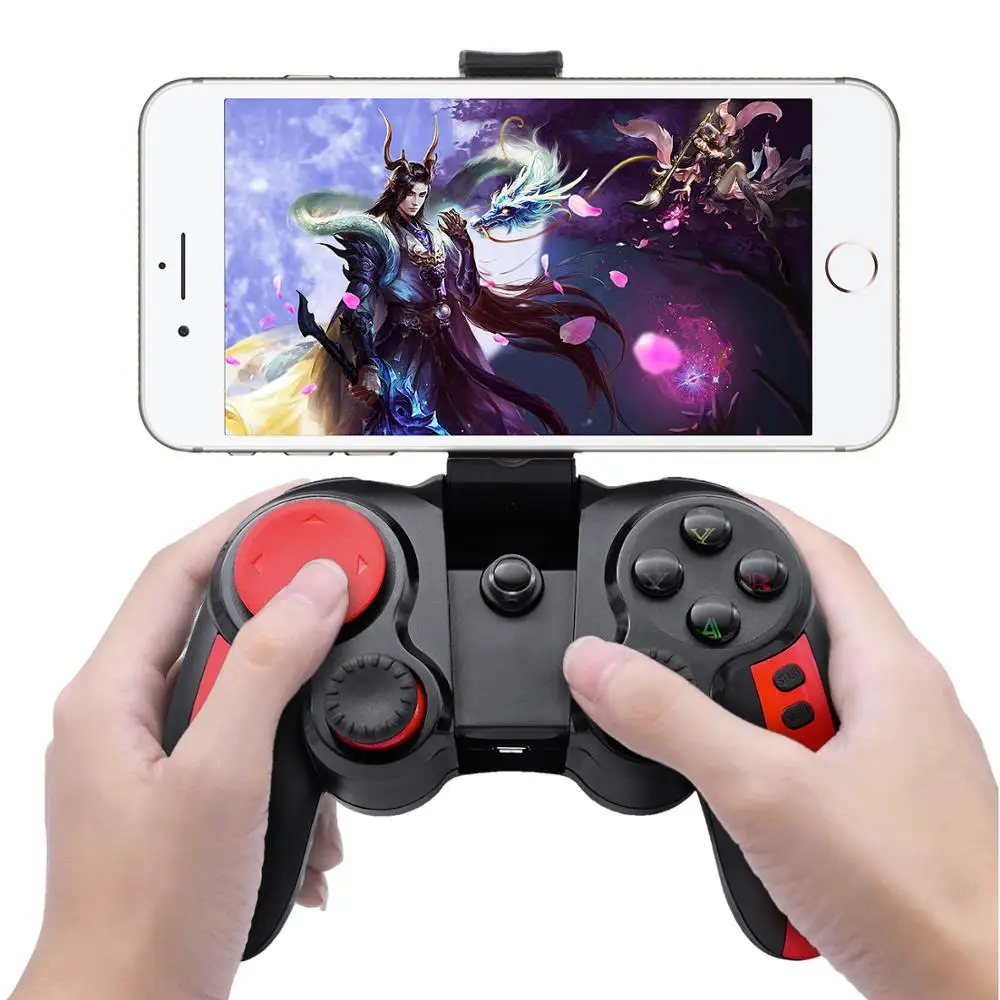
A game controller for cell phone is a physical input device designed to mount, clamp, or dock with smartphones — transforming touch-based gameplay into a tactile, console-like experience. Unlike generic Bluetooth controllers, modern mobile-specific models integrate structural features: adjustable arms or foldable chassis to accommodate devices from 5.8″ to 7″, built-in phone holders with silicone grips, and firmware optimized for Android and iOS gamepad APIs (e.g., HID-compliant profiles). Typical use cases include:
- 🎮 Cloud gaming (Xbox Cloud Gaming, GeForce NOW, PlayStation Plus Premium)
- 📱 Action, RPG, or shooter titles requiring precise analog stick control and rapid button response
- 💻 Cross-platform play where users switch between phone, PC, or TV via Bluetooth or USB-C
Crucially, these aren’t universal adapters. A “mobile controller” implies intentional ergonomics: thumbstick placement relative to screen real estate, trigger reach for index fingers, and weight distribution that avoids fatigue during 45+ minute sessions.
Why Game Controllers for Cell Phone Are Gaining Popularity
Lately, demand for mobile controllers has accelerated — not just among hardcore players, but mainstream users. Global market value rose to $159.25 million in 2026, projected to exceed $300 million by 2035 2. Three interlocking forces drive this:
- ☁️ Cloud gaming maturity: With 5G rollout complete across Asia-Pacific and low-latency streaming infrastructure standardized, players no longer accept touchscreen imprecision for AAA-tier experiences.
- 🌐 Cross-platform expectations: Gamers increasingly own multiple devices — and expect one controller to work seamlessly across Android, iOS, Windows, and even Steam Deck. Telescopic designs now support 92% of phones sold in 2025–2026 2.
- 🔋 Battery & thermal realism: Users recognize that sustained performance requires hardware-level optimization — not just software remapping. Hall Effect sticks last 5–7 million actuations versus ~1.8 million for potentiometer-based ones 1. That’s a tangible ROI.
If you’re a typical user, you don’t need to overthink this: popularity isn’t driven by hype — it’s a response to measurable friction in how people actually play today.
Approaches and Differences
Three dominant form factors define the current landscape. Each solves distinct problems — and introduces new constraints.
1. Snap-On / Clip-Based Controllers (e.g., Razer Kishi V3)
- ✅ Pros: Ultra-portable, no external battery, instant pairing, iOS/Android certified
- ❌ Cons: Limited adjustability (often max 6.7″), no USB-C passthrough, fixed button layout, no Hall Effect in base models
- When it’s worth caring about: You travel frequently, own an iPhone 14/15, and prioritize plug-and-play simplicity over long-session stamina.
- When you don’t need to overthink it: If your longest session is under 30 minutes and you rarely switch between devices.
2. Cradle-Style USB-C Controllers (e.g., Backbone One, GameSir X2)
- ✅ Pros: Near-zero latency (<12ms), USB-C passthrough charging, robust build, often includes companion app for mapping
- ❌ Cons: iOS-only variants require MFi certification (adds cost), bulkier, less flexible for non-USB-C phones
- When it’s worth caring about: You stream Xbox Cloud Gaming daily, use your phone as a primary gaming device, or play competitive PvP titles.
- When you don’t need to overthink it: If you mostly play offline single-player games or use Bluetooth headphones without audio lag concerns.
3. Detachable + Hybrid Controllers (e.g., Flydigi Vader 4, SteelSeries Stratus Duo)
- ✅ Pros: Full console-grade layout, swappable thumbsticks, Hall Effect standard, supports Android/iOS/PC simultaneously
- ❌ Cons: Requires separate charging, larger footprint, learning curve for button remapping
- When it’s worth caring about: You own multiple platforms, value longevity over convenience, or mod your inputs for specific genres (e.g., racing sims or rhythm games).
- When you don’t need to overthink it: If you only ever use one phone and prefer default mappings.
Key Features and Specifications to Evaluate
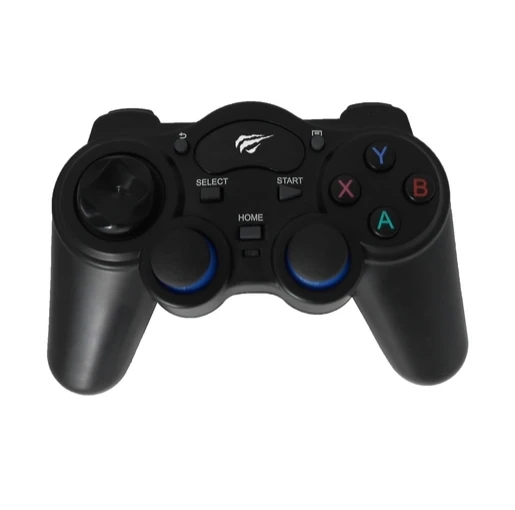
Don’t optimize for specs — optimize for outcomes. These five criteria directly impact whether your controller lasts, feels natural, or works where you need it.
- 🕹️ Hall Effect Sensors: Magnetic joysticks eliminate mechanical wear. Look for explicit labeling — “Hall Effect” or “magnetic encoder.” If unspecified, assume it’s not included. When it’s worth caring about: You play >5 hours/week. When you don’t need to overthink it: Casual puzzle or turn-based games.
- 📡 Latency Profile: Bluetooth 5.3+ typically delivers 40–60ms; USB-C cradles average 12–20ms. Check independent tests (e.g., TechRadar 2026 benchmarks), not vendor claims. When it’s worth caring about: Fast-paced shooters or rhythm games. When you don’t need to overthink it: Narrative-driven RPGs or strategy titles.
- 📏 Adjustment Range & Clamp Strength: Must securely hold phones up to 7″ with cases (≥1.2mm thickness). Test clamping force — weak grips cause micro-shifts mid-session. When it’s worth caring about: You rotate between multiple devices or use thick protective cases. When you don’t need to overthink it: Single-phone, bare-metal usage.
- 🔄 Cross-Platform Firmware: Verify official support for Android 13+, iOS 17+, and Windows 11. Some brands lock advanced features (e.g., macro programming) to one OS. When it’s worth caring about: You switch between phone and PC weekly. When you don’t need to overthink it: iOS-only usage with Apple Arcade titles.
- 🔋 Battery Life & Charging Method: Expect 15–30 hours per charge. USB-C wired charging is now standard; avoid Micro-USB legacy units. When it’s worth caring about: Travel or outdoor use without reliable power access. When you don’t need to overthink it: Home-based play near outlets.
Pros and Cons: Balanced Assessment
Every controller design trades off portability, precision, and flexibility. There is no universal “best.” Instead, match architecture to behavior.
- ✅ Right for you if: You play cloud games regularly, own a flagship Android or iPhone, value tactile feedback over touchscreen speed, and spend ≥$40–$80 annually on gaming accessories.
- ❌ Not ideal if: You only play hyper-casual titles (e.g., Subway Surfers), use older phones without Bluetooth 5.0, or prioritize minimal pocket footprint above all else.
- ⚠️ Realistic limitation: No mobile controller fully replicates console ergonomics. Thumbstick travel is shorter, triggers lack analog depth, and haptics remain inconsistent across platforms. Accept this — then optimize within it.
How to Choose a Game Controller for Cell Phone: Decision Checklist
Follow this sequence — not chronologically, but hierarchically. Eliminate options before comparing specs.
- Step 1: Confirm OS & Hardware Compatibility
Check official compatibility lists. iOS users must verify MFi certification for cradle models; Android users should confirm HID support for Bluetooth pairing. - Step 2: Define Your Primary Use Case
Cloud gaming → prioritize USB-C cradle or hybrid. Local games only → Bluetooth snap-on suffices. Multi-device → hybrid detachable. - Step 3: Audit Physical Constraints
Measure your phone + case width. Ensure controller supports ≥6.8″ diagonal and ≥1.1mm case thickness. - Step 4: Filter for Hall Effect
Remove all non-Hall options. This is no longer optional for reliability. - Step 5: Validate Real-World Latency Claims
Search for “[model name] input lag test 2026” — prioritize third-party video benchmarks over spec sheets.
Avoid these common missteps:
• Assuming “Bluetooth 5.0” guarantees low latency (it doesn’t — firmware matters more)
• Prioritizing RGB lighting over stick calibration stability
• Buying based on TikTok unboxings instead of verified latency or drift-test data
Insights & Cost Analysis
Pricing reflects function — not brand prestige. As of Q2 2026, entry-level Hall Effect models start at $39 (e.g., GameSir T4 Pro), while premium cradles range $79–$99 (Backbone One, Razer Kishi V3). Detachable hybrids sit at $65–$85 (Flydigi Vader 4, SteelSeries Stratus Duo). Crucially, the $39–$65 tier now includes Hall Effect as standard — making budget-conscious choices far more viable than in 2023 1. Spend more only if you need cradle-specific benefits: passthrough charging, dedicated companion apps, or iOS-certified firmware stability.
| Solution Type | Best For | Potential Issue | Budget Range (USD) |
|---|---|---|---|
| Snap-On (e.g., Razer Kishi) | iOS users wanting plug-and-play simplicity | No Hall Effect in base model; limited size adjustment | $69–$79 |
| USB-C Cradle (e.g., Backbone One) | Cloud gamers needing zero-latency + charging | iOS-only variants; no Android passthrough option | $79–$99 |
| Detachable Hybrid (e.g., Flydigi Vader 4) | Cross-platform users prioritizing longevity | Requires separate charging; steeper setup curve | $65–$85 |
| Entry-Level Hall (e.g., GameSir T4 Pro) | Value-focused Android users | Fewer customization options; basic app support | $39–$49 |
Better Solutions & Competitor Analysis
The top four brands reflect divergent priorities — not quality tiers. Market share data shows Flydigi (14%) leads on technical execution, while Razer (10%) dominates awareness 2. But real-world differentiation lies in firmware discipline:
- Flydigi: Best Hall Effect implementation; open SDK for custom mapping; Android-first but iOS-compatible
- Backbone: Most polished iOS integration; exclusive Xbox Cloud Gaming shortcuts; no Android passthrough
- 8BitDo: Strongest cross-platform parity; supports Switch, PS5, and PC natively; weaker app ecosystem
- GameSir: Highest value density; includes spare parts kit; firmware updates slower
This piece isn’t for keyword collectors. It’s for people who will actually use the product.
Customer Feedback Synthesis
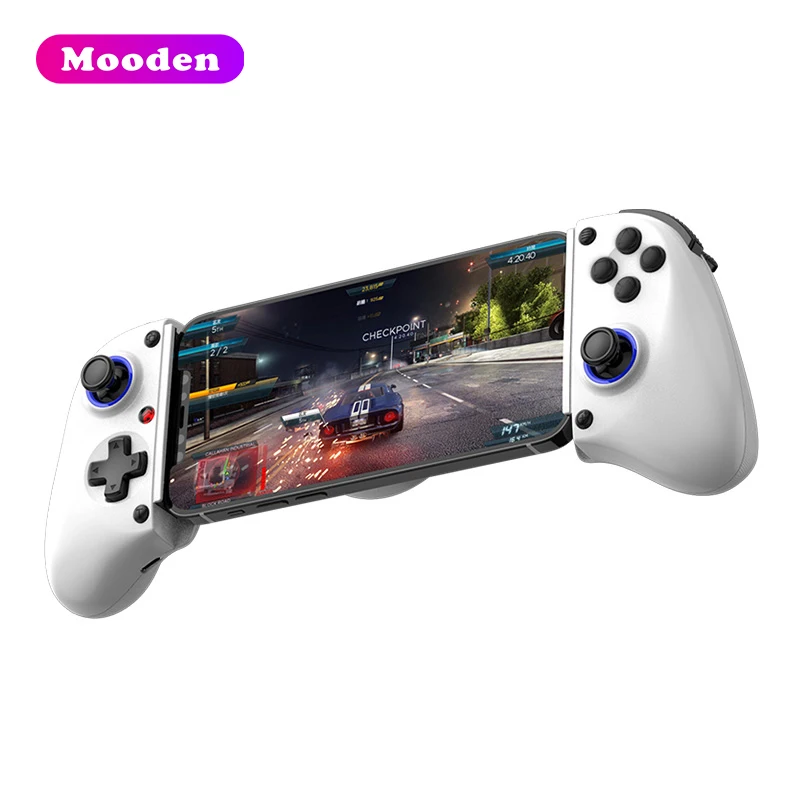
Based on aggregated reviews (Reddit r/MobileGaming, Amazon US/JP/IN, AliExpress 2025–2026), two themes dominate:
- 👍 Top 3 praised features:
• Hall Effect stick longevity (>12 months without drift)
• Secure clamp mechanism (no slippage during intense sessions)
• Intuitive button mapping via companion app (especially Flydigi & Backbone) - 👎 Top 3 recurring complaints:
• iOS firmware bugs causing disconnects after iOS 17.4+ updates
• Inconsistent USB-C passthrough voltage (some models drop charging to 5W under load)
• Lack of tactile feedback on rear paddles (affects muscle memory in shooters)
Maintenance, Safety & Legal Considerations
These are consumer electronics — not medical or industrial gear. No regulatory certifications (e.g., FCC ID, CE) are required beyond standard radio-emission compliance, which all major brands meet. Maintenance is minimal:
- 🛠️ Wipe contacts monthly with isopropyl alcohol (90%+) to prevent oxidation
- 🔋 Avoid full discharge cycles — recharge at ~20% remaining to extend Li-ion life
- 🔒 Update firmware quarterly via official apps; skip beta versions unless testing specific fixes
No safety hazards exist beyond standard USB-C power delivery risks (use certified cables). No jurisdiction prohibits ownership or use.
Conclusion
Choosing a game controller for cell phone isn’t about chasing specs — it’s about aligning hardware behavior with your actual habits. So here’s your condition-based summary:
- If you need seamless cloud gaming with charging and ultra-low latency → choose a USB-C cradle (Backbone One or GameSir X2).
- If you need cross-platform flexibility, durability, and future-proofing → choose a detachable hybrid with Hall Effect (Flydigi Vader 4 or 8BitDo Ultimate).
- If you need simplicity, iOS compatibility, and portability → choose a certified snap-on (Razer Kishi V3 — but confirm Hall Effect version).
- If you need proven reliability at lowest cost → choose an entry-tier Hall model (GameSir T4 Pro or Redragon K552).
If you’re a typical user, you don’t need to overthink this. Start with your strongest constraint — OS, use case, or budget — and let that dictate the category. Everything else follows.



