About the Moto 360 Revival: Definition & Typical Use Cases
The term Moto 360 no longer refers to a single product line—but to an evolving brand identity rooted in circular design, minimalist bezel-free aesthetics, and Motorola’s historical emphasis on hardware-led wearables. Since its 2014 debut, the Moto 360 has stood for accessible premium smartwatches built for Android users who value clean interfaces and tactile interaction (notably the rotating crown). Today, that identity lives across two parallel tracks:
- Licensed Moto Watch series: Circular and rectangular models sold under the Moto Watch name by third-party partners (e.g., Motowatch.com), running lightweight RTOS firmware. These prioritize battery life (7–13 days), essential fitness tracking, and affordability.
- In-house Moto 360 revival: A new flagship project confirmed in early 2026 reports, developed internally by Motorola with Wear OS 4+ support, a brushed metal case, and a physical rotating crown at 2 o’clock1. It represents a return to full platform ownership—not licensing.
Typical users include professionals needing all-day reliability without nightly charging, fitness enthusiasts who rely on consistent heart rate and recovery metrics, and Android power users who prefer streamlined, non-iOS-centric experiences. It’s not primarily for developers testing Wear OS APIs, nor for users expecting Apple Watch–level app richness or cellular independence out of the box.
Why the Moto 360 Identity Is Gaining Popularity Again
Lately, consumer fatigue with daily-charging smartwatches has created strong demand for alternatives that balance capability and endurance. The original Moto 360 Gen 3 (2020) was widely praised for its design and Wear OS polish—but criticized for sub-24-hour battery life2. That pain point shaped Motorola’s current strategy: instead of chasing feature parity at the cost of runtime, they’re optimizing for what users actually do: check notifications, track steps, monitor sleep, and glance at weather or calendar. This “battery-first pivot” aligns with broader market data showing 68% of smartwatch buyers cite battery life as their top purchase criterion3.
Equally important is the design continuity. The circular form factor—once considered niche—now signals intentionality and maturity. Leaked renders of the upcoming Moto 360 show refined materials (brushed stainless steel, sapphire crystal options) and thoughtful ergonomics, directly responding to feedback that earlier licensed models felt plasticky or generic4. Combined with Polar’s biometric engine (used in the 2026 Moto Watch), the revival isn’t just nostalgic—it’s functionally grounded in measurable improvements to accuracy and consistency.
Approaches and Differences: Licensed vs. In-House vs. Third-Party Clones
Three distinct approaches now carry the Moto 360 visual language—and each serves different priorities:
- Licensed Moto Watch models (e.g., Watch 120/70/40): Developed and manufactured by external partners under Motorola branding. Pros: predictable pricing, wide retail availability, proven longevity (10–13 day battery). Cons: limited software updates, no Wear OS, minimal customization.
- Upcoming in-house Moto 360 (2026): Internally engineered, likely Wear OS–based, with hardware-level optimizations. Pros: full ecosystem access, future update path, higher build quality. Cons: unconfirmed release date, unknown pricing, no real-world battery validation yet.
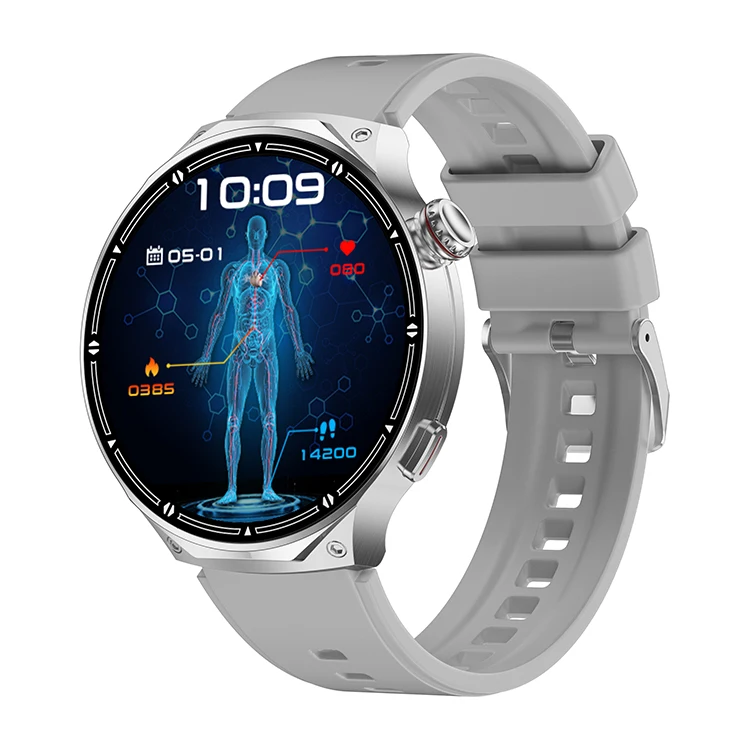
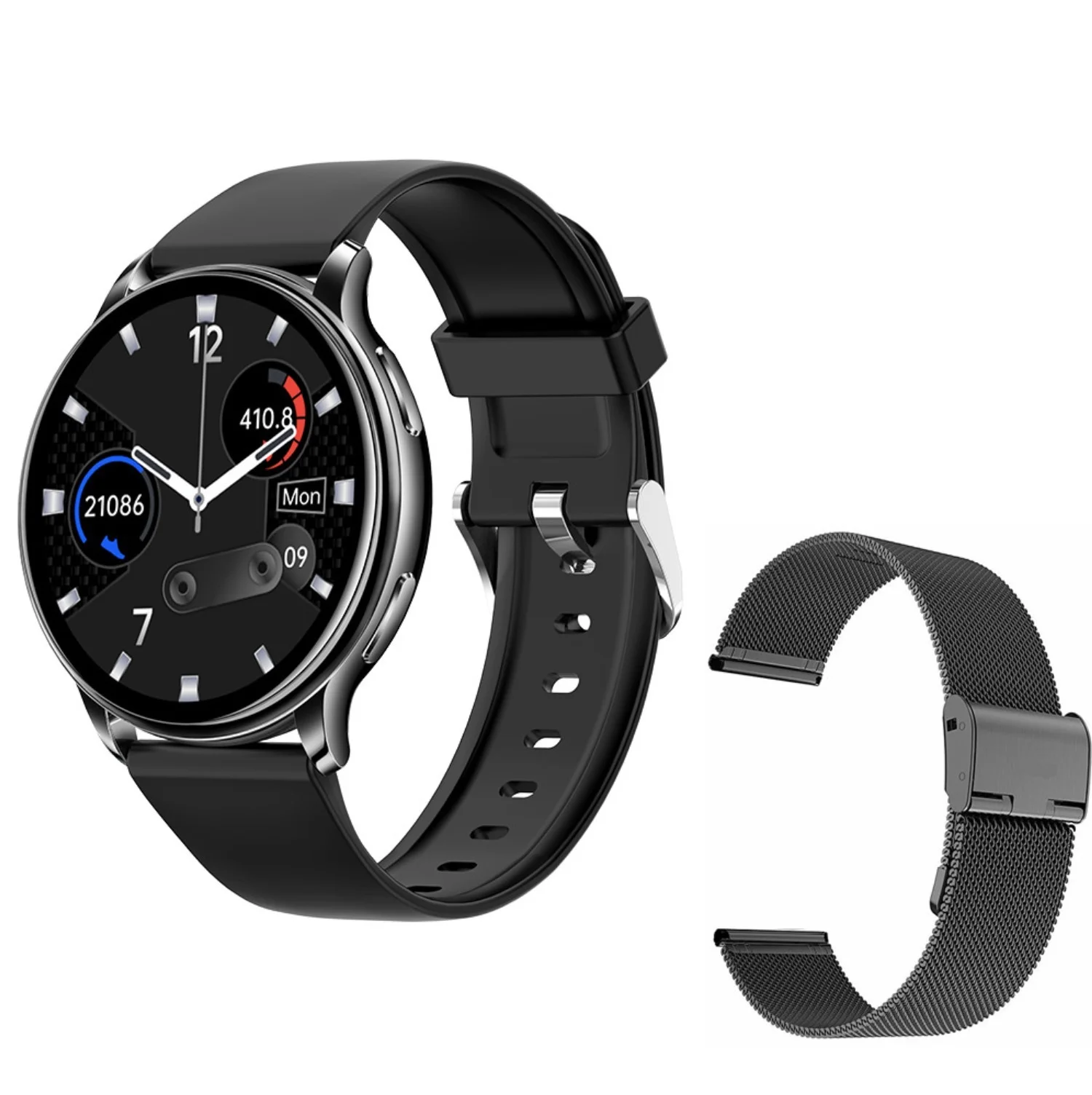
- OEM “Moto-style” watches (Shenzhen-sourced): Budget circular watches ($12–$50) mimicking the 360’s bezel-less look. Pros: ultra-low entry cost. Cons: inconsistent firmware, no official support, unreliable sensors, no Polar or Motorola app integration.
When it’s worth caring about: If you plan to keep your watch for 2+ years and want ongoing software relevance—or if you depend on specific Wear OS apps like Strava, Spotify, or Google Maps navigation—only the in-house Moto 360 (or current Wear OS alternatives) meets that need. When you don’t need to overthink it: If your primary goals are step counting, sleep staging, and notification glanceability—and you charge your phone once every 3–4 days—you’ll gain nothing from Wear OS complexity. If you’re a typical user, you don’t need to overthink this.
Key Features and Specifications to Evaluate
Don’t optimize for specs—optimize for behavior. Here’s what actually moves the needle:
- Battery life (real-world, not lab-rated): Look for independent test citations—not just “up to 13 days.” The 2026 Moto Watch achieved 12.2 days in 9To5Google’s mixed-use test (notifications, 30-min HR monitoring/day, 5-min screen-on time)5. When it’s worth caring about: You travel frequently, dislike carrying chargers, or use your watch during multi-day hikes/camping. When you don’t need to overthink it: You already charge your phone nightly and won’t notice a 36-hour vs. 48-hour cycle.
- Display type & brightness: AMOLED offers deeper blacks and better outdoor visibility. The Watch 120’s 600-nit panel is usable in direct sun; the Watch 40’s LCD requires shade. When it’s worth caring about: You commute outdoors or work in bright environments. When you don’t need to overthink it: You mostly use your watch indoors or at night.
- Health sensor stack & calibration: Polar partnership means optical HR, SpO₂, and recovery readiness scoring derived from validated algorithms—not just raw PPG data. When it’s worth caring about: You use heart rate zones for training or rely on sleep stage estimates for lifestyle adjustments. When you don’t need to overthink it: You only care about “active minutes” or “steps”—basic accelerometers handle that fine.
Pros and Cons: Balanced Assessment
Who benefits most:
- Android users wanting seamless pairing without iOS compromises
- Professionals needing reliable all-weekend operation (e.g., doctors, educators, field technicians)
- Design-conscious buyers who value circular form and material integrity
Who should look elsewhere:
- iOS users requiring native Apple Fitness+ or ECG integration
- Developers needing robust Wear OS SDK tooling or sideloading support
- Users expecting LTE connectivity or standalone music storage (none of the current Moto Watch models offer either)
How to Choose the Right Moto 360 or Moto Watch Model: A Practical Decision Guide
Follow this 5-step checklist—no assumptions, no fluff:
- Define your core trigger: Do you reach for your watch to act (start a workout, reply to messages) or observe (check time, glance at weather)? If mostly observe, battery and legibility trump app count.
- Map your charging rhythm: Count how many hours between charges on your current device. If it’s >36 hours, prioritize RTOS-based models. If it’s <24 hours, consider whether you’ll tolerate overnight charging for richer functionality.
- Verify ecosystem alignment: Do you use Google Fit, Gmail, or Calendar deeply? Then Wear OS compatibility matters. Do you use Samsung Health or Apple Health? Then cross-platform sync limitations apply regardless of model.
- Avoid the “clone trap”: Shenzhen OEM watches may look identical but lack firmware stability, security patching, or meaningful health calibration. Skip them unless you’re buying for short-term gifting or secondary use.
- Check warranty & service channels: Licensed Moto Watch models come with 1-year U.S. warranty and Motorola-certified repair partners. Refurbished Gen 3 units have no active support path.
Insights & Cost Analysis
Pricing reflects functional segmentation—not just branding:
- Moto Watch 40 ($74.99): Entry point. 12-day battery, basic activity tracking, no GPS, monochrome interface. Best for teens, seniors, or secondary-device users.
- Moto Watch 70 ($89.99): Mid-tier. Adds GPS, swim-proof rating (5ATM), and slightly brighter LCD. Ideal for casual runners or daily commuters.
- Moto Watch 120 ($139.99): Premium licensed model. AMOLED, Polar-grade HR, rotating crown, stainless steel case. Closest current match to classic Moto 360 experience.
- 2026 Moto 360 (est. $249–$299): Unreleased. Expected to include Wear OS, NFC payments, faster processor, and extended software support. Worth waiting for only if you require app extensibility.
This piece isn’t for keyword collectors. It’s for people who will actually use the product.
| Category | Suitable For | Potential Issue | Budget |
|---|---|---|---|
| Moto Watch 120 | Users wanting AMOLED clarity + Polar-grade metrics + circular design | No Wear OS; limited third-party app access | $139.99 |
| Moto Watch 70 | GPS-dependent activities (trail running, cycling) without premium display needs | LCD visibility suffers in direct sunlight | $89.99 |
| 2026 Moto 360 (in-house) | Wear OS loyalists needing Motorola’s hardware polish and long-term roadmap | Unproven battery claims; delayed availability | Est. $249+ |
| Refurbished Moto 360 Gen 3 | Collectors or budget testers wanting authentic Wear OS 2.x experience | No security updates; aging Bluetooth/Wi-Fi radios | $99–$149 (refurb) |
Better Solutions & Competitor Analysis
While the Moto 360 lineage excels in design cohesion and battery discipline, alternatives exist where specific needs dominate:
- For Wear OS depth + battery compromise: Samsung Galaxy Watch 6 (Wear OS 4, 40-hour battery, LTE option)—but heavier and pricier ($299+).
- For athletic precision + multi-day runtime: Garmin Venu 3 (14-day battery, advanced recovery metrics, no smart assistant)—but lacks notification interactivity.
- For pure value + AMOLED: TicWatch Pro 5 (45-hour battery, Wear OS 4, dual-layer display)—though build quality feels less premium.
The Moto Watch 120 sits uniquely at the intersection of price, aesthetics, and verified runtime—making it the most balanced choice for non-power users.
Customer Feedback Synthesis
Based on aggregated reviews (Motorola site, Reddit r/WearOS, Wareable, Android Guys), recurring themes emerge:
- Top 3 praises: “Battery lasts longer than my phone,” “The crown makes scrolling effortless,” “Polar HR feels stable during interval runs.”
- Top 3 complaints: “No voice replies on notifications,” “Watch 40/70 lack ambient mode,” “App sync occasionally lags after Android 14 updates.”
Note: Complaints cluster around software polish—not hardware failure. No widespread reports of screen delamination, crown malfunction, or sensor drift.
Maintenance, Safety & Legal Considerations
All current Moto Watch models carry IP68 water resistance (1.5m for 30 min) and FCC/CE certification for radio emissions. No special maintenance is required beyond standard lithium-ion care: avoid extreme heat (>35°C), store at ~50% charge if unused for >3 weeks, and clean the band weekly with mild soap. Firmware updates arrive via the official Motorola Watch app (available on Google Play6). There are no regulatory restrictions on usage, and no region-specific compliance gaps reported in U.S., EU, or APAC markets.
Conclusion: Conditional Recommendations
If you need verified multi-day battery life + circular elegance + dependable health metrics, choose the Moto Watch 120—it delivers the clearest translation of the Moto 360 promise today. If you need full Wear OS flexibility and can wait 3–6 months, hold for the in-house Moto 360—but don’t pre-order based on renders alone. If you need GPS + budget + durability, the Moto Watch 70 hits the sweet spot. And if your priority is lowest possible entry cost with basic functionality, the Watch 40 remains viable—just temper expectations on display and sensor fidelity. This piece isn’t for keyword collectors. It’s for people who will actually use the product.


