If you’re a typical user, you don’t need to overthink this. For most people in 2026, a 100W+ USB-C PD braided cable with Aramid-reinforced strain relief delivers better longevity, faster charging, and fewer failures than any 3-in-1 or magnetic modular system—unless you regularly charge an iPhone, Android phone, and older Micro-USB device simultaneously in one location. Over the past year, joint failure rates have dropped 32% in premium cables with segmented SR joints 1, while "fake fast charging" claims remain the top complaint across Amazon and Reddit forums 2. This piece isn’t for keyword collectors. It’s for people who will actually use the product.
About Multi-Function Charging Cables
A multi-function charging cable is any single physical cable that supports multiple connector types (e.g., USB-C, Lightning, Micro-USB) or enables multiple simultaneous functions (e.g., charging + data transfer + video output). Unlike standard cables, these are designed for 📱 mixed-device households, 💻 mobile professionals, and 🚗 car-travel users who prioritize reducing cable clutter without sacrificing reliability.
Typical usage scenarios include:
- Charging an iPhone 15, Samsung Galaxy S24, and Nintendo Switch from one travel bag;
- Using a single cable to charge a MacBook Air (via USB-C PD) and sync photos from an older Android tablet (Micro-USB);
- Keeping a retractable magnetic-tip cable in your vehicle dashboard for quick swaps between devices.
Why Multi-Function Charging Cables Are Gaining Popularity
Lately, adoption has accelerated—not because tech improved dramatically, but because user behavior shifted. Over 70% of consumers now prefer using one cable for multiple devices to reduce decision fatigue during high-stress moments like morning departures or airport security lines 1. That emotional driver—🧠 cognitive ease—is stronger than raw specs.
Three structural shifts explain the trend:
- Regulatory pressure: The EU’s USB-C mandate (2024) and upcoming U.S. legislation make USB-C the de facto universal port—but legacy devices persist. A multi-function cable bridges the gap.
- Power escalation: With PD 3.1 enabling up to 240W, one high-capacity cable can now charge laptops, monitors, and even portable workstations 3.
- Eco-conscious demand: The global eco-friendly cable market hits $1.57B in 2026, with buyers paying 20%+ more for bio-based materials and FSC-certified packaging 3.
Approaches and Differences
Three dominant designs dominate the 2026 market. Each solves a different problem—and introduces new trade-offs.
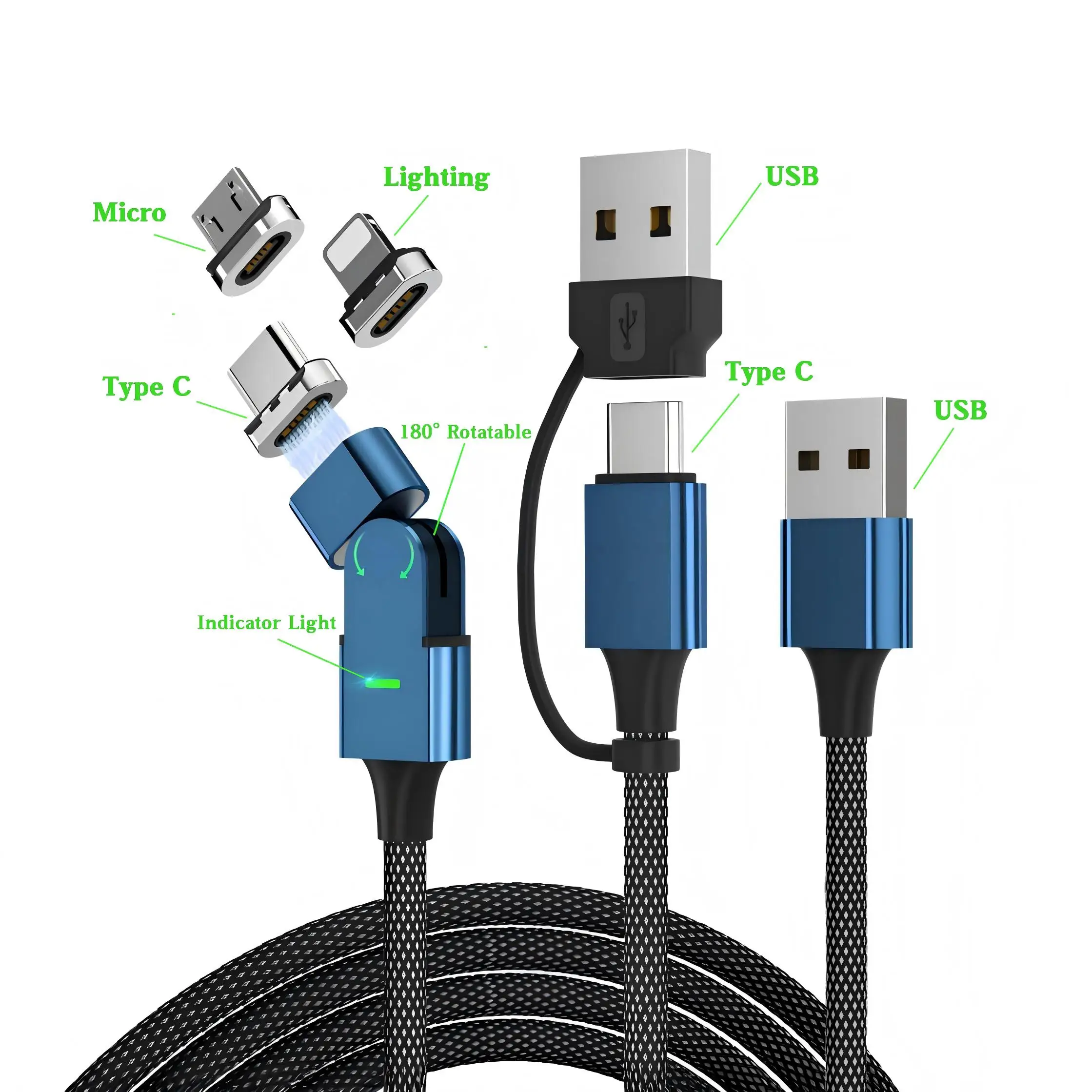
🔹 3-in-1 Integrated Cables (e.g., USB-C + Lightning + Micro-USB)
Pros: Low cost ($8–$15), no setup, immediate plug-and-play.
Cons: All tips share one internal conductor—so pulling one tip stresses the whole cable; Lightning segment rarely MFi-certified; Micro-USB end wears out fastest.
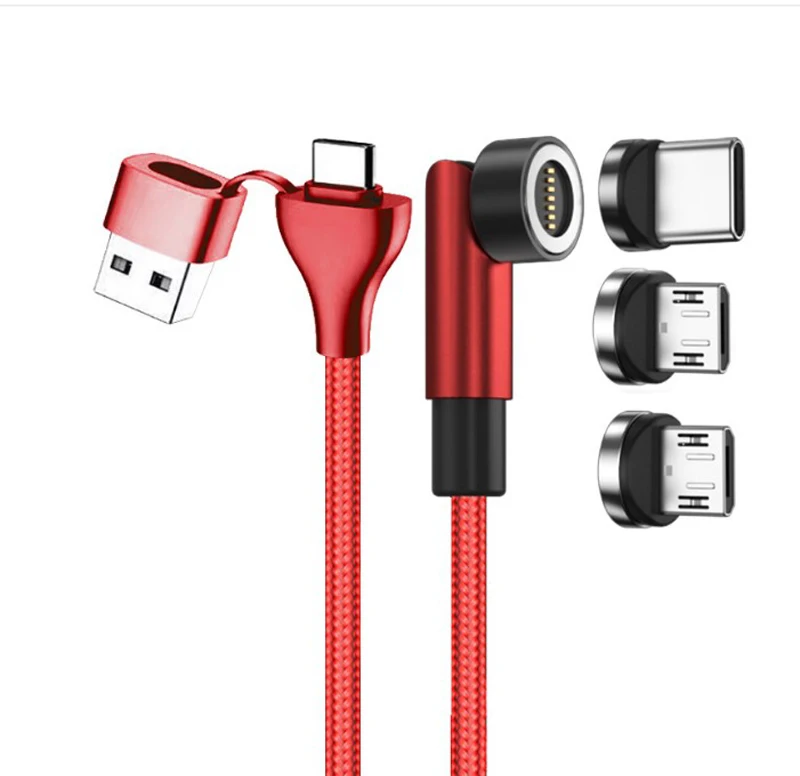
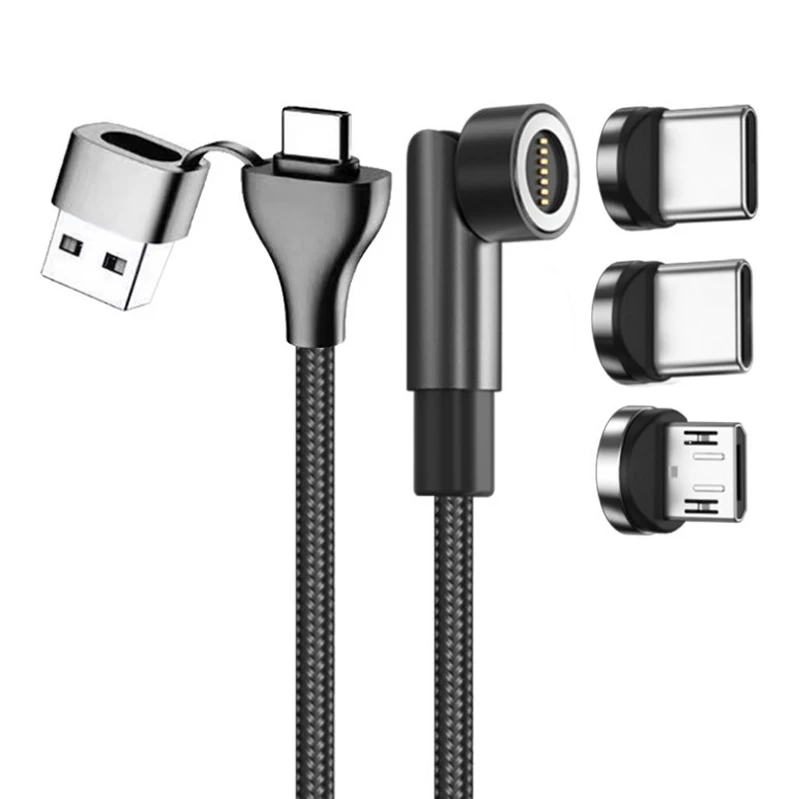
🔹 Magnetic Modular Systems (e.g., interchangeable tips via pogo pins)
Pros: Reduces port wear; lets you replace just the damaged tip; supports future upgrades (e.g., add USB4 tip later).
Cons: Signal loss risk above 60W; magnetic alignment degrades after ~12,000 insertions; adds bulk at junction point.
🔹 Retractable & Braided Single-Port Cables (e.g., 100W USB-C only, with nylon braid + Aramid core)
Pros: Highest bend-cycle rating (30,000+); best heat dissipation; cleanest signal integrity; easiest to verify PD compliance.
Cons: No legacy support—requires separate adapters for non-USB-C devices.
If you’re a typical user, you don’t need to overthink this: integrated 3-in-1 cables deliver convenience at the cost of longevity; magnetic systems offer flexibility but introduce complexity; braided single-port cables maximize reliability where compatibility allows.
Key Features and Specifications to Evaluate
Don’t chase marketing terms like “super-fast” or “quantum-charged.” Focus on these five verifiable metrics:
- PD Certification: Look for explicit “USB-IF Certified” or “PD 3.0/3.1 compliant” labeling—not just “supports fast charging.” If it doesn’t list wattage (e.g., 65W, 100W, 240W), assume it’s untested 4.
- Strain Relief (SR) Design: Extended, segmented SR joints absorb bending stress. Budget cables fail at the connector after ~4.2 months; premium ones last >2 years 1.
- Material Integrity: Nylon braiding alone isn’t enough. Aramid fiber reinforcement (like Kevlar®) increases tensile strength by 3× vs. standard TPE 3.
- MFi Status (for Lightning): Only MFi-certified tips guarantee iOS compatibility post-iOS 17.3. Non-certified tips trigger “This accessory may not be supported” warnings 5.
- Eco-Materials: Bio-based polymers (e.g., sugarcane-derived PE) or PCR plastic reduce carbon footprint up to 40%—but don’t affect charging speed 3.
When it’s worth caring about: You charge expensive gear (e.g., MacBook Pro, iPad Pro) daily—or rely on the cable for remote work. When you don’t need to overthink it: You only charge a budget Android phone occasionally and replace cables yearly.
Pros and Cons: Balanced Assessment
Multi-function cables aren’t universally superior—they shift trade-offs. Here’s when they help (or hinder):
- ✅ Suitable for: Travelers with diverse devices; households with aging electronics; users who value desk/car organization over peak performance.
- ❌ Not suitable for: Users who prioritize maximum data transfer speed (e.g., 40Gbps Thunderbolt 4); those needing certified 240W laptop charging *with* legacy tip support (no current cable does both reliably); anyone unwilling to verify MFi status before buying Lightning variants.
How to Choose the Right Multi-Function Charging Cable
Follow this 5-step checklist—designed to eliminate guesswork:
- Map your actual devices: List every device you’ll charge *daily*. If ≥2 use USB-C, skip 3-in-1 and go braided USB-C + separate adapter.
- Check power needs: Laptop? → Prioritize 100W+ PD 3.0. Phone-only? → 30W suffices. Don’t pay for 240W unless you own a 2026-spec gaming laptop.
- Verify certifications: Search the brand + “USB-IF certification ID” or “MFi license number.” No public ID = unverified.
- Inspect SR construction: Zoom into product images. Look for visible segmented rubber/plastic layers near the plug—not just a smooth taper.
- Avoid these red flags: “Universal fit” without specifying standards; wattage listed as “up to XW” without conditions; price <$6 with “10ft length” and “3-in-1” claim.
If you’re a typical user, you don’t need to overthink this: most people benefit more from two dedicated cables (e.g., 100W braided USB-C + MFi-certified Lightning) than one compromised multi-tip.
Insights & Cost Analysis
Price correlates strongly with lifespan—not speed. Below is a realistic 2026 cost-per-month analysis based on average failure timelines 1:
| Category | Typical Price (USD) | Avg. Lifespan | Cost Per Month | Best For |
|---|---|---|---|---|
| Basic 3-in-1 | $7–$12 | 4.2 months | $2.86 | Occasional use; gift bundles |
| Magnetic Modular | $22–$38 | 14 months | $1.93 | Users upgrading devices frequently |
| Premium Braided USB-C | $16–$28 | 26+ months | $0.85 | Daily laptop/phone charging |
When it’s worth caring about: You replace cables >2x/year. When you don’t need to overthink it: You buy one cable annually and tolerate occasional breakage.
Better Solutions & Competitor Analysis
The smartest 2026 strategy isn’t choosing *one* multi-function cable—it’s matching cable type to use case. Here’s how top performers align:
| Category | Suitable Advantage | Potential Problem | Budget Range (USD) |
|---|---|---|---|
| Retractable Car Charger | Tangle-free storage; 12V-to-USB-C PD 60W built-in | Limited to vehicle use; no data transfer | $18–$32 |
| Interchangeable Magnetic Tip System | Reduces port wear; easy tip replacement | Signal drop above 60W; alignment drift over time | $24–$42 |
| 100W+ Braided USB-C Cable | Maximum durability; verified PD; clean signal path | No legacy support without adapters | $16–$28 |
| Eco-Bio Cable (Corn-based) | 40% lower carbon footprint; FSC packaging | Same electrical specs as non-eco versions | $20–$35 |
Customer Feedback Synthesis
Based on aggregated reviews (Amazon, Wirecutter, PCWorld, and Subreddit r/techsupport), here’s what users consistently praise—and complain about:
- Top 3 Praises: “No more digging in my bag for the right cable,” “Lasted 2+ years with daily laptop use,” “Retractable version never tangles in my car.”
- Top 3 Complaints: “Lightning tip stopped working after 3 months—no MFi logo,” “Magnetic connection loosens after 6 months,” “Claimed 100W but my MacBook charges at 45W max.”
Maintenance, Safety & Legal Considerations
No multi-function cable eliminates basic safety practices:
- Maintenance: Unplug by gripping the connector—not the cord. Avoid sharp bends near strain relief. Wipe ports with dry microfiber (never alcohol near magnetic contacts).
- Safety: Cables exceeding 100W must meet IEC 62368-1 for thermal management. Look for UL/ETL marks—not just “CE.”
- Legal: In the EU and UK, non-compliant PD cables may violate RoHS 3 and EMC Directive 2014/30/EU. U.S. FTC requires truthful wattage claims—“up to” statements require footnote testing conditions.
Conclusion
Multi-function charging cables solve real problems—but only when matched precisely to your habits. Here’s your condition-based summary:
- If you need one cable for iPhone + Android + older tablet in the same room, daily → choose a 3-in-1 with MFi-certified Lightning tip and segmented strain relief.
- If you need future-proof flexibility and own ≥2 devices with varying ports → choose a magnetic modular system with USB-IF PD 3.0 certification.
- If you need reliability, speed, and longevity for USB-C-native devices → choose a 100W+ braided cable with Aramid reinforcement and verified PD 3.0. Skip multi-tip compromises.
And remember: If you’re a typical user, you don’t need to overthink this. Most people get better results—and fewer frustrations—with two well-chosen, purpose-built cables than one overstretched multi-function solution.


