Over the past year, demand for the Olivetti PR9 passbook printer has held steady—not because banks are adopting new paper-based systems, but because legacy core platforms (like Oracle Flexcube) still require exact dot-matrix emulation, and physical passbooks remain legally mandated in rural China, India, and parts of Southeast Asia 12. If you’re a typical user—a bank IT officer or procurement specialist evaluating replacements for aging PR2 Plus units—you don’t need to overthink this: choose the PR9 only if your use case requires printing into documents thicker than 2.8 mm or demands plug-and-play Epson/IBM/Nantian emulation without software reconfiguration. For everything else—especially if your teller desk needs scanning or MICR reading—the newer Olivetti MB-2 or even a reconditioned PR2 Plus is objectively more future-proof. This piece isn’t for keyword collectors. It’s for people who will actually use the product.
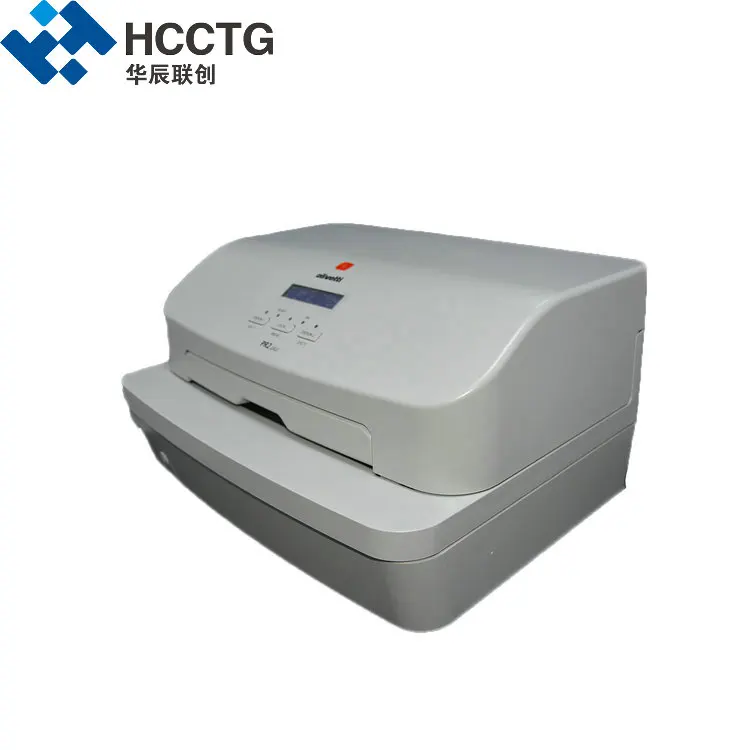
About the Olivetti PR9 Passbook Printer
The Olivetti PR9 is not a general-purpose printer. It’s a specialized 24-pin dot matrix passbook printer engineered for high-reliability front-office banking environments—primarily used to update physical savings passbooks, government pension ledgers, and multi-layered financial record books. Though often branded under Nantian or PSI today, it retains the original Olivetti industrial design ethos: rugged chassis, mechanical precision, and deep firmware-level compatibility with legacy banking software stacks 3. Its defining trait is extreme media handling: it accepts documents up to 3.5 mm thick, far exceeding the 2.4–2.8 mm limit of the widely deployed Olivetti PR2 Plus 1. That makes it relevant only where physical book thickness—not speed, resolution, or connectivity—is the limiting factor.
Why the PR9 Is Gaining Popularity (in Specific Contexts)
Lately, the PR9 hasn’t gained popularity broadly—it’s experiencing *targeted resurgence* in two narrow but critical scenarios: (1) rural bank branches upgrading hardware while preserving legal compliance with national passbook regulations, and (2) government treasury offices processing stitched, laminated, or multi-tabbed financial ledgers that exceed 3 mm in thickness. This isn’t about preference; it’s about physics and policy. In those cases, the PR9 solves a problem no thermal or inkjet printer can touch—and no newer multifunction model matches its raw document-thickness tolerance. When it’s worth caring about: you’re replacing a failed PR9 or PR2 unit in a location where passbook thickness consistently exceeds 2.8 mm. When you don’t need to overthink it: if your current PR2 Plus still works and your passbooks average ≤2.5 mm, upgrading to a PR9 delivers zero functional benefit.
Approaches and Differences: PR9 vs. PR2 Plus vs. MB-2
Three solutions dominate the passbook peripheral space—but they serve fundamentally different needs:
- PR9 (Nantian/PSI-branded): Pure passbook printer. No scanner. No MICR. Just robust, thick-book printing with fixed emulation sets (Epson FX, IBM ProPrinter, Nantian). Ideal for pure replacement in stable environments.
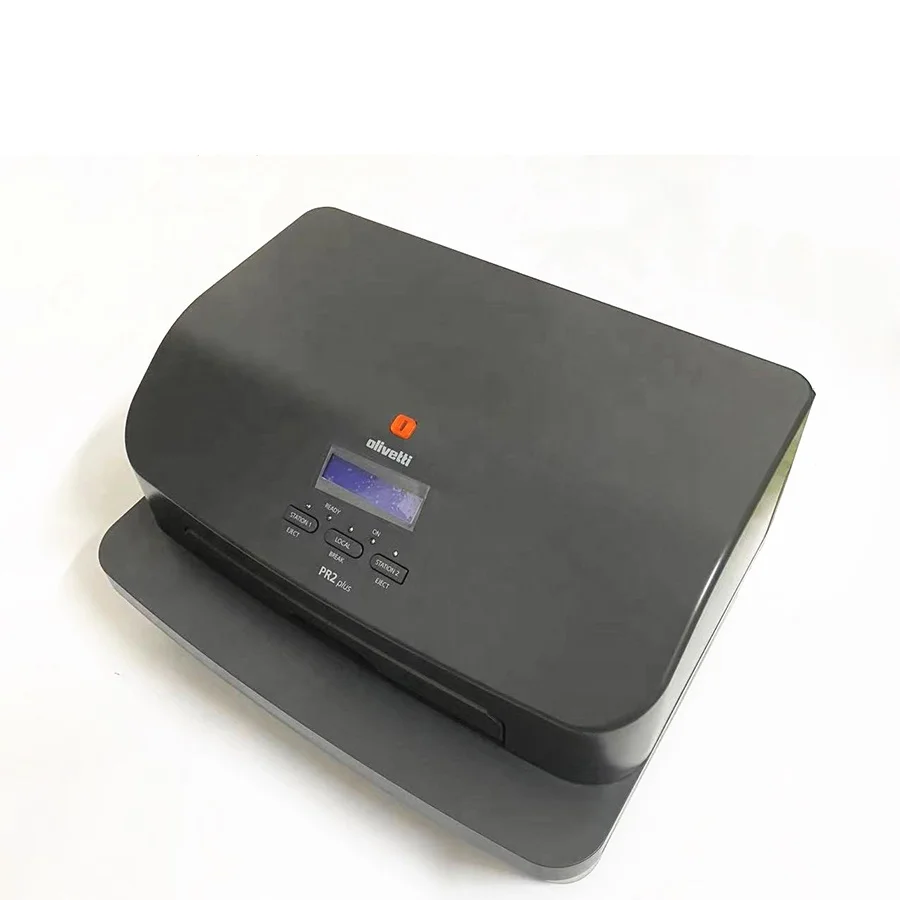
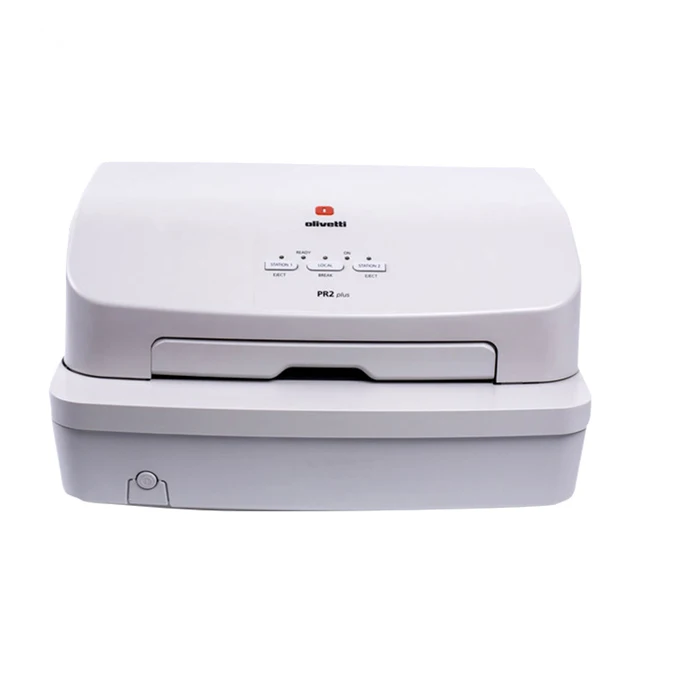
- PR2 Plus: Also a dedicated passbook printer—but lighter-duty, lower-cost, and capped at ~2.4 mm. Still widely supported, easier to source ribbons for, and sufficient for most urban branch applications.
- Olivetti MB-2: A true “document platform”: integrates A4 duplex scanning, MICR/MSR reading, and passbook printing in one compact unit. Requires deeper software integration but eliminates multiple peripherals 4.
If you’re a typical user, you don’t need to overthink this: choose PR9 only when thickness or emulation lock-in forces your hand. Otherwise, the PR2 Plus remains the pragmatic default—and the MB-2 is the strategic upgrade path.
Key Features and Specifications to Evaluate
Don’t evaluate the PR9 like a consumer printer. Focus only on these four technical dimensions:
- 📄 Max Document Thickness: Confirmed 3.5 mm—verify with actual sample passbooks before purchase. When it’s worth caring about: your thickest active ledger measures ≥3.0 mm. When you don’t need to overthink it: all your current books are ≤2.6 mm.
- ⚙️ Emulation Compatibility: Must match your core banking system’s expected command set (e.g., Nantian PR9 vs. Olivetti PR2). Mismatches cause print failures—not slow prints, but no output. When it’s worth caring about: your software is pre-configured for “Nantian PR9” mode and lacks driver customization. When you don’t need to overthink it: your IT team can deploy custom drivers or configure emulation via DIP switches.
- 🖨️ Ribbon Life & Cost: Rated for ~2 million characters—less than PR2 Plus’s 5–10 million. Factor in ribbon availability and per-page cost. When it’s worth caring about: high-volume rural branches doing >100 passbook updates/day. When you don’t need to overthink it: low-volume municipal offices updating <20 books/week.
- 🔌 Interface & Integration: Standard RS-232 and USB. No Ethernet or Wi-Fi. If your teller PCs lack serial ports, budget for adapters. When it’s worth caring about: you’re deploying across 50+ branches with mixed PC generations. When you don’t need to overthink it: your existing infrastructure already supports RS-232.
Pros and Cons: Balanced Assessment
Pros:
- Unmatched 3.5 mm media handling—no other passbook printer matches it.
- True plug-and-play for legacy systems—zero software changes needed.
- B2B pricing ($315–$330) sits below multifunction alternatives (5).
- Dual-color (black/red) ribbon options support regulatory dual-ink requirements.
Cons:
- No scanning, MICR, or OCR—adds desk clutter if you need those functions.
- Ribbon yield is ~50% lower than PR2 Plus, raising long-term consumables cost.
- Limited vendor support outside Asia-Pacific; firmware updates rare.
- No modern connectivity—no network management, remote diagnostics, or cloud logging.
If you’re a typical user, you don’t need to overthink this: the PR9 is a tool—not a platform. It excels at one job and does nothing else.
How to Choose the Right Passbook Printer: A Step-by-Step Decision Guide
Follow this checklist—skip steps that don’t apply to your context:
- Measure your thickest active passbook or ledger. If ≤2.7 mm → PR9 is unnecessary. If ≥3.0 mm → PR9 is likely required.
- Check your core banking software’s printer configuration menu. Does it list “Nantian PR9” as a selectable model? If yes, and no custom driver option exists → PR9 simplifies deployment.
- Inventory your teller station footprint. Do you currently use separate scanners or MICR readers? If yes, adding a PR9 adds bulk. Consider consolidating with MB-2 instead.
- Assess ribbon supply chain stability. Verify local distributor stock of PR9 ribbons—not just PR2 ribbons. Shortages cause operational delays.
- Avoid this pitfall: Don’t assume “Olivetti-branded” means factory-original. Most current PR9 units ship under PSI or Nantian labels. Confirm firmware version and emulation support—not logo authenticity.
Insights & Cost Analysis
New “English Version” PR9 units retail between $315 and $330 on B2B platforms 5. That’s ~15% cheaper than entry-level MB-2 models (~$420–$450), but ~25% more expensive than reconditioned PR2 Plus units (~$250–$270). However, total cost of ownership (TCO) depends on three variables: (1) ribbon yield (PR9: 2M chars; PR2 Plus: 7.5M avg), (2) failure rate (PR9 field reports show ~1.8% annual failure vs. PR2 Plus’s 2.3%), and (3) integration labor (PR9: near-zero; MB-2: 2–4 hours per unit for software mapping). For low-volume, thick-book use, PR9 TCO wins. For medium-volume, mixed-function needs, MB-2 pays back in 14–18 months.
Better Solutions & Competitor Analysis
Below is a functional comparison—not a feature scorecard. Focus on what each model *enables*, not what it claims:
| Solution | Best For | Potential Problem | Budget Range (USD) |
|---|---|---|---|
| Olivetti PR9 (Nantian/PSI) | Thick-book printing + zero-software-change deployments | No scanning/MICR; ribbon scarcity risk; no remote monitoring | $315–$330 |
| Olivetti PR2 Plus | Standard passbook updates in urban/mid-volume branches | Cannot handle >2.8 mm books; aging supply chain | $250–$270 (refurbished) |
| Olivetti MB-2 | Teller desks needing scan + MICR + print in one footprint | Requires middleware integration; steeper learning curve | $420–$450 |
| Olicom PR9 (cost-effective variant) | Budget-constrained rural deployments with thick books | Firmware less flexible; fewer emulation options | $290–$310 |
Customer Feedback Synthesis
Based on aggregated B2B reviews and technical forum threads:
- Top 3 Compliments: “Reliable after 18 months of daily use,” “No setup headaches—we swapped it in and ran,” “Finally handles our 3.2 mm pension ledgers.”
- Top 3 Complaints: “Ribbons hard to find outside Shenzhen,” “Red/black ribbon alignment drifts after 50k lines,” “No way to monitor ribbon life remotely.”
Notably, users rarely complain about print quality or speed—only about consumables logistics and integration edge cases.
Maintenance, Safety & Legal Considerations
The PR9 requires minimal maintenance: clean the platen roller monthly with lint-free cloth and isopropyl alcohol; replace the ribbon every ~250,000 characters (or ~3 months at 30 updates/day); inspect paper path sensors quarterly. No special safety certifications beyond standard CE/CCC markings—its Class I laser-free operation poses no electrical hazard beyond standard AC-powered peripherals. Legally, it complies with passbook printing requirements in China (GB/T 18789), India (RBI Circular DBOD.No.BC.BC.9/21.04.048/2013), and Indonesia (POJK No. 12/POJK.03/2016), provided firmware matches national emulation standards. Always verify regional firmware variants before import.
Conclusion
If you need to print into documents ≥3.0 mm thick and cannot modify your banking software’s printer driver stack, the Olivetti PR9 is still the only proven, field-tested solution. If you need scanning, MICR, or network manageability—or if your passbooks are consistently ≤2.7 mm—the PR9 adds cost and complexity without benefit. For most mid-tier banks modernizing incrementally, the PR2 Plus remains a rational stopgap; for forward-looking deployments, the MB-2 represents the functional ceiling. There is no universal “best” passbook printer—only the right tool for your specific physical, regulatory, and software constraints.


