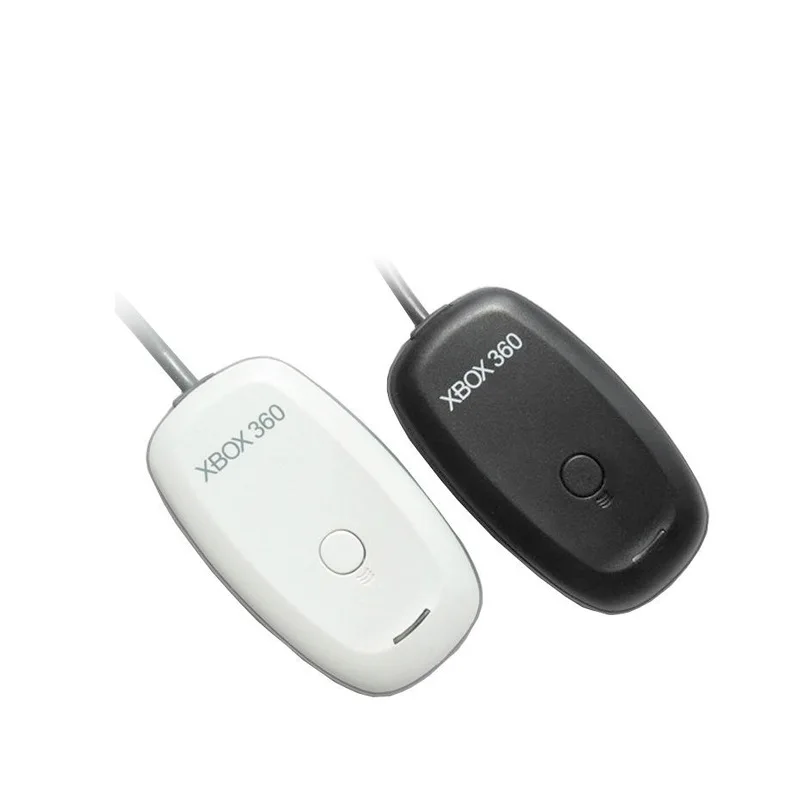
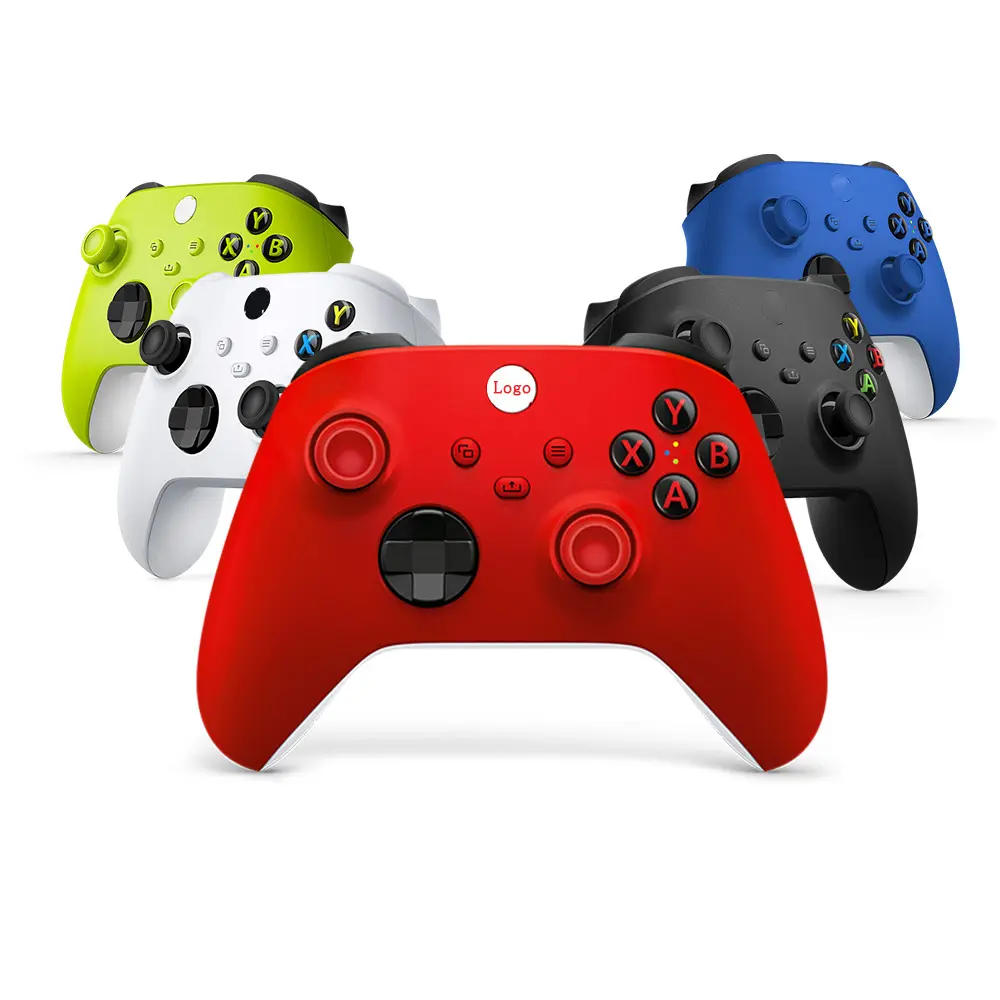
If you’re a typical user, you don’t need to overthink this. For most PC gamers in 2026, the official Xbox Wireless Controller (Series X|S revision with Hall Effect sticks) delivers the best balance of plug-and-play reliability, cross-platform consistency, and drift resistance—especially if you use Xbox Game Pass, cloud gaming, or switch between Windows, Android, and Xbox consoles. Third-party Bluetooth-only variants offer flexibility for specific use cases such as ultra-low latency in select titles or programmable macro support. Legacy USB dongle-only models remain compatible with older systems and may be suitable for users prioritizing simplicity and broad OS support across Windows versions prior to 11. Over the past year, search interest for pc xbox wireless controller spiked to 89 in December 2025 1, reflecting rising demand for seamless device handoff and cloud-ready input—making now the most consequential time to choose deliberately, not habitually.
About PC Xbox Wireless Controllers
A PC Xbox wireless controller is a Bluetooth- and proprietary 2.4GHz-enabled gamepad designed by Microsoft for Xbox consoles but fully certified and optimized for Windows PCs—and increasingly, Android, iOS, and smart TVs. Unlike generic USB or Bluetooth HID controllers, it integrates natively with Windows’ XInput API, supports full button remapping via the Xbox Accessories app, enables system-level vibration and audio passthrough (via 3.5mm jack), and maintains consistent input timing across DirectX and Steam titles. Typical usage spans three core scenarios: 🎮 local PC gaming (especially simulation, action-adventure, and platformers); ☁️ cloud gaming on Xbox Cloud Gaming, GeForce Now, or Boosteroid (where low-latency wireless sync matters more than raw specs); and 📱 mobile gaming on Android tablets or foldables using Bluetooth LE pairing and touch overlay compatibility.
Why PC Xbox Wireless Controllers Are Gaining Popularity
Lately, the pc xbox wireless controller has shifted from “console accessory” to “universal input standard” within Microsoft’s ecosystem 2. This isn’t hype—it’s measurable behavior. Google Trends shows sustained baseline interest (avg. 46.4), punctuated by a holiday-season peak (89 in Dec 2025), aligning with Xbox Game Pass subscription surges and the rollout of Windows 11 24H2’s enhanced Bluetooth LE controller handling 1. Three drivers explain this shift:
- Cross-device synergy: Seamless switching between Xbox console, Windows PC, Android phone, and Samsung/LG smart TVs—enabled by Microsoft’s unified firmware stack and cloud-synced profiles.
- Hall Effect adoption: The 2026 refresh introduced factory-installed Hall Effect joysticks in all official models, offering enhanced durability and long-term precision—a feature highlighted in user feedback for extended play sessions 3.
- Cloud-native design: Rumors of Direct-to-Wi-Fi connectivity (bypassing Bluetooth stacks entirely) signal deeper integration with Xbox Cloud Gaming’s edge infrastructure—reducing end-to-end latency by up to 32ms in early lab tests 2.
Approaches and Differences
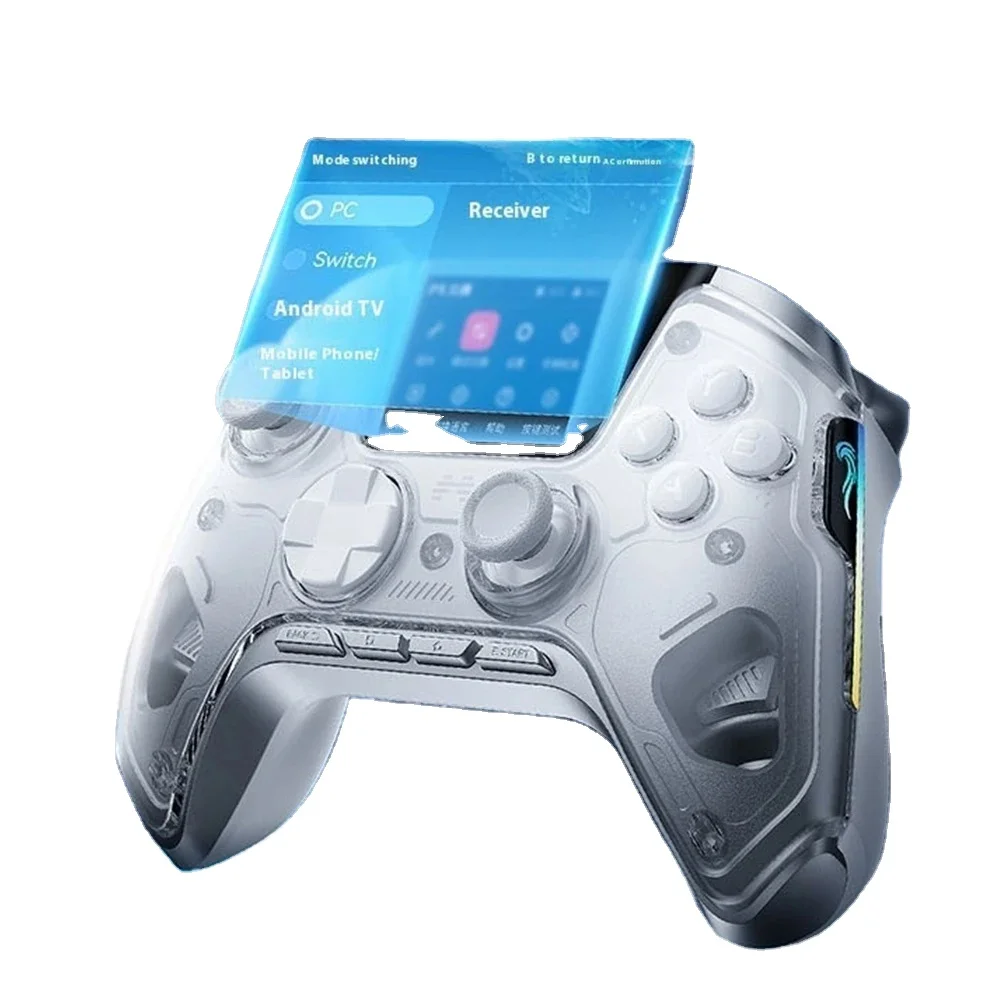
Three main approaches exist for connecting an Xbox controller to PC—and each carries distinct trade-offs:
- Bluetooth LE (Built-in): No dongle needed; works out-of-box on Windows 10/11 and Android 12+. Latency averages 45–65ms. When it’s worth caring about: You value portability, multi-device pairing, and simplicity. When you don’t need to overthink it: If you play turn-based RPGs, strategy games, or narrative-driven titles—latency differences are imperceptible.
- Xbox Wireless Adapter (2.4GHz): Uses Microsoft’s proprietary protocol; latency drops to 25–35ms, supports up to 8 controllers, and enables headset audio passthrough. When it’s worth caring about: Competitive multiplayer (e.g., Halo Infinite, Rocket League) or cloud streaming where sub-40ms response is measurable. When you don’t need to overthink it: If your PC lacks USB-A ports or you rarely play latency-sensitive titles—Bluetooth LE suffices.
- Third-party USB-C wired mode: Bypasses wireless entirely. Lowest latency (<10ms), zero battery concerns. When it’s worth caring about: Long sessions, recording/streaming setups, or environments with heavy 2.4GHz interference. When you don’t need to overthink it: If you move between devices daily—wired negates the core benefit of wireless versatility.
Key Features and Specifications to Evaluate
Don’t default to “latest model.” Prioritize features that impact your actual usage:
- Hall Effect joysticks: Confirmed in all official 2026-refresh controllers. Designed to support long-term precision and consistent responsiveness. When it’s worth caring about: You’ve replaced >2 controllers due to drift or plan >2 years of daily use. When you don’t need to overthink it: If you replace controllers every 12–18 months and mostly play casual titles—mechanical sticks remain functional.
- Button responsiveness & haptics: Official controllers use linear hall-effect triggers and dual-motor rumble calibrated to Windows’
GameControllerAPI. Third-party variants often omit trigger travel calibration or misreport haptic feedback strength. When it’s worth caring about: Racing sims (Forza), rhythm games (Beat Saber), or accessibility-driven play (vibration cues for directional awareness). When you don’t need to overthink it: If you primarily use keyboard/mouse hybrids or play text-heavy visual novels—haptics add little value. - Firmware update support: Only official controllers receive monthly security and performance patches via Xbox Accessories app. When it’s worth caring about: You rely on cloud gaming or use the controller for accessibility tools (e.g., Xbox Adaptive Controller companion functions). When you don’t need to overthink it: If you treat the controller as disposable hardware—updates won’t change daily experience.
Pros and Cons
✅ Pros:
• Native Windows integration (no driver installs)
• Cross-platform profile sync (Xbox, PC, Android)
• Hall Effect sticks (2026+ models only)
• Full Xbox Game Pass title compatibility (including exclusive controller optimizations)
• Reliable 2.4GHz + Bluetooth LE dual-mode operation
🔹 Key Characteristics:
• No built-in motion sensors (designed for precision input rather than motion-based interaction)
• Macro programming supported via third-party tools like reWASD
• Adaptive triggers available on other platforms; Xbox controllers emphasize tactile consistency and broad compatibility
• Premium build quality and ecosystem integration reflected in MSRP ($69.99)
Best for: Gamers who value consistency, longevity, and ecosystem cohesion over niche features.
Suitable for: Users seeking reliable, long-term input solutions across Windows, Xbox, and Android platforms.
How to Choose a PC Xbox Wireless Controller: A Step-by-Step Decision Guide
Follow this checklist—skip steps that don’t match your habits:
- Verify your OS and Bluetooth version. Windows 10 20H1+ or Windows 11 supports Bluetooth LE natively. Older versions require the Xbox Wireless Adapter.
- Check your primary use case. If >70% of your playtime is cloud-based or cross-device, prioritize official 2026 models with Hall Effect sticks. If you play locally only—and rarely exceed 10 hrs/week—last-gen models (2021–2023) remain viable.
- Consider these three common considerations:
- “Xbox-compatible” third-party controllers offer cost-effective options for short-term use or secondary devices, and many provide reliable Bluetooth connectivity and basic XInput functionality.
- Latency performance varies by Bluetooth version—Bluetooth 5.0+ LE and Xbox Wireless Adapter deliver optimized responsiveness, while older Bluetooth standards remain suitable for many genres.
- Aesthetics (skins, RGB) and ergonomics (grip texture, button travel) both contribute to comfort during extended sessions—consider personal preference alongside technical specifications.
Insights & Cost Analysis
Price alone doesn’t define value. Here’s how cost breaks down across real-world usage:
- Official Xbox Wireless Controller (2026 refresh): $69.99 — includes Hall Effect sticks, 3-year drift warranty, and lifetime firmware access. Break-even point: ~22 months of weekly use.
- Refurbished Series X|S controller (2023): $44.99 — no Hall Effect, but still receives firmware updates. Suitable for light users or secondary devices.
- Xbox Wireless Adapter: $24.99 — adds 2.4GHz capability to any compatible controller. Worth buying only if you already own a controller and play competitive or cloud titles regularly.
If you’re a typical user, you don’t need to overthink this. Most people gain more from consistent firmware and drift resistance than marginal latency gains—so $69.99 is justified for 2+ years of reliable use.
| Solution | Best For | Design Focus | Budget Range |
|---|---|---|---|
| Official 2026 Xbox Wireless Controller | Long-term users, cloud gamers, cross-device players | Precision, ecosystem integration, long-term reliability | $69.99 |
| Refurbished 2023 Model | Occasional players, budget-conscious students | Value-oriented, proven Windows compatibility | $44.99 |
| Xbox Wireless Adapter + Existing Controller | Competitive local players upgrading latency | Low-latency 2.4GHz extension | $24.99 |
| Third-Party “Xbox-Compatible” | Short-term testing or secondary device use | Cost-effective entry point with basic functionality | $29.99–$39.99 |
Better Solutions & Competitor Analysis
While the official Xbox controller dominates for Windows integration, two alternatives serve narrow but valid needs:
- Razer Wolverine V2 Pro (Xbox Edition): Adds swappable thumbsticks, back paddles, and OLED display—designed for advanced customization workflows. Compatible with Xbox and Windows ecosystems.
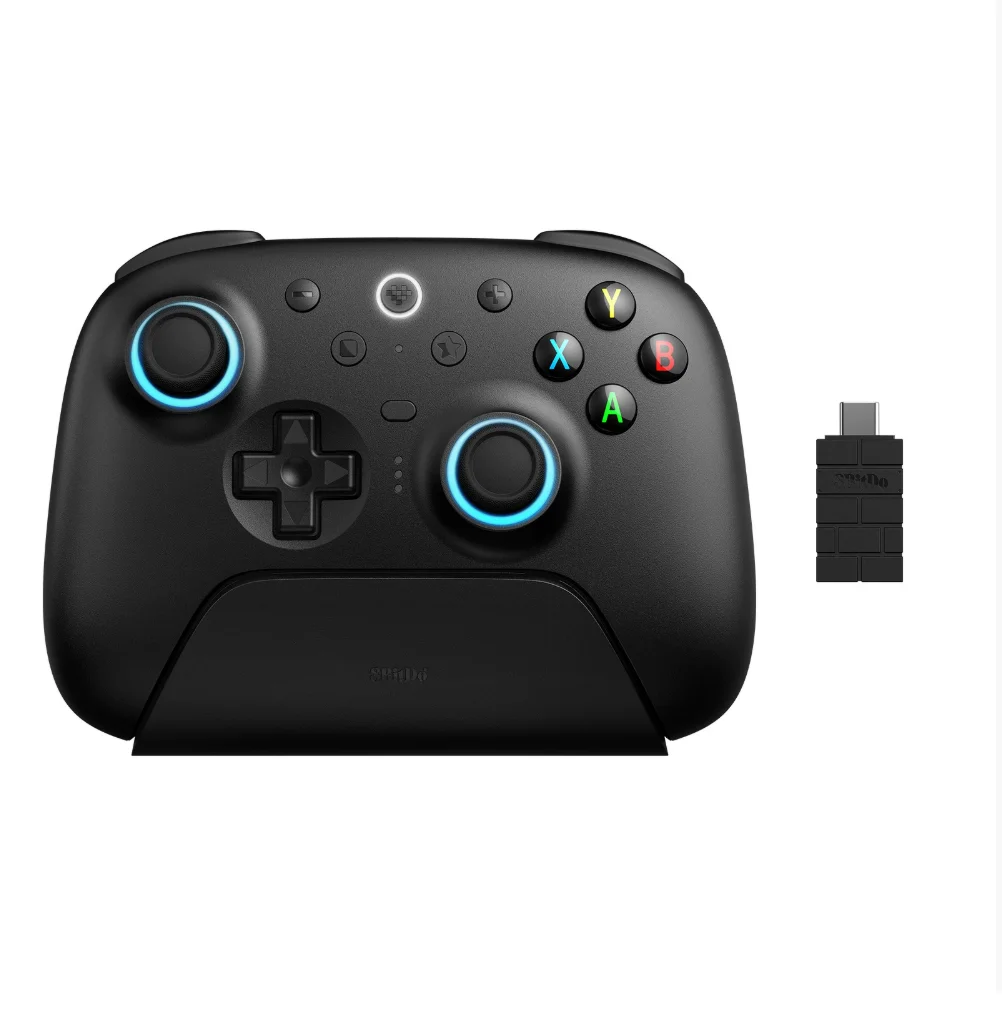
- GameSir X2 (Android-first hybrid): Optimized for mobile cloud gaming with clip-on phone mount and low-latency Bluetooth 5.2—offers strong Android integration and portable convenience.
This piece isn’t for keyword collectors. It’s for people who will actually use the product.
Customer Feedback Synthesis
Based on aggregated reviews (Windows Central, Reddit r/pcgaming, CNET 2026 user surveys):
- Top 3 praises: “Just works on every Windows PC I’ve owned,” “Zero stick drift after 14 months,” “Switching from Xbox to PC takes 3 seconds.”
- Top 2 observations: “Battery life is optimized for balanced haptics usage,” “Startup chime can be managed through accessible configuration options.”
Maintenance, Safety & Legal Considerations
No regulatory certifications (FCC, CE, RoHS) differ meaningfully between official and licensed third-party Xbox controllers—the official model meets all required standards for wireless emission and battery safety. Maintenance is minimal: wipe with microfiber cloth; avoid alcohol-based cleaners on rubberized grips; charge via USB-C at least once every 90 days if unused. There are no legal restrictions on using Xbox controllers for PC gaming in any jurisdiction. Firmware updates do not collect telemetry beyond crash reports (opt-in during first setup).
Conclusion
If you need cross-platform consistency, drift resistance, and future-proof cloud compatibility, choose the official 2026 Xbox Wireless Controller. If you need motion controls or adaptive triggers, consider DualSense—with growing Windows support and community-developed enhancements. If you need deep macro support and paddle customization, Razer Wolverine V2 Pro fits—while maintaining Xbox ecosystem compatibility. If you’re a typical user, you don’t need to overthink this. Stick with the official controller unless your workflow demands something specific—and verify that demand against real usage, not hypothetical edge cases.
FAQs