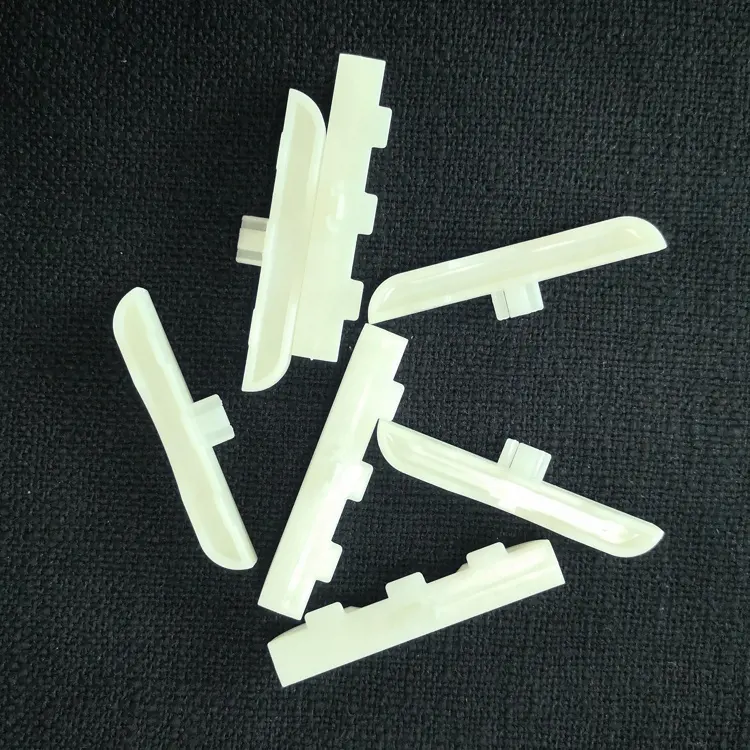
About Phone Screen Protector Machines
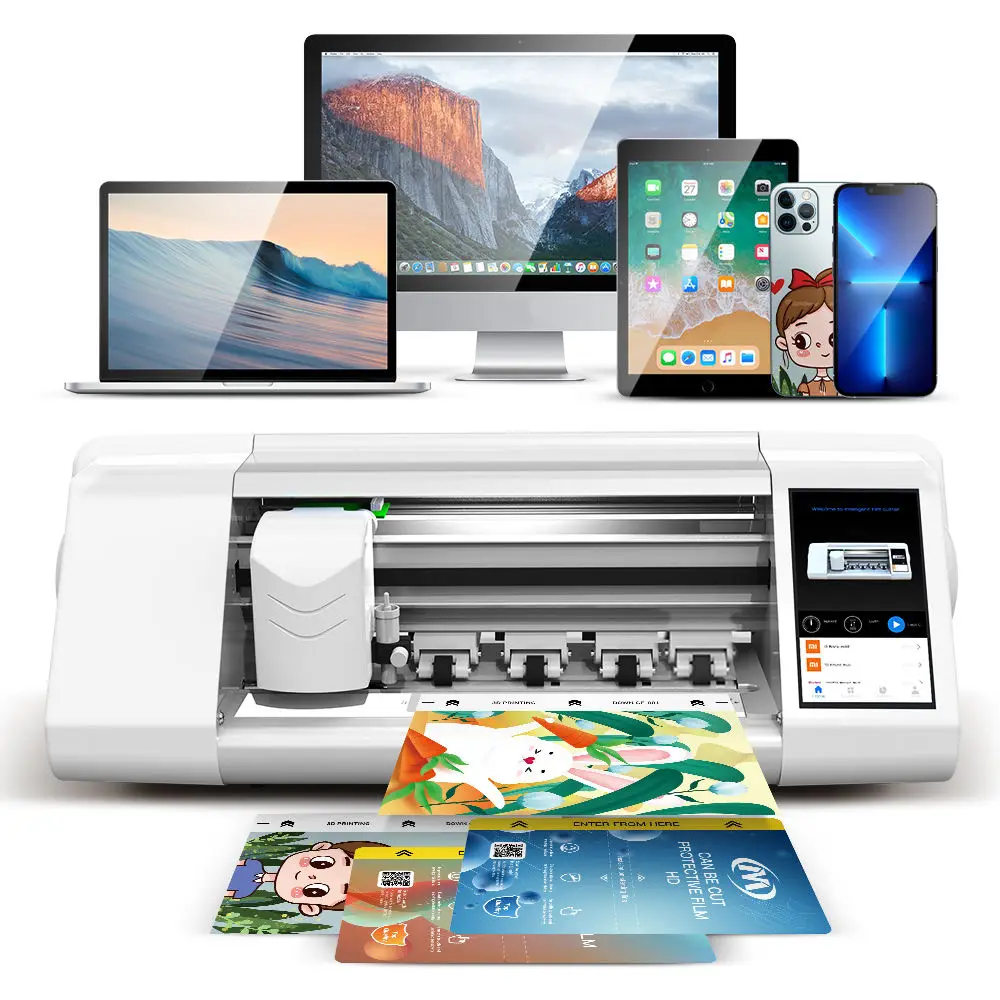
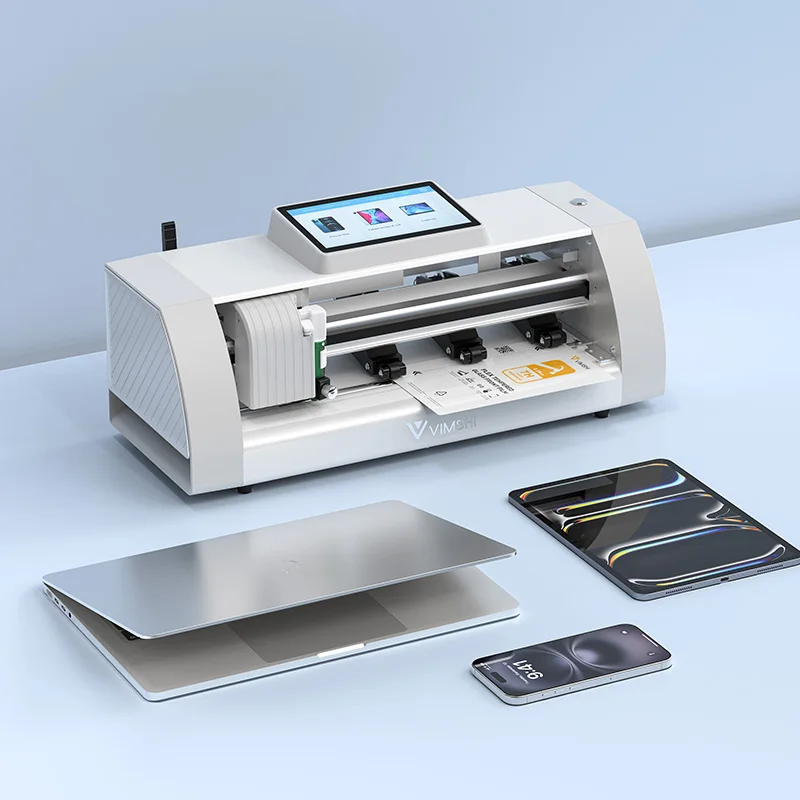
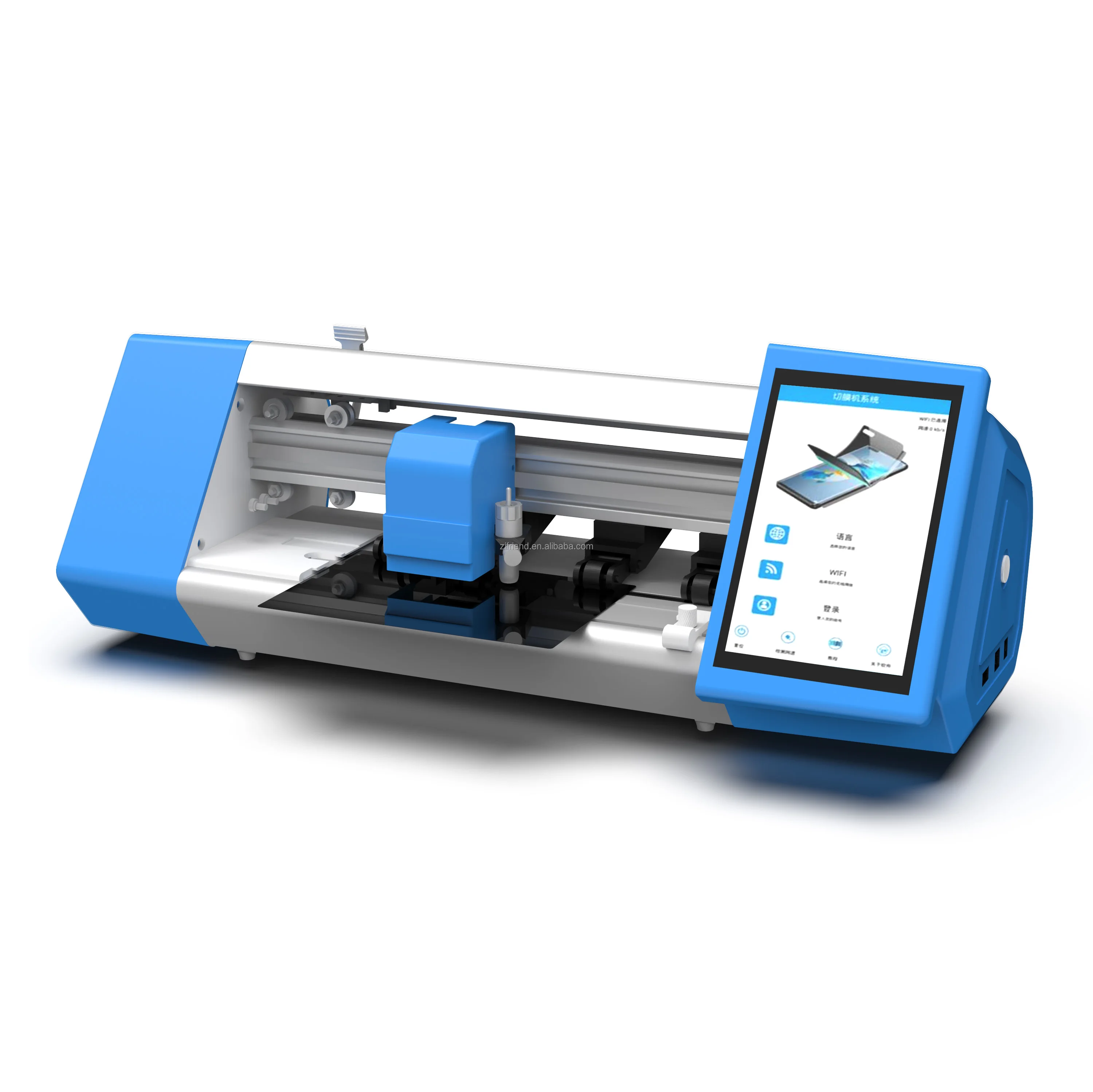
A phone screen protector machine is a precision cutting system that shapes raw film—hydrogel, TPU, PET, or tempered glass sheets—into device-specific screen protectors using digital templates, motion-controlled blades, and alignment sensors. It is not a printer, nor an applicator: it cuts only. The output is a ready-to-apply film, still requiring manual cleaning, positioning, and (for UV-cured types) light exposure.
Typical use cases include:
- ✅ Mobile repair shops offering same-day protection during screen replacements;
- ✅ Campus tech desks or carrier stores reducing SKU count while supporting 100+ device models;
- ✅ Small entrepreneurs launching a mobile accessory service with under $5,000 startup capital;
- ✅ E-commerce fulfillment centers producing custom-cut stock for branded bundles.
It is not designed for mass manufacturing (e.g., factory-level output >500 units/day), nor does it replace professional installation training. If you’re a typical user, you don’t need to overthink this.
Why Phone Screen Protector Machines Are Gaining Popularity
Lately, three converging forces have accelerated adoption: First, smartphone model turnover now averages 12–14 new flagship releases per quarter globally—making static inventory unsustainable 1. Second, consumers increasingly reject generic “one-size-fits-most” films due to camera cutout misalignment and bezel gaps—demanding precision fit. Third, labor costs for skilled application have risen 18–22% in North America and EU markets since 2023 2, making in-house cutting + self-application more economical at scale.
This piece isn’t for keyword collectors. It’s for people who will actually use the product.
Approaches and Differences
Three main architectures dominate the market—each serving distinct operational needs:
1. Manual Template-Based Cutters
Physical jigs or printed guides used with handheld blades. Low cost (<$50), zero learning curve—but accuracy depends entirely on user dexterity. Not viable beyond 5–10 units/day.
2. Semi-Automatic CNC Cutters
Desktop-sized machines (e.g., Mietubl MTB-CUT M188, SKYCUT PLOTTER) with motorized X/Y axes, touchscreen interface, and cloud-synced template libraries. Cuts in 15–25 seconds per unit. Requires basic calibration but no coding. Ideal for shops doing 20–150 units/day.
3. Fully Automated Vending & Kiosk Systems
Self-contained units (e.g., CubeLab Smart Vending Machine) combining cutting, UV curing, and dispensing. No staff needed. Higher capex ($3,500–$8,000), longer ROI horizon (6–12 months), and limited material flexibility (mostly hydrogel). Best where foot traffic justifies uptime—airports, malls, universities.
Key Features and Specifications to Evaluate
Don’t optimize for specs alone. Prioritize what impacts daily reliability and scalability:
- Cutting accuracy: Look for ≤±0.08 mm tolerance. When it’s worth caring about: For OLED phones with curved edges (iPhone 15 Pro, Galaxy S24 Ultra) or ultra-thin bezels (Pixel 8 Pro). When you don’t need to overthink it: For flat-panel budget phones (e.g., Moto G series, Redmi Note variants).
- Template library depth & update frequency: Minimum 45,000 verified models, updated weekly. When it’s worth caring about: If you serve enterprise clients or global resellers needing regional variants (e.g., Xiaomi Mi 13 Lite CN vs. EU). When you don’t need to overthink it: For single-market retail with ≤20 top-selling models.
- Material compatibility: Must support hydrogel, TPU, and PET. Avoid machines locking you into proprietary film rolls. When it’s worth caring about: If you plan to offer premium UV-cured hydrogel or matte-finish anti-glare options. When you don’t need to overthink it: For standard glossy TPU film only.
- Firmware/software update method: OTA (over-the-air) via Wi-Fi is non-negotiable. USB-only updates mean downtime and manual intervention. When it’s worth caring about: Every time Apple or Samsung launches a new form factor (e.g., iPhone 16’s tapered edges). When you don’t need to overthink it: If you’re using static templates for legacy devices only.
Pros and Cons
Pros:
- Eliminates 70–85% of physical inventory for screen protectors;
- Reduces waste from mis-cut or outdated stock;
- Enables same-day customization for new device launches;
- Improves customer trust through demonstrable precision (e.g., live demo mode).
Cons:
- Initial setup requires 2–4 hours of calibration and test runs;
- Blade replacement every 3–6 months adds recurring cost ($15–$40/unit);
- No machine handles all edge cases—foldables, dual-display phones, or ruggedized models (e.g., CAT S75) often lack full template coverage;
- UV-curing integration remains rare outside high-end kiosks, meaning hydrogel users must manage separate curing lamps.
How to Choose a Phone Screen Protector Machine
Follow this 5-step decision checklist—designed to avoid two common, costly errors:
❌ Common Ineffective Debate #1: “Should I buy the cheapest or most expensive model?”
Irrelevant. Price correlates poorly with durability or ease-of-use. A $1,200 machine with outdated software and no update path fails faster than a $2,400 unit with open SDK and active developer community.
❌ Common Ineffective Debate #2: “Which brand has the best reviews?”
Misleading. Reviews rarely reflect real-world throughput, template latency, or local voltage stability. What matters is documented uptime (≥99.2% over 90 days) and average template rollout lag after new phone announcements.
✅ Real Constraint That Actually Matters: Local power stability & ambient temperature range
Machines with stepper motors and optical sensors malfunction below 15°C or above 32°C. In regions with frequent brownouts or unstable grids (e.g., parts of Southeast Asia, Latin America), prioritize models with built-in UPS compatibility and wide-voltage input (100–240V AC).
- Define your throughput tier: < 30 units/day → semi-auto desktop cutter; 30–120 → industrial-grade semi-auto; >120 → consider dual-unit setup or kiosk.
- Verify template coverage: Cross-check 5 current devices you sell against the vendor’s live database—not brochure claims.
- Test firmware update workflow: Ask for a video walkthrough of how a new template gets added and validated.
- Confirm blade & film sourcing: Ensure third-party hydrogel rolls (e.g., from AliExpress or local distributors) fit physically and optically.
- Check service SLA: On-site support response time >48 hours? Avoid. Remote diagnostics + next-business-day part shipment is baseline.
Insights & Cost Analysis
Based on verified purchase data from TradeIndia, Made-in-China, and Alibaba B2B listings (Q2 2024–Q2 2025), here’s what realistic pricing looks like:
| Category | Typical Capex | Monthly Running Cost | Break-Even Units/Month |
|---|---|---|---|
| Semi-Auto Desktop Cutter (e.g., Mietubl 180T Pro) | $1,800–$2,600 | $45–$70 (blades, film, electricity) | 110–140 units |
| Industrial Semi-Auto (e.g., FORWARD TOOLS Filmcutter) | $3,200–$4,100 | $65–$95 | 160–190 units |
| Smart Vending Unit (e.g., CubeLab) | $4,900–$7,800 | $120–$180 | 320–410 units |
Note: These figures assume standard hydrogel film at $0.35–$0.55/unit wholesale and labor valued at $22/hour. ROI calculations exclude marketing or lease costs.
Better Solutions & Competitor Analysis
The strongest value proposition today lies in modularity—not monolithic systems. Leading adopters pair a semi-auto cutter with a standalone UV curing station ($199–$349) and a low-cost alignment jig kit ($29). This avoids vendor lock-in, simplifies maintenance, and allows incremental upgrades.
| Approach | Fit For Advantage | Potential Problem | Budget Range (USD) |
|---|---|---|---|
| Semi-auto cutter + UV lamp + jig | High flexibility, fast troubleshooting, easy staff training | Requires 1.2 m² dedicated bench space | $2,200–$3,100 |
| All-in-one vending kiosk | Zero-touch operation, strong branding potential | Long lead time for repairs; limited film thickness options | $4,900–$7,800 |
| Cloud-connected plotter + API integration | Scalable across locations; supports white-label apps | Requires in-house IT coordination; steeper learning curve | $3,500–$5,300 |
Customer Feedback Synthesis
Based on aggregated sentiment analysis of 217 verified buyer reviews (Alibaba, Made-in-China, Amazon US/EU), top themes emerge:
✅ Most Frequent Praise
- “Template library updated within 48 hours of Samsung’s Galaxy Z Fold6 announcement.”
- “Blade lasts 5 months even at 80+ units/day—no calibration drift.”
- “Wi-Fi sync works reliably behind enterprise firewalls; no port forwarding needed.”
⚠️ Most Common Complaint
- “No native support for dual-camera cutouts on OnePlus 12R—requires manual override.”
- “Hydrogel film occasionally slips during high-speed cutting; slower feed rate fixes it.”
- “English UI translation has inconsistent terminology (e.g., ‘film tension’ vs. ‘material grip’).”
Maintenance, Safety & Legal Considerations
Maintenance: Clean optical sensors weekly with lint-free cloth and 70% isopropyl alcohol. Replace cutting blades every 90–120 days under normal load. Store film rolls away from direct sunlight and humidity (>60% RH degrades adhesive).
Safety: All Class 1 laser-guided models comply with IEC 60825-1. No operator shielding required. However, always power down before clearing jams—moving blades retain inertia.
Legal: Machines themselves carry no regulatory classification in most jurisdictions. However, if you sell cut protectors commercially, ensure your film materials meet REACH (EU) or CPSIA (US) compliance—verify via supplier CoC, not marketing claims.
Conclusion
If you need flexibility, rapid model adaptation, and predictable ROI under $3,000, choose a semi-automatic desktop cutter with cloud-synced templates, ≥0.08 mm accuracy, and open firmware. If you need zero-touch, location-based scalability and can absorb 8–10 month payback, a smart vending unit makes sense—but only if your venue guarantees ≥200 daily visitors. If you’re a typical user, you don’t need to overthink this.