About Polarized 3D Projector Systems
A polarized 3D projector system delivers stereoscopic depth using light polarization instead of timing-based shuttering. It relies on two image streams — one for each eye — projected simultaneously with orthogonal polarizations (typically linear or circular). Viewers wear lightweight, passive glasses with matching filters that separate the streams. Unlike active shutter systems, there are no batteries, no IR/Bluetooth sync, and no flicker perception. But this advantage comes with strict physical requirements: precise optical alignment, polarization-preserving projection surfaces, and frame-sequential or side-by-side 3D source compatibility.
Typical use cases:
- 🏫 Educational institutions deploying 3D anatomy or molecular visualization across large lecture halls;
- 🎬 Small commercial cinemas or mini-theaters upgrading legacy projectors without replacing entire seating infrastructure;
- 🏠 Dedicated home theaters where viewers watch >90 minutes per session and value consistent brightness and zero latency.
If you’re a typical user, you don’t need to overthink this: passive polarization isn’t about ‘better 3D’ — it’s about better scalability and endurance. When it’s worth caring about: you manage group viewing, host frequent presentations, or run a venue with >15 regular users. When you don’t need to overthink it: you watch 3D films once a month, share your projector between gaming and movies, or lack control over ambient light.
Why Polarized 3D Projector Systems Are Gaining Popularity
Lately, adoption has accelerated — not due to renewed consumer demand for 3D entertainment, but because three structural shifts converged:
- Laser light source maturity: Modern laser projectors deliver stable, high-lumen output (>3,500 ANSI lumens) with minimal thermal drift — essential for maintaining polarization fidelity across long sessions 1.
- Education & immersive events: Asia-Pacific schools are integrating 3D spatial learning tools, while live-event producers use polarized projection for large-scale 3D mapping on curved façades 2.
- Cost-per-glass economics: Passive glasses cost $2–$5 in bulk vs. $50–$120 per active pair — decisive for venues issuing >50 units daily 3.
This growth isn’t about nostalgia — it’s about solving durability, logistics, and total cost of ownership. When it’s worth caring about: your use case involves shared access, scheduled sessions, or hardware longevity as a KPI. When you don’t need to overthink it: you’re optimizing for first-time setup speed or single-user convenience.
Approaches and Differences
There are two primary implementation paths — and they’re not interchangeable:
| Approach | How It Works | Key Advantages | Key Limitations |
|---|---|---|---|
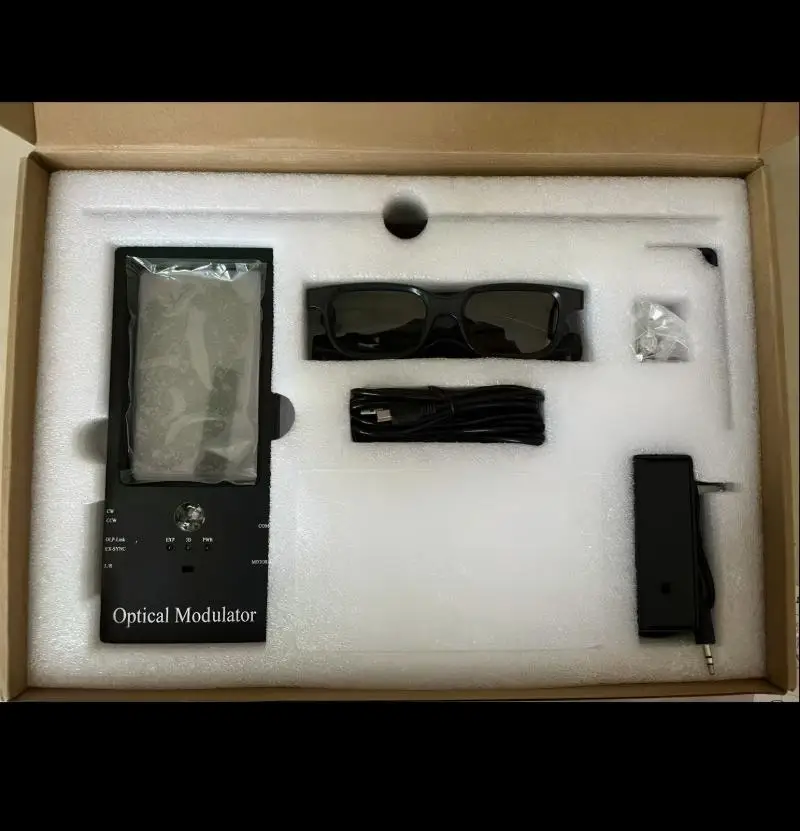
| External Modulator + Standard Projector | Attaches in front of lens; splits frame-sequential input into alternating polarized fields | Works with many existing DLP/laser projectors; modular upgrade path | Requires precise alignment; adds ~10% light loss; needs firmware support for 120Hz input |
| Integrated Laser Projector w/ Built-in Modulator | Polarization switching built into optical engine (e.g., Christie, Barco models) | No external hardware; optimized light path; higher contrast retention | Higher upfront cost ($15k–$40k); vendor-locked service; limited consumer availability |
If you’re a typical user, you don’t need to overthink this: start with an external modulator unless your budget clears $20k and you need turnkey reliability. The integrated route makes sense only for commercial AV integrators or institutions with dedicated tech staff.
Key Features and Specifications to Evaluate
Don’t optimize for specs — optimize for system-level coherence. These five metrics determine real-world performance:
- Brightness (ANSI lumens): Minimum 3,000 for 100”+ screens; laser sources maintain >90% output after 10,000 hours 1. When it’s worth caring about: ambient light control is imperfect. When you don’t need to overthink it: your room is fully light-controlled.
- Polarization Extinction Ratio: ≥200:1 ensures minimal crosstalk (ghosting). Measured at screen plane — not projector output. Most modulators list this; verify via third-party test reports.
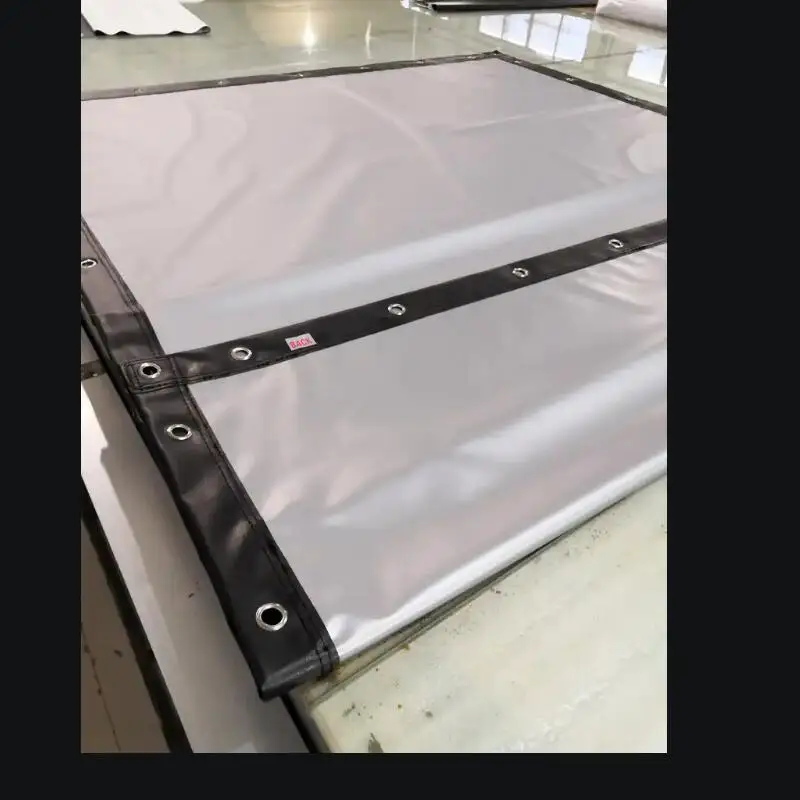
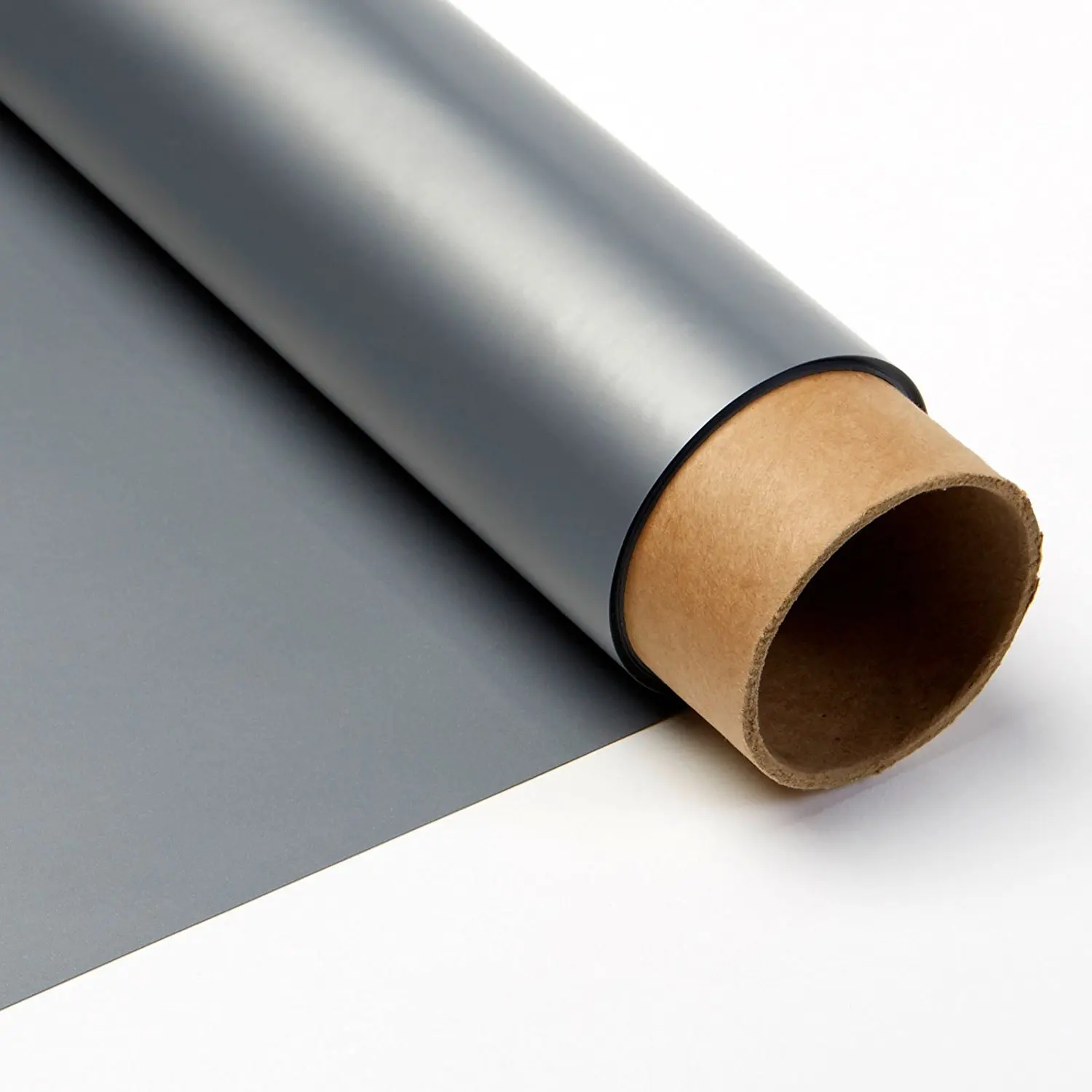
- Screen Gain & Uniformity: Silver screens must hit ≥2.0 gain *and* maintain polarization retention >95% across full surface. Acoustic-transparent versions sacrifice ~15% gain but enable behind-screen speakers.
- Input Compatibility: Must accept 1080p/120Hz or 4K/60Hz frame-sequential signals. HDMI 2.0+ mandatory. Side-by-side or top-bottom inputs require real-time deinterlacing — avoid unless verified.
- Glass Compatibility: Linear vs. circular polarization matters. Linear works only with head-on viewing; circular tolerates tilt — critical for wide seating rows.
Pros and Cons
Pros:
- Zero battery maintenance or charging logistics;
- No motion blur or sync lag — ideal for fast-paced educational simulations;
- Scalable: adding 50 more glasses costs <$250, not $5,000;
- Lower long-term TCO for venues operating >10 hrs/week.
Cons:
- Non-negotiable silver screen requirement — incompatible with ALR or standard matte white;
- ~40–50% total light loss (vs. ~30% for active); demands brighter projectors;
- No off-axis viewing tolerance with linear polarization — seating layout becomes a technical constraint;
- Fewer native 3D content sources: most streaming platforms dropped frame-sequential support post-2017.
When it’s worth caring about: you operate a fixed-installation environment where uptime, viewer count, and session duration outweigh initial complexity. When you don’t need to overthink it: you want to watch a few Blu-ray 3D discs annually or test 3D for VR prototyping.
How to Choose a Polarized 3D Projector System
Follow this six-step decision checklist — skip steps only if you’ve already validated them:
- Confirm your source material: Do you have frame-sequential 3D files (e.g., .mkv with dual-stream), or rely on streaming? If the latter, polarized won’t work reliably.
- Measure your screen distance and viewing angles: For linear polarization, all seats must be within ±15° horizontal and ±10° vertical of screen center. Use a protractor app — not guesswork.
- Test projector brightness *at screen*: Use a lux meter. Target ≥12 foot-lamberts (40 nits) for 3D — double the standard 2D recommendation.
- Verify modulator firmware compatibility: Check manufacturer forums (e.g., Reddit r/projectors) for confirmed working combos — e.g., “Epson LS12000 + DepthQ v4.2”.
- Order sample fabric: Request swatches of silver screen material. Test polarization retention with a pair of linear glasses and a smartphone flashlight — rotate glasses 90°; black should go fully opaque.
- Avoid these traps: Using a gray screen (kills polarization), skipping modulator calibration (causes ghosting), assuming HDMI CEC will handle sync (it won’t).
Insights & Cost Analysis
Here’s a realistic baseline for a functional 100” home theater setup (2025 pricing):
| Component | Entry Option | Premium Option | Notes |
|---|---|---|---|
| Projector | Epson LS12000 (laser, 4K, 3D-ready) | Christie CP2320 (commercial laser, 4K) | LS12000 supports external modulators; CP2320 has built-in polarization |
| Modulator | DepthQ HD ($420) | RealD MasterImage ($780) | DepthQ offers open SDK; RealD integrates with commercial media servers |
| Silver Screen | MocoM Solstice 100” (2.4 gain, $499) | Stewart Firehawk G3 (2.8 gain, $1,295) | Both acoustic-transparent; MocoM includes motorized masking |
| Glasses (50 pcs) | $110 (linear, bulk) | $240 (circular, anti-scratch coating) | Circular adds ~$2.50/unit but enables wider seating |
| Total | $2,228 | $4,814 | Excludes installation/calibration labor (~$300–$600) |
ROI emerges only beyond 12 months of weekly use. For occasional use, active shutter remains objectively simpler and cheaper.
Better Solutions & Competitor Analysis
While polarized systems excel in specific contexts, alternatives exist:
| Solution | Best For | Potential Problem | Budget Range |
|---|---|---|---|
| Polarized 3D (modulator + silver screen) | Fixed installations, group viewing, education | Zero flexibility for multi-purpose rooms | $2,200–$4,800+ |
| Active Shutter 3D (projector + emitter) | Single-user, mixed-use spaces, Blu-ray playback | Battery dependency, cross-brand incompatibility | $1,400–$2,900 |
| VR/AR Spatial Media (Oculus + 3D video apps) | Individual training, medical visualization, prototyping | No shared-viewing capability; no large-screen immersion | $300–$1,200 |
Customer Feedback Synthesis
Based on aggregated forum analysis (Reddit r/projectors, AVS Forum, CanBest LED user reviews):
- Top praise: “Glasses never died mid-lecture,” “Students stopped complaining about headaches,” “No more ‘who has the remote?’ during sync setup.”
- Top complaints: “Spent $300 on a screen that didn’t hold polarization,” “Modulator alignment took 6 hours and two technicians,” “Can’t watch Netflix 3D — had to rip Blu-rays manually.”
Maintenance, Safety & Legal Considerations
No regulatory certifications are required for polarized 3D projectors in consumer or educational use (FCC Part 15 compliance applies to RF emitters — which passive systems lack). Laser projectors must comply with IEC 60825-1 Class 1 or Class 1M labeling — always verify label on chassis before operation.
Maintenance priorities:
- Calibrate modulator monthly using test patterns (e.g., crosstalk checker charts); misalignment causes >15% perceived ghosting.
- Clean silver screens with microfiber + distilled water only — alcohol or ammonia destroys polarization coating.
- Store glasses in rigid cases — scratches degrade polarization filtering faster than wear.
Conclusion
If you need scalable, low-maintenance, long-duration 3D viewing in a fixed environment, a polarized 3D projector system is objectively superior — especially with laser illumination and proper screen selection. If you need plug-and-play versatility, multi-source compatibility, or occasional use, active shutter remains the rational choice. If you’re a typical user, you don’t need to overthink this: build polarized only when your use case matches its constraints — not its marketing.


