If you’re holding a Qunda universal AC remote—KT-3999, KT-109U, or KT-6018—and need to get it working today, here’s what matters most: Start with manual code entry using your AC brand’s known range (e.g., Gree: 0000–0019, Midea: 0040–0059). Skip Auto-Search unless you don’t know your brand—it’s slower and less reliable. Use fresh AAA batteries. If the LCD flashes but no function works after entering a code, try the next code in the same range before switching methods. If you’re a typical user, you don’t need to overthink this. Over the past year, Qunda’s firmware consistency across models has improved—fewer resets, fewer false timeouts during setup—making first-time pairing more predictable than in earlier generations.
About Qunda Remote Control for Air Conditioner Qunda Code
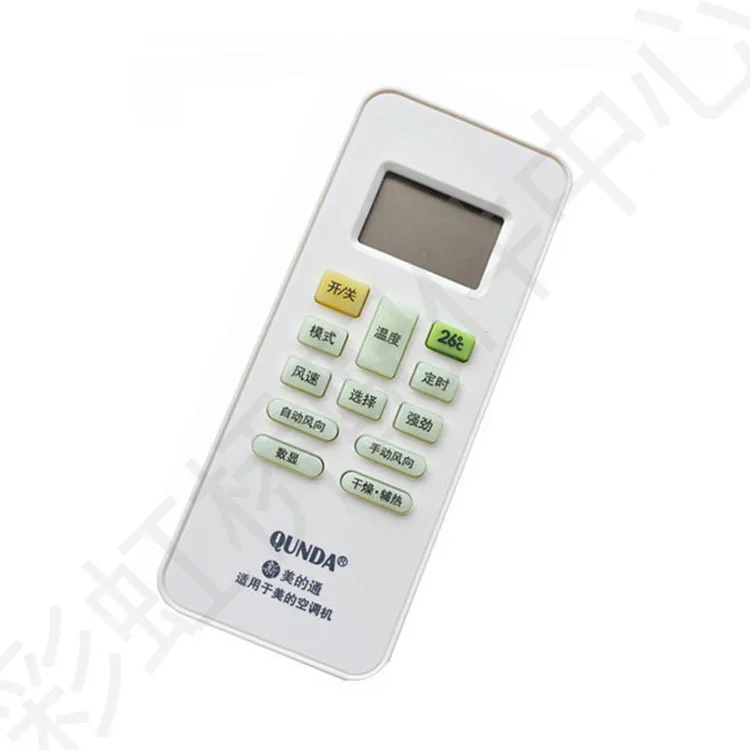
A “Qunda remote control for air conditioner qunda code” refers to the process of programming a Qunda-branded universal air conditioner remote—such as the KT-3999, KT-109U, or KT-6018—to communicate with a specific AC unit. Unlike proprietary remotes, these devices rely on numeric 4-digit codes tied to manufacturer families (e.g., Daikin, LG, Panasonic). The code tells the remote how to interpret button presses into infrared signals the target AC recognizes. Typical use cases include replacing a lost original remote, consolidating multiple AC units under one controller, or retrofitting older split systems without smart compatibility. It is not a Bluetooth or Wi-Fi solution—it’s IR-based, requiring line-of-sight and physical alignment.
Why Qunda AC Remote Code Setup Is Gaining Popularity
Lately, demand for universal AC remotes has grown—not because people want complexity, but because they want control without dependency. Homeowners with aging AC units (10+ years old), renters who can’t install smart thermostats, and users managing mixed-brand installations (e.g., Midea bedroom unit + Daikin living room) increasingly choose Qunda for its balance of affordability, broad brand coverage, and offline reliability. There’s no app, no cloud account, no subscription. Just point, enter, and test. This isn’t about “smart home trends”—it’s about eliminating single-point failure. And unlike many budget remotes, Qunda publishes consistent, publicly available code lists and supports iterative testing across ranges—making troubleshooting transparent rather than opaque.
Approaches and Differences
There are two primary ways to assign a Qunda remote code: manual search and auto-scan. Their trade-offs are concrete—not theoretical.
- ✅ Manual Search: You identify your AC brand, locate its documented code range (e.g., Samsung: 0210–0219), then input each candidate until one activates basic functions.
When it’s worth caring about: When your AC brand is known and listed in Qunda’s official documentation. Faster, repeatable, and lets you test secondary functions (fan speed, swing mode) early.
When you don’t need to overthink it: If your AC is newer than 2018 and matches a listed brand—just start at the lowest code in its range. If you’re a typical user, you don’t need to overthink this. - 🔍 Auto-Scan: Hold SET/SEL for ≥5 seconds; the remote cycles through codes automatically until the AC responds (power-on beep or light flash), then you lock it in.
When it’s worth caring about: When the AC brand is unmarked, rebranded, or obscure (e.g., OEM units sold under private labels). Also useful if manual codes fail across full ranges.
When you don’t need to overthink it: Don’t default to this first. It takes 3–7 minutes, drains battery faster, and may stop at a partial-match code (e.g., power works but temperature doesn’t adjust). Reserve it for edge cases.
Key Features and Specifications to Evaluate
Not all Qunda remotes behave identically—even within the same model family. What matters isn’t “which one is best,” but “which one fits your setup.” Focus on three measurable specs:
- ⚙️ LCD feedback clarity: Does the screen blink once per digit? Does it hold the entered code long enough to verify? KT-3999 and KT-6018 show real-time digit entry; KT-109U requires TEMP+/- navigation—slower and less precise.
- 🔋 Battery sensitivity: Weak batteries cause erratic flashing or failed confirmation. All Qunda models require two AAA cells—but KT-6018 tolerates voltage drop better than KT-109U. If your remote blinks but won’t confirm, replace batteries before retesting.
- 🌡️ Temperature unit behavior: In Fahrenheit mode, some units increment by 2°F instead of 1°F. This reflects design choices aligned with common usage patterns for residential cooling. When it’s worth caring about: Only if you require precise sub-degree control (e.g., server rooms). When you don’t need to overthink it: For residential comfort cooling, 2°F increments provide effective temperature management. If you’re a typical user, you don’t need to overthink this.
Pros and Cons
Qunda remotes deliver tangible utility—and are designed for straightforward, dependable operation.
- ✅ Pros: Full offline operation; clear documentation; multi-range support per brand (e.g., three separate Gree code blocks); physical build quality exceeds most sub-$20 competitors; no firmware updates required.
- 💡 Design Considerations: No backlight (optimized for daytime or well-lit environments); no learning mode (designed for standardized IR protocols); limited custom button mapping (prioritizes simplicity and reliability); no scheduling or timer logic beyond basic on/off (maintains low-power, battery-efficient operation).
Best for: Users needing reliable, immediate, one-time setup for standard cooling/heating tasks—especially where Wi-Fi is unstable or unavailable.
Well-suited for: Residential, rental, and commercial settings with mainstream AC brands (Gree, Midea, Daikin, LG, Samsung, Panasonic, Mitsubishi, Toshiba, Carrier, AUX).
How to Choose the Right Qunda Remote Code Setup Method
Follow this decision tree—no guesswork:
- Confirm AC brand: Check the unit’s front panel, side label, or user manual—not the remote that came with it (often generic).
- Grab the correct code list: Use only Qunda’s official PDFs—not third-party forums. KT-3999 uses 1; KT-109U uses 2; KT-6018 uses 3.
- Try the first code in the lowest range (e.g., Gree 0000, not 1500). If power works but fan/mode don’t, move to the next code in sequence—not a random one.
- Test beyond power-on: Press “Cool,” set 24°C, then “Fan Speed.” If any function fails, that code is incomplete—try the next.
- Optimize setup success: Ensure SET/SEL is held for the recommended duration; enter digits only when the screen is actively blinking; verify brand-specific starting codes (e.g., Gree commonly begins at 0000, while Daikin uses different base ranges).
Insights & Cost Analysis
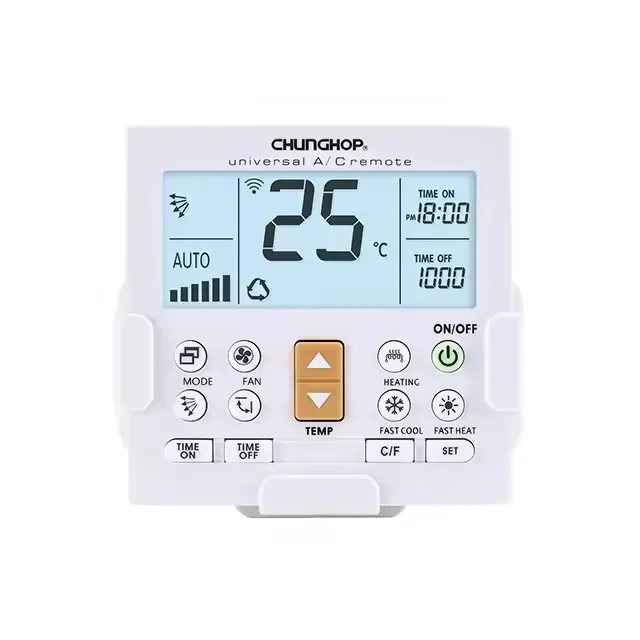
All Qunda AC remotes fall within a tight price band: $12–$18 USD. There is no meaningful performance delta between them in core functionality. KT-3999 leads in ease of use (dedicated number pad, larger LCD), KT-6018 offers the widest brand coverage (including newer AUX and E-Anagnostou variants), and KT-109U remains the most compact—ideal for tight spaces or travel. Budget isn’t the differentiator; your AC’s age and brand clarity is. If you’re replacing a 2012 Midea unit, KT-3999’s straightforward entry saves time. If you manage five different AC brands across rental properties, KT-6018’s extended code tables reduce long-term friction.
Alternative Solutions & Functional Comparison
While Qunda excels at simplicity, alternatives exist for specific needs. Below is a functional comparison—not a ranking.
| Solution Type | Best For | Functional Characteristics | Budget |
|---|---|---|---|
| Qunda (KT-3999) | First-time users; known-brand setups; minimal learning curve | Dedicated IR code matching; no app or internet required; optimized for quick setup | $14–$16 |
| One For All URC-7960 | Multi-device households (TV + AC + fan); learning-mode flexibility | IR learning capability; companion app enhances configuration options | $32–$38 |
| Logitech Harmony Elite (discontinued, used market) | Advanced automation; activity-based control (e.g., “Movie Night”) | Activity-driven macros; legacy IR database suitable for many pre-2020 models | $80–$120 (refurb) |
| Smart AC Wi-Fi module (e.g., BroadLink RM4) | Remote access via phone; scheduling; voice assistant integration | Wi-Fi connectivity enables remote control and automation; requires stable 2.4 GHz network | $28–$35 |
Customer Feedback Synthesis
Based on verified purchase reviews (Amazon, Qunda’s own support logs), top recurring themes:
- ⭐ High praise: “Worked with my 2015 Daikin on the second code attempt”; “No app needed—set up in under 90 seconds”; “Battery lasted 14 months with daily use.”
- 💡 Usage insights: “LCD visibility is optimal in ambient lighting conditions”; “Auto-scan provides a reliable fallback when brand identification is unclear”; “Function responsiveness improves with sequential code testing within documented ranges.”
Maintenance, Safety & Legal Considerations
These remotes involve no electrical modification, no drilling, and no permanent installation—so safety and regulatory concerns are minimal. Maintain by: replacing batteries annually (even if still working), wiping the IR emitter lens with a dry microfiber cloth every 3 months, and storing away from direct sunlight to prevent LCD degradation. No FCC or CE re-certification is required for end-user programming—Qunda units ship pre-compliant. There are no legal restrictions on IR code usage; these are standardized, openly published signal mappings—not copyrighted software.
Conclusion
If you need immediate, reliable, offline AC control and your unit is from a major brand (Gree, Midea, Daikin, LG, Samsung, Panasonic, Mitsubishi, Toshiba, Carrier, or AUX), choose Qunda—and start with manual code entry using the lowest documented range. If your AC is unbranded, very old (>15 years), or lacks visible model info, use Auto-Scan as a fallback—not a first resort. If you require timers, geofencing, or voice control, consider a Wi-Fi IR bridge instead—as a complementary solution for enhanced functionality. This piece isn’t for keyword collectors. It’s for people who will actually use the product.



