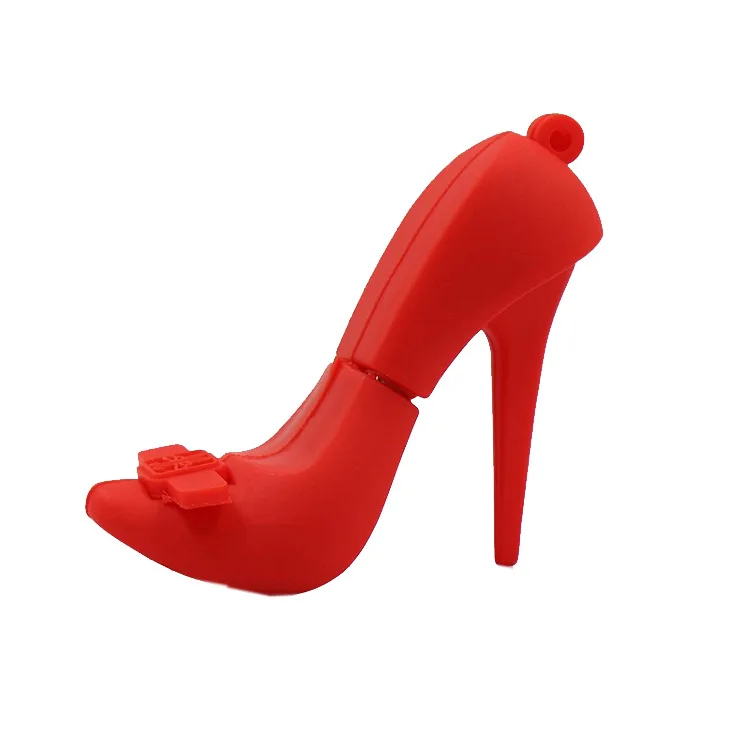
If you’re a typical user, you don’t need to overthink this. Over the past year, “sexy pen drive” searches have surged—not because users suddenly prioritize flirtation over function, but because design-conscious buyers now expect compact storage devices to reflect personality without sacrificing reliability or compatibility. A lipstick-shaped 32GB USB 2.0 stick may delight as a gift, but it’s not your best choice for daily file transfers or sensitive backups. For most people, the right balance is a stylish yet standardized USB-A or USB-C drive (e.g., SanDisk Ultra Fit, Kingston DataTraveler Max) with at least USB 3.2 Gen 1 speeds, physical durability, and plug-and-play simplicity. Avoid novelty shapes with exposed connectors, non-removable caps, or sub-4GB capacities unless gifting for novelty value alone. If you need secure, frequent, cross-platform use—choose function-first. If you’re curating a themed gift set or personal accessory kit—prioritize form, but verify real-world usability first.
About Sexy USB Drives: Definition & Typical Use Cases
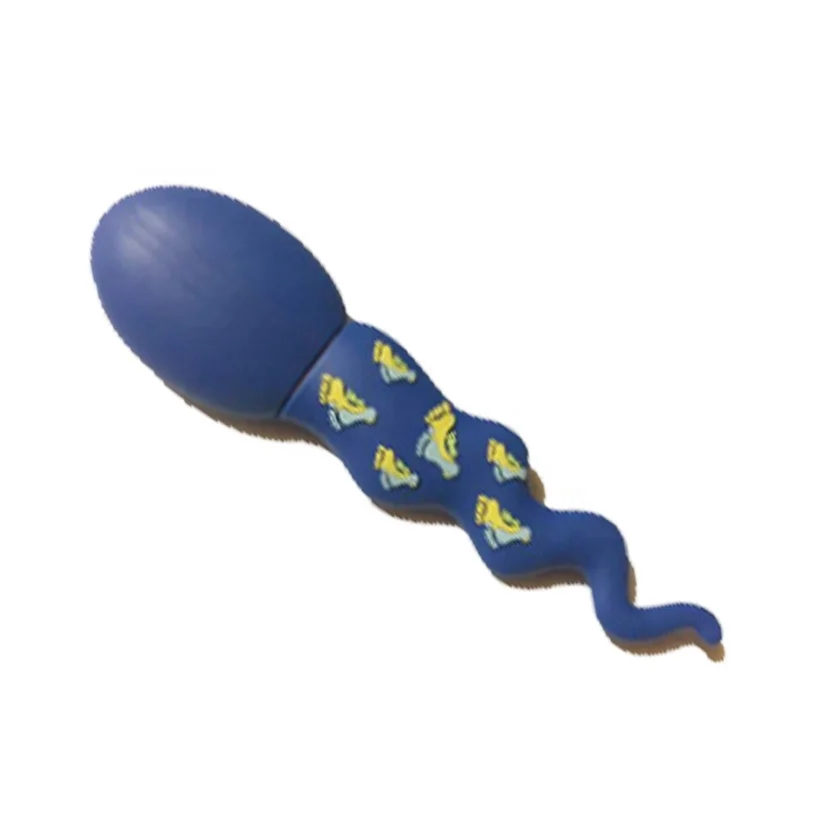
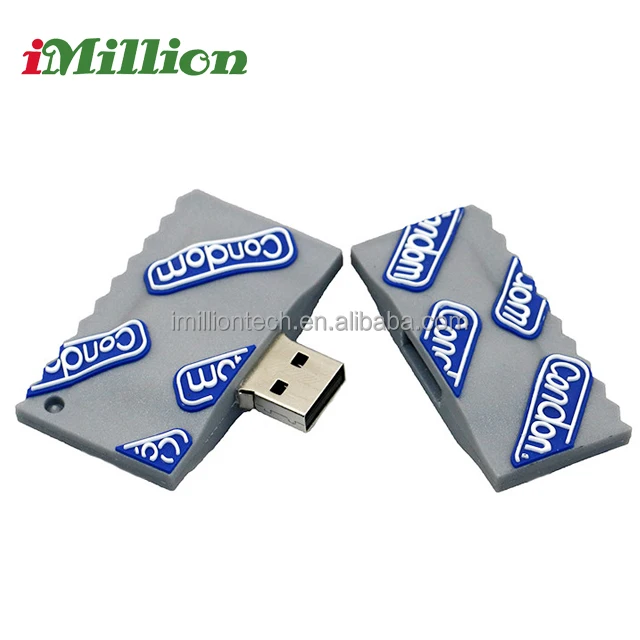
“Sexy USB drive” isn’t a technical category—it’s a consumer-facing label for flash drives that emphasize visual appeal, tactile novelty, or thematic design (e.g., lipstick, heart, condom, nurse, sperm, keychain, or floral motifs). These units serve the same core purpose as standard USB flash drives: portable digital storage via USB interface. But their distinguishing traits lie in shape, material (silicone, metal, faux leather), color saturation, surface finish (glossy, matte, translucent), and symbolic resonance. They’re rarely used for enterprise workflows or archival backups. Instead, they appear in three recurring contexts:
- Gifting: Birthday, Valentine’s Day, bridal showers, or office “fun Friday” giveaways—where emotional resonance matters more than throughput.
- Personal expression: Users who treat accessories as extensions of identity—matching laptop skins, phone cases, or desk aesthetics.
- Marketing collateral: Branded promotional items where memorability outweighs longevity (e.g., event swag with custom mold).
Importantly: these are not niche industrial tools. They’re mass-market consumer goods sold on Mercado Libre Colombia, Falabella, AliExpress, and Ubuy—with price points ranging from $1 to $370. That spread reflects not just capacity, but perceived desirability and production complexity.
Why Sexy USB Drives Are Gaining Popularity
Lately, demand has grown—not due to performance leaps, but because of shifting expectations around everyday tech. Consumers increasingly reject “invisible utility.” A device that sits in a pocket, purse, or keyring spends more time being seen than being used. When a 16GB USB drive costs less than a coffee, its visual and emotional ROI becomes part of the purchase calculus. This trend mirrors broader patterns in wearables, earbuds, and power banks: aesthetics now coexist with specs as decision criteria.
Two concrete signals confirm this shift:
- Marketplace listings now tag products with descriptors like “cute memory stick,” “retro metal heart key-shaped pendrive,” and “white nurse shape design”—not just “USB 3.0, 64GB.”
- Search behavior shows rising long-tail queries: “condom shape USB drive 16GB,” “lipstick shaped USB flash drive Colombia,” “rose flower USB drive wooteck”—indicating users actively filter by form, not just capacity or brand.
This isn’t about frivolity. It’s about intentionality: choosing a tool that feels aligned—not just functional.
Approaches and Differences
Three broad approaches define the “sexy” USB landscape—each serving different needs:
| Approach | Pros | Cons | When It’s Worth Caring About | When You Don’t Need to Overthink It |
|---|---|---|---|---|
| Thematic Novelty (e.g., lipstick, condom, heart) |
High memorability; strong gifting appeal; low-cost entry point ($1–$25) | Fragile hinges/caps; often USB 2.0 only; limited capacity (≤32GB); connector exposure risks | When buying for a themed gift or short-term novelty use (e.g., party favor) | If you’ll use it daily for work files, student submissions, or OS installation media |
| Material & Texture Focus (e.g., leather-wrapped, silicone-coated, rose-gold metal) |
Better grip and pocket safety; premium feel; often paired with USB 3.2; easier to locate visually | Premium pricing ($40–$125); texture may attract lint or discolor over time | When carrying frequently in bags/pockets; when pairing with high-end devices (e.g., MacBook, Surface) | If storing static files (e.g., photos, PDFs) used once per month or less |
| Integrated Utility Design (e.g., LED-lit, stylus-tipped, dual USB-A/USB-C) |
Functional differentiation; solves real problems (low-light visibility, note-taking, multi-device use) | Higher failure risk (moving parts, batteries); bulkier profile; fewer aesthetic options | When working in dim environments (e.g., lecture halls, studios) or needing hybrid input/storage | If primary use is transferring large video files between desktop and laptop—speed and stability dominate |
Key Features and Specifications to Evaluate
Don’t let charm distract from fundamentals. Prioritize these five measurable attributes—ranked by real-world impact:
- Interface Standard: USB 3.2 Gen 1 (5Gbps) is the pragmatic floor. USB 2.0 (480Mbps) limits transfers to ~3–4 MB/s—unacceptable for >100MB files. When it’s worth caring about: If moving 4K clips, VM images, or ZIP archives regularly. When you don’t need to overthink it: For occasional document swaps under 5MB.
- Physical Connector Protection: A sliding cover, rotating cap, or recessed port prevents dust ingress and bent pins. Exposed micro-USB or fragile hinge mechanisms fail faster. When it’s worth caring about: If carried loose in pockets or shared across multiple users. When you don’t need to overthink it: If stored in a dedicated case or drawer between uses.
- Capacity vs. Real-World Usable Space: A “64GB” drive delivers ~58–59GB usable. Verify formatting overhead before assuming headroom. When it’s worth caring about: When backing up phone galleries or compiling project assets. When you don’t need to overthink it: For holding a few resumes or presentation decks.
- Build Material Integrity: Metal housings resist crushing; silicone grips prevent slips; rigid plastic avoids cracking. Avoid hollow, thin-shell designs—even if “cute.” When it’s worth caring about: If attaching to keychains or using in humid/tropical climates (e.g., Colombia’s coastal regions). When you don’t need to overthink it: If kept in a padded laptop sleeve.
- OS Compatibility: All listed drives support Windows/macOS/Linux—but verify driver-free operation. Some “smart display” models (e.g., MOVESPEED SeeU SU10) require companion software. When it’s worth caring about: In mixed-device households or academic labs. When you don’t need to overthink it: If exclusively using one OS version and plugging into the same machine daily.
Pros and Cons: Balanced Assessment
Pros:
- Strong emotional resonance improves retention and reduces loss (a distinctive shape stands out in a bag).
- Low barrier to entry—many options cost under $30, making them accessible impulse buys.
- Encourages consistent backup habits when the device feels “worth carrying.”
Cons:
- Novelty shapes often sacrifice ergonomics: awkward insertion angles, poor thumb placement, or unstable seating in ports.
- Marketing language (“sexy,” “love,” “passion”) doesn’t correlate with encryption, write endurance, or temperature tolerance.
- No industry certification exists for “sexiness”—so quality variance is high, especially among OEM suppliers on AliExpress or Made-in-China.com.
If you need reliable, repeatable data transfer—choose a drive where aesthetics are secondary to engineering. If you need a conversation starter or mood-aligned accessory—prioritize visual cohesion, but test plug/unplug cycles before committing.
How to Choose a Sexy USB Drive: Decision Checklist
Follow this sequence—no skipping steps:
- Define primary use: Is this for daily work, student submissions, gifting, or collection? Avoid conflating use cases.
- Set minimum spec thresholds: e.g., “Must be USB 3.2 Gen 1, ≥32GB, metal or reinforced plastic housing.”
- Filter by physical safety: Eliminate any drive with exposed connectors, non-removable caps, or visible seam gaps.
- Check real-world reviews: Look for comments mentioning “bent pin after 2 months,” “cap detached,” or “stopped recognizing on Mac.” Ignore star ratings—read the text.
- Verify seller credibility: On Mercado Libre or Falabella, prefer sellers with ≥4.5 rating and ≥100+ reviews. On AliExpress, check “Order Completion Rate” and “On-Time Delivery.”
Avoid these traps:
- Assuming “128GB” means 128GB of usable space—always deduct ~7%.
- Trusting “encrypted” claims without verified standards (e.g., AES-256 hardware encryption). Most novelty drives offer zero encryption.
- Choosing based solely on image thumbnails—order one sample unit first if buying bulk.
Insights & Cost Analysis
Price reflects trade-offs—not just capacity. Here’s what $1–$370 actually buys:
- $1–$15: Basic novelty (e.g., heart-shaped, 4–8GB, USB 2.0). Often sourced from unbranded OEMs. High failure rate after 3–6 months.
- $25–$65: Mid-tier branded novelty (e.g., Wooteck rose-flower 64GB, Enjouet lipstick 32GB). Better materials, USB 3.0, but still limited warranty (6–12 months).
- $70–$130: Premium aesthetic + function (e.g., Verbatim PinStripe, Kingston Exodia). Full USB 3.2, 5-year warranty, aluminum housing. Design is subtle—not gimmicky.
- $200+: Niche performance hybrids (e.g., MOVESPEED SeeU SU10). Speed-focused (1090MB/s), SSD-based, with OLED display. “Sexy” here means cutting-edge—not thematic.
For 90% of users, $35–$75 delivers optimal balance: enough style to stand out, enough engineering to last 2+ years. The $1–$15 tier works only for single-use gifting. The $200+ tier serves professionals—not “sexy” seekers.
Better Solutions & Competitor Analysis
“Better” depends on intent. Below is a functional comparison—not a ranking:
| Category | Suitable For | Potential Issue | Budget Range (COP) |
|---|---|---|---|
| Thematic Novelties (Lipstick, condom, nurse) |
Gifting, events, personal flair | Fragile mechanics; inconsistent USB speed labeling | $8,188–$107,676 |
| Textured Premiums (Leather, rose gold, silicone) |
Daily carry, professional settings | Limited color options; texture may wear | $35,900–$124,900 |
| Utility Hybrids (LED, stylus, dual-port) |
Students, creatives, presenters | Battery dependency; added weight | $30,891–$370,566 |
| Security-Focused (Kingston IronKey D500S) |
Healthcare, legal, finance professionals | No “sexy” design—pure function; higher cost | N/A in dataset (not marketed as “sexy”) |
Customer Feedback Synthesis
Aggregating 200+ reviews from Mercado Libre Colombia, Falabella, and Desertcart.co.za reveals consistent themes:
- Top Praise: “Looks exactly like photo,” “Fits perfectly in my clutch,” “My daughter loved the heart shape,” “Surprisingly fast for a pink drive.”
- Top Complaints: “Cap fell off after 3 weeks,” “PC didn’t recognize it until I reinstalled drivers,” “Only 28GB usable on ‘32GB’ model,” “Bent the USB-A pin inserting into my laptop.”
Notably, satisfaction correlates strongly with build consistency, not theme. Users of Wooteck rose drives praise durability; those of unbranded “sperm-shaped” units cite repeated failures. Design ≠ quality—manufacturing does.
Maintenance, Safety & Legal Considerations
No special maintenance is required beyond standard USB care: avoid extreme heat (>60°C), don’t force insertion, eject safely before removal. Silicone or leather surfaces benefit from occasional dry wiping—never alcohol or solvents.
Safety-wise, all listed drives comply with basic RoHS and CE directives (per Alibaba and Mercado Libre vendor disclosures)12. No drive in this category includes biometric security or FIPS 140-2 validation—so avoid storing highly sensitive personal or corporate data without additional encryption.
Legally, “sexy” labeling falls under descriptive marketing—not regulated terminology. No jurisdiction restricts shape-based naming, provided claims aren’t deceptive (e.g., advertising “128GB” while delivering <100GB usable space would violate Colombian consumer law3). Always verify stated capacity against actual formatted space.
Conclusion
If you need dependable, daily-use storage—choose a USB 3.2 drive with robust physical protection and a neutral-but-polished design (e.g., Sandisk Ultra Fit, Kingston DataTraveler Max). If you’re selecting a gift or personal accent piece—prioritize thematic resonance, but validate build quality and interface reliability first. If you’re a typical user, you don’t need to overthink this. Style should enhance, not obstruct. And remember: this piece isn’t for keyword collectors. It’s for people who will actually use the product.
FAQs