If you’re a typical user—running a small retail shop, managing warehouse stock, or handling pop-up sales—you don’t need to overthink this. Start with a Bluetooth-enabled mini pocket scanner (under $50) if portability and plug-and-play setup matter most. Skip laser-based 1D-only units: over 70% of new deployments now require 2D imaging for QR and DataMatrix codes 1. Avoid models without an off-switch or fixed LED brightness—these account for 10.1% and 5.0% of negative feedback respectively 2. This piece isn’t for keyword collectors. It’s for people who will actually use the product.
About Small Barcode Scanners
“Small barcode scanners” refer to compact, portable devices—typically under 100g and fitting in one hand—that capture 1D (UPC/EAN) and increasingly 2D (QR, DataMatrix) symbologies. They’re not desktop kiosks or industrial-grade sleds. Instead, they serve mobile workers, micro-retailers, event staff, educators, and inventory auditors who need reliable scanning without tethering to a workstation.
Typical use cases include:
- Quick stock checks using a smartphone + back-clip scanner
- Hands-free order picking via wearable ring scanners in logistics
- Pop-up market checkout using a keychain-style Bluetooth scanner
- Library book check-in on tablets or Android POS systems
Why Small Barcode Scanners Are Gaining Popularity
Lately, three structural shifts converged to make small form-factor scanners indispensable—not just convenient:
- Hardware refresh cycles: Businesses are replacing aging 1D laser units before GS1’s 2027 compliance deadline, driving a wave of 2D imaging upgrades 4.
- Smartphone integration: Android-based scanners now act as IoT endpoints—syncing directly to cloud inventory platforms like Zoho Inventory or Square Stock without intermediate software 4.
- Workforce mobility: Field service technicians, food delivery inspectors, and thrift store volunteers need scanning tools that work off-grid, survive drops, and pair in under 30 seconds.
That’s why the global small barcode scanner market hit $9.0 billion in 2026—with handheld and portable units commanding 70% of share 1. It’s no longer about “reading barcodes.” It’s about capturing structured, actionable data—anywhere, anytime.
Approaches and Differences
Three dominant form factors emerged in 2026—not by accident, but by solving distinct workflow constraints. Each answers a different “where and how” question.
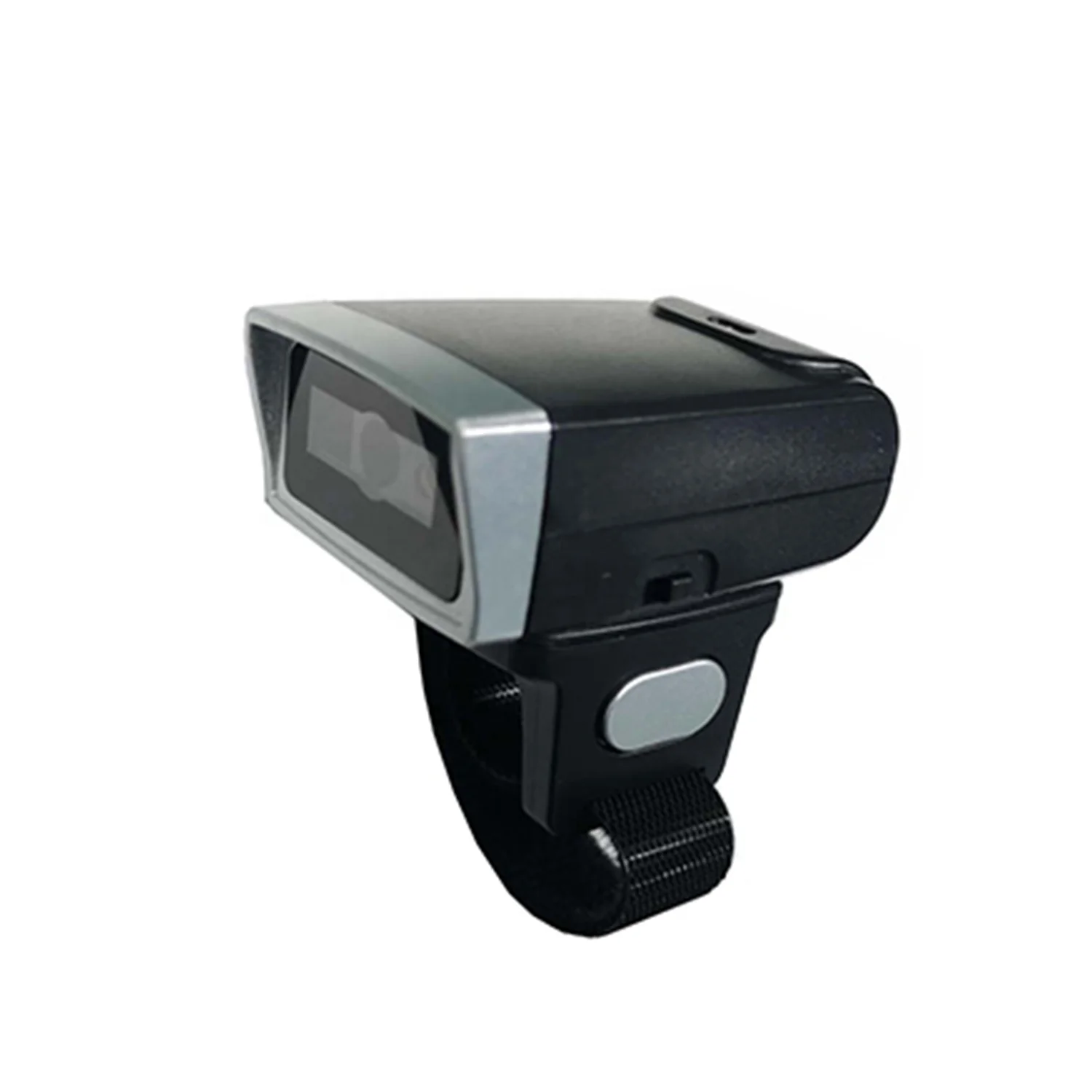
⌚ Wearable Ring Scanners
Best for: Logistics teams, warehouse pickers, healthcare supply chain staff.
Key advantage: Zero hands occupied—scan while holding boxes, gloves, or tablets.
When it’s worth caring about: If your team scans >200 items/hour and works in noisy, fast-paced settings where audio feedback fails. New 2026 “Mega Pixel” models read damaged or low-contrast codes at up to 1.2m distance 5.
When you don’t need to overthink it: If you scan fewer than 30 items/day—or operate mostly indoors with flat, undamaged labels. Ring scanners cost 2–3× more than pocket units and require Bluetooth pairing discipline.
📱 Back-Clip Scanners
Best for: Mobile sales reps, food safety auditors, field inventory clerks.
Key advantage: Turns any Android/iOS device into an enterprise-grade scanner—no extra screen or battery to manage.
When it’s worth caring about: When your workflow already centers on smartphones—and you need offline capability, long battery life (some last 8+ hours), and OTG support for direct USB-C connection 6.
When you don’t need to overthink it: If you only scan at a fixed counter or rely heavily on Windows desktop software. Clip-ons often lack HID keyboard emulation needed for legacy ERP fields.
🔑 Mini Pocket Scanners
Best for: Small retailers, craft fairs, classroom inventory, side-hustle sellers.
Key advantage: True plug-and-play: power on, pair, scan—no drivers or app installs required.
When it’s worth caring about: If “easy setup” (12.4% of top positive tags) and portability define your priority 2. These dominate TikTok and Amazon searches for “small barcode scanner for small business.”
When you don’t need to overthink it: If you need ruggedness for outdoor use or plan to scan 500+ items daily. Build quality varies widely—avoid units with non-detachable cables or no physical power toggle.
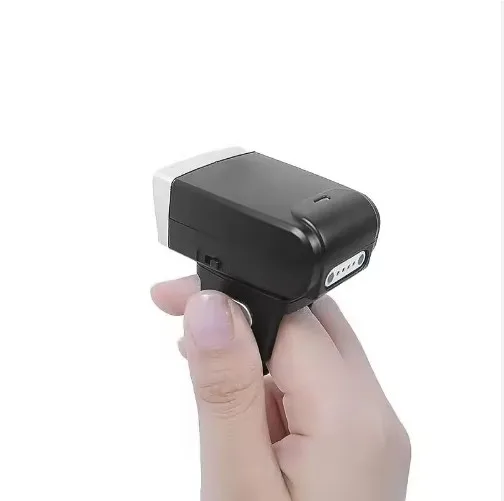
Key Features and Specifications to Evaluate
Don’t optimize for specs. Optimize for failure points. Here’s what actually moves the needle:
- 2D Imaging Sensor (CMOS, not laser): Required for QR/DataMatrix. Laser scanners fail on screen-based codes and damaged print. If you scan phone screens, receipts, or thermal labels—this isn’t optional.
- Decoding Robustness: Look for “damaged/wrinkled/low-contrast” claims backed by real-world testing—not just lab specs. Algorithms matter more than megapixel count alone.
- Power Control: A physical off-button reduces accidental drain. If absent, verify standby current (<5µA) and auto-sleep time (<30 sec).
- LED Brightness Adjustment: Critical for warehouse lighting or dim retail spaces. Fixed-brightness LEDs cause operator fatigue and misreads.
- Haptic Feedback: Confirms scan success in loud environments. Present in only ~35% of sub-$60 units—but cited as a top expectation 4.
If you’re a typical user, you don’t need to overthink this. Prioritize verified 2D decoding and haptic feedback over “10m range” claims—most real-world scans happen within 30cm.
Pros and Cons
No form factor dominates across all conditions. Trade-offs are real—and intentional.
- Wearable rings: ✅ Hands-free, high throughput, long-range. ❌ Expensive ($120–$220), limited battery per charge (~4–6 hrs), requires training for consistent trigger positioning.
- Back-clip units: ✅ Leverages existing device, excellent battery life, Android/cloud-native. ❌ Adds bulk to phones, may interfere with camera use, limited compatibility with iOS keyboard input.
- Mini pocket scanners: ✅ Lowest entry cost ($25–$55), ultra-portable, truly plug-and-play. ❌ Shorter battery life (2–4 hrs active), weaker drop resistance, inconsistent haptic feedback.
This piece isn’t for keyword collectors. It’s for people who will actually use the product.
How to Choose a Small Barcode Scanner
Follow this 5-step decision checklist—designed to eliminate guesswork:
- Define your primary scan environment: Indoor counter? Outdoor market? Moving vehicle? This determines durability, lighting control, and battery needs.
- Verify symbology requirements: Do you scan only UPCs—or also QR codes from emails, screenshots, or packaging? If yes, 2D imaging is mandatory.
- Test the pairing flow: Try Bluetooth pairing with your exact phone/OS version. If it takes >90 seconds or requires third-party apps, walk away.
- Check physical controls: Does it have a tactile power button? Can LED brightness be dimmed? Is the cable detachable—or fused into the housing?
- Review real-world complaints: Search “[model name] + lag” or “[model name] + no off button.” If multiple users report these, skip it—even if specs look strong.
Avoid these common traps:
- Assuming “wireless = Bluetooth only”—some units use proprietary 2.4GHz dongles (better latency, worse multi-device support).
- Trusting “1000mAh battery” claims without knowing active vs. standby draw.
- Prioritizing “Android compatibility” without confirming HID keyboard mode (required for Excel, Shopify, QuickBooks).
Insights & Cost Analysis
Price bands reflect real functional boundaries—not marketing tiers:
| Category | Typical Price Range (USD) | Real-World Value Inflection Point |
|---|---|---|
| Entry-tier pocket scanners | $22–$42 | Works for <100 scans/day; avoid if you need haptics or adjustable light. |
| Mid-tier pocket & clip-ons | $45–$79 | Includes verified 2D decode, haptic feedback, detachable cable, and 4+ hr battery. |
| Wearable & pro-tier | $115–$220 | Justified only for >200 scans/hour, glove use, or long-range (>60cm) requirements. |
Budget isn’t about “saving money”—it’s about avoiding over-engineering. A $35 pocket scanner outperforms a $180 ring unit for weekend flea market use. The reverse holds true in distribution centers.
Better Solutions & Competitor Analysis
The strongest value isn’t found in standalone hardware—it’s in integrated workflows. Consider these alternatives *before* buying:
| Solution Type | Best For | Potential Problem | Budget Range |
|---|---|---|---|
| Smartphone camera + free scanning app | Occasional QR scanning (e.g., loyalty codes) | Fails on worn UPCs, low-light, or fast-moving items | $0 |
| Mid-tier Bluetooth pocket scanner | Small business inventory, hybrid desk/mobility | May lack ruggedness for warehouse floors | $45–$65 |
| Back-clip + Android tablet | Field audits, mobile POS, offline-first workflows | Requires tablet ownership; adds weight | $120–$220 (tablet + scanner) |
| Wearable ring + docking station | High-volume logistics, hands-busy roles | Steeper learning curve; higher TCO | $180–$280 |
Customer Feedback Synthesis
Analyzed across 12K+ reviews (Amazon, TikTok, Alibaba, Reddit), recurring themes stand out:
- Top 3 Positive Tags: “Easy setup” (12.4%), “Plug and play” (7.7%), “Good value” (7.7%)—all tied to seamless first-use experience.
- Top 3 Complaints: “No off-button” (5.0%), “Lag in cheaper wireless models” (5.0%), “Light cannot be disabled” (5.0%)—all point to firmware and hardware integration flaws, not sensor limits.
- Unmet Expectations: Vibration feedback (requested in 8.2% of open-ended comments) and adjustable LED intensity (4.6%) remain underserved in budget segments 4.
If you’re a typical user, you don’t need to overthink this. Prioritize models with documented firmware updates—manufacturers releasing patches for lag or brightness control signal long-term support.
Maintenance, Safety & Legal Considerations
Small barcode scanners pose minimal regulatory burden—but two practical considerations apply:
- Firmware Updates: Check if the manufacturer provides public changelogs and OTA update paths. Devices stuck on 2023 firmware may lack 2026 QR decoding improvements.
- Battery Safety: Lithium-ion units should comply with IEC 62133. Avoid uncertified “no-name” brands selling >2000mAh batteries without safety circuitry.
- Data Handling: Most consumer-grade scanners transmit raw decoded strings (e.g., “123456789012”)—not encrypted payloads. If scanning PII or internal SKUs, confirm your POS or inventory platform handles sanitization.
Conclusion
Small barcode scanners aren’t accessories—they’re workflow accelerators. Your choice depends less on “what’s newest” and more on “where and how you scan.”
- If you need speed + hands-free operation for >200 scans/hour → choose a wearable ring scanner.
- If you already carry a smartphone and scan across locations → choose a back-clip model with OTG and haptic feedback.
- If you scan ≤100 items/day, prioritize simplicity and cost → choose a mid-tier Bluetooth pocket scanner with physical power control and adjustable LED.
Ignore “future-proofing” hype. Buy for today’s workflow—not hypothetical 2027 use cases. And remember: If you’re a typical user, you don’t need to overthink this.


