Over the past year, demand for tablets without cameras has surged—not as a novelty, but as a deliberate engineering choice rooted in real operational risk. If you’re evaluating a tablet without camera for enterprise security, industrial safety, HIPAA-aligned workflows, or privacy-first personal use, start here: avoid software-only fixes (like taping lenses or disabling via BIOS). They fail under firmware updates or unauthorized access. Instead, prioritize hardware-level removal—verified by OEM documentation and physical inspection. For most users, consumer-grade e-ink tablets (e.g., Onyx Boox) offer strong privacy-by-design at $105–$450. For B2B deployments, custom Android tablets stripped of imaging subsystems ($25–$90/unit, MOQ ≥500) deliver certified assurance. If you’re a typical user, you don’t need to overthink this—focus first on why the camera must be absent, not whether it’s “disabled.”
About Tablets Without Cameras: Definition & Typical Use Cases
A tablet without a camera is not merely a device with disabled imaging functions—it is a system where the camera sensor, image signal processor (ISP), HAL layer, and driver stack are physically omitted or permanently unpopulated during manufacturing. This eliminates attack surfaces that software-based controls cannot fully seal. These devices serve distinct environments where the presence of an imaging module poses measurable risk.
Classified environments: Military bases, defense contractors, and secure government offices prohibit photography to prevent data leakage or espionage. A camera—even if inactive—is a compliance violation 1.
Industrial safety zones: In oil refineries, chemical plants, or gas facilities (classified as Zone 2 or ATEX-compliant areas), standard imaging components may introduce ignition risks or violate intrinsic safety protocols 2. No-camera tablets bypass certification hurdles entirely.
Institutional compliance: Behavioral health clinics and hospital administrative terminals use camera-less tablets to eliminate accidental or malicious patient recording—aligning with workflow-level privacy standards, not just regulatory checkboxes 3.
Fixed-function terminals: Retail kiosks, digital signage, and POS systems gain reliability and reduce liability when cameras are unnecessary—and potentially exploitable—by third-party apps or network actors 4.
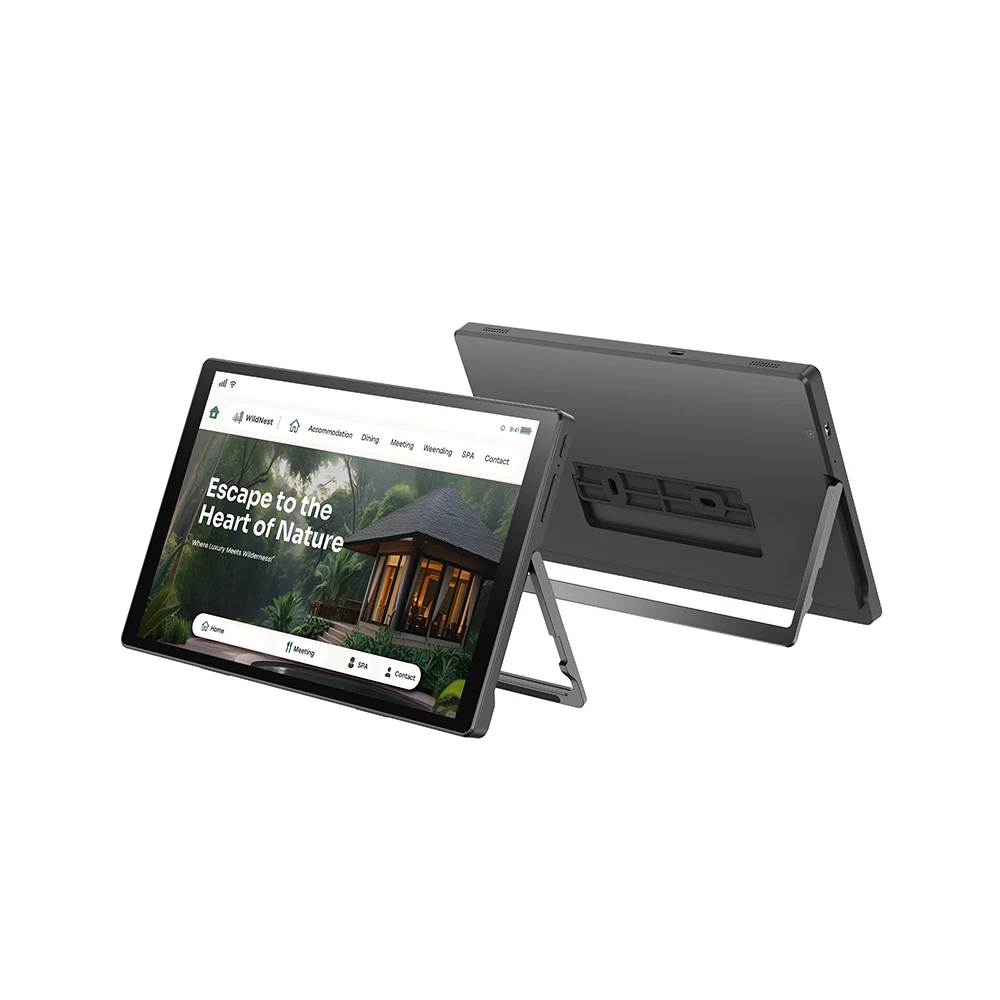
Why Tablets Without Cameras Are Gaining Popularity
Lately, adoption has accelerated—not because cameras became less useful, but because their risks crystallized. Enterprises report a 40% year-over-year increase in B2B inquiries for certified camera-less devices, especially in defense, nuclear energy, and federal contracting 5. This reflects a broader shift: from treating privacy as a post-deployment configuration task to embedding it at the silicon level.
Two parallel drivers converge: First, high-profile incidents involving firmware-level camera reactivation have eroded trust in software-only mitigation. Second, supply-chain transparency improved—manufacturers in Shenzhen now offer documented OEM/ODM services that strip imaging hardware before assembly, with traceable bill-of-materials (BOM) verification 6. That makes hardware removal scalable—not niche.
For consumers, the rise isn’t about threat models but intentionality. E-ink tablets like those from Onyx Boox inherently omit cameras because their core function—distraction-free reading and note-taking—doesn’t require imaging. Their popularity signals a quiet pivot toward devices designed for focus, not surveillance readiness.
Approaches and Differences: Hardware Removal vs. Software Disablement
There are two broad approaches to achieving a camera-less experience. Only one delivers verifiable assurance.
- Hardware-level removal: The camera sensor, lens, flex cable, ISP, and associated drivers are excluded from the BOM and PCB layout. No firmware or OS can restore functionality. When it’s worth caring about: Any regulated, audited, or mission-critical deployment. When you don’t need to overthink it: If your use case is purely personal reading and you already own an e-ink tablet with no camera option.
- Software disablement: Camera drivers are blacklisted, HAL modules removed from Android build, or BIOS settings locked. Still leaves physical hardware present. Vulnerable to root exploits, bootloader unlocks, or OTA updates that reintroduce modules. When it’s worth caring about: Temporary internal testing where full hardware removal isn’t feasible—but never for production or compliance. When you don’t need to overthink it: If you’re evaluating a $200 generic Android tablet and only want to avoid accidental photo capture—not defend against determined adversaries.
If you’re a typical user, you don’t need to overthink this. Choose hardware removal when audit trails, certifications, or physical access control matter. Accept software disablement only as a short-term stopgap—not a policy.
Key Features and Specifications to Evaluate
Don’t default to specs alone. Prioritize verifiability first:
- BOM transparency: Does the supplier provide a component-level bill of materials confirming no camera sensor, ISP, or imaging-related ICs? If not, assume it’s software-disabled.
- OS-level confirmation: Boot into recovery or ADB shell and run
ls /dev/video*orgetprop | grep camera. Null output supports hardware removal—but doesn’t prove it. - Physical inspection capability: Can you open the device (or obtain teardown photos) to confirm empty camera cutouts? Reputable OEMs share these for enterprise buyers.
- Certification alignment: For industrial use, look for IP67, MIL-STD-810H, or ATEX/IECEx markings—not just “rugged” marketing language.
- Update policy: Does the vendor commit to no future camera-enabling firmware? Some Android 14 builds reintroduce legacy HALs—even on stripped units.
Pros and Cons: Balanced Assessment
Pros of hardware-removed tablets:
- Eliminates entire attack surface—not just the lens, but firmware hooks, memory-mapped I/O, and DMA channels.
- Reduces long-term maintenance overhead: no camera-related CVE patches, driver conflicts, or app permission audits.
- Enables compliance with strict frameworks (e.g., NIST SP 800-162, ISO/IEC 27001 Annex A.8.2.3) requiring “physical prevention of unauthorized data capture.”
Cons and limitations:
- Lower resale value and secondary market liquidity—fewer buyers understand the niche.
- Reduced flexibility: no video conferencing, QR scanning, or document imaging unless external USB peripherals are approved and managed.
- OEM models often lack consumer-grade polish—lower-resolution displays, slower update cadence, minimal accessory ecosystem.
This piece isn’t for keyword collectors. It’s for people who will actually use the product.
How to Choose a Tablet Without Camera: Step-by-Step Decision Guide
- Define your threat model: Is the risk technical (firmware exploit), procedural (staff accidentally enabling camera), or regulatory (audit failure)? Match the solution to the highest-priority vector.
- Verify, don’t assume: Request BOM documentation or third-party teardown reports. If unavailable, treat the device as software-disabled—even if marketed as “no camera.”
- Avoid “camera-off” marketing language: Phrases like “privacy mode,” “camera toggle,” or “disable in settings” indicate software control—not hardware removal.
- Evaluate total cost of ownership: Include integration time, MDM compatibility, peripheral support, and lifecycle management—not just unit price.
- Test real-world constraints: Try installing common productivity apps (e.g., Zoom, Microsoft Lens). If they crash or request camera permissions, the OS layer may still expect imaging hardware—even if unused.
Insights & Cost Analysis
Pricing reflects purpose—not performance. Below is a realistic breakdown based on verified Alibaba and OEM listings (2024–2025):
| Category | Price Range (USD) | Key Trade-Offs |
|---|---|---|
| OEM/B2B Custom | $25 – $90 | Android 13/14, 2–4GB RAM, Wi-Fi only. Requires MOQ ≥500 units. Minimal UI polish. Best for kiosks, field terminals, bulk deployments. |
| Consumer Grade | $105 – $450 | IPS displays, octa-core SoCs, smart-home integration. Includes e-ink options (Onyx Boox). No ruggedization. Ideal for privacy-conscious individuals and small teams. |
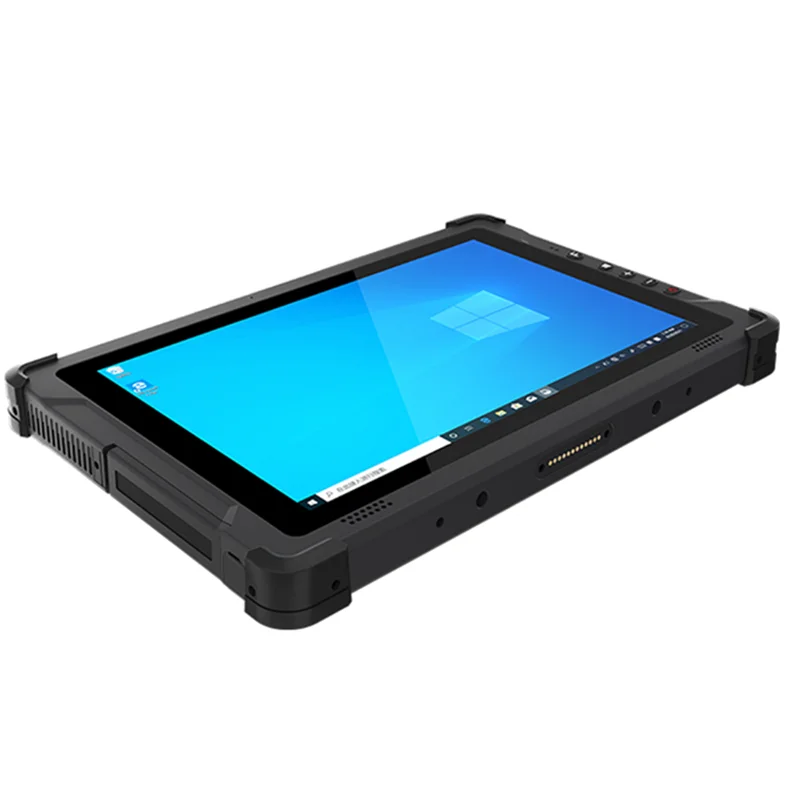
| Industrial/Rugged | $230 – $800+ | IP67, 8000mAh+ battery, RFID/barcode readers, wide-temp operation. Certified for hazardous locations. Highest assurance, longest lifecycle. |
Value isn’t linear. A $90 OEM unit saves ~70% over a $300 rugged model—but fails if dropped in a refinery or fails an audit. Budget allocation should follow consequence severity, not headline price.

Better Solutions & Competitor Analysis
“Better” depends on context—not benchmarks. Below is how major categories compare across three non-negotiable criteria: verifiability, compliance readiness, and functional sufficiency.
| Category | Verifiability | Compliance Readiness | Functional Sufficiency |
|---|---|---|---|
| OEM Android (no camera) | ✅ High (BOM + teardown available) | ✅ Strong for internal policy; limited for external certs | ✅ Sufficient for web, email, PDF, kiosk apps |
| E-ink tablets (e.g., Onyx Boox) | ✅ High (no imaging hardware by design) | 🟡 Moderate (privacy-by-design, not industry-certified) | 🟡 Limited for multimedia or real-time collaboration |
| Rugged Windows tablets | ✅ High (hardware removal + certification docs) | ✅ Highest (ATEX, MIL-STD, HIPAA-ready) | ✅ Full desktop app support, peripheral flexibility |
Customer Feedback Synthesis
Based on aggregated reviews from Reddit, Alibaba buyer forums, and enterprise procurement portals:
- Top praise: “Zero camera-related permission prompts,” “Passed our IT audit on first try,” “No more tape over lenses—we finally trust the device.”
- Top complaint: “Can’t scan QR codes for login—had to add a separate USB scanner,” “Fewer app updates than mainstream tablets,” “Hard to verify authenticity without teardown access.”
Maintenance, Safety & Legal Considerations
Maintenance differs meaningfully: no-camera tablets eliminate camera-specific firmware patches, thermal management for ISP loads, and lens cleaning protocols. However, they retain all other service requirements—battery replacement, screen calibration, OS updates.
Safety-wise, industrial variants meet IEC 60079-0 (explosion protection) and UL 1604 (hazardous location) standards—where camera modules would disqualify standard tablets. Legally, while no universal law mandates camera removal, sectors like defense (DFARS 252.204-7012), healthcare (HIPAA §164.308), and energy (NERC CIP-007) treat uncontrolled imaging capability as a material compliance gap.
Conclusion: Conditional Recommendations
If you need audit-proof assurance in classified or hazardous environments, choose a certified rugged tablet with documented hardware removal (e.g., industrial Android or Windows units, $230–$800+). If you need privacy-by-design for focused personal use, an e-ink tablet ($105–$450) delivers simplicity and zero imaging risk. If you’re deploying 500+ units for kiosks or field data entry, OEM Android tablets ($25–$90) offer scalability and BOM transparency. If you’re a typical user, you don’t need to overthink this—start with your strongest constraint (compliance? durability? distraction reduction?) and let that dictate category.
Frequently Asked Questions
adb shell getprop | grep camera (Android). But definitive verification requires physical inspection or supplier-provided teardown evidence.


