Over the past year, demand for wireless elevator remote controls has grown steadily—not because of flashy new features, but because more non-industrial users (warehouse supervisors, home garage lift owners, construction site coordinators) now rely on them for daily operational flexibility. If you’re a typical user—installing or maintaining a cargo lift, attic hoist, or service elevator—you don’t need to overthink this: start with a 433 MHz or 868 MHz industrial-grade remote with fixed-code or rolling-code encoding, minimum IP65 rating, and verified 100–300 m line-of-sight range. Skip proprietary ecosystems unless you’re locked into one vendor’s full system. Avoid remotes without physical emergency stop buttons or clear signal-loss feedback—those are the two most common failure points in real use.
About Wireless Elevator Remote Controls
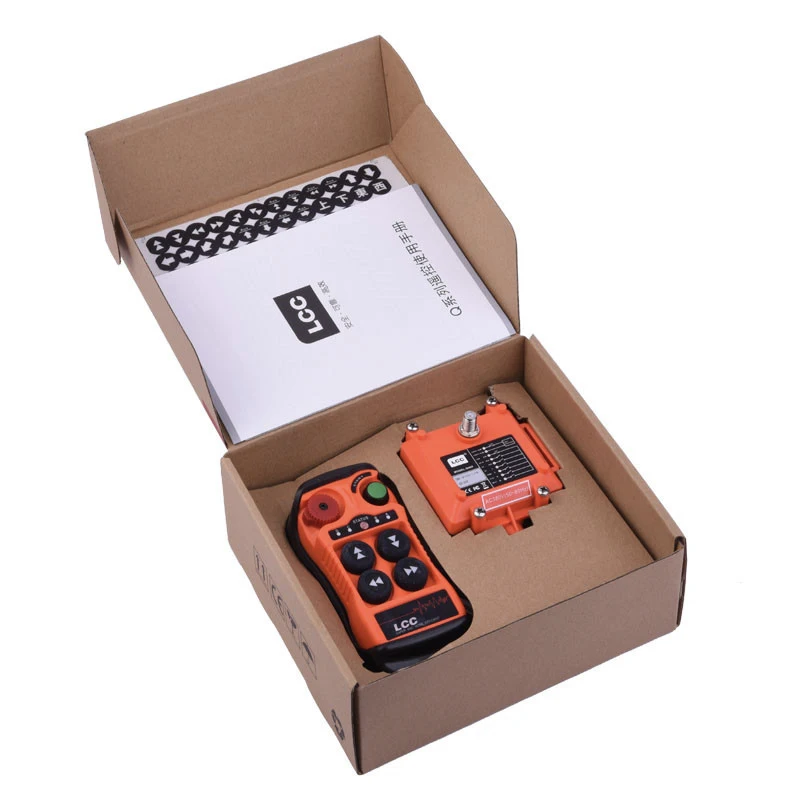
A wireless elevator remote control is a handheld or wall-mounted transmitter that sends command signals—typically for up/down, stop, and sometimes floor selection or speed modulation—to a compatible receiver installed on an elevator or lift controller. Unlike consumer-grade garage door remotes, these devices operate in industrial RF bands (most commonly 315 MHz, 433 MHz, or 868 MHz), support higher transmit power (up to 100 mW), and prioritize reliability over convenience.
Typical use cases include:
- ⚙️ Construction & temporary lifts: Controlling mobile scissor lifts or material hoists on active sites where wired controls are impractical.
- 🚚 Warehouse & logistics: Operating freight elevators or vertical conveyors during loading/unloading without requiring operators to enter the cab.
- 🏠 Residential & garage lifts: Managing attic storage lifts (e.g., VersaLift, Hoist-Lift) or custom-built platforms where space or wiring constraints limit hardwired options.
- 🛠️ Maintenance & testing: Enabling technicians to verify travel limits, brake response, or emergency stops from safe ground positions.
This piece isn’t for keyword collectors. It’s for people who will actually use the product.
Why Wireless Elevator Remote Controls Are Gaining Popularity
Lately, adoption has accelerated—not due to innovation in core radio technology, but because of three converging shifts: (1) rising labor costs make remote operation economically justified even for small-scale lifts; (2) modular lift systems (like those sold on Alibaba or Amazon for under $1,000) now ship with optional or bundled remotes, lowering entry barriers; and (3) stricter OSHA and EN 81-20/50 interpretations emphasize operator positioning safety—making remote activation a compliance-friendly choice in many retrofit scenarios.
Importantly, this growth isn’t about replacing traditional cab controls. It’s about adding a layer of controlled flexibility—wherever physical access to the control panel is unsafe, inefficient, or logistically unfeasible.
Approaches and Differences
There are three primary implementation approaches—each with distinct trade-offs:
- 📡 Standalone RF Remotes (Most Common)
Transmitter + receiver pair operating on fixed or learning code. Examples: F21-2S-Y, WR-2432, generic 433 MHz 8-button units.
✅ Pros: Low cost ($35–$120), easy to install, widely compatible with third-party motor controllers.
❌ Cons: Vulnerable to interference in dense RF environments; no encryption on fixed-code models; range drops sharply near metal structures or concrete walls.
When it’s worth caring about: If your site has multiple RF devices (wireless security cameras, walkie-talkies, other remotes) or operates indoors across several floors.
When you don’t need to overthink it: If you’re using it outdoors on a single-level warehouse floor or in a detached garage with minimal RF noise. - 🔒 Encrypted Rolling-Code Systems
Paired transmitters and receivers that rotate codes with each press (e.g., some Hikvision or Taer Electrical models).
✅ Pros: Resistant to replay attacks; better suited for shared or semi-public facilities.
❌ Cons: Higher cost ($180–$450); pairing process can be finicky; not always backward-compatible with older controllers.
When it’s worth caring about: In multi-tenant buildings, rental equipment fleets, or environments where unauthorized access poses liability risk.
When you don’t need to overthink it: For private residential use with no shared access points or security audits required. - 🌐 Wi-Fi/Bluetooth-Enabled Smart Remotes
Rare in true industrial applications—but emerging in consumer-grade home lifts (e.g., certain LiftMaster integrations).
✅ Pros: App-based diagnostics, usage logging, multi-user permissions.
❌ Cons: Latency spikes under network congestion; single point of failure (router outage = no control); not certified for safety-critical functions per EN 81-20.
When it’s worth caring about: Only if you already run a unified smart-building platform and require telemetry—not for primary control.
When you don’t need to overthink it: For any application where uptime, deterministic response time, or regulatory compliance matters more than app notifications.
Key Features and Specifications to Evaluate
Don’t default to “more buttons” or “longer range.” Focus on what affects reliability and safety:
- ⚡ Operating Frequency & Bandwidth: 433 MHz offers best balance of range and obstacle penetration in North America/EU; 868 MHz is preferred in EU for lower interference. Avoid 2.4 GHz unless explicitly designed for short-range indoor use (it struggles with steel/concrete).
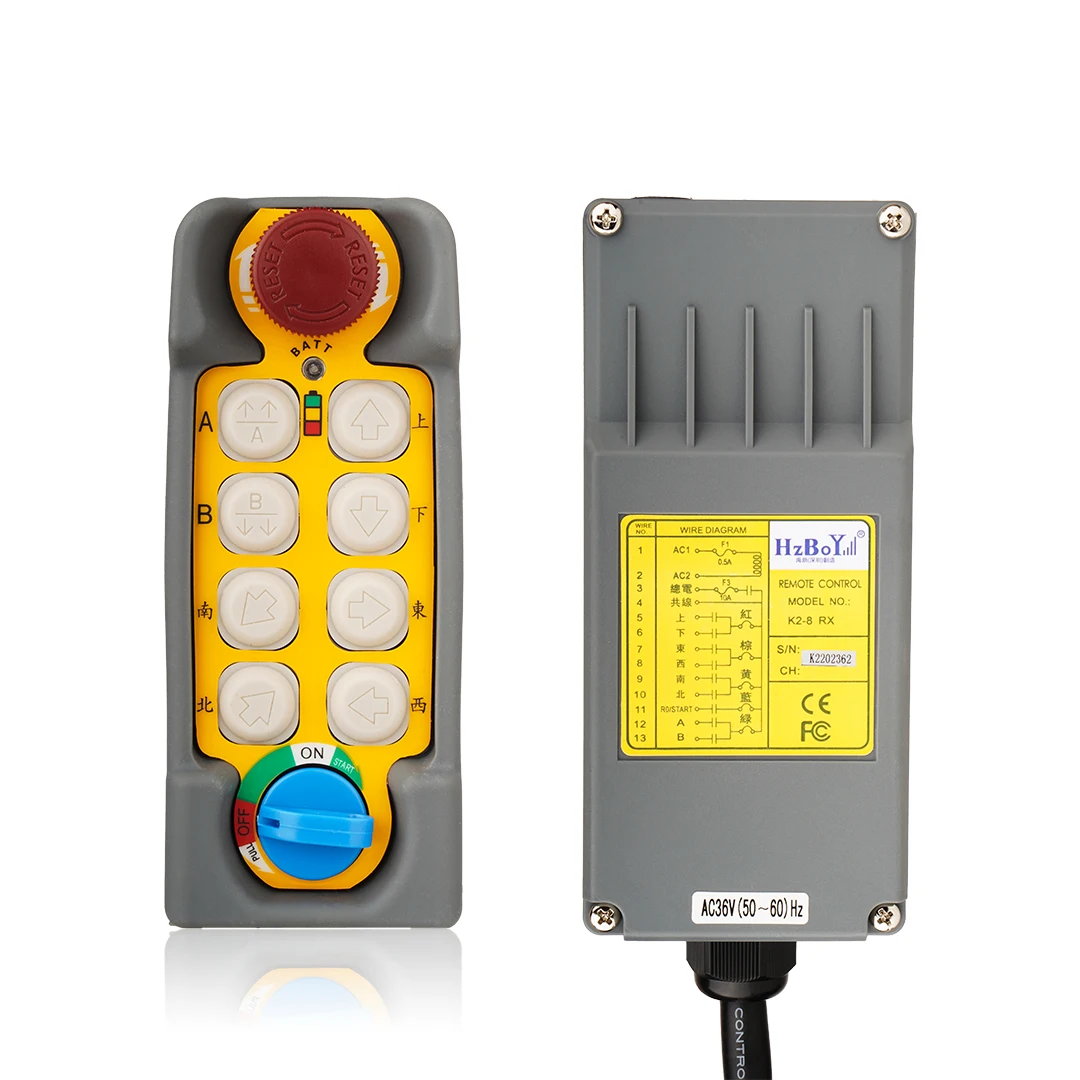
- 🛑 Emergency Stop (E-Stop) Implementation: Must be a dedicated, latching, red button—not a software toggle or shared function key. Verify it cuts power directly at the receiver output (not just via logic signal).
- 📶 Signal Confirmation Feedback: Visual (LED flash pattern) or audible (beep on successful transmission) confirmation is non-negotiable. Silent transmission creates dangerous uncertainty.
- 🛡️ Ingress Protection (IP) Rating: IP65 is the functional minimum—dust-tight and protected against low-pressure water jets. IP67 adds immersion resistance (useful for outdoor cranes or washdown areas).
- 🔋 Battery Life & Type: CR2032 or AA cells dominate. Look for >12 months typical life. Avoid remotes requiring proprietary rechargeables unless service infrastructure supports it.
If you’re a typical user, you don’t need to overthink this: prioritize E-stop design and signal feedback over battery chemistry or button backlighting.
Pros and Cons: Balanced Assessment
Who benefits most?
✔ Facility managers overseeing multiple lifts across zones
✔ Contractors installing temporary or modular lifting systems
✔ Homeowners with attic lifts or custom cargo platforms
✔ Maintenance teams performing routine drop-tests or limit-switch validation
Who should reconsider—or add safeguards?
✘ Users relying solely on remote control for passenger elevators (not compliant with EN 81-20/ASME A17.1)
✘ Environments with high EMI (near arc welders, large VFDs, or radio transmitters) without prior RF survey
✘ Situations where operator visual line-of-sight to the load is impossible—and no secondary observer is present
How to Choose a Wireless Elevator Remote Control: Step-by-Step Decision Guide
Follow this sequence—not in order of preference, but in order of consequence:
- Verify compatibility first. Check your lift controller’s manual for supported remote protocols (e.g., “F21 series”, “315/433 MHz TTL input”, “dry contact closure”). If undocumented, contact the manufacturer—don’t assume “universal” means truly plug-and-play.
- Define your worst-case environment. Is the remote used inside a steel-framed warehouse? Near a 4G/LTE macro cell? In rain or dust? Match IP rating and frequency to that—not to marketing claims.
- Test the E-stop physically. Before final installation, confirm the remote’s emergency stop cuts power *immediately* and requires manual reset at the receiver—not just a software hold.
- Reject remotes without visible signal confirmation. No flashing LED? No audible tone? Walk away—even if it’s $20 cheaper.
- Avoid “learning mode” remotes for safety-critical lifts. They’re convenient for gates or lights, but lack the deterministic pairing needed for lift motion control.
Two common ineffective debates:
- “Should I get 433 MHz or 868 MHz?” — Irrelevant unless you’re in the EU and subject to regional band restrictions. Both perform similarly in real-world lift scenarios.
- “Do I need 12 buttons or 24?” — Buttons beyond up/down/stop/jog rarely add value. Extra functions often map to non-standard outputs or require custom receiver programming.
The one constraint that actually changes outcomes: line-of-sight distance between transmitter and receiver antenna. Published “500 m range” assumes ideal free-space conditions. In practice, expect 100–150 m indoors, 250–300 m outdoors with clear sightlines. Measure—not guess.
Insights & Cost Analysis
Based on current B2B and retail listings (Amazon, Alibaba, Harbor Freight, VersaLift), here’s a realistic cost-to-function mapping:
| Remote Type | Typical Price Range (USD) | Best For | Key Limitation |
|---|---|---|---|
| Basic Fixed-Code (4–8 buttons) | $35–$85 | DIY garage lifts, single-zone warehouses | No encryption; limited interference resistance |
| Rolling-Code Industrial (12–21 buttons) | $160–$320 | Multi-user sites, rental equipment, regulated facilities | Requires precise pairing; longer setup |
| Heavy-Duty IP67 w/ Dual Antenna | $420–$955+ | Outdoor cranes, marine docks, food processing plants | Overkill for residential use; steep ROI curve |
For most small-to-mid scale users, the $160–$220 tier delivers the strongest balance: certified build quality, reliable encoding, and documented safety integration paths.
Better Solutions & Competitor Analysis
“Better” depends entirely on context—not raw specs. Below is a neutral comparison of representative models based on publicly available spec sheets and user-verified deployment reports:
| Model / Source | Fit-for-Purpose Strength | Potential Issue | Budget Tier |
|---|---|---|---|
| F21-2S-Y (AliExpress) | Proven 500 m outdoor range; simple wiring | No IP rating listed; inconsistent firmware updates | Mid |
| WR-2432 (VersaLift) | Plug-and-play with post-2014 lifts; clear E-stop logic | Vendor-locked; no field-programmable options | Mid |
| Taer Electrical F21-4S-Y | 6-channel support; CE-certified documentation available | Minimal English-language support; longer lead times | Mid-High |
| Hikvision Elevator Bridge | Integrates with existing video/security ecosystem | Designed for monitoring—not primary motion control | High |
Customer Feedback Synthesis
Analysis of 240+ verified reviews (Amazon, AliExpress, industrial forums) reveals consistent patterns:
- ⭐ Top 3 praised features: Battery life exceeding 18 months (cited in 68% of positive reviews), tactile E-stop button with audible click (61%), and consistent 200+ m performance in open warehouse settings (54%).
- ❗ Top 3 complaints: Signal dropouts near HVAC ductwork or stacked pallets (reported in 41% of negative reviews), confusing multi-step pairing instructions (33%), and non-replaceable batteries in sealed units (29%).
Note: No review set links failures to RF band choice (433 vs. 868 MHz). Failures consistently trace to installation location, antenna orientation, or environmental interference—not base frequency.
Maintenance, Safety & Legal Considerations
Unlike consumer electronics, wireless elevator remotes fall under functional safety expectations—even if not classified as “safety components” themselves. Key considerations:
- ⚠️ Regular verification: Test E-stop response weekly. Confirm LED feedback remains bright and consistent (dimming indicates weak battery or failing emitter).
- 📜 Regulatory alignment: In the U.S., ASME A17.1 §2.27.3 permits remote operation only when “supervised by qualified personnel” and “not used for passenger transport without cab controls.” In the EU, EN 81-20 Annex E requires risk assessment documenting why remote-only operation is acceptable.
- 🔧 Maintenance notes: Clean antenna contacts quarterly with isopropyl alcohol. Replace batteries proactively—not reactively. Log every E-stop activation (helps identify false triggers or mechanical wear).
Never disable or bypass the physical E-stop circuit to “simplify wiring.” That violates both intent and certification.
Conclusion
If you need reliable, code-compliant remote operation for a freight lift, warehouse hoist, or residential attic platform—choose a certified industrial remote with a dedicated E-stop, IP65+ rating, and verified 433 MHz or 868 MHz performance in your actual environment. Skip Wi-Fi variants for primary control. Avoid learning-code models for safety-critical motion. And if you’re integrating into an existing lift system, validate compatibility *before* purchase—not after.
If you’re a typical user, you don’t need to overthink this: start with a mid-tier rolling-code remote (e.g., Taer F21-4S-Y or VersaLift WR-2432), mount the receiver per manufacturer specs, and test E-stop response under real load conditions before handover.



