About Xbox 360 Controllers: Definition & Typical Use Cases 🕹️
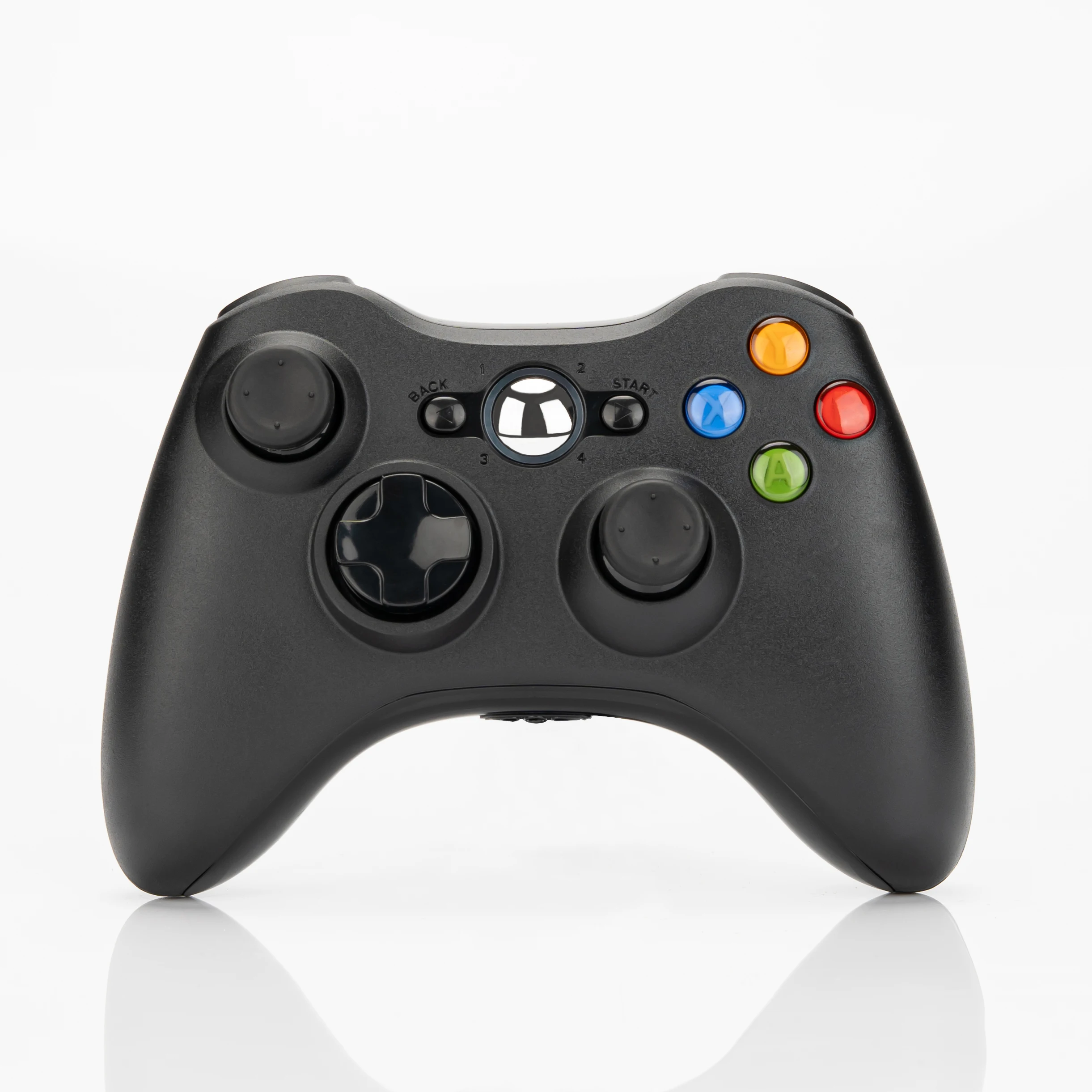
An Xbox 360 controller refers to hardware conforming to Microsoft’s original 2005–2016 design language: asymmetric analog sticks, a central D-pad, four face buttons (A/B/X/Y), dual shoulder triggers (LT/RT), and bumpers (LB/RB). Though discontinued in 2016, its layout remains the most widely supported gamepad standard across Windows, Linux, Android, Steam Deck, and many Smart TV apps. Unlike newer Xbox One or Series X|S controllers, the 360 version lacks Bluetooth (original models used proprietary 2.4G), built-in rechargeable batteries, or adaptive triggers — but gains universal driver support and plug-and-play simplicity on legacy systems like original Xbox consoles (via modded adapters) or emulators like RetroArch.
Typical users include:
- Retro gamers playing Xbox 360 or original Xbox titles on modded hardware;
- PC users running older games (e.g., BioShock, Mass Effect) or indie titles that only recognize XInput via 360 drivers;
- Educators and developers testing input consistency across platforms;
- Cloud-gaming adopters on services like Xbox Cloud Gaming (Beta), GeForce NOW, or Boosteroid — where 360 mapping is often the fallback profile when native Series X|S support fails.
Why Xbox 360 Controllers Are Gaining Popularity in 2026 🌐
Lately, demand has rebounded — not as vintage collectibles, but as functional tools. Three converging forces explain this:
- Ecosystem convergence: Windows 11 and Android 14 now ship with native XInput stack improvements, reducing latency and improving plug-and-play reliability 2.
- Retro-gaming infrastructure maturity: Emulation accuracy (especially for Xbox 360-era titles) has improved dramatically — and many frontends (like LaunchBox or Playnite) default to 360 mappings for consistency.
- Cloud latency pressure: As cloud gaming expands, users report fewer input dropouts with wired or optimized 2.4G controllers than with Bluetooth-dependent modern alternatives — especially on mid-tier Wi-Fi networks 3.
If you’re a typical user, you don’t need to overthink this: unless you’re troubleshooting persistent disconnects or drift, the core functionality hasn’t changed. What has changed is availability — and quality control.
Approaches and Differences: Wired vs. Wireless vs. “Retro-Modern” Hybrids
Three dominant approaches exist today — each with distinct trade-offs:
| Type | Pros | Cons | When it’s worth caring about | When you don’t need to overthink it |
|---|---|---|---|---|
| USB-Wired Clones | No battery, zero latency, full Windows/Linux support out of the box | Short cable (~6 ft), no mobility, risk of port wear | If you use it desk-bound on PC or Raspberry Pi-based media centers | If you only play 1–2 hours weekly and never move your setup |
| 2.4G Wireless (OEM) | Good range (~10 m), stable connection, widely available ($6–$10/unit wholesale) | Proprietary dongle, non-replaceable batteries, inconsistent stick longevity | If buying in bulk for labs, classrooms, or kiosks — and budget is capped at $8/unit | If you’re replacing one failed controller and just need ‘works today’ reliability |
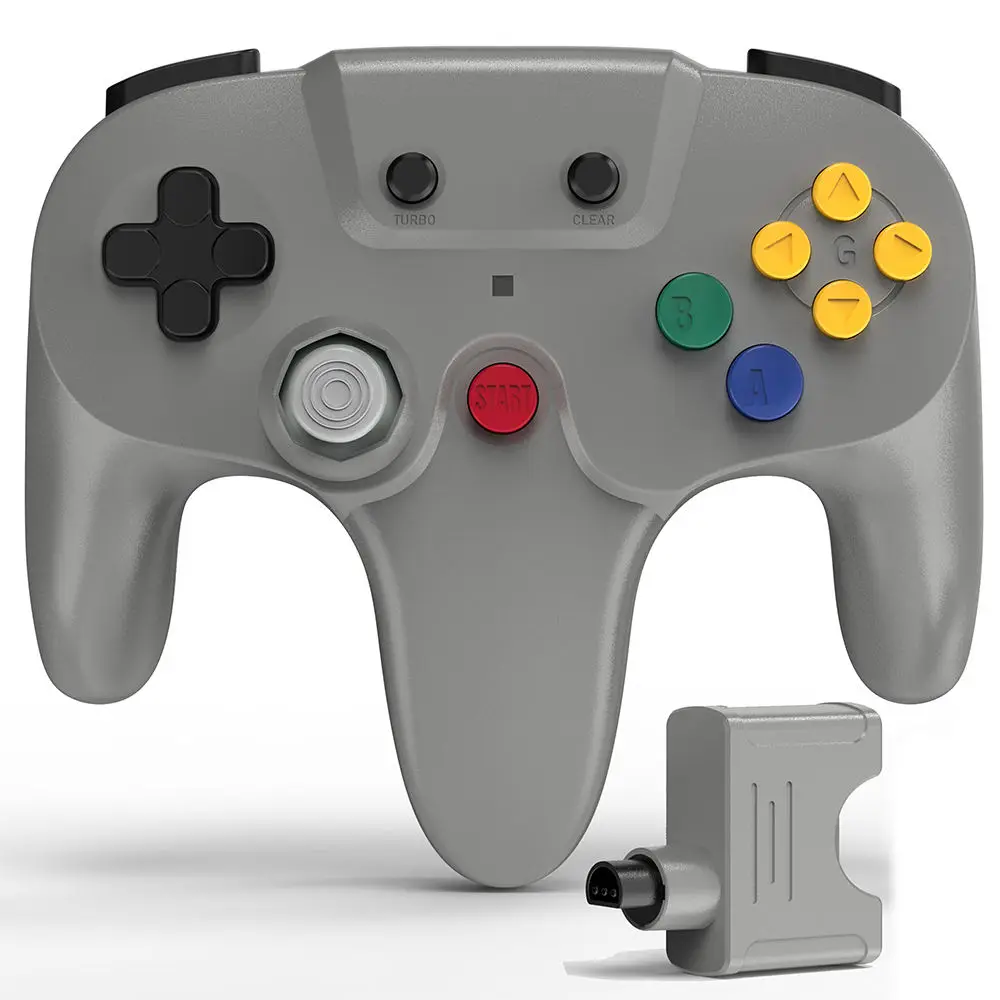
| Retro-Modern Hybrids (e.g., Retro Fighters Hunter 360) | Hall-effect sticks, firmware-updatable, low-latency wireless, authentic ergonomics | $25–$40 retail, limited third-party software support, no official Xbox certification | If you play daily, notice stick drift on older units, or rely on cloud streaming | If you’re satisfied with your current working controller and rarely experience input lag |
Key Features and Specifications to Evaluate ⚙️
Don’t optimize for specs you won’t measure. Focus only on what impacts daily use:
- Thumbstick technology: Standard potentiometer sticks wear out (drift starts ~18–24 months of moderate use). Hall-effect or TMR sensors eliminate mechanical contact — lifespan exceeds 10M actuations 4. When it’s worth caring about: If you’ve replaced sticks twice or play >10 hrs/week. When you don’t need to overthink it: If your current controller still centers cleanly and doesn’t register unintended movement.
- Connection protocol: USB-C wired > micro-USB > legacy USB-A. For wireless: 2.4G > Bluetooth (due to lower overhead and better Windows XInput fidelity). Newer ‘Wi-Fi-direct’ rumors remain unconfirmed — avoid vendors claiming “built-in Wi-Fi” without verifiable firmware logs.
- Firmware upgradability: Critical for long-term usability. Check whether the vendor publishes changelogs or offers OTA updates. Most $8 Alibaba clones lack this entirely.
- Driver compatibility: All genuine or well-tested clones work with Windows’ native
xinput1_4.dll. Android requires HID-compliant mode — confirmed via Gamepad Tester app. No need to install third-party drivers unless stated otherwise.
Pros and Cons: Balanced Assessment
Pros:
- ✅ Universally recognized input profile — minimal configuration needed across OSes
- ✅ Lower entry cost than modern alternatives (wholesale from $6.16/unit 5)
- ✅ Ergonomic design validated across 15+ years of real-world use
Cons:
- ❌ No native Bluetooth — requires dongle or USB adapter for wireless
- ❌ No haptic feedback or adaptive triggers — limits immersion in newer titles
- ❌ Battery life (on wireless models) rarely exceeds 20–25 hours per AA pair
If you’re a typical user, you don’t need to overthink this: missing haptics matters only if you regularly play Starfield or Forza Horizon 5 — and even then, most players adapt within 20 minutes.
How to Choose an Xbox 360 Controller: Decision Checklist ✅
Follow this sequence — skipping steps invites buyer’s remorse:
- Confirm your primary platform: Windows? Android TV? Original Xbox? Each imposes hard constraints (e.g., original Xbox needs modchip + adapter).
- Test stick drift first: Center both sticks, open gamepad-tester.com, and watch for unintended axis movement. If present, upgrade is justified.
- Rule out known problematic SKUs: Avoid any model labeled “XBOX360 PRO”, “XBOX360 ULTRA”, or “GAMING PAD V2” without verifiable Hall-effect claims — these are frequently rebranded potentiometer units.
- Verify supplier transparency: Reputable sellers list component specs (e.g., “ALPS RKJXV potentiometers” or “TMR sensor IC: Melexis MLX90393”). Absence suggests obfuscation.
- Check return policy: Wholesale orders often exclude returns. Order 1–2 test units before committing to 100+.
Insights & Cost Analysis 💰
Price ≠ performance — but price *does* correlate strongly with component traceability:
| Category | Typical Price (Bulk) | Key Insight |
|---|---|---|
| Basic 2.4G OEM (no Hall-effect) | $6.16–$7.99/unit (MOQ 50) | Reliable for light use; expect 12–18 month stick lifespan |
| Hall-effect enabled clones | $14.50–$18.30/unit (MOQ 30) | Available from verified suppliers like JoyBuy-certified factories; includes firmware update tool |
| Retro-Modern branded (e.g., Retro Fighters) | $24.99–$39.99 (retail) | Includes lifetime stick warranty, open SDK, and community firmware patches |
Better Solutions & Competitor Analysis 📊
While Xbox 360 controllers fill a specific niche, alternatives exist — but only when trade-offs align:
| Solution | Best For | Potential Problem | Budget |
|---|---|---|---|
| Xbox Series X|S Controller (wired) | Users needing Bluetooth, haptics, or longer battery life | May require third-party mapper (e.g., x360ce) for legacy game compatibility | $59.99 |
| Steam Controller (refurbished) | Advanced macro/layer customization | Discontinued; no driver updates post-2023; high failure rate on trackpads | $45–$65 (used) |
| Retro Fighters Hunter 360 | Daily users prioritizing drift resistance + authentic feel | Limited retailer distribution; firmware updates require Windows PC | $29.99 |
Customer Feedback Synthesis 🔍
Based on aggregated Reddit, YouTube comment threads, and forum posts (r/xbox360, WindowsForum, JoyBuy reviews):
Top 3 praised traits: ergonomic comfort during long sessions, plug-and-play simplicity on Windows, tactile D-pad responsiveness.
Top 3 complaints: inconsistent battery life in wireless units, non-standard USB-C ports on newer clones, difficulty sourcing replacement face buttons for modding.
Maintenance, Safety & Legal Considerations 🛠️
No safety certifications (FCC/CE) are required for wired USB controllers — but all legitimate 2.4G wireless units must carry FCC ID markings. Verify IDs on the device label or packaging. For maintenance: clean thumbstick caps monthly with isopropyl alcohol; avoid compressed air near potentiometers. Replacement kits for original Xbox 360 shells and PCBs remain widely available on AliExpress and eBay — but note: modifying controllers for use with online services (e.g., Xbox Live) may violate Terms of Service 6.
Conclusion: Conditional Recommendations
If you need plug-and-play reliability on Windows or Android for legacy titles, choose a USB-wired OEM clone — it’s fast, cheap, and predictable.
If you need daily use with zero drift anxiety and future-proof firmware, invest in a Hall-effect-enabled model like the Retro Fighters Hunter 360.
If you’re procuring for education, lab, or kiosk deployment, buy 2.4G OEM units in bulk — but allocate 10% extra budget for replacements due to variable stick longevity.
This piece isn’t for keyword collectors. It’s for people who will actually use the product.