2.5 Drive Bay

Overview
Product sourcing insights & recommendations
The 2.5" drive bay market is currently undergoing a significant transformation driven by the shift from mechanical storage (HDD) to high-speed solid-state drives (SSD) and the emerging M.2 NVMe standard. Key trends include the repurposing of legacy 5.25" and 3.5" slots for multi-drive high-density 2.5" arrays and the rise of rugged, hot-swappable all-metal enclosures for enterprise and edge computing. NeweggIcydock
Product & Technical Trends
* High-Density Conversion: A major trend is the use of adapters that allow a single 5.25" optical drive bay to house up to eight 2.5" drives, or a 3.5" bay to house dual 2.5" SSDs. IcydockAlibaba
* Interface Evolution: While SATA III remains the baseline, there is a clear shift toward U.2/U.3 (NVMe) and OCuLink interfaces within the 2.5" form factor to support PCIe Gen4/Gen5 speeds. Newegg
* Material Shift: Industrial and high-end enthusiast markets are moving away from plastic toward SECC steel and aluminum for improved EMI shielding and thermal dissipation. NeweggAlibaba
* Thermal & Design: Integrated temperature-controlled fans and tool-less tray designs are becoming standard features in both internal racks and external multi-bay enclosures. NeweggAliexpress
Market Insights
* Demand Surge: Google Trends data indicates a significant increase in search interest for "2.5 drive bay" starting late 2025, peaking in early 2026, likely driven by the upgrade cycle of legacy servers and the popularity of compact "All-Flash" NAS builds.
* Legacy Modernization: There is a robust market for optical drive (ODD) bay replacement caddies as laptops and workstations phase out physical media in favor of secondary storage. IcydockAlibaba
* Consumer Shift: Aesthetic trends now include visible storage arrays behind panoramic tempered glass or wood-trimmed PC cases, elevating drive bays from hidden utility to design elements. Newegg
Key Product Offerings
5.25 To 2.5 Drive Bay Adapter Ssd Mounting Kit
Products · 3 lists
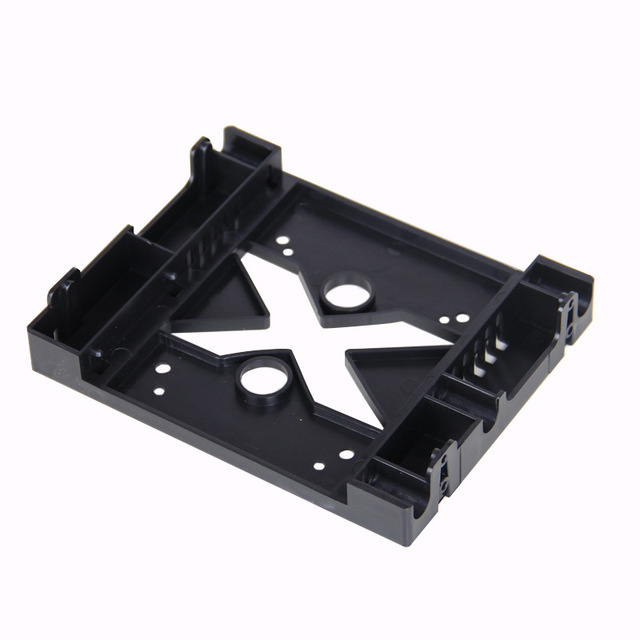
5.25 Optical Drive Position 3.5 Inch to 2.5 Inch SSD HDD Mounting Fan Adapter Bracket Dock Hard Drive Holder SSD Tray
 Shenzhen Cooyear Technology Co., Ltd.🇨🇳CN16 yrs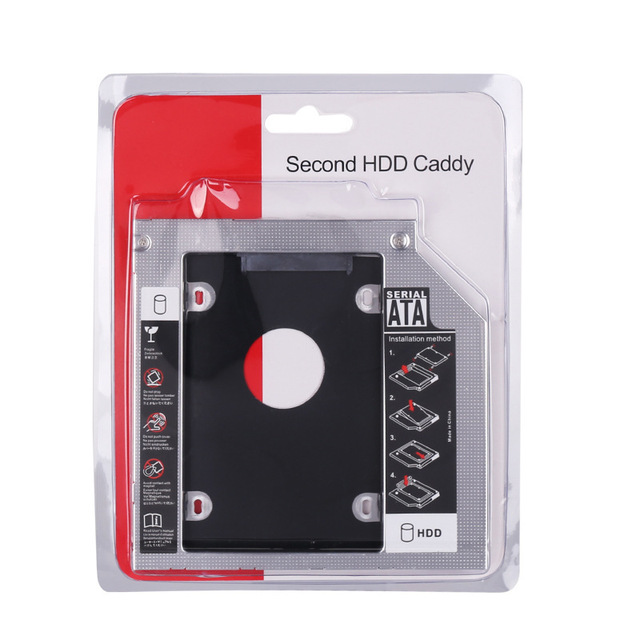
Universal SATA to SATA 2nd HDD Caddy 9.5mm 12.5mm for 2.5" SSD Case Hard Disk Drive Enclosure for Laptop ODD Optibay Optical Bay
Deep Dive · Full Report
Full Market Report
1 document · Live-fetched from source
Related Searches
Explore more sourcing topics & related categories
Sources & References
13 sources cited · Verified industry data & reports
2.5 drive bay | Newegg.com
www.newegg.com
If you are a seller and want to participate in this program click here to learn more. Dual Bay 3.5" + 2.5" Inch SATA III Hard Drive HDD & SSD Tray Caddy Internal Mobile Rack Enclosure Docking Station with USB 3.0 Port Hot Swap ... This product is sold direct from the manufacturer. ... Specifications: RoHS Compliance: Yes Standard Drive Bays: 3 x 3.5" Hotswap 2 x 5.25" Drives Hotswap HDD Type: 2.5" & 3.5" SAS I/II/III & SATA I/II/III Indicators: Power, HDD, fan, and high temperature Material of Front Bezel: Aluminum Material of Handle: Aluminum Material of Main Chassis: Aluminum Design with Conductive Dissipation Grooves Color of Main Chassis: Black Package Content: SATA Cable Included (3pcs) Cooling Fan: 1 x 70mm Dimensions: 3.39" x 5.75" x 8.22" ICY DOCK ToughArmor MB994SP-4S 4x 2.5 inch Hard Drive/SSD in 1x 5.25 inch Bay SAS/SATA Hot Swap Mobile Rack Cage (Black) ... Specifications: Product Sub Category: SATA Interface Form Factor: 3.5" Interface: SATA / SAS Interface Trayless Design: Trayless Design Supported HDD Size: 2 x 2.5" HDD / SSD (Support SATA-I, II & III and each drive thickness up to 9.5mm) Hot-Swappable: Hot-Swappable Cage Color: Black Material: Aluminum Cage & Front Bezel Power Connector: 1 x SATA 15PIN HDD Connection: 2 x SATA 7PIN Transfer Rate: Up to 6Gb/s RoHS Ready: RoHS Ready Door & Lock: Metal key lock on each drive bezel Dimension: 1.00" x 4.00" x 5.75" Weight: 1.00 lbs. This product is sold direct from the manufacturer. ... Specifications: Standard Drive Bays: 2 x Hotswap 2.5", 1 x 3.5" Drives Hotswap HDD Type: 2.5" SATA I/II/III Indicators: Power and HDD access Security: Key Lock Material of Main Chassis: Aluminum Color of Main Chassis: Black Dimensions: 1.00" x 4.00" x 5.74" This product is sold direct from the manufacturer. ... Specifications: RoHS Compliance: Yes Standard Drive Bays: 5 x 3.5" Hotswap 3 x 5.25" Drives Hotswap HDD Type: 2.5" & 3.5" SAS I/II/III & SATA I/II/III Indicators: Power, HDD, fan, and high temperature Material of Front Bezel: Aluminum Material of Handle: Aluminum Material of Main Chassis: Aluminum Design with Conductive Dissipation Grooves Color of Main Chassis: Black Package Content: SATA Cable Included (5pcs) Cooling Fan: 1 x 80mm Dimensions: 4.96" x 5.75" x 8.25"
2.5 drive bay-AliExpress
www.aliexpress.com
It is commonly used in laptops, compact desktops, and external storage enclosures to provide a secure and stable place for installing storage devices. If you're upgrading your laptop or building a compact desktop, understanding the 2.5 drive bay is essential. Here's what you need to know: ... A physical slot in a computer case or enclosure that is specifically designed to fit a 2.5-inch hard drive or SSD. You should also consider the number of bays you need and whether you want a bay that supports both 2.5 and 3.5-inch drives. Measure the available space in your case or enclosure. Determine if you need a single or multi-bay solution. Check if your case supports tool-less mounting or if you need to use screws. Look for bays that offer additional features like cooling or vibration control. Read user reviews to ensure the bay is compatible with your specific case or enclosure. The 2.5 drive bay is a crucial component for users looking to install or upgrade internal or external storage devices in desktop computers or server cases. This article provides a comprehensive overview of the 2.5 drive bay, including its purpose, dimensions, compatibility, and how to choose the right one for your system. This is especially useful when upgrading older systems or building compact, high-performance PCs. Let’s consider a common scenario: You want to install a 2.5-inch SSD in a desktop case that only has 5.25-inch or 3.5-inch drive bays. In this case, a 2.5 drive bay or adapter is necessary to mount the drive securely and connect it to the motherboard.

Amazon.com: 5.25 To 2.5 Drive Bay Adapter
www.amazon.com
Check each product page for other buying options. View or edit your browsing history After viewing product detail pages, look here to find an easy way to navigate back to pages you are interested in.

What Mini ITX Cases Have Built-in Handles? (2024 ...
Alibaba.com
Front mesh blocks 2.5" drive bay access. MAQUY Mini ITX Chassis, Reinforced 2.0 mm steel U-bracket, 7.8, 310, +5.1, Only fits low-profile ...
RGB Controller for PC Guide: How to Choose the Right One
Alibaba
Test physical routing: Internal hubs need space near the PSU or 2.5” drive bay. Measure clearance before ordering—especially in SFF cases ...

What do the different drive bay sizes mean and how does ...
Reddit · r/computers
so they have 2.5" and 3.5 " drive bays on my pc and i wanted to buy a new ssd since i need more space for games, what is there to consider since i couldnt ...