Brands Mainboard

Overview
Product sourcing insights & recommendations
I have analyzed the current market for Mainboards (Motherboards) and compiled a comprehensive report on product and market trends for 2026. The industry is currently dominated by a "Big Four" ecosystem—ASUS, Gigabyte, MSI, and ASRock—controlling roughly 75% of the consumer market.
Key Insights for 2026:
- Market Growth: The market is projected to reach $25.66 billion by 2031, with a 10.38% CAGR driven largely by AI infrastructure rollouts.
- AI Integration: Mainboards are evolving into "AI-ready" platforms, with industrial models now featuring integrated NPUs (Neural Processing Units) for edge-AI applications, while consumer boards use AI for automated overclocking and thermal management.
- Standardization: DDR5 memory and PCIe 5.0 have become the baseline standards, with Intel's LGA-1851 socket driving a mandatory upgrade cycle.
- Shift in Demand: While consumer DIY shipments have faced a correction due to rising system costs (averaging $470 for a mid-tier build), the Mini-ITX and industrial segments are seeing robust growth.
The detailed report below includes full market size forecasts, competitive landscape analysis, and a comparison of the leading hardware platforms for 2026.
Based on these trends, here are your next steps:
Intel Lga 1851 Motherboard Z890 B860
Products · 3 lists
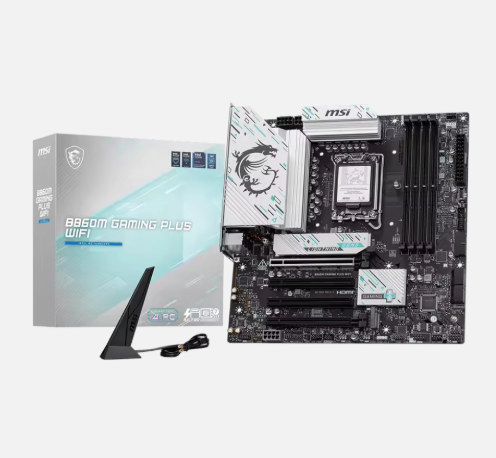
Wholesale B860M GAMING PLUS Wi-Fi7 Motherboard M-ATX 4x DDR5 256G ThunderBolt4 DP 5G LAN LGA1851 Desktop
 Shanghai Greentea International Group🇨🇳CN2 yrs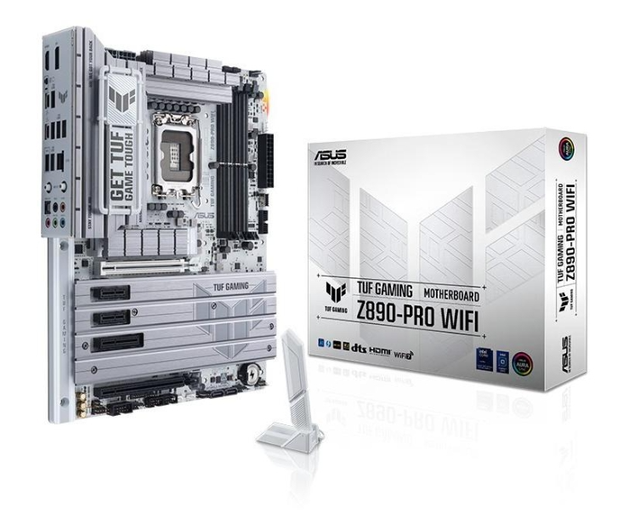
TUF Z890 PRO WIFI DDR5 ATX Desktop Motherboard Intel LGA1851 5G LAN PCIe 5.0 SATA New
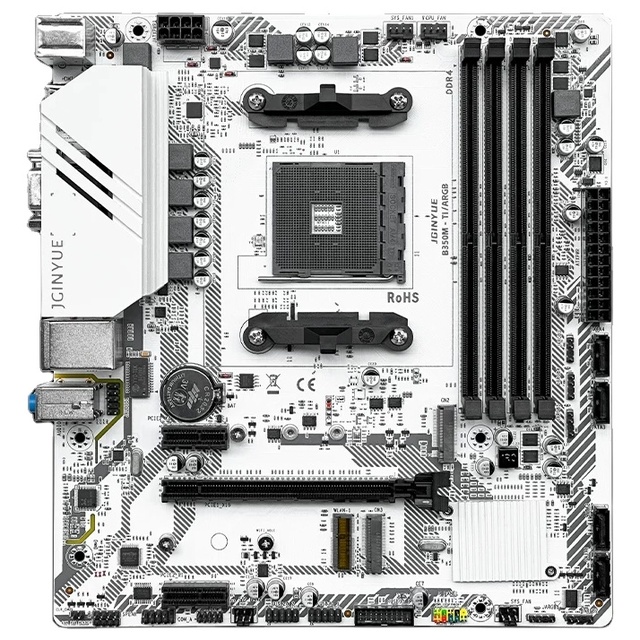
Hot ITX B450 B75 B85 H310 H510 H610 H110 H81 H61 Desktop Motherboard AM4 3 4 6 7 8 9 10th Gen LGA1155 1150 1151 1200 DDR3 DDR4
 Shanghai Fujian Import & Export Co., Ltd.🇨🇳CN3 yrs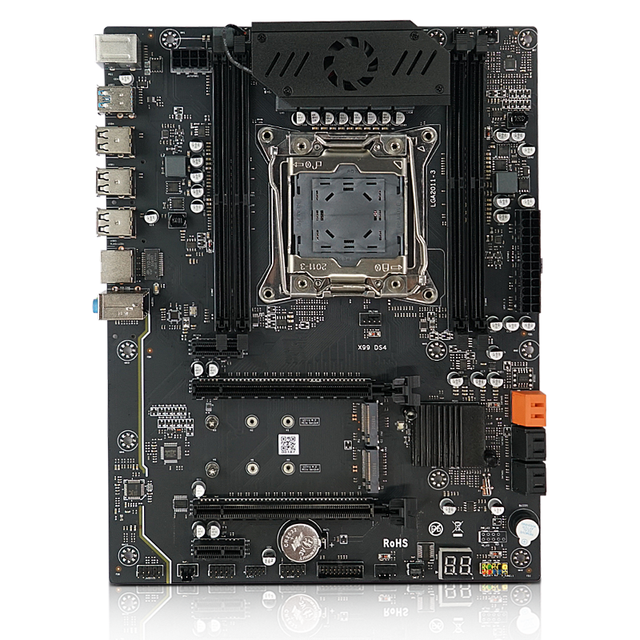
X99 Pc Mother Board Xeon E5 LGA2011-V3 Desktop Mainboard DDR4 DDR4 Four Channels Computer Motherboard
 Shanghai Greentea International Groupverified🇨🇳CN5 yrs
Brands Mainboard Pick #5 (232486)
Deep Dive · Full Report
Full Market Report
1 document · Live-fetched from source
Related Searches
Explore more sourcing topics & related categories
Sources & References
30 sources cited · Verified industry data & reports
Mainboard naming explained - Digitec
www.digitec.ch
Brand: Gigabyte, Asus, MSI - Series: Aorus Elite, TUF, MPG - Chipset: Z790, B550, B650 - Form factor: ATX, mATX, Mini-ITX - Model: Elite, Gaming Plus, Edge - Wi-Fi (the Gigabyte mainboard also offers Wi-Fi, specified with AX in the title) The brand name comes first. More specifically, the company stated manufactures the motherboard and installs the chipsets from Intel or AMD. Besides the three mentioned brands, there are others such as ASRock or Biostar. The series provides information on where the motherboard’s placed in the product portfolio, whether it’s a high- or low-end board. Motherboard names are often cryptic: B650M Pro RS, Prime Z790A or MPG Z490. Read on to discover what’s behind these seemingly jumbled numbers and letters and how you can decode them. Manufacturers like giving their products names that are incomprehensible at first glance. With a little background knowledge, however, they make perfect sense. The names actually reveal which processors a board can accommodate, whether you can overclock it and much more. Motherboard manufacturers don’t use a uniform naming convention. To each their own, as they say. But in truth, most names contain the following information: Brand - Series - Chipset - Form factor - Model - Wi-Fi Where in the product portfolio a specific board is to be classified. - With which processors and RAM it’s compatible. - In which housing it fits.
How to Check What Motherboard You Have | Tom's Hardware
www.tomshardware.com
With your PC on, the easiest way to view your motherboard model is to go to the Start Menu > Windows Tools > System Information, or just type "System Information" into the search bar to bring up the app. ... When it's open, you should be able to see "Baseboard Manufacturer" and "BaseBoard Product," which show the company that made it and the name of the motherboard, respectively. The easiest way to answer that might be to look at the back of your PC and count them. But for a definitive answer that doesn't involve crawling behind your desk, you can also check the specs on the product page of your motherboard. Search for your specific motherboard model name and find the link from the manufacturer's site. And you should read that guide, because doing some of these steps incorrectly can brick your motherboard. But in short, you'll have to navigate to your motherboard's product page (and be sure you are in fact on the exact page for your board), look for a Support link and click on Downloads, then search for the latest BIOS and download it. If building a PC has turned you into a professional hoarder, this is another easy way to go. I like to keep the motherboard box to store manuals and other small accessories. If you still have it, go dig it out to get all the information you could possibly need.
Motherboard - Wikipedia
en.wikipedia.org
Several alternative terms for motherboard have been used in technical documentation and industry practice, including mainboard, system board, logic board, baseboard, and the informal mobo. System board was used by IBM in documentation for the IBM PC and its derivatives; however, higher-end models in the PS/2 line, such as the Model 80, used the term planar instead. Apple commonly uses logic board in its technical documentation for products such as the Apple II and the Mac. A motherboard, also known as a mainboard, system board, logic board, and informally mobo (see "Nomenclature" section), is the main printed circuit board (PCB) in general-purpose computers and other expandable systems. It holds and allows communication between many of the crucial electronic ... A standard, modern ATX motherboard will typically have two or three PCIe x16 slots for a graphics card, one or two legacy PCI slots for various expansion cards, and one or two PCIe x1 slots. A standard EATX motherboard will have two to four PCIe x16 slots for graphics cards, and a varying number of PCI and PCIe x1 slots. It can sometimes also have a PCIe x4 slot (although this will vary between brands and models). Upon power-up, the central processing unit (CPU) would load its program counter with the address of the boot ROM and begin executing instructions from it. These instructions performed a power-on self-test (POST), initialized hardware components, displayed system information, verified random-access memory (RAM), and attempted to locate and load an operating system from a bootable peripheral device.
Fast, reliable computer repairs Australia-wide. Data recovery, ...
www.1300nerdcore.com.au
Call 13 0063 7326 for New Gaming PC, Data Recovery, Business IT Support, Email Account Setup, Virus Removal, Network Computers, Upgrade Computer. With a No Fix No Fee Policy, and open 7days we are the best go to choice for many Australians. Trusted Computer Repairs Specialists & Fast, reliable computer repairs Australia-wide. Top 10 Leading Motherboard Manufacturers in the World In conclusion, having gained a comprehensive understanding of the top players in the motherboard industry, you are now in a position to select a product that not only meets your technical requirements but also offers reliability and performance. Remember to consider factors such as compatibility, features, and brand reputation when making your purchase, as these elements will contribute to the overall functionality and longevity of your computer system. By making a well-informed decision, you can ensure that your PC operates efficiently and effectively for years to come. When it comes to CPU mainboards, Intel is a reliable choice known for its robust performance and unwavering intensity. The motherboard components produced by Intel are not only highly dependable but also adhere to strict standards, ensuring precision and quality in every component. 2 With a revenue of US$79.02 billion in 2021, Intel has established itself as a powerhouse in the technology sector. The brand's roots trace back to its founding in July 1968 in the United States, with its headquarters located in Santa Clara, California.
Find Your Motherboard Brand and Model | TechSpot
www.techspot.com
It will show you find more information than what Windows offers, but an added bonus is that it displays the temperatures of your different components. You can download Speccy here. If you want to go old school, you can always find out your motherboard model via the command prompt using the Windows instrumentation Command-line (WMIC). Open the command prompt, then type: wmic baseboard get product,manufacturer,version,serialnumber Another excellent piece of software for identifying your motherboard model while also offering a host of other information is Belarc Advisor. Like CPU-Z, it analyzes a system to build a profile of your installed hardware but also includes a summary of your system's software. Probably the quickest and easiest way to discover your motherboard model is by using Windows' System Information utility. In Windows 10 you can access this menu by going to Start, typing "System Information" and running the application.
Product Identity, Product Name, and Brand - Marie Gale
www.mariegale.com
They inform your customer about the product, its maker, and why they should purchase it. That’s why it’s so important to understand the difference between product identity, product name, company name, and brand—which ones are required and how they work together on your label. Your brand is how customers recognize your products. It’s a unique name and, usually, a logo. These are items that can (and should be) trademarked to protect them. The brand is a unique and particular type of thing, separate from others of the same type. Nike® brand of shoes. Unilever. Brands: Dove, Suave, TRESemme, Ponds, etc. Product identity is a required labeling element. Identity tells customers what the product is, the product name tells them which one it is, and the brand tells them who made it.