Macbook Air A1237 Hard Drive

Overview
Product sourcing insights & recommendations
The MacBook Air A1237, the original first-generation MacBook Air, uses a highly specific and now-obsolete storage interface that significantly impacts its upgrade options in 2026.
Technical Product Insights
The storage configuration for the A1237 is distinct from all subsequent MacBook Air models:
- Interface Type: 40-pin ZIF (Zero Insertion Force) PATA/IDE connector IfixitEverymac.
- Form Factor: 1.8-inch wide drive with a maximum height of 5mm Everymac.
- Compatibility Note: This model is not compatible with the SATA or NVMe drives found in later models (A1304 and beyond) EverymacEverymac.
Market Trends & Sourcing (2026)
- Legacy Scarcity: Original ZIF-based mechanical hard drives (HDDs) and native ZIF SSDs are largely out of production. The market has shifted toward mSATA-to-ZIF adapters as the primary solution for keeping these vintage machines operational SsdbuddySsdbuddy.
- Cost-Effective Upgrades: In 2026, sourcing an adapter paired with a standard mSATA SSD is significantly cheaper and more reliable than finding a "new old stock" native ZIF drive. B2B options for these adapters are available for under $5/piece AlibabaAlibaba.
- Refurbishment Demand: There is a niche but steady market for upgrading these "vintage" devices to extend their lifespan, driven by sustainability trends and collectors Ssdbuddy.
Replacement Guidance
Replacing the drive is considered moderately difficult as it requires removing the bottom case and the entire battery to access the ZIF connector Ifixit.
- 1Remove 10 bottom screws and 9 internal battery screws.
- 2Carefully flip the ZIF locking tab and slide the ribbon cable into the new drive or adapter.
- 3Reuse the original rubber bumpers to prevent internal movement IfixitEverymac.
The following images represent the common adapter solutions and vintage MacBook Air components:
Based on these findings, you can continue with:
Msata To Zif Adapter 1.8 Inch
Products · Top picks & verified manufacturers
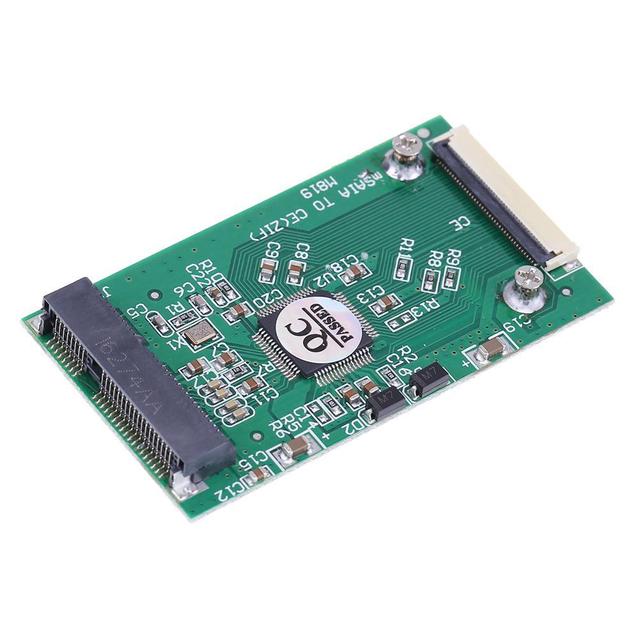
msata to CE ZIF interface adapter card: 1.8-inch SSD hard drive to CE msata to ZIF 40-pin
 Shenzhen Chuangyida Electronics Co., Limited🇨🇳CN6 yrs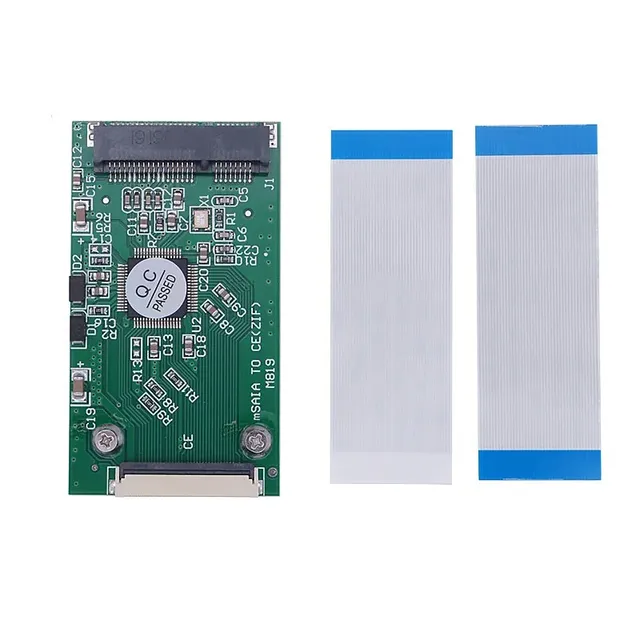
MSATA SSD to CE ZIF Adapter Mini PCI-E MSATA SSD to 40Pin 1.8" CE (ZIF) Converter Card for IPOD IPAD for Toshiba for Hitachi HDD
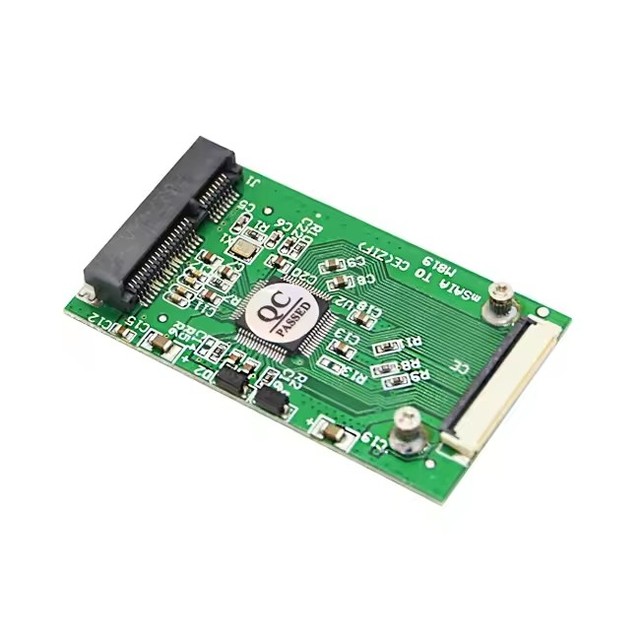
52pin Mini SATA MSATA PCI-E SSD to 40pin 1.8 Inch ZIF CE Converter Adapter Card
 Shenzhen Forever Electronic Technology Co., Ltd.🇨🇳CN12 yrs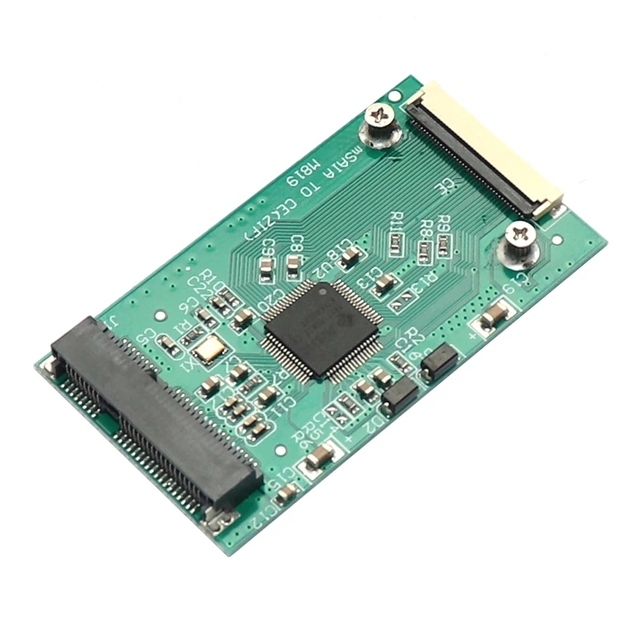
Mini PCI-E mSATA SSD to 40pin ZIF CE Cable Adapter Card zif msata 1.8 inch SSD adapter For IPOD IPAD for Toshiba for Hitachi HDD
 Shenzhen Forever Electronic Technology Co., Ltd.🇨🇳CN7 yrs
1.8 -inch Msata to CE | ZIF Interface Card | 1.8 Inches Round of CE Msata SSD ZIF
 Shenzhen Ruised Technology Co., Ltd.🇨🇳CN9 yrs
Related Searches
Explore more sourcing topics & related categories
Sources & References
19 sources cited · Verified industry data & reports
MacBook Air Models A1237 and A1304 Hard Drive Replacement - iFixit ...
www.ifixit.com
If you have the original MacBook Air (A1237), use a spudger or your thumbs to flip up the ribbon cable retaining flap TOWARD the cable (seen in picture 1).
How to Upgrade MacBook Air Hard Drive (Original/2008 ...
everymac.com
If you're not sure if you have a original, "Late 2008" or "Mid-2009" MacBook Air, these models can be differentiated externally by Model Number (which is visible on the bottom in tiny text toward the hinge). Accordingly, EveryMac.com has hand documented that the original MacBook Air models are Model Number A1237 and the "Late 2008 and "Mid-2009" models -- which support the same type of storage -- are Model Number A1304. This Q&A covers the original, Late 2008, and Mid-2009 MacBook Air models (A1237, A1304).
MacBook Air Hard Drive Replacement - CPR Cell Phone Repair
www.cellphonerepair.com
Apple no longer supports replacing hard drives in its newer laptops ...
www.quora.com
macbook air a1237 hard drive products for sale | eBay
www.ebay.com
The Best External Hard Drives and SSDs We've Tested for Mac in ...
www.pcmag.com
June 2, 2026: With this update, we replaced the Crucial X9 Pro, which is unavailable, with the Crucial X10 as the Best General-Use External SSD for Mac. The rest of our picks have been vetted for availability and currency. Because of the ongoing memory shortage, many of the SSDs mentioned here are now significantly more expensive than when we reviewed them.