Rom Keyboard

Overview
Product sourcing insights & recommendations
I have conducted a comprehensive analysis of the "ROM keyboard" phrase, which has seen a significant search volume spike in mid-2026. The term encompasses two distinct market tracks: the historical software compatibility for physical mobile keyboards and the modern trend of programmable hardware firmware (QMK/ZMK) stored in on-device memory. The mechanical keyboard market is currently valued at $2.66 Billion, with emerging 2026 trends focusing on AI-enhanced firmware and "Open ROM" productivity handhelds.
The attached report provides a detailed breakdown of these market insights, technological shifts, and a selection of relevant B2B products and suppliers.
I have analyzed the current market trends for "ROM keyboards" and provided a detailed report. Based on these findings, would you like to:
Retro Rom Keyboard
Products · 2 lists

Retro Mechanical Keyboard with Round Keycaps PBT Keycaps Metal Panel Wired USB Gaming Keyboard for Computer Laptop Office
 Shenzhen Onemyga Technology Co., Ltd.🇨🇳CN8 yrs
8BitDo Retro87 Mechanical Keyboard Features Retro Style Green Translucent Keyboard Equipped With Large Keys.
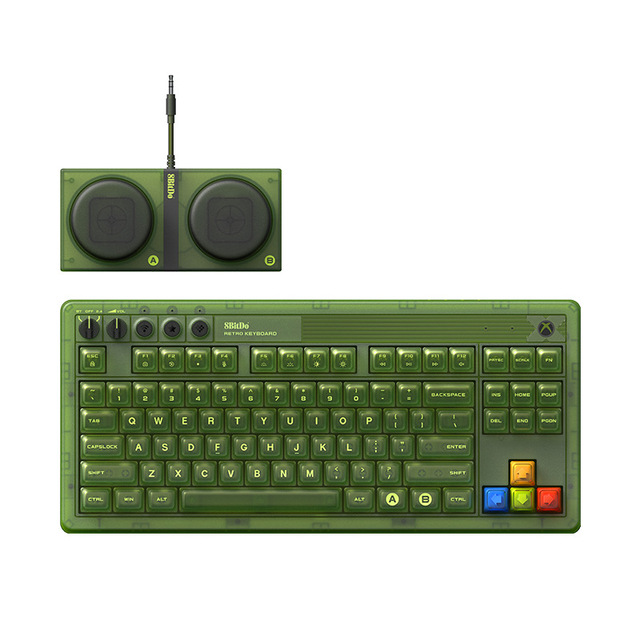
Equipped With Large Keys 8BitDo Retro87 Mechanical Keyboard Features Retro Style Green Translucent Keyboard
 Shenzhen Rayforandy Technology Co.,Ltd.🇨🇳CN5 yrs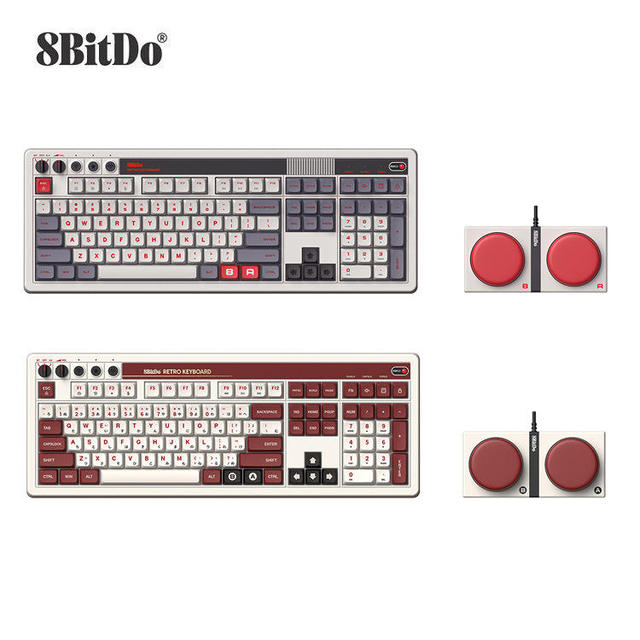
8bitdo Retro 108 Mechanical Keyboard For Xboxes Edition
 Shenzhen Hongtu Zhanfei Technology Co., Ltd.🇨🇳CN7 yrs
8BitDo Retro 108 Mechanical Keyboard for Xboxes Edition
 Xian Brivic Electronics Technology Co., Ltd.🇨🇳CN6 yrs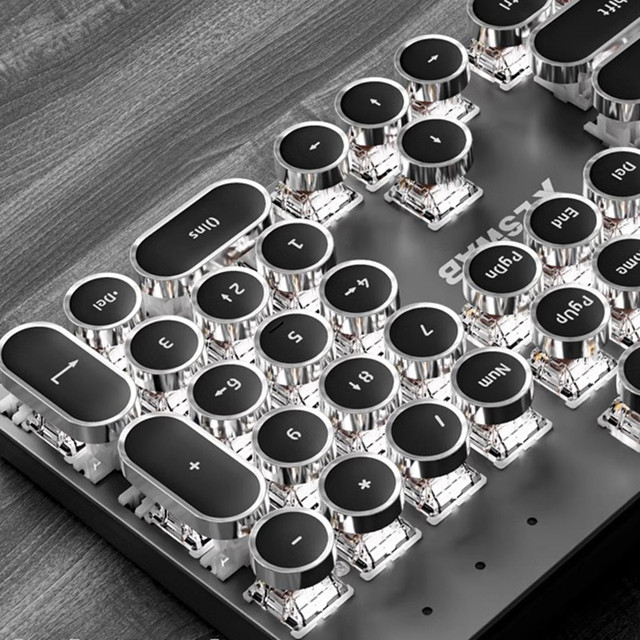
Retro Punk Style E104 Wired/Wireless Mechanical Keyboard Set White/Rainbow Light Keyboard Mini Portable Gaming Keyboard
 Dongguan Jinyuteng Hardware Technology Co., Ltd.🇨🇳CN7 yrs
Retro Punk Keyboard Typewriter BT Mechanical Wireless Keyboard Punk Keycaps for Mobile Phone Tablet EXW Retro Punk Keyboard
 Shenzhen Xuderong Technology Co., Ltd.🇨🇳CN8 yrs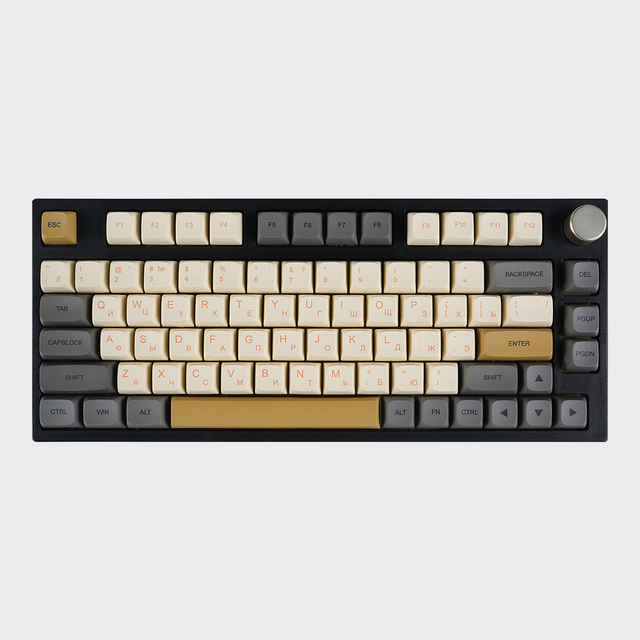
MATHEW TECH MK80 Mechanical Keyboard 75 Percent Layout 80Keys Mechanical Keyboard Tri Mode Retro Mechanical Keyboard RGB
 Shenzhen Mathew Technology Limitedverified🇨🇳CN4 yrs
MATHEW TECH MK80 Mechanical Keyboard 75 Percent Layout 80Keys Mechanical Keyboard Tri Mode Retro Mechanical Keyboard RGB

DK100 New Membrane 87 Keys RGB Backlit USB 2.0 Laptop Multimedia Keys Retro Wired Punk ABS Material Gaming Keyboard
Deep Dive · Full Report
Full Market Report
1 document · Live-fetched from source
Related Searches
Explore more sourcing topics & related categories
Sources & References
27 sources cited · Verified industry data & reports
Read-only memory - Wikipedia
en.wikipedia.org
CD-R is Write Once Read Many (analogous to PROM), while CD-RW supports erase-rewrite cycles (analogous to EEPROM); both are designed for backwards-compatibility with CD-ROM. Diode matrix ROM, used in small amounts in many computers in the 1960s as well as electronic desk calculators and keyboard encoders for terminals. Today, many of these "read-only" memories – especially the BIOS/UEFI – are often replaced with EEPROM or Flash memory (see below), to permit in-place reprogramming should the need for a firmware upgrade arise. However, simple and mature sub-systems (such as the keyboard or some communication controllers in the integrated circuits on the main board, for example) may employ mask ROM or OTP (one-time programmable). Read-only memory (ROM) is a form of non-volatile memory used in computers and other electronic devices. Data stored in ROM cannot be electronically modified after the manufacture of the memory device. Read-only memory is useful for storing software that is rarely changed during the life of the system, also known as firmware. Floating-gate ROM semiconductor memory in the form of erasable programmable read-only memory (EPROM), electrically erasable programmable read-only memory (EEPROM) and flash memory can be erased and re-programmed. But usually, this can only be done at relatively slow speeds, may require special equipment to achieve, and is typically only possible a certain number of times. For example, users modifying or replacing the Android operating system describe files containing a modified or replacement operating system as "custom ROM" after the type of storage the file used to be written to, and they may distinguish between ROM (where software and data is stored, usually flash memory) and RAM.
What is Computer | RAM , ROM , CPU, Keyboard , Mouse ...
www.mobileneews.in
r/RetroPie on Reddit: Using a Keyboard to control ROMs
www.reddit.com
I have setup emulationstation and intalled the ROMs fine, I can navigate through emulationstation fine with my keyboard and launch into the ROMs… Posted by u/optimus235711131719 - 2 votes and 2 comments And can I config the keyboard individually to each emulator? Thank for any insight you can provide. ... I had a similar issue before getting a controller and found out that the arrow keys, enter and shift (start, select), z and x (a, b) are the default buttons for retroarch. I accidentally ruined normal keyboards forever. ... I've made upgrades! Now have a keyboard anywhere in the game...
Apple IIe Keyboard (ROM?) woes... | Applefritter
www.applefritter.com
I then pulled the ROM and booted without it.... the behavior of the machine was the same, with or without the keyboard ROM. I checked that a couple of times and, yes, I could control-reset to BASIC, but that was about it.... sometimes I'd get a cursor, sometimes repeating characters. Although I have not done a complete diagnostic check (resistors and other mobo items), I am feeling pretty keen on getting a new ROM in there and seeing if that is the obvious fix to everything before doing an exhaustive look at everything and pulling down schematics and all of that. It could be the ROM or it could be the AY-5-3600-PRO. The former can be replaced with an EPROM. The latter is unobtanium in its original form other than pulls from other motherboards. Even if you see an AY-5-3600-PRO on eBay or Aliexpress, etc... Unless they say it came out of a //e and it has been tested to work, don't waste your money. These chips had to be factory programmed to work with the right key matrix and switching options, and any keyboard not programmed right just won't work correctly. The "C" version usually are pretty dependable to work like 27C16 and 27C32. You probably also want a UV eraser, and those aren't too expensive either. ... You can easily test if the problem is the keyboard ROM by simply replacing it with any other 2716 chip that is not empty. The horizontal lines on the screen on subsequent (warm) powerups are indicative of RAM persistence, that is, RAM that is holding fragments of its own memory after power-down. It's common on old machines, and sometimes rectifies itself with regular use and long periods of power-up time. It's also easy to alleviate, by booting up with the open-apple key pressed - a combination that (on the enhanced IIe anyway) clears the RAM completely on powerup, allowing smooth booting. The stuff with the keyboard ROM is weird, though, but may be related to the RAM issue.
What Is ROM? (With Definition, Types, and Advantages) | Indeed.com ...
ca.indeed.com
Learn what is ROM, understand the different types of ROM, find out its uses and applications in hardware, and analyze the advantages and disadvantages of ROM. Quick answer:ROM (Read-Only Memory) is a non-volatile storage medium that permanently stores firmware and startup instructions used by hardware—such as a computer’s BIOS—to boot systems and communicate between components. Some ROM types are programmable or erasable while others are fixed at manufacture.In personal computers and other electronic devices, read-only memory (ROM) is a type of storage medium for permanently storing data. ROM communicates between various components of the hardware. You can only read the data from ROM but cannot make changes to it. In this article, we discuss what is ROM and its types, understand the applications of ROM, find out its advantages and disadvantages, and examine how it's different from random-access memory (RAM).
Inside the Keyboard - How Computer Keyboards Work | HowStuffWorks
computer.howstuffworks.com
When the processor finds a circuit that is closed, it compares the location of that circuit on the key matrix to the character map in its read-only memory (ROM). A character map is basically a comparison chart or lookup table. It tells the processor the position of each key in the matrix and what each keystroke or combination of keystrokes represents. The key matrix is a grid of circuits underneath the keys. In all keyboards (except for capacitive models, which we'll discuss in the next section), each circuit is broken at a point below each key. When you press a key, it presses a switch, completing the circuit and allowing a tiny amount of current to flow through. A computer can also use separate character maps, overriding the one found in the keyboard. This can be useful if a person is typing in a language that uses letters that don't have English equivalents on a keyboard with English letters. People can also set their computers to interpret their keystrokes as though they were typing on a Dvorak keyboard even though their actual keys are arranged in a QWERTY layout. A keyboard is a lot like a miniature computer. It has its own processor and circuitry that carries information to and from that processor.