Yoga Touchscreen Working

Overview
Product sourcing insights & recommendations


The phrase "Yoga touchscreen working" refers to both the 2-in-1 convertible functionality of Lenovo's Yoga series and the common troubleshooting and repair ecosystem surrounding these devices. As of 2026, the market is shifting towards "Premiumization," where high-end touchscreen features like OLED panels and AI-optimized sensors are becoming standard in mid-market devices Alibaba.
Market Trends & Insights (2026)
* AI PC Dominance: Modern touchscreen laptops are increasingly integrated with NPUs (Neural Processing Units), enabling touch-optimized AI workflows like real-time gesture refinement and predictive palm rejection AlibabaNewegg.
* Reduced "Battery Tax": Efficiency improvements in digitizer controllers have reduced the power consumption of touchscreens to just 5–10% compared to non-touch models, making them more viable for long-range work Newegg.
* Dual-Screen Growth: The 2-in-1 market is expanding into dual-screen OLED form factors, projected to grow at a 10.4% CAGR through 2033 Alibaba.
* Premium Trickle-Down: Features like 120Hz refresh rates and anti-reflective coatings are now standard in mid-range "Yoga-style" convertibles to combat outdoor glare Newegg.
Product & Sourcing Insights
The B2B market offers a wide range of "Yoga-style" 360° flip laptops and replacement parts for maintenance:
* Yoga-Style Laptops: Prices for 14-inch convertible touchscreens typically range from $280 to $320 for bulk orders, featuring 360-degree hinges and Windows 11 compatibility AlibabaAlibaba.
* Replacement Parts: The maintenance market is robust, with replacement digitizers and LCD assemblies for various Yoga generations ranging from $20 to $110, indicating a strong secondary repair market for these devices AlibabaAlibaba.
Common Troubleshooting ("Working" Context)
Users frequently search for "touchscreen working" due to software-hardware disconnects. Common fixes identified in market discussions include:
- 1Driver Management: Re-enabling "Human Interface Devices" (HID) in Device Manager Justanswer.
- 2Calibration: Using the Windows Control Panel to reset touch sensitivity after system updates Indirepair.
- 3Hardware Reset: Performing a static discharge or "system restart" to reset the digitizer hardware Lenovo.
Based on your interest in Yoga-style touchscreens, you can continue with:
Touchscreen 2 In 1 Convertible Laptop Yoga Style
Products · 2 lists
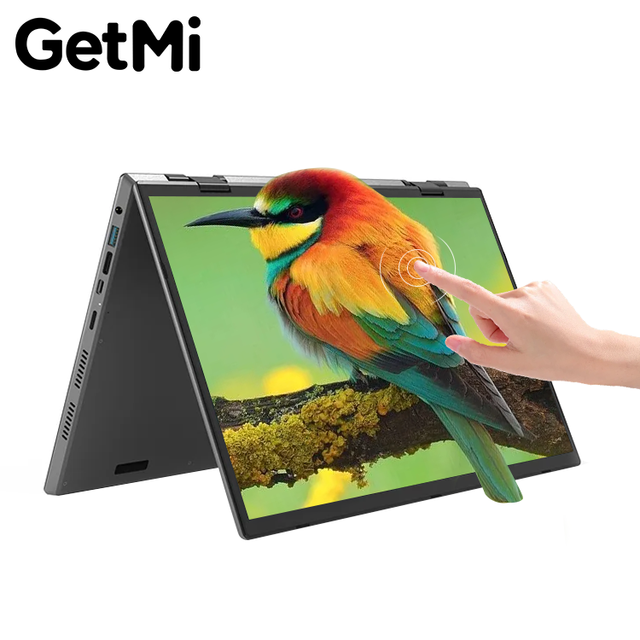
2-in-1 360-Degree Flip Yoga Convertible Laptop 14'' Touchscreen 8GB DDR4 RAM Windows 10 SSD Storage IPS Panel
 Shenzhen Great Asia Electronic Co., Ltd.verified🇨🇳CN10 yrs
Wholesale 11.6 Inch Touch Screen Laptops Intel A3950 Yoga Style 360 Degree Rotating 2 in 1 Convertible 6GB Education Netbooks
 Di Xiang Industrial (shenzhen) Co., Ltd.verified🇨🇳CN4 yrs
11.6 Inch Laptop 360 Rotating Touch Screen 6GB Memory 128GB SSD FHD IPS Display Quad Core N4020 Thin and Light Weight
 Shenzhen Weiboer Digital Co., Ltd.🇨🇳CN7 yrs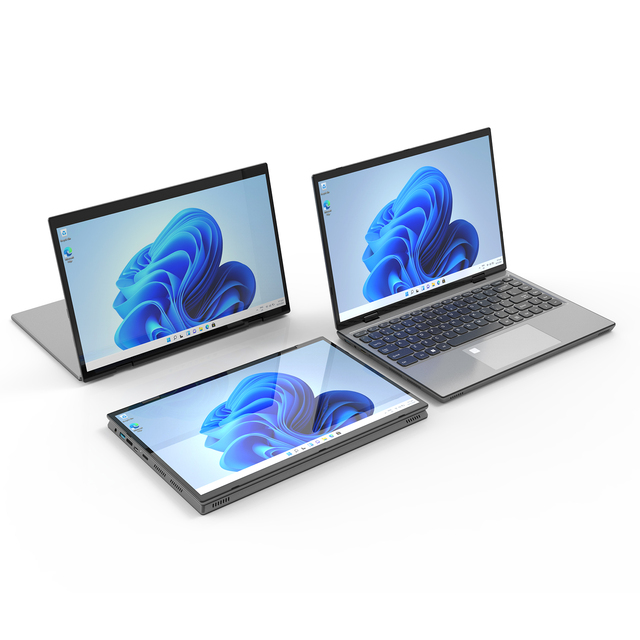
2-in-1 Convertible Yoga Laptop with 14-inch Touch Screen 360 Degree Flip 16GB RAM DDR4 Win11 Intel Processor 512GB Hard Drive
 Shenzhen Great Asia Electronic Co., Ltd.verified🇨🇳CN15 yrs
2-in-1 Convertible Yoga Laptop with 14-inch Touch Screen 360 Degree Flip 16GB RAM DDR4 Win11 Intel Processor 512GB Hard Drive
Related Searches
Explore more sourcing topics & related categories
Sources & References
22 sources cited · Verified industry data & reports
Lenovo Yoga 7i review: A long-lasting 2-in-1 with tradeoffs
PCWorld
Long battery life Large, flexible touchscreen Pleasing metal Construction Respectable speed for everyday computing Cons Low-quality display ...
Cohesive Review: 1 Month of Owning a Lenovo Yoga 7 14 ...
Reddit · r/Lenovo
I do enjoy the keyboard on my device, although it has been a little bit of an adjustment from what I'm used to. I don't feel like the keyboard ...

Yoga Laptops, 2-in-1s, and All-in-One PCs | Lenovo US
Lenovo
360° convertible design for effortless switching between four versatile modes AMD RyzenTM AI 400 Series processors. Quick Keys are conveniently placed

Lenovo Yoga 500 14 (Flex 3 14) review - a well priced ...
Ultrabookreview.com
It gets Skylake hardware, a FHD IPS touchscreen, a nice bakclit keyboard and it's well built and good looking. Price when reviewed: $549-$749

Lenovo Yoga 2-in-1 13.3" Touch-Screen Laptop, 512GB ...
Amazon.com
13.3" display; 8GB memory; 256GB solid state drive; fingerprint reader; touch screen; DVD/CD drive not included 1080p Native Resolution

Lenovo Yoga 7i 2-in-1 16 (2025) review
Laptop Mag
The Yoga offers good speakers, solid battery life, a relatively affordable price tag, and integrated graphics that perform much better than I expected.