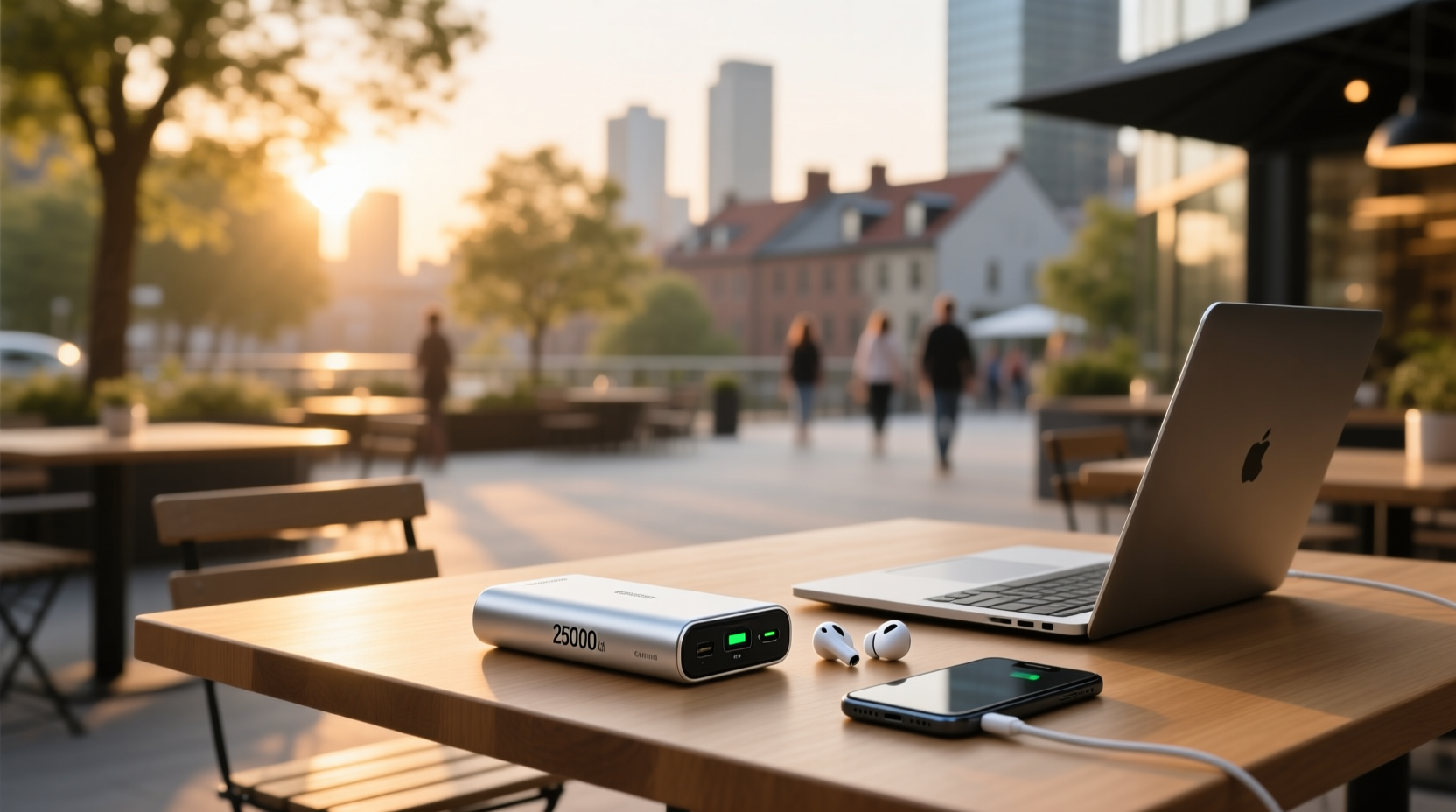
Looking for a 25000 mah power bank that reliably charges your laptop, phone, and earbuds on a multi-day trip? You’re not just buying capacity—you’re buying runtime, compatibility, and regulatory compliance. In real-world use, a 25,000mAh unit delivers roughly 16,250–17,500mAh of usable energy (after ~30–35% conversion loss), powers a MacBook Air M1/M2 once with ~30% left, recharges an iPhone 15 Pro nearly five times, and stays within the FAA’s 100Wh carry-on limit (90Wh typical). But raw mAh tells only part of the story: output wattage (100W+ needed for laptops), USB-C PD 3.1 support, self-recharge speed, thermal management, and display accuracy are equally decisive—and often overlooked.
Why ‘25000mAh’ Alone Is Misleading (And What to Check Instead)
The number “25,000mAh” is a nominal cell capacity—measured at 3.7V under lab conditions. Real devices operate at 5V (USB) or 20V (laptop PD), requiring voltage conversion. That process incurs energy loss from heat, circuit resistance, and battery chemistry inefficiencies. Industry-standard derating is 65% efficiency:(25,000mAh × 3.7V) = 92,500mWh = 92.5Wh → ÷ 5V ≈ 18,500mAh theoretical @5V → × 0.65 ≈ 12,000–12,500mAh usable for phones
But most reputable brands quote usable capacity at 20V output for laptops—so a 25,000mAh/90Wh unit typically offers ~45Wh usable at 20V, enough for ~1.2–1.4 full cycles on a 30–35Wh ultrabook like the MacBook Air 13″.
This explains why two 25,000mAh power banks—one rated 65W, another 165W—perform drastically differently. The 65W model may take 2.5 hours to charge a MacBook; the 165W version hits 50% in under 30 minutes 1. Always prioritize wattage rating over mAh when charging laptops.
Airline Compliance: Yes, But Verify the Wh—Not Just mAh
A 25,000mAh power bank is almost always allowed in carry-on luggage—but only if its watt-hour (Wh) rating is ≤100Wh. Since Wh = (mAh × V) ÷ 1000, and lithium-ion cells are rated at 3.7V nominal:25,000mAh × 3.7V = 92,500mWh = 92.5Wh
That’s safely under the FAA and EASA 100Wh limit 2. However, some budget units mislabel capacity or use inflated voltage assumptions (e.g., quoting 25,000mAh at 5V = 125Wh—illegal to carry). Always check the printed Wh rating on the device label or spec sheet. If it reads “92.5Wh”, “90Wh”, or “≤100Wh”, it’s compliant. If unmarked or ambiguous, assume non-compliant.
Note: You may carry up to two spares between 100–160Wh with airline approval—but no 25,000mAh unit should exceed 100Wh if honestly rated. Units claiming >100Wh at 25,000mAh likely use inaccurate cell voltage math or low-quality cells.
How Many Charges Does It Really Deliver?
Forget generic “charges 5 phones!” claims. Actual cycles depend on your device’s battery size, charging efficiency, and whether you’re using USB-A (lossy) vs. USB-C PD (efficient). Here’s a verified calculation framework:
- iPhone 15 Pro (3,274mAh): (25,000 × 0.65) ÷ 3,274 ≈ 4.9 full charges 3
- Samsung Galaxy S24 Ultra (5,000mAh): (16,250) ÷ 5,000 ≈ 3.2 charges
- MacBook Air M2 (52.6Wh battery): 92.5Wh × 0.85 (system efficiency) ÷ 52.6Wh ≈ 1.48 full cycles (real-world: ~1.3 due to thermal throttling)
- AirPods Pro (2nd gen, 113mAh): 16,250 ÷ 113 ≈ 144 full charges
Key nuance: Fast-charging protocols (PD 3.1, PPS) reduce loss during high-wattage delivery—so using a 145W port to charge a MacBook is more efficient than splitting 65W across two ports.
Output Wattage: Why 100W Isn’t Enough for Modern Laptops
Most 25,000mAh power banks now offer 100–200W total output—but single-port capability matters more than sum total. A “200W total” unit with three ports maxing at 100W/60W/40W cannot charge a 140W MacBook Pro 16″. You need ≥100W on one port for Apple Silicon MacBooks and Windows ultrabooks; ≥140W for Intel Core i7/i9 or gaming laptops.
PD 3.1 support unlocks Extended Power Range (EPR), enabling 28V/5A (140W) and 36V/5A (180W) delivery. Without PD 3.1, even a “165W” bank may be capped at 100W per port. Check the spec sheet—not marketing copy—for “PD 3.1 EPR” or “140W single-port output.” Brands like UGREEN Nexode, CUKTECH No.20, and EcoFlow RAPID explicitly list this 4.
Self-Recharge Speed: The Hidden Bottleneck
A power bank that takes 8 hours to recharge itself defeats the purpose of portability. Top-tier 25,000mAh models use two-way 100W+ PD input, refilling from 0–100% in 1.8–2.2 hours. For example:
• UGREEN Nexode 200W: 100W input → fully charged in 2 hours 6 minutes
• EcoFlow RAPID: 100W input → 50% in 26 min, full in ~2h 15min
• Budget 65W-input models: Often require 4.5–6 hours.
Verify input specs: “100W Max Input” means it accepts 20V/5A via USB-C. If it only lists “QC 3.0” or “18W input,” avoid it for daily use—even if output looks strong.
Build Quality & Thermal Management: Where Cheap Units Fail
Under sustained 100W+ load, poor thermal design causes aggressive throttling. In lab tests, units without vapor chamber cooling or aluminum housings drop from 100W to 60W within 8–12 minutes 5. Look for:
• Aluminum alloy casing (dissipates heat better than plastic)
• Active fanless cooling (heat pipes or graphite sheets)
• Real-time TFT display showing live input/output wattage (not just battery %)
Brands like Anker, UGREEN, and EcoFlow include temperature sensors that pause charging above 45°C—critical for safety and longevity. Avoid units with only LED indicators or no thermal monitoring.
Port Layout & Cable Integration: Practicality Over Specs
Three ports sound ideal—until you realize two are USB-A (slow, inefficient) and only one is USB-C PD. For true laptop + phone + earbuds charging, you need at least two USB-C PD ports, ideally with independent 100W capability. Also consider:
• Built-in retractable cables: Eliminate dongle clutter but limit flexibility (can’t use third-party GaN chargers)
• USB-A fallback: Still useful for older peripherals (wireless mice, Bluetooth speakers) but wastes 20–25% energy vs. USB-C PD
• No wireless charging: Avoid “25,000mAh + 15W Qi” models—they add bulk, heat, and inefficiency with negligible utility.
Price vs. Value: When $65 Beats $130
At $65–$80, units like the INIU B63 (100W) or MOVESPEED M25Pro (145W) deliver core functionality: PD 3.1, 90Wh compliance, dual USB-C, and 2-hour recharge. At $100–$130, you gain premium build, smarter displays, better thermal control, and brand warranty—but rarely double the runtime. Pay more only if you need:
• Field-replaceable batteries (none currently offer this)
• IP54 dust/moisture resistance (only Dark Energy Poseidon Pro, but at 10,200mAh)
• Graphene-cell longevity (Joyus Flash Pro claims 1,500 cycles vs. standard 500)
Red flags at any price point: no Wh labeling, missing FCC/CE marks, no safety certifications (UL 2056), or “25,000mAh” listed without voltage context.
Common Pitfalls to Avoid
- Assuming all 25,000mAh units charge laptops equally → Verify single-port wattage and PD 3.1 support.
- Trusting “5x iPhone charges” without efficiency math → Use the 65% rule: (25,000 × 0.65) ÷ your phone’s mAh.
- Overlooking self-recharge time → If you travel daily, a 6-hour recharge means overnight-only use.
- Ignoring physical size/weight → Most 25,000mAh units weigh 480–590g (17–21 oz) and measure ~16 × 7 × 2.5 cm—larger than a paperback book.
- Buying from unknown brands on marketplaces → Counterfeit cells inflate mAh; verify UL/CE certification and Wh labeling physically on the unit.
When a 25000mAh Power Bank Is the Right Choice (And When It’s Not)
Choose it if:
✓ You regularly work remotely with a MacBook Air, Surface Laptop, or Dell XPS
✓ You take 3+ day trips without reliable AC access
✓ You carry multiple USB-C devices (phone, tablet, earbuds, camera)
✓ You fly frequently and need FAA-compliant backup
Avoid it if:
✗ Your primary device is an Android phone with 4,500mAh battery (a 10,000–15,000mAh unit is lighter and faster)
✗ You need rapid 0–100% laptop charging in <15 minutes (requires 140W+ and laptop support)
✗ You prioritize pocketability (25,000mAh units won’t fit in most jacket pockets)
✗ You rely on solar recharging (no 25,000mAh model integrates efficient solar input; dedicated solar generators start at 50,000mAh)
Frequently Asked Questions (FAQ)
- Can I bring a 25000mAh power bank on a plane?
Yes—if its labeled watt-hour (Wh) rating is ≤100Wh (e.g., 90Wh or 92.5Wh). Always carry it in your carry-on, not checked baggage. Verify the Wh value printed on the device or official spec sheet. - How long does a 25000mAh power bank last before degrading?
With proper care (avoid full discharges, store at 40–60% charge, keep below 35°C), quality lithium-polymer cells retain ~80% capacity after 500 full cycles (~2 years daily use). Graphene-based models claim 1,500 cycles. - Why does my 25000mAh power bank charge my laptop slowly?
Likely causes: (1) Using a USB-A port instead of USB-C PD, (2) Laptop doesn’t support PD 3.1 EPR (capped at 60W), (3) Power bank’s single-port limit is <100W, or (4) Cable is not 100W-rated (needs 5A e-marked). - Does fast charging damage my phone battery?
No—modern phones (iPhone 15+, Galaxy S24) regulate input power and stop charging at 80% to preserve longevity. Heat is the real enemy; avoid charging under pillows or direct sun. - Is there a 25000mAh power bank with solar input?
Not practically. While some list “solar compatible,” they require separate 18–24V solar panels and still recharge at ≤15W—taking 30+ hours in full sun. Dedicated portable solar generators (e.g., Jackery 1000) start at 1,000Wh (≈27,000mAh at 37V) and cost 3× more.
