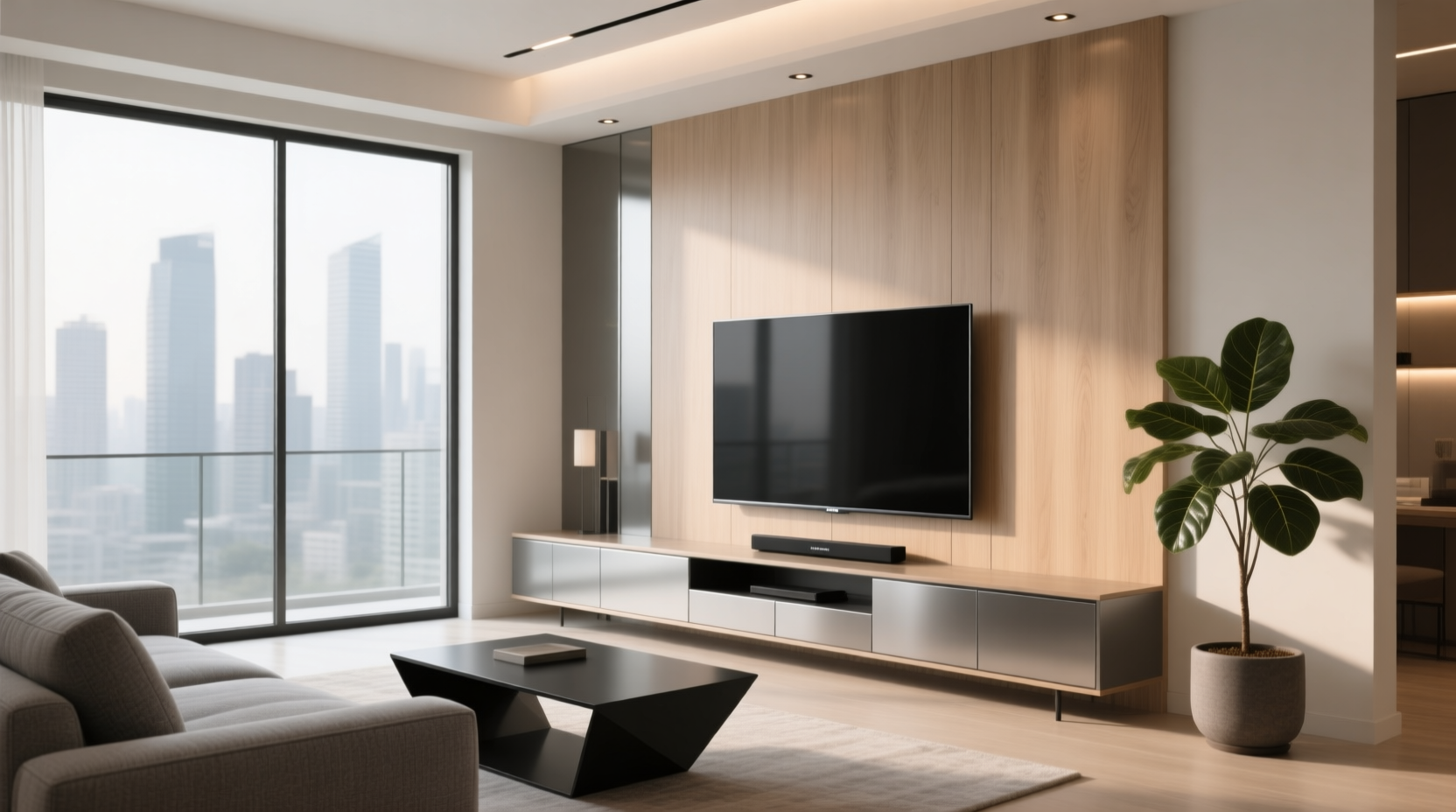
For a 55-inch TV — which measures approximately 47.9 inches wide (diagonal) and 27.2 inches tall — the optimal TV stand width is 50 to 60 inches, with a recommended minimum overhang of 1–3 inches per side for visual balance and safety1. This range ensures full base support, accommodates soundbars or gaming consoles, and prevents tipping risk — especially important if you have children or pets. Stand height should position the TV’s center at seated eye level (typically 42–48 inches from floor), and depth must exceed your TV’s depth plus any rear cable management or ventilation needs. In this guide, we break down every objective specification, real-world compatibility constraint, and frequently misunderstood dimension — so you avoid returns, assembly frustration, or unsafe setups.
Why TV Stand Sizing Matters More Than You Think
A mismatched stand isn’t just an aesthetic issue — it’s a functional and safety concern. A stand narrower than your TV’s footprint creates lateral instability: even minor bumps or uneven flooring can cause wobbling or, in worst cases, toppling. Conversely, a stand significantly wider than needed may overwhelm small living rooms or interfere with adjacent furniture (e.g., sofas, side tables, or walkways). Depth is equally critical: many modern 55-inch TVs are under 3 inches deep, but soundbars, AV receivers, and HDMI cables add bulk. If your stand’s depth is less than 15.75 inches, rear airflow and cable routing become compromised — increasing heat buildup and signal interference risk.
Key Dimensions Explained (With Real-World Benchmarks)
Unlike generic product listings that list only "fits up to 55-inch TVs," reliable sizing requires evaluating three independent measurements: width, height, and depth — each serving a distinct purpose.
📏 Width: The Stability Anchor
Your 55-inch TV has a typical screen width of 47.9 inches (based on 16:9 aspect ratio). However, its actual stand footprint — the width of its built-in legs or base — often ranges from 32 to 44 inches depending on model and bezel design. That’s why relying solely on “TV size” is misleading.
- Minimum safe width: 50 inches — provides ≥1 inch overhang per side for visual symmetry and center-of-gravity margin.
- Ideal width range: 52–58 inches — balances proportion, allows space for accessories (soundbar, streaming box, game console), and avoids wall crowding.
- Avoid: Stands ≤48 inches wide unless explicitly tested and certified for your specific TV model’s leg configuration.
Note: Some ultra-slim or wall-mount-ready TVs have narrow feet (e.g., LG OLED C3: 33.5" foot span; Samsung QN90C: 36.2"), making them compatible with compact stands — but never assume. Always measure your TV’s actual base width before purchase.
📐 Height: Eye-Level Ergonomics & Viewing Comfort
Optimal viewing height places the center of the screen at seated eye level — typically between 42 and 48 inches above the floor for standard sofa seating2. This minimizes neck strain during extended viewing. Most 55-inch TV stands range from 16.5 to 24 inches tall — meaning your TV’s bottom edge will sit 16–24" off the floor, and its center will land at ~30–38" — too low for ergonomic viewing without a riser or adjustable mount.
Two practical solutions:
- Use a riser platform: A solid, non-wobbling 4–6" wood or MDF platform adds height without compromising stability — but verify total load capacity (stand + riser + TV + accessories).
- Choose a tall stand: Models labeled “55-inch tall TV stands” (often mislabeled — they’re usually stands designed for 55-inch TVs, not 55" tall) rarely exceed 30" height. True tall units (≥32") exist but are classified as entertainment centers or media consoles — and require anchoring to wall studs for safety.
⚠️ Warning: Stands over 24" tall without rear wall anchoring increase tip-over risk. U.S. CPSC guidelines require anchoring all furniture >30 inches tall — and recommend it for any unit holding a TV over 40 inches3.
📦 Depth: Ventilation, Cables & Real-World Clearance
Depth determines how far the stand extends into your room — impacting walkway clearance, sofa positioning, and device accessibility. It also governs thermal management and cable organization.
| Stand Depth Range | Typical Use Case | Risk if Too Shallow |
|---|---|---|
| <13.7 inches | Minimalist or corner units; best for very slim TVs (<2" depth) with no rear ports | Cable strain, blocked HDMI/USB ports, overheating of AV gear, no space for power strips |
| 13.7–15.75 inches | Standard fit for most 55" LED/LCD TVs with basic accessories | Tight fit for soundbars >4" deep; limited airflow behind TV |
| 15.75–18.5 inches | Ideal for mixed-use: TV + soundbar + streaming box + cable management | None — widely considered the sweet spot |
| >18.5 inches | Entertainment centers with cabinets, shelves, or built-in lighting | May protrude into walkways; requires ≥36" clearance from sofa |
Measure your TV’s depth *with stand attached*, then add 2–3 inches for cable slack and ventilation. Also check whether your TV’s input panel faces backward (common) or downward (less common, e.g., some TCL models) — this affects required clearance.
Material & Construction: What Holds Up — and What Doesn’t
Not all “55-inch TV stands” support the same weight or longevity. A 55-inch TV weighs between 30 and 55 lbs (LED/LCD) or 45–65 lbs (OLED), depending on brand and features. Add accessories — soundbar (8–15 lbs), AV receiver (10–20 lbs), game console (7–10 lbs), and cables — and total load easily exceeds 70 lbs.
Material comparison:
- Solid wood: Highest durability and weight capacity (≥120 lbs), but heavier to assemble and move; prone to seasonal expansion in dry/humid climates.
- Engineered wood (MDF, particleboard): Most common; cost-effective and stable if 18–22mm thick with reinforced cam-lock joints. Avoid units with <15mm panels or visible gaps at joints.
- Metal frames with wood veneer: Excellent rigidity and heat dissipation; often used in modular or industrial-style stands. Verify weld integrity — weak joints show as visible seams or flex under light pressure.
- Tempered glass: Aesthetic but risky: lacks impact resistance and offers no grip for cables or devices; never use without rubber anti-slip pads underneath.
Always check the manufacturer’s stated maximum static load rating — not just “fits 55-inch TVs.” Reputable brands specify weight capacity per shelf and overall unit. If unspecified, assume ≤60 lbs total unless independently verified.
Assembly & Stability: The Hidden Red Flags
Over 68% of negative reviews for 55-inch TV stands cite “wobbly assembly,” “missing hardware,” or “legs that don’t align” — not aesthetics or finish4. These aren’t minor inconveniences; they indicate structural compromise.
Before buying, inspect product images and descriptions for:
- Pre-drilled, numbered holes: Ensures alignment without guesswork. Unnumbered kits often require drilling or force-fitting — damaging threads or panels.
- Leveling feet: Adjustable screw-type feet compensate for uneven floors — essential for hardwood or tile. Fixed plastic glides increase wobble risk.
- Wall-anchoring hardware included: Not optional. Even low-profile stands benefit from anti-tip straps anchored to wall studs. If not included, budget $8–$12 for a UL-listed furniture anchor kit.
- Weight distribution notes: Some stands list “front-heavy” or “rear-weighted” designs — crucial if placing near high-traffic areas or with young children.
Pro tip: After assembly, perform the “one-finger push test”: apply gentle forward pressure at the top front edge. If the unit rocks more than 1/8 inch or lifts rear feet, it fails basic stability criteria.
Mount Integration: When You Need More Than a Shelf
“55 inch TV stand with mount” is a top-searched modifier — and for good reason. Integrated mounts offer tilt, swivel, or height adjustment, eliminating the need for separate wall mounting or risers. But integration introduces new variables:
- VESA compatibility: Verify your TV’s VESA pattern (e.g., 200×200, 300×300, 400×400 mm) matches the stand’s bracket. Many “universal” mounts only support up to 300×300 — insufficient for larger OLEDs or premium QLEDs.
- Height adjustability range: Look for ≥4 inches of vertical travel. Less than 2 inches offers negligible ergonomic benefit.
- Swivel angle: ≥±15° per side enables comfortable viewing from angled seating — critical in open-plan or L-shaped rooms.
- Weight limit of mount vs. stand: The mount’s rating (e.g., “up to 88 lbs”) must be ≤ the stand’s total load rating. Never assume they’re matched.
If your TV lacks VESA holes (e.g., some older or budget models), integrated mounts won’t work — and third-party adapter plates add complexity and reduce stability.
Style & Functionality Trade-Offs: What You Gain (and Lose)
Modern 55-inch TV stands fall into three functional categories — each with inherent compromises:
🔹 Open-Concept Stands (Shelves Only)
Pros: Max airflow, easy cable access, lightweight, affordable ($45–$95).
Cons: No dust protection, minimal security for remotes/gaming gear, visually busy with exposed wires.
🔹 Cabinet-Based Entertainment Centers
Pros: Concealed storage, acoustic dampening for speakers, polished appearance.
Cons: Reduced ventilation (requires passive vents or active cooling fans), harder cable routing, higher price ($120–$350), deeper footprint.
🔹 Hybrid Designs (Doors + Open Shelving)
Pros: Balanced visibility and concealment; ideal for soundbars (open shelf) + media players (cabinet).
Cons: Complex assembly; hinges and tracks wear over time; fabric bins or soft-close mechanisms degrade faster than solid wood.
Color and finish matter functionally, too: matte black hides dust better than glossy white; textured wood grain masks minor scratches better than smooth laminate.
Regional & Retail Considerations: What’s Actually Available
While online listings suggest wide availability, regional stock and delivery constraints affect real-world access:
- IKEA Lack TV Unit ($59.99): 47.25" wide — technically too narrow for safe 55" TV use per CPSC guidelines. Suitable only with narrow-foot TVs and wall anchoring.
- Home Depot’s Fontana Columbus (58" wide, $87.99): Meets width and depth specs; uses MDF with melamine coating — verified load rating of 85 lbs.
- Wayfair’s Latitude Run series: Multiple 55"–63" options; consistently includes leveling feet and wall anchors — but material thickness varies by color option (white versions sometimes use thinner panels).
Always cross-check dimensions in the product’s spec sheet, not marketing copy. Retailers like Best Buy and Target often list “55-inch TV stand” based on max screen size compatibility — not physical footprint. Confirm actual assembled width, depth, and height in inches — not descriptive terms like “medium” or “full-size.”
3 Common Misconceptions — Debunked
Misconception #1: “If it says ‘fits up to 65-inch TVs,’ it’s automatically safe for my 55-inch.”
False. A stand rated for 65" may be 72" wide — oversized for most living rooms and potentially unstable if not weighted properly. Width-to-TV ratio matters more than upper limit.
Misconception #2: “Fully assembled means ‘no setup required.’”
Not quite. “Fully assembled” usually means the cabinet arrives pre-built — but legs, back panels, or mounting brackets still require attachment. Check assembly instructions before purchase.
Misconception #3: “LED lighting or USB charging makes a stand more functional.”
Only if implemented correctly. Poorly shielded LEDs cause screen glare; undersized USB ports deliver <1A — insufficient for modern streaming sticks or controllers. Prioritize core specs first.
Frequently Asked Questions
- Can I use a 50-inch-wide stand for my 55-inch TV?
No — it falls below the 50-inch minimum recommended width. Your TV’s 47.9" width leaves ≤1.05" overhang per side, increasing tipping risk and violating CPSC-recommended stability margins. - How high should the bottom of my 55-inch TV be from the floor?
Between 22 and 28 inches — ensuring the screen’s center lands at 42–48 inches. Measure from floor to center of your seated eye level first, then subtract half your TV’s height (27.2" ÷ 2 = 13.6"). - Do I need a stand with wheels for a 55-inch TV?
Not recommended. Casters reduce stability and increase vibration transfer — degrading picture quality and audio clarity. Use furniture sliders only for repositioning, not permanent mobility. - Is a fireplace-integrated TV stand safe with a 55-inch TV?
Only if certified for TV placement above fireboxes (UL 127 or UL 1995) and installed per manufacturer clearances. Most electric fireplaces generate surface heat >120°F — unsafe for electronics unless actively cooled and shielded. - What’s the minimum depth for a soundbar-compatible 55-inch TV stand?
15.75 inches — assuming a standard 4–5" deep soundbar and 1–2" cable buffer. Measure your specific soundbar’s depth before finalizing.
