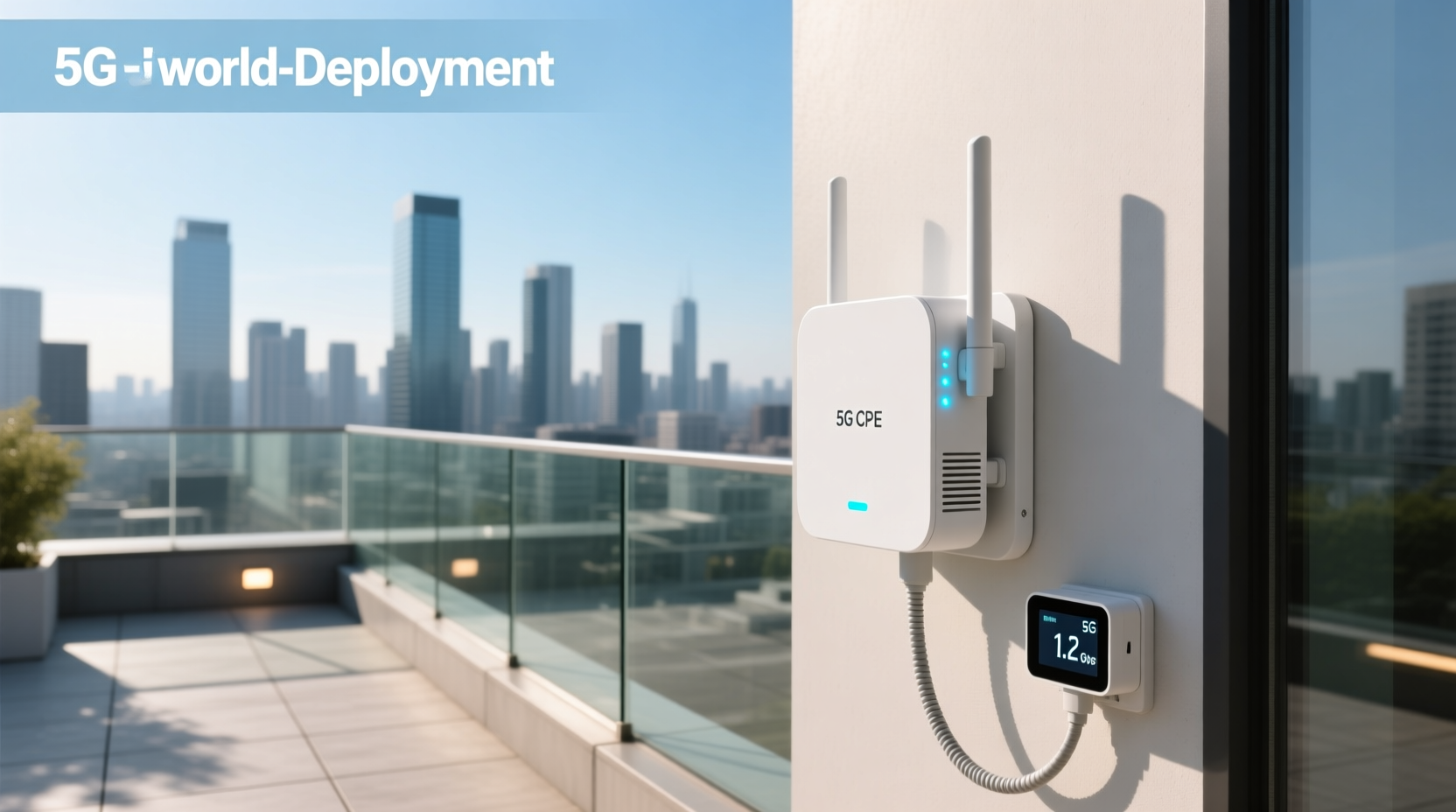
If you’re searching for what is a 5G CPE, here’s the core answer upfront: A 5G Customer Premises Equipment (CPE) is a fixed or portable device that receives 5G cellular signals—via SIM or eSIM—and converts them into usable wired (Ethernet) and wireless (Wi-Fi 6/6E) internet for homes, offices, or remote sites. Unlike smartphones or USB dongles, 5G CPEs are engineered for stable, multi-device connectivity—not mobility. They support both NSA (Non-Standalone) and SA (Standalone) 5G networks, deliver up to 3.6 Gbps downlink speeds in ideal conditions, and often include advanced features like QoS, firewall, VLAN, and dual-band or tri-band Wi-Fi. But raw speed specs alone don’t guarantee real-world reliability—antenna design, thermal management, firmware update policy, and carrier band compatibility matter just as much.
Why This Matters: The Real-World Gap Between Spec Sheets and Daily Use
Many users buy a 5G CPE router expecting fiber-like consistency—only to face intermittent dropouts, slow upload speeds during video calls, or inability to sustain high throughput across multiple devices. That’s because 5G CPE performance depends on three interdependent layers: radio environment (signal strength, interference, distance from tower), hardware capability (modem chipset, antenna gain, heat dissipation), and software maturity (driver stability, OFDMA scheduling, band aggregation logic). A $100 CPE with ‘4.67 Gbps’ marketing claims may use low-gain internal antennas and an underclocked modem—making it suitable for specific indoor environments with favorable signal conditions. Meanwhile, a $350 outdoor-rated unit with detachable 9 dBi antennas and active cooling can deliver consistent 500+ Mbps indoors—if installed correctly.
What Does ‘5G CPE’ Actually Mean? Breaking Down the Acronym
CPE stands for Customer Premises Equipment—a telecom industry term dating back to DSL and cable modems. It refers to any device installed at the user’s location (home, office, factory floor) to terminate a service provider’s network connection. In the 5G context, a 5G CPE specifically includes:
- A 5G modem chipset (e.g., Qualcomm Snapdragon X55/X65/X75, MediaTek T700/T830) supporting sub-6 GHz bands (n1, n3, n28, n78) and optionally mmWave (n260/n261)—though mmWave CPEs remain rare outside dense urban trials;
- A Wi-Fi access point, typically Wi-Fi 6 (802.11ax) or newer, with MU-MIMO, OFDMA, and BSS coloring for efficient multi-client handling;
- At least one LAN port (often Gigabit Ethernet, sometimes 2.5G); many also include a WAN/LAN switchable port for flexible topology;
- A physical SIM slot (and increasingly, eSIM support) for operator authentication and profile switching;
- Support for NSA and SA 5G modes: NSA relies on existing 4G LTE control plane; SA uses native 5G core (5GC), enabling ultra-low latency (<10 ms) and network slicing—but requires full carrier rollout, which varies by country and operator 1.
Crucially, a 5G CPE is not the same as a 5G cellular router. While both accept SIM cards and provide Wi-Fi, cellular routers prioritize mobility (e.g., battery-powered hotspots, vehicle-mount units) and often lack enterprise-grade routing features, robust QoS, or stable long-term firmware updates. CPEs are built for stationary deployment—with better heat sinks, higher-gain antennas, and more mature TCP/IP stack tuning for sustained throughput.
Key Technical Specifications You Must Check—Not Just Marketing Claims
When comparing models like the Huawei H153-381, ZTE H155, or OPPO T1a, go beyond headline numbers. Here’s what actually impacts your experience:
✅ Modem Capabilities & Band Support
5G performance hinges on whether the CPE supports the exact frequency bands used by your local carrier. In Europe, common bands include n1 (2100 MHz), n3 (1800 MHz), n28 (700 MHz—critical for rural coverage), and n78 (3500 MHz—main urban capacity layer). A device listing ‘5G NR’ without specifying bands may omit n28 entirely—rendering it nearly useless in low-signal areas. Always cross-check band support against your operator’s published spectrum map 2. Also verify if it supports EN-DC (E-UTRA-NR Dual Connectivity), which bonds 4G and 5G carriers for higher aggregate throughput.
✅ Antenna Design: Internal vs. External vs. Outdoor-Rated
Most budget CPEs use internal PCB antennas with ≤3 dBi gain—effective within 1–2 km of a macro cell site and sensitive to wall materials. Mid-tier units often feature integrated high-gain antennas (6–9 dBi), improving range but still limited by placement. True outdoor CPEs (e.g., D-Link DWP-1010, Nikrans BD-300FW) have IP67-rated enclosures, external N-type antenna ports, and support for directional Yagi or sector antennas—enabling reliable links at 5–10 km in line-of-sight conditions 3. If you’re in a rural area or behind thick concrete walls, skip indoor-only models entirely.
✅ Wi-Fi Architecture: AX3000 ≠ Real-World Throughput
‘AX3000’ denotes theoretical combined Wi-Fi 6 speeds (e.g., 574 Mbps on 2.4 GHz + 2402 Mbps on 5 GHz). But real throughput depends on client capabilities, channel width (80 vs. 160 MHz), and interference. More important than aggregate speed is concurrent client handling: Look for 4×4 MIMO on 5 GHz, OFDMA support, and WPA3 encryption. Also check if the CPE allows band steering disable—some users prefer manual 2.4/5 GHz separation for IoT devices.
✅ Firmware & Software Features
Unlike consumer Wi-Fi routers, many CPEs ship with firmware designed for long-term stability and security. Check vendor documentation: Does the manufacturer publish a firmware update schedule? Are updates delivered over-the-air (OTA) or require manual download? Does it support standard protocols like DHCP server/client, static IP, DNS forwarding, or OpenVPN client? Some units (e.g., certain ZTE or Huawei models) offer carrier-branded UIs with configurable options for enterprise and residential deployments.
Indoor vs. Outdoor 5G CPE: When Each Makes Sense
Indoor CPEs (e.g., Huawei 5G CPE Pro 2, Brovi H153) suit apartments, small offices, or homes with clear window-facing views toward a nearby tower. They’re plug-and-play: insert SIM, power on, connect. But their limitation is physics—not software. Even with ‘high-gain’ internal antennas, signal loss through brick, metal cladding, or energy-efficient glass can cut effective RSSI by 20–30 dB. If your phone shows ≤2 bars of 5G inside, an indoor CPE may benefit from strategic placement near windows or external antenna upgrades.
Outdoor CPEs solve this by moving the radio outside—where signal is stronger and less obstructed. They require mounting (roof, balcony, pole), weatherproof cabling (RP-SMA or N-type), and often professional installation. But they enable use cases indoor units can’t: farms, construction trailers, temporary event sites, or buildings where fiber installation is prohibited. Note: Outdoor units almost always require separate power injection (PoE or DC adapter) and may need lightning protection in exposed locations.
SA vs. NSA Mode: Why It’s Not Just Marketing Hype
NSA (Non-Standalone) mode uses the 4G LTE core network for control signaling while offloading data to 5G NR. It’s widely deployed and offers faster speeds than 4G—but retains LTE-level latency (~30–50 ms) and lacks network slicing or ultra-reliable low-latency communication (URLLC). SA (Standalone) mode uses a native 5G core, cutting latency to <10 ms and enabling mission-critical applications (remote surgery, industrial automation, cloud gaming). However, SA coverage remains limited: As of mid-2024, only select cities in Germany, Italy, and the UK have full SA rollouts 4. If your use case demands sub-15 ms latency, confirm SA availability with your operator—and verify the CPE explicitly lists SA support (not just ‘5G ready’).
Common Considerations When Selecting a 5G CPE
- SIM compatibility: Many CPEs support multi-carrier operation and can be configured for various regional operators. Confirm compatibility with your preferred provider before purchase.
- Upload speed limitations: While downlink may hit 1–3 Gbps, uplink is often capped at 100–500 Mbps—even on premium devices—due to TDD (Time Division Duplex) spectrum allocation. Critical for live streaming, cloud backups, or video conferencing.
- Wi-Fi generation considerations: Wi-Fi 6E (6 GHz band) and Wi-Fi 7 (320 MHz channels, MLO) are emerging. A Wi-Fi 6 CPE provides broad compatibility and strong performance for current devices—but future upgrades may require new hardware.
- Real-world speed expectations: A 4.67 Gbps claim usually assumes ideal lab conditions: 16×16 MIMO, 100 MHz channel, perfect SNR. Real-world single-stream throughput rarely exceeds 1.2 Gbps—and drops sharply with distance or interference.
How to Test & Validate Your 5G CPE Before Committing
Don’t rely on unverified seller specs. Perform these checks:
- Check modem identification: Log into the CPE web interface → look for ‘Modem Info’ or ‘Cellular Status’. Confirm the chipset (e.g., ‘Snapdragon X55’) and supported bands match your carrier.
- Measure real signal metrics: Look for RSRP (Reference Signal Received Power, aim > −105 dBm), SINR (>15 dB), and PCI (Physical Cell ID). Values below −110 dBm RSRP indicate weak signal—no CPE can compensate.
- Run sustained speed tests: Use iPerf3 between CPE LAN port and a local PC (wired), not Wi-Fi. Run 5-minute tests every 15 minutes for 2 hours to detect thermal throttling.
- Verify firmware age: Compare the build date in system info against the vendor’s official support page. Recent firmware updates often reflect ongoing development and security improvements.
Frequently Asked Questions (FAQ)
- What is the difference between a 5G CPE and a 5G hotspot?
A 5G CPE is designed for permanent installation with superior antennas, heat management, and routing features. A 5G hotspot is portable, battery-powered, and optimized for short-term use—lacking stable long-term throughput or advanced networking controls. - Can I use a 5G CPE without a SIM card?
No. All 5G CPEs require an active data SIM (or eSIM profile) from a mobile network operator. They do not function as standalone Wi-Fi extenders or Ethernet bridges without cellular registration. - Do I need a special plan for my 5G CPE?
Yes. Most operators offer dedicated ‘CPE’ or ‘fixed wireless’ data plans—often with higher monthly allowances and static IP options. Standard smartphone plans may throttle or block tethering/CPE use per terms of service. - Is outdoor installation always better?
Not always. If your building has excellent 5G signal indoors (RSRP > −95 dBm), an indoor CPE is simpler and cheaper. Outdoor units add cost, complexity, and potential permitting requirements—only justified when indoor signal is inadequate. - Why does my 5G CPE show ‘LTE’ instead of ‘5G’?
This indicates fallback to 4G—due to weak 5G signal, unsupported band, or NSA/SA mismatch. Check cellular status page for ‘NR’ (New Radio) indicator and current band (e.g., ‘n78’). If NR is absent, contact your operator to confirm 5G coverage at your address.
