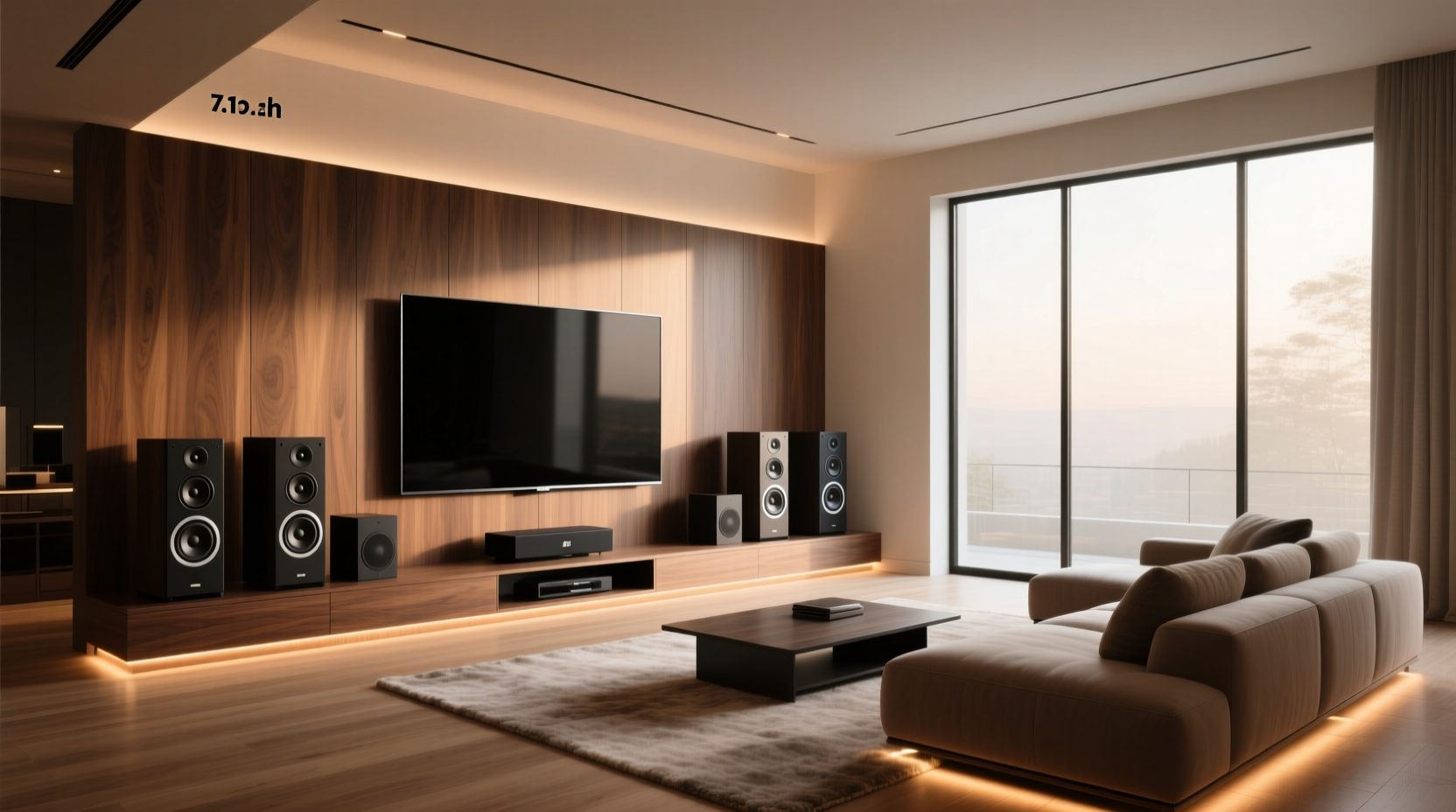
Yes—a properly configured 7.1 surround sound system still delivers measurable spatial immersion for movies, gaming, and multichannel music—but only if your room layout, source content, and listening habits align with its core design. Unlike virtualized or upfiring 7.1.2/7.1.4 soundbars (e.g., Ultimea Poseidon D80 or JBL Bar 1000MK2), a true discrete 7.1 setup uses eight physically separate speakers: front left/right, center, two side surrounds, two rear surrounds, and one subwoofer 1. This configuration excels in large, rectangular rooms (≥16 ft wide × 20 ft deep) where listeners sit within the optimal "sweet spot"—typically 2–3 meters from the front stage—and where native 7.1-encoded content (e.g., Blu-ray discs, certain streaming titles on Vudu or Apple TV+) is regularly consumed. For most living rooms under 300 sq ft or users prioritizing Dolby Atmos height effects, a 5.1.2 or 7.1.4 system often provides greater perceptual impact at lower complexity and cost.
Why People Search for 'Home Theatre System 7.1 Surround' — And What They Really Need
The 4.86 million Google results for home theatre system 7.1 surround reflect three overlapping user intents:
- Comparison intent: Shoppers comparing 7.1 vs. 5.1 vs. Dolby Atmos setups before purchase (evident in '7.1 vs 5.1.2' YouTube videos and Reddit threads 2);
- Setup & placement intent: Users seeking practical guidance on speaker positioning, wiring, and AVR compatibility (reflected in '7.1 surround sound system speaker placement' and '7.1 surround sound setup' as top related searches);
- Value-validation intent: Concerns about obsolescence—whether 7.1 remains relevant amid Atmos dominance (seen in r/hometheater posts like '7.1 Home theater setup, legit or not?') 3.
These aren’t theoretical questions—they’re grounded in real constraints: limited wall space, budget ceilings under $500, HDMI-ARC-only TV outputs, or renters unable to drill into drywall. A high-end Klipsch Reference 7.1 bundle ($3,774) solves none of those problems. Instead, what users need is a decision framework—not product promotion.
How 7.1 Actually Works: The Physics Behind the Channels
A 7.1 system allocates audio signals across eight discrete channels:
| Channel | Speaker Role | Typical Placement (ITU-R BS.775) | Primary Function |
|---|---|---|---|
| Front L/R | Left/right main speakers | ±30° from center axis, same height as ear level | Anchor stereo imaging, music panning, dialogue anchoring |
| Center | Center channel speaker | Directly above/below display, aligned with front L/R tweeters | Carries >70% of spoken dialogue; critical for lip-sync fidelity |
| Side Surround L/R | First surround pair | 90–110° from center, slightly behind listener, ear-height | Diffuse ambient effects (rain, crowd noise), lateral movement cues |
| Rear Surround L/R | Second surround pair | 135–150° from center, behind listener, ear-height or ±15° vertical | Reinforce envelopment; distinguish directional cues from side surrounds |
| LFE (Subwoofer) | Low-frequency effects channel | Front corner or mid-wall (room-mode dependent) | Delivers frequencies ≤120 Hz (explosions, thunder, basslines) |
Note: The '.1' refers exclusively to the LFE channel—not a discrete speaker. Subwoofers are omnidirectional below ~80 Hz, so placement flexibility exists—but corner loading increases output while potentially exaggerating room modes. Unlike Atmos, which adds height information via overhead or upward-firing drivers, 7.1 operates strictly in the horizontal plane. It does not support object-based audio metadata. If your media library consists mostly of Netflix or Disney+ streams—which encode primarily in Dolby Digital Plus 5.1 or Dolby Atmos—7.1 offers no native decoding advantage 4.
When 7.1 Delivers Real Value (and When It Doesn’t)
✅ Strong use cases for 7.1:
- Physical media collectors: Blu-ray releases from Criterion, Warner Archive, or Sony Pictures Classics often retain full 7.1 PCM or DTS-HD MA tracks. These benefit from discrete rear channel steering unavailable in downmixed 5.1.
- Large dedicated theaters: Rooms ≥22 ft long with controlled acoustics (bass traps, absorption panels) allow rear surrounds to resolve directionality without muddiness.
- Multichannel music enthusiasts: SACD or DVD-Audio titles (e.g., Pink Floyd’s Dark Side of the Moon 5.1 mix remastered in 7.1) leverage rear channels for instrument separation and spatial decay.
❌ Situations where 7.1 adds little or negative value:
- Small or irregular rooms: In apartments or L-shaped spaces, rear surrounds often reflect off walls or furniture, causing comb filtering and smeared imaging. Side surrounds alone may suffice.
- TV-centric usage: Broadcast TV (ATSC 3.0 still rare), cable boxes, and most streaming apps default to stereo or 5.1. Your AVR will upmix—but upmixing cannot recreate true discrete rear channel content.
- Renter or aesthetic constraints: Running 8 speaker wires (plus power for active subs) requires wall chases or visible conduit. In-wall speaker kits (e.g., '7.1 surround sound system in wall') demand drywall cutting and professional installation—often prohibited by lease agreements.
Crucially, no modern AV receiver—including Denon AVR-S770H, Yamaha RX-V6A, or Onkyo TX-NR5100—outputs true 7.1 from Dolby Atmos or DTS:X sources. These formats are decoded to a height-enabled speaker map (e.g., 5.1.2 or 7.1.4), then rendered to your physical layout. If you have only 7.1 speakers, the height information is either discarded or folded into existing channels—reducing the Atmos benefit 5.
Key Hardware Considerations: Receiver, Speakers, and Cabling
A functional 7.1 system requires three interdependent components:
1. AV Receiver (AVR) Capabilities
Not all '7.2-channel' receivers support true 7.1 output. Verify:
- Pre-out flexibility: Does it offer assignable pre-outs for rear surrounds? Some budget models (e.g., older Onkyo TX-SR494) lack rear surround pre-outs, forcing use of internal amps—even if you prefer external monoblocks.
- HDMI version & bandwidth: For 4K/60Hz HDR passthrough with eARC, HDMI 2.0b or higher is mandatory. Receivers under $500 (e.g., Denon AVR-S670H) may omit HDMI 2.1 features needed for 8K or VRR gaming—though irrelevant for pure movie playback.
- Room correction: Audyssey MultEQ XT32 (found in Denon AVR-X1800H) or Dirac Live (Yamaha RX-A series) significantly improve bass response and channel matching. Skip models without at least basic auto-calibration.
2. Speaker Matching & Sensitivity
Using mismatched speakers (e.g., bookshelf fronts + floor-standing rears) creates tonal discontinuity. Prioritize:
- Sensitivity rating ≥87 dB @ 1W/1m: Ensures adequate volume from AVR’s ~100W/channel output. Low-sensitivity towers (e.g., some KEF or Focal models) may strain entry-level AVRs.
- Impedance stability: Avoid 4-ohm nominal speakers unless your AVR explicitly supports them (most do not). Stick to 6–8 ohm loads for reliability.
- Timbre-matched sets: Bundles like Dayton Audio T65 or Fluance Elite include matched center and surrounds—critical for seamless dialogue panning.
3. Wiring & Infrastructure
Run 16-gauge (minimum) oxygen-free copper speaker wire for runs under 50 ft. For longer distances or in-wall use, UL-rated CL2/CL3 cable is required by U.S. electrical code. Never substitute lamp cord or stranded Ethernet. Label every wire at both ends before termination—mistakes in rear/side channel assignment are the #1 cause of 'phantom surround' complaints.
7.1 vs. Alternatives: A Practical Decision Matrix
Instead of asking “What’s the best 7.1 system?”, ask: “What problem am I solving?”
| Your Primary Use Case | Better Alternative Than 7.1 | Why |
|---|---|---|
| Gaming (PS5/Xbox Series X) | 5.1.2 Dolby Atmos setup | Height channels localize gunfire, footsteps, and environmental cues vertically—more impactful than rear lateral cues in fast-paced games. |
| Streaming-heavy (Netflix, Prime) | 7.1.4 soundbar with upfiring drivers (e.g., Samsung HW-Q900F) | No wiring, no calibration headaches, and actual Atmos decoding—despite weaker bass and narrower sweet spot. |
| Renting / No wall drilling | Wireless 5.1 system (e.g., Klipsch Reference Wireless) | Eliminates 6+ speaker cables; rear speakers sync via 2.4 GHz RF, not Bluetooth latency. |
| Budget ≤$500 | High-performance 5.1 + quality subwoofer (e.g., Polk MagniFi Max AX SR) | You’ll spend less on cabling, stands, and AVR power—while gaining stronger bass integration and simpler setup. |
Common Misconceptions About 7.1 Systems
Misconception 1: “More channels always mean better sound.”
False. Channel count ≠ fidelity. A poorly placed or mismatched 7.1 system sounds worse than a well-calibrated 5.1. Human hearing localizes sound via interaural time/level differences—requiring precise speaker angles and distances. Adding rear channels without acoustic treatment often degrades clarity.
Misconception 2: “All ‘7.1’ labeled soundbars deliver true 7.1.”
No. Most—like the Ultimea 7.1ch Virtual Surround Sound Bar—use psychoacoustic processing to simulate rear imaging from 3–5 drivers. They lack discrete rear channels, cannot reproduce true directional cues, and fail double-blind tests for rear localization 6.
Misconception 3: “7.1 and Dolby Atmos are compatible upgrades.”
They’re orthogonal. Atmos is an object-based rendering layer; 7.1 is a fixed-channel delivery format. You can run Atmos content through a 7.1 system—but the renderer maps objects to your available speakers, discarding height data. To retain Atmos benefits, you need at minimum two height channels (5.1.2).
How to Test Whether 7.1 Fits Your Setup
Before buying, conduct this 15-minute assessment:
- Measure your room: Confirm width ≥14 ft and depth ≥18 ft. Mark potential rear surround locations on your wall—ensure ≥3 ft clearance from side walls and no major obstructions (bookshelves, windows).
- Inventory your sources: Check Blu-ray collection for 7.1 tracks (use Blu-ray.com’s database). Scan streaming app audio settings: if ‘Dolby Atmos’ or ‘Dolby Digital Plus 5.1’ is the highest option, 7.1 adds no native benefit.
- Test your AVR’s capability: Enter its speaker setup menu. If ‘Rear Surround’ options are grayed out or require disabling ‘Height’ or ‘Presence’ channels, your hardware doesn’t support simultaneous 7.1 + Atmos.
- Listen critically: Play the Dolby Demo Disc (Ch. 4: “Surround Test Signal”). If rear channels produce indistinct ‘whooshing’ instead of pinpoint panning, your room acoustics or speaker placement need correction—not more channels.
Frequently Asked Questions
- Can I upgrade my 5.1 system to 7.1 later?
Yes—if your AVR has assignable rear surround pre-outs or extra amplifier channels. Verify model specs: Denon AVR-S770H supports 7.2 amplification natively; Yamaha YHT-5960 does not. - Do I need a separate subwoofer with a 7.1 system?
Yes. The '.1' denotes the LFE channel—not a built-in sub. All 7.1 speaker bundles (e.g., Klipsch R-800F 7.1) include a powered subwoofer; standalone speaker sets do not. - Is wireless 7.1 reliable for gaming?
Not for competitive play. Wireless rear speakers introduce 15–30 ms latency—noticeable in shooters or racing games. Use wired connections or optical/ARC for low-latency audio. - What’s the minimum budget for a functional 7.1 system?
$650–$750: Dayton Audio T65 bundle ($659.98) + Denon AVR-S670H ($749) covers AVR, speakers, sub, and basic calibration. Below $500, compromises in driver quality or AVR processing become audible. - Can I use bookshelf speakers for all positions in 7.1?
Yes—but avoid using tiny satellite speakers (≤4”) for front L/C/R. Center channels must handle dialogue energy; fronts need ≥6.5” woofers for dynamic range. Rear surrounds can be compact bookshelves.
