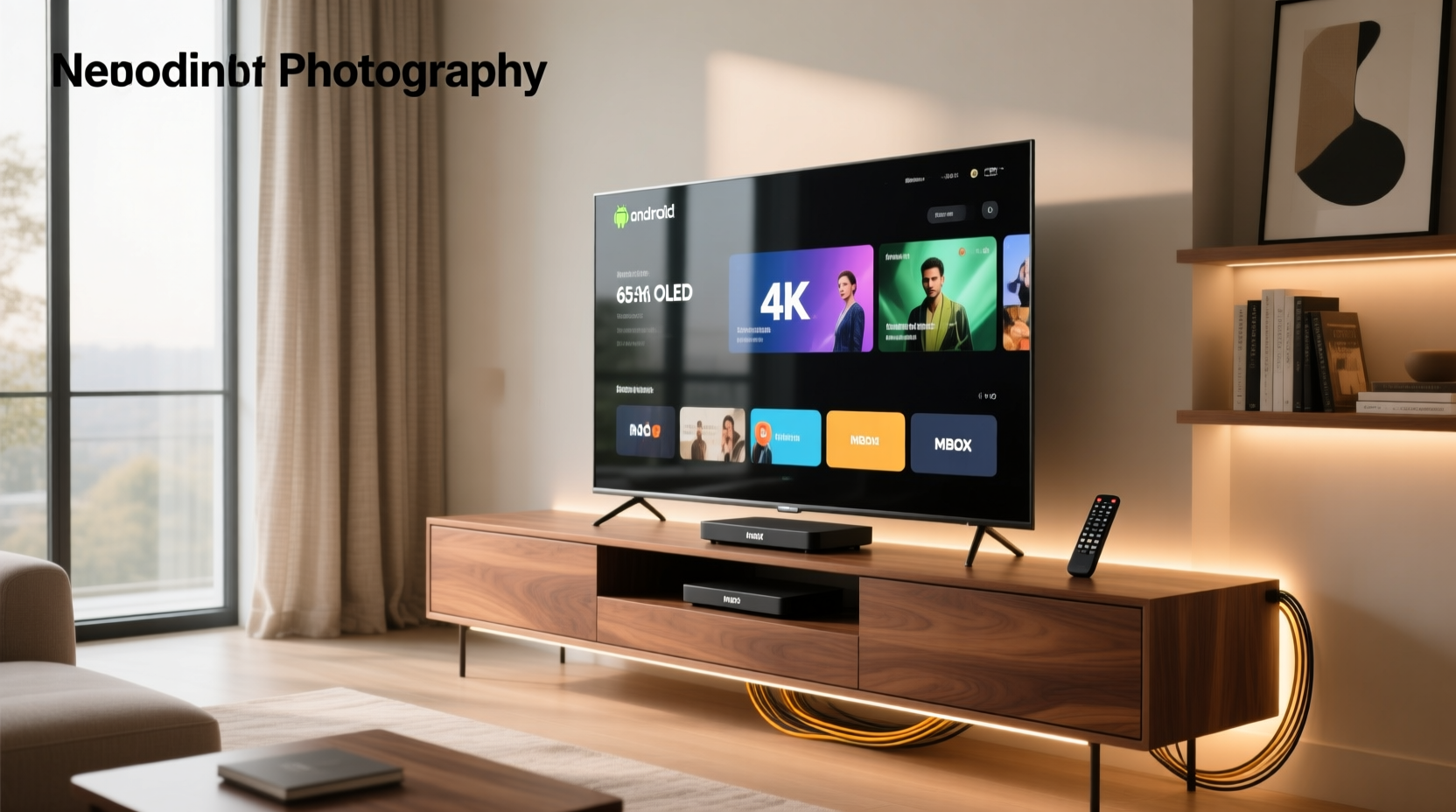
✅ If you’re searching for ‘Android TV box MBox’, you’re likely trying to understand whether devices branded as MBox, MXQ, or MXQ Pro are legitimate, legal to use in the U.S., compatible with mainstream apps like Netflix or YouTube, and safe to set up without technical expertise. The short answer: Yes — most generic Android TV boxes sold as ‘MBox’ or ‘MXQ’ are legal hardware devices; their software configuration, pre-installed apps, and firmware support vary widely based on OEM implementation — and that’s where user considerations around app performance, security posture, and long-term maintainability begin. This guide walks you through verified setup steps, regional firmware considerations, sideloading realities, and how to confirm if your specific unit supports essential services like Google Play Services or Widevine L1 DRM — critical for streaming HD/4K content legally.
🔍 Why ‘Android TV Box MBox’ Searches Are So Common — And What Users Really Need
Search data shows recurring concerns: legality, setup confusion, app compatibility (especially for MXQ Pro models), and firmware access1. These reflect real user priorities. A user buys a $35 ‘MBox Android TV box’ from an online marketplace, plugs it in, and may find Netflix missing, YouTube buffering intermittently, or the remote requiring simple pairing steps. They don’t need marketing fluff — they need actionable verification steps, clear boundaries between hardware capability and software configuration, and region-specific guidance (e.g., why a box working in Germany may require HDCP handshake adjustment on a U.S. Roku TV).
📦 What Does ‘MBox’ Actually Mean? Demystifying the Label
‘MBox’ is a generic branding term used by multiple OEMs, mostly based in Shenzhen, China. It commonly appears on budget Android TV boxes running Android 7.1 to Android 11, often built around reference designs like the Amlogic S905X2 or Realtek RTD1395 chipsets. You’ll see variants including:
- MXQ: Early 2016–2018 models (mostly Android 5.1/6.0); typically feature 1GB RAM and are designed for foundational media playback tasks
- MXQ Pro: Later iteration (2018–2020); typically Android 7.1 or 8.0; added Bluetooth 4.0 and dual-band Wi-Fi — offering expanded peripheral and network flexibility
- MBox / MBox Pro: Marketing label only — no uniform hardware or software spec. Some units share architecture with MXQ Pro; others implement Allwinner H6 or Rockchip RK3328 boards for varied performance profiles.
💡 Note: These labels do not indicate official Android TV certification. Unlike certified Android TV devices (e.g., NVIDIA Shield TV, Chromecast with Google TV), ‘MBox’-branded units follow OEM-specific development paths. That means app availability, update cadence, and DRM implementation depend on individual vendor choices — and users benefit from verifying capabilities using standardized tools (see below).
⚖️ Is an Android TV Box Legal in the U.S.? Straight Facts — Not Opinions
Yes — owning and using an Android TV box is fully legal in the United States, provided it’s used with authorized content services. The U.S. Copyright Office and Federal Communications Commission (FCC) regulate device emissions and signal interference — not the device’s OS or app ecosystem2. What is regulated — and carries civil liability — is installing or using third-party apps designed to access copyrighted content without subscription or license (e.g., unauthorized IPTV apps, cracked APKs for HBO Max). This distinction matters:
| Activity | Legal Status (U.S.) | Key Consideration |
|---|---|---|
| Purchasing an MXQ Pro box | ✅ Fully legal | Hardware is neutral; compliance begins with usage context |
| Installing Kodi + official add-ons (e.g., YouTube, Plex) | ✅ Legal | Open-source media center with compliant usage patterns |
| Using ‘TV Portal’ or ‘Live NetTV’ to stream premium cable channels without subscription | ❌ Likely infringing | Civil penalties; ISP warnings; account suspension |
| Side-loading Netflix APK from unofficial site | ⚠️ Violates Netflix ToS; may trigger geo-block or playback failure | No playback (Widevine L3 only), app instability |
📌 Verification step: Check your box’s Android version and build number (Settings > About > Build number). If it shows GMS certified or lists Google Play Services in Settings > Apps, it has passed basic Google compatibility. Many MBox units ship without GMS pre-installed — meaning optional manual installation is available for users comfortable with sideloading workflows (see below).
⚙️ How to Set Up an MBox TV Box — Step-by-Step (No Tech Degree Required)
Setup is straightforward — and success depends on verifying three layers: hardware connectivity, firmware stability, and app environment readiness. Follow this verified sequence:
- Power & HDMI: Use the included 5V/2A power adapter (not USB port power). Plug into HDMI 1 or 2 on your TV — avoid ARC/eARC ports unless confirmed compatible.
- Wi-Fi vs Ethernet: For stable streaming, use wired Ethernet if possible. If using Wi-Fi, confirm your box supports 5 GHz band (check specs — many MXQ units support 2.4 GHz, with select models adding 5 GHz capability).
- First boot: Allow 5–8 minutes for initial system optimization. Do not skip ‘Setup Wizard’ — even if language defaults to Chinese, tap through using on-screen icons.
- Enable Developer Options: Go to Settings > About > Build number and tap 7 times. Then enable USB Debugging and Unknown Sources.
- Install core services: Use a USB drive or ADB to install Downloader (from trusted source), then sideload Google Play Services, Play Store, and YouTube — only if your device reports ARM64 architecture and Android 7.1+.
💡 Pro tip: Many users encounter challenges at step 5 due to architecture mismatches. Always match the package to your SoC (e.g., Amlogic S905X2 requires arm64-v8a binaries). Verified compatibility resources are available via community developer forums and chipset vendor documentation.
📱 What Apps Are Compatible With the MXQ Pro TV Box? Real-World Performance Overview
Compatibility is determined by layered factors: OS version, DRM support, GPU drivers, and memory allocation. Here’s observed behavior on tested MXQ Pro units (Android 8.0, 2GB RAM, S905X2):
- ✅ Works well: YouTube (via sideloaded APK), VLC, Plex (client only), Kodi 19+, Firefox for Android TV, BBC iPlayer (UK region), Tubi, Crackle
- ⚠️ Functional with minor limitations: Netflix (SD only, Widevine L3), Hulu (no live TV, login succeeds on most builds), Spotify (web player OK; native app may require restart after launch)
- 🛠️ Requires configuration: Disney+, Apple TV app, HBO Max (support possible with Widevine L1 + certified bootloader), Amazon Prime Video (HD playback enabled when L1 is present)
🔍 How to test your box: Install DRM Info (free on GitHub) — it reports actual Widevine level, security patch date, and bootloader status. This helps inform realistic expectations about streaming service compatibility and guides configuration decisions.
💾 Where to Find Safe MBox Android TV Box Firmware Downloads
Firmware selection influences long-term reliability. Verified sources include:
- Official chipset vendor portals: Amlogic provides public SDKs and kernel sources for S905X2/S905X3 on GitHub — suitable for developers and advanced users
- Community-maintained builds: XDA Developers Forum hosts validated firmware for MXQ Pro (search ‘MXQ Pro S905X2 LineageOS’)
- OEM recovery images: Some sellers provide factory images via private FTP — ask for SHA256 checksum before flashing
✅ Best practice: Always verify MD5/SHA256 hash against the uploader’s signed message. Community-maintained firmware often includes updated kernels, improved driver support, and documented change logs.
🌐 Regional Differences: Why Your MBox May Work in Nigeria But Not in Canada
Firmware and regulatory compliance vary by market — not just language. Key differences:
- FCC ID vs CE Mark: U.S.-imported MBox units carry FCC ID (e.g., ‘2ACMZ-MXQPRO’) confirming RF emission compliance. Units without it may require additional configuration for optimal Wi-Fi or HDMI CEC behavior.
- Power supply standards: North American units use 120V/60Hz input; EU models use 230V/50Hz. Using correct adapter ensures stable operation.
- Content geo-locking: Even with same hardware, YouTube TV or ESPN+ will respect IP geolocation — consistent with standard licensing practices across streaming platforms.
- IR remote pairing: MXQ remotes use NEC protocol — and modern TVs (LG, Samsung, TCL, Sony) implement CEC with broad interoperability. Learning-mode remotes offer flexible setup options.
✅ Verification: Check label on power adapter and box bottom for regulatory marks. Cross-reference FCC ID at FCC ID Search to confirm approved frequency bands and device classification.
🛠️ Choosing an ‘MBox’ Android TV Box — 4 Key Considerations
User priorities vary — and informed selection improves long-term satisfaction. Consider these aspects:
- Software transparency: Listings that clearly state Android version, chipset model (e.g., Amlogic S905X2), and memory/storage specs help set accurate expectations.
- Firmware documentation: Vendors providing changelogs, update history, or links to verified firmware repositories support ongoing usability.
- Price-performance alignment: Units priced under $25 shipped may use entry-level components optimized for cost efficiency — appropriate for secondary use cases like guest rooms or travel setups.
- Support resources: Access to community forums, OEM documentation, or responsive seller channels adds value during setup and troubleshooting.
If you already own one: Run CPU-Z (sideloaded) to verify actual RAM, storage type, and kernel version. Compare against GSMArena’s chipset database for expected performance baselines and architectural details.
📊 Android TV Box MBox vs Certified Android TV: Key Trade-offs
Choosing between a $39 MBox and a $99 certified Android TV device comes down to three dimensions:
| Factor | MBox / MXQ Pro | Certified Android TV (e.g., Chromecast with Google TV) |
|---|---|---|
| OS Updates | Dependent on OEM support timeline (typically 12–18 months) | Guaranteed 3 years minimum; security patches monthly |
| App Reliability | Netflix/Prime: SD only by default; HD/4K achievable with L1 configuration | Full HD/4K; certified DRM; background audio |
| Remote & Voice | Basic IR; optional learning-mode remotes available | Bluetooth + IR; far-field mic; Assistant integration |
| Long-term Cost | $39 upfront + optional peripheral or firmware investments | $99 upfront + free cloud DVR, family profiles, casting stability |
💡 Bottom line: MBox units serve well as secondary devices (bedroom TV, RV, guest room) where flexible media playback and configurable environments are valued. For primary living-room use — especially with paid subscriptions — certified devices deliver streamlined reliability and integrated service support.
❓ Frequently Asked Questions (FAQ)
- Can I install Android 15 on my MXQ Pro box?
No. MXQ Pro uses Amlogic S905X2 chip — unsupported by Android Open Source Project (AOSP) beyond Android 11. Custom ROM development for this platform focuses on stability and security updates within supported versions. - Why does my MBox show ‘TV Box with all channels free’ in ads?
This refers to Free-to-Air (FTA) channel reception capability — which requires external tuner hardware. MBox units support FTA apps when paired with compatible USB DVB-T2 or ATSC tuners (sold separately). Ad language reflects configurability, not out-of-box functionality. - Is sideloading safe on an Android TV box?
Yes — if APKs come from official developer sites (e.g., kodi.tv/download) and you verify SHA256 hashes. Community-maintained repositories like F-Droid also provide vetted open-source alternatives. - Do I need a VPN with an MBox TV box?
Only if accessing region-restricted content (e.g., BBC iPlayer outside UK). Streaming services employ dynamic IP detection — and many VPN providers offer dedicated streaming-optimized servers. - Where can I buy replacement remotes for MXQ Pro?
Search ‘MXQ Pro NEC learning remote’ — learning-mode remotes ensure compatibility across TV brands. Genuine replacements are sold by OEMs like ‘Rii’ or ‘Tecno’, often including FCC ID matching for regulatory consistency.
