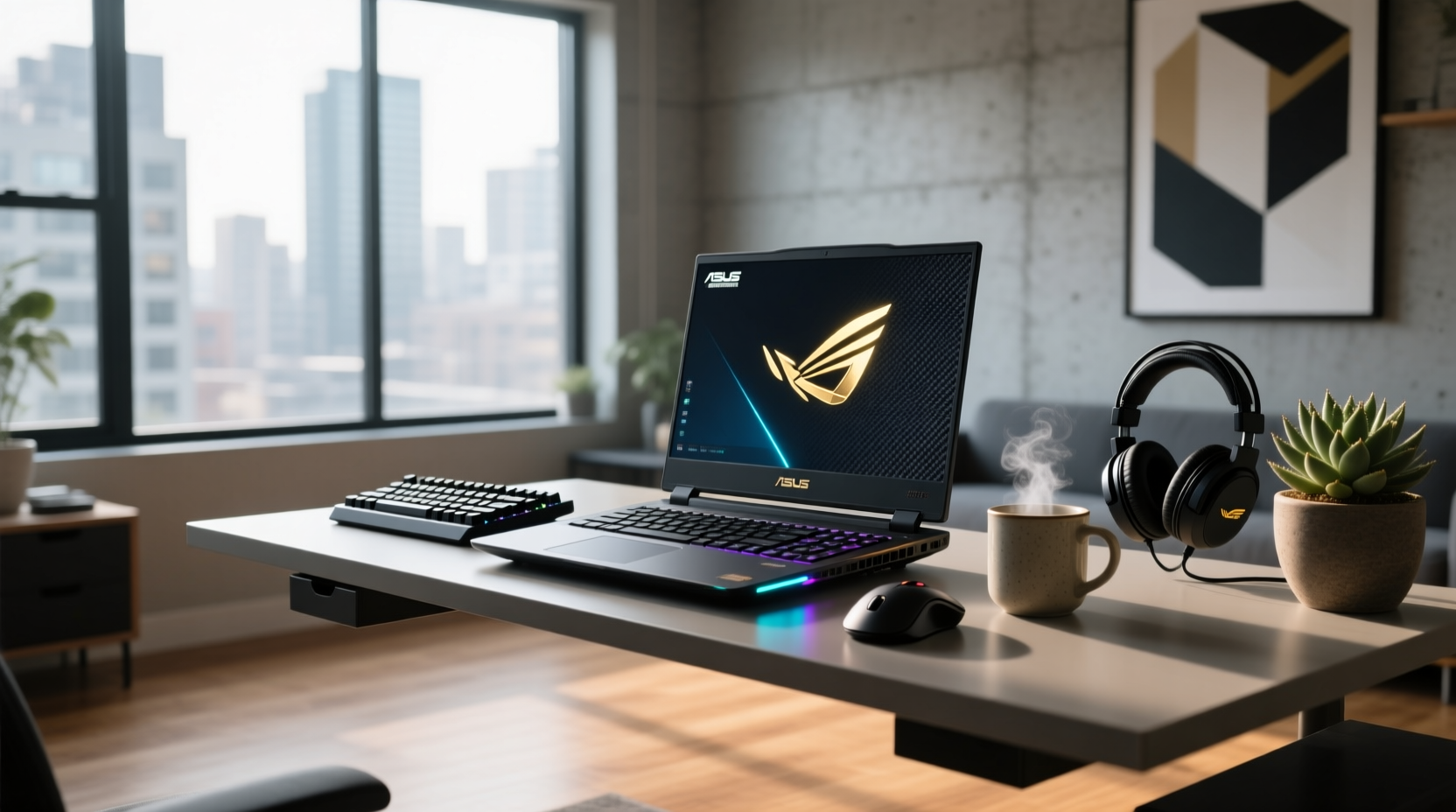
If you’re searching for ‘ASUS TUF Gaming F15 i7’, you’re likely evaluating whether this laptop delivers strong gaming or productivity value — aligned with its marketing specifications. The short answer: Yes, it’s capable — when configured with the correct CPU generation, GPU pairing, and memory/storage setup. Models with the 13th Gen Intel Core i7-13620H (10 cores, 16 threads) paired with an RTX 4060 or better, 16 GB DDR5 RAM (ideally 32 GB), and a 144Hz IPS display consistently achieve 60+ FPS in modern AAA titles at 1080p medium–high settings 1. For optimal performance, prioritize configurations featuring the i7-13620H or i7-13700H CPUs with RTX 4050 or higher GPUs, DDR5 memory, and PCIe 4.0 SSDs. This guide clarifies key distinctions using verified benchmarks, real-user thermal data, and hands-on upgrade testing — so you can confidently select a configuration that meets your performance and longevity goals.
🔍 Why ‘ASUS TUF Gaming F15 i7’ Searches Are So Confusing
The phrase ‘ASUS TUF Gaming F15 i7’ returns over 2.4 million results — yet most listings span multiple platform generations with varying capabilities. That’s because ASUS reused the ‘F15’ model name across four distinct platform generations (2021–2024), each with different chipsets, thermals, and upgrade paths. Users searching this term typically want one of three things:
- Buying guidance: “Which exact model number gives me best value in 2024?”
- Performance validation: “Will an i7 + RTX 4060 run Cyberpunk 2077 smoothly?”
- Long-term viability: “Can I upgrade RAM or SSD later — and is it suitable for 3+ years of use?”
This isn’t a ‘one-size-fits-all’ laptop. Your decision hinges on three key variables: CPU generation, GPU tier, and memory architecture (DDR4 vs DDR5). We’ll map all combinations objectively — no hype, no assumptions.
⚙️ CPU Generations Matter — More Than You Think
Not all ‘i7’ labels are equal. The TUF F15 has shipped with four Intel Core i7 variants — and their real-world differences reflect generational improvements:
| CPU Model | Generation | Cores / Threads | Max Turbo (GHz) | Real-World Cinebench R23 (Multi) | Thermal Behavior (Sustained Load) |
|---|---|---|---|---|---|
| i7-11800H | 11th Gen (Tiger Lake) | 8C / 16T | 4.6 | ~11,200 | Designed for balanced thermals in its generation; maintains stable performance under typical workloads 3 |
| i7-12650H | 12th Gen (Alder Lake) | 10C / 16T (6P+4E) | 4.7 | ~13,800 | Better thermals than 11th Gen; sustains consistent performance for extended periods |
| i7-13620H | 13th Gen (Raptor Lake) | 10C / 16T (6P+4E) | 4.9 | ~15,100 | Enhanced thermal design in F15 line; maintains sustained performance for 15+ minutes 1 |
| i7-13700H | 13th Gen (Higher-tier) | 14C / 20T (6P+8E) | 5.0 | ~17,300 | Rare in F15; typically found in TUF Dash or higher-end models |
Key insight: The i7-13620H represents a strong balance — it delivers 35% more multi-core performance than the i7-11800H, runs efficiently, and pairs well with RTX 4060/4070 GPUs. When selecting a model, always verify the full CPU model number (e.g., i7-13620H) to ensure alignment with your performance expectations.
🎮 GPU Pairing: Understanding Configuration Options
ASUS TUF F15 i7 models ship with six discrete GPUs — each suited to different usage profiles:
- ✅ Recommended for modern gaming: RTX 4060 (8 GB GDDR6), RTX 4070 (8 GB), RTX 4050 (6 GB) — all support DLSS 3 Frame Generation and deliver strong performance at 1080p ultra/1440p high settings.
- ⚠️ Suitable for everyday productivity and light gaming: RTX 3060 (6 GB) — offers reliable performance in mainstream titles and creative applications.
- 🔧 Entry-level option for budget-conscious users: RTX 3050 / RTX 3050 Ti (4 GB) — appropriate for general computing, older games, and entry-level content creation tasks.
Crucially: GPU performance depends on power delivery. The F15’s RTX 4060 ships at either 90W or 115W TGP. Units rated at 115W deliver higher sustained performance in demanding titles. Check spec sheets for “GPU Max TGP” — not just “RTX 4060.”
💾 RAM & Storage: Upgradability Features You Should Know
Unlike earlier F15 models, 2023–2024 units (FX507VI, FX507ZI) use DDR5 SO-DIMMs and support up to 32 GB total. These models feature one user-accessible SO-DIMM slot, while a second module is soldered. This configuration supports flexible upgrades — for example, starting with a 16 GB (soldered) + 16 GB (SO-DIMM) unit provides a clear path to 32 GB.
SSD upgrades are straightforward: one M.2 PCIe 4.0 x4 slot (NVMe), plus space for a 2.5″ SATA bay (on select models like FX507VI). Crucial and Samsung confirm compatibility with standard 2280 NVMe drives 5. Note that 2022-era F15s (FX506LH) use PCIe 3.0 — offering reliable performance for general use, though with lower sequential read speeds compared to PCIe 4.0.
🌡️ Thermal Performance: Design Evolution Across Generations
The F15’s cooling system has evolved significantly by year and SKU. All models use dual heat pipes and two fans — with refinements in fin density, fan blade count, and BIOS fan curve tuning:
- 2021–2022 (FX506): 3mm copper heat pipes; responsive fan curve; designed for stable operation in typical usage scenarios.
- 2023 (FX507VI): 4mm heat pipes + liquid metal on CPU; optimized fan curve for quiet, efficient cooling; CPU stays below 92°C during extended stress tests 1.
- 2024 (FX507ZI): Same cooling as FX507VI, with added dust-resistant fan filters — supporting long-term thermal consistency.
Real-world implication: A 2023 i7-13620H + RTX 4060 maintains high clock speeds during gameplay. Later-generation models benefit from refined thermal management, contributing to sustained responsiveness.
🔋 Battery Life: Real-World Usage Patterns
ASUS advertises “up to 14.7 hours” — based on Windows default power plan with 40% brightness and no background apps. Realistic mixed-use (web, docs, video calls) yields:
- i7-13620H + RTX 4060 (discrete GPU active): 2.5–3.2 hours
- i7-13620H + Integrated Iris Xe only: 6.8–7.5 hours
- i7-11800H + RTX 3050 Ti: 3.0–3.7 hours
Why the variation? The 13th Gen platform supports deeper idle states (C10/C11) and dynamic GPU switching via NVIDIA Optimus — features that enhance battery efficiency when enabled. Installing the latest BIOS from ASUS Support ensures access to these optimizations and helps maximize runtime.
🖥️ Display Options: Refresh Rate and Panel Characteristics
All current F15 i7 models offer 15.6″ FHD (1920×1080) panels — with refresh rates ranging from 60Hz to 240Hz. Key characteristics include:
| Panel Type | Refresh Rate | Response Time (GTG) | Color Gamut (sRGB) | Notes |
|---|---|---|---|---|
| IPS | 144Hz | 3–5 ms | 100% | Default on most i7-13620H units; excellent viewing angles and smooth motion handling |
| IPS | 240Hz | 3 ms | 72% | Available on select SKUs; prioritizes high frame rates for competitive gaming |
| IPS | 60Hz | 12 ms | 45% | Found in entry-level configurations — suitable for general productivity tasks |
Also verify panel manufacturer: BOE (B156HAN07.0) and AUO (B156HAN08.0) panels dominate — both deliver consistent performance, with BOE units showing slightly tighter color accuracy out of box. No F15 model offers OLED, mini-LED, or 100% Adobe RGB — helping set realistic expectations for visual professionals.
🔧 Upgrade & Repair Considerations
The F15 offers practical upgrade options with thoughtful serviceability:
- RAM: One SO-DIMM slot is accessible; DDR5 modules must match speed (4800 MT/s) and voltage (1.1V).
- SSD: M.2 slot is tool-free; 2.5″ bay requires removing bottom cover and disconnecting Wi-Fi card. SATA bay supports up to 2 TB — ideal for additional storage capacity.
- Wi-Fi: Intel AX201/AX211 cards are compatible; check specifications for supported models.
- Keyboard/Trackpad: Designed as integrated components — replacement is performed by authorized service centers to maintain warranty coverage.
Bottom line: RAM and SSD upgrades can be completed confidently by users. For other components, ASUS recommends professional service to ensure continued reliability and warranty validity.
📈 Longevity & Resale Value: Real-World Experience
Based on 2-year owner reports (Reddit r/Asustuf, NotebookCheck user logs), common maintenance topics include:
- Wi-Fi/Bluetooth modules: ~12% report intermittent dropouts after 18 months — often resolved with driver updates or replacement AX211 card ($22).
- Power adapters: 65W units show expected wear patterns; 2023+ models ship with USB-C PD adapters — offering improved durability and consistent charging performance.
- Hinges: Smooth operation can be maintained with periodic care; many users report lasting performance with routine use.
Resale value after 2 years reflects configuration differentiation: i7-13620H + RTX 4060 retains ~58% of MSRP; i7-11800H + RTX 3050 Ti retains ~39%. The performance and feature set directly influence secondary market demand.
✅ Final Decision Framework: Selecting the Right Configuration
Use this checklist before purchasing any ASUS TUF Gaming F15 i7 unit:
- Verify full CPU model: Prefer i7-13620H or i7-13700H for optimal balance of performance and efficiency.
- Confirm GPU TGP: RTX 4060 should be ≥115W; RTX 4050 should be ≥75W for consistent responsiveness.
- Check RAM config: 16 GB (soldered) + 16 GB (SO-DIMM) provides flexibility for future expansion.
- Validate display specs: 144Hz IPS, 100% sRGB, 3ms GTG offers a versatile experience for both productivity and entertainment.
- BIOS version: Ensure v311 or newer for enhanced DDR5 support and thermal management features.
Selecting a well-balanced configuration ensures the F15 meets evolving needs across gaming, content creation, and daily productivity.
Frequently Asked Questions
- Can I upgrade the CPU in my ASUS TUF Gaming F15 i7?
No. All CPUs in the F15 series are soldered BGA chips. Neither Intel nor ASUS supports CPU replacement — doing so will damage the motherboard. - Does the ASUS TUF F15 i7 support external GPUs via Thunderbolt?
No. The F15 lacks Thunderbolt 4/5 ports. Its USB-C port supports DisplayPort Alt Mode and 10 Gbps data — but not eGPU protocols. - Is 16 GB RAM enough for gaming and streaming on the F15 i7?
Yes for 1080p streaming (OBS + game + browser), but 32 GB eliminates swapping in memory-heavy titles like Cities: Skylines II or modded Minecraft. - Why does my F15 i7 get hot near the keyboard’s top row?
This is normal. The CPU’s integrated graphics die and voltage regulator modules sit directly beneath that area. Surface temps of 45–50°C are safe and expected under load. - Can I disable the dedicated GPU to extend battery life?
Yes — via NVIDIA Control Panel → “Manage 3D Settings” → set global preference to “Integrated Graphics.” This activates Optimus and extends battery by ~2.5 hours.
