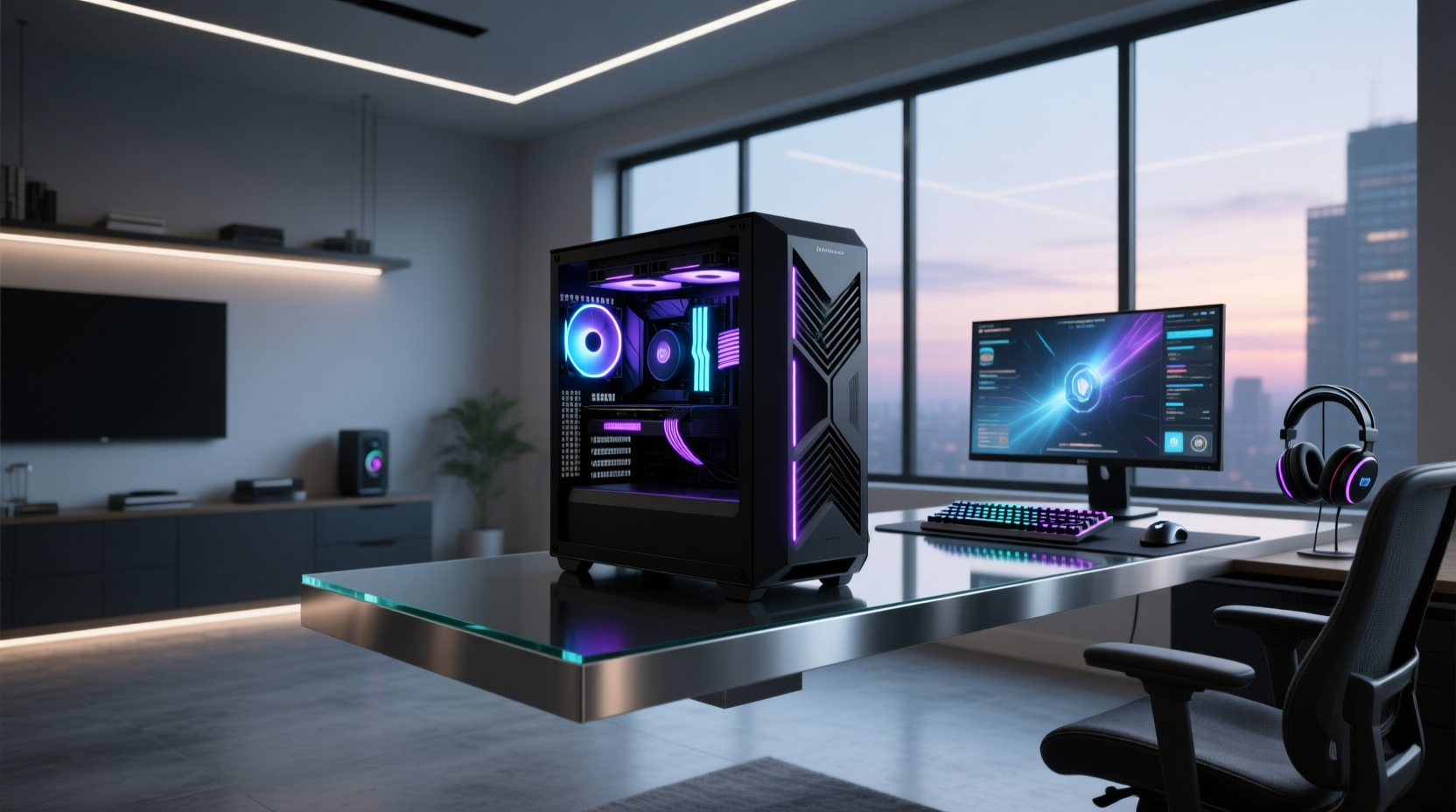
Looking for the best gaming computer case ATX? Start here: The ideal ATX mid-tower case balances front-panel airflow, GPU length support (≥330 mm), motherboard compatibility (ATX, E-ATX, micro-ATX), and cable routing depth (≥25 mm). Top performers in 2025—like the NZXT H6 Flow, Corsair 3500X, and Lian Li Lancool 207—deliver measurable thermal gains (≤5°C CPU/GPU delta vs. budget cases) when paired with ≥3 intake fans and proper fan orientation 1. Avoid cases with mesh front panels *without* removable dust filters, or those lacking vertical GPU mount support if you plan to use riser cables later 2. This guide answers exactly what matters—not just specs, but real-world build behavior.
Why ATX Cases Dominate Gaming Builds 🎮
ATX (Advanced Technology Extended) is not a brand—it’s a standardized motherboard form factor introduced by Intel in 1995 3. Its 12″ × 9.6″ (305 × 244 mm) footprint remains the most widely supported size across consumer-grade components. For gaming, this means:
- Full GPU compatibility: Fits dual-slot and triple-slot graphics cards—including RTX 4090 (up to 336 mm long)—without compromising PCIe slot access or power delivery 4.
- Expandability: Supports up to 7 expansion slots, enabling multi-GPU setups (though rare today), capture cards, sound cards, or NVMe add-in cards.
- Cooling headroom: Allows ≥6 fan mounts (front/top/rear/bottom) and ≥360 mm radiator support—critical for sustained 100% GPU/CPU loads during AAA titles or streaming.
- Case flexibility: ATX motherboards fit in mid-tower, full-tower, and even select compact cases—but only mid-towers offer optimal price-to-performance ratio for most gamers.
Crucially: An ATX case does NOT guarantee ATX motherboard support. Always verify the case’s motherboard compatibility list—some ‘ATX-labeled’ cases only support micro-ATX or mini-ITX boards despite the naming.
Key Decision Factors—Ranked by Real-World Impact 🔧
When evaluating a gaming computer case ATX, prioritize these five criteria—not aesthetics or RGB count. Each directly affects thermals, longevity, and build ease.
1. Airflow Design: Mesh vs. Solid Front Panel 🌬️
Front-panel design is the single largest determinant of case cooling efficiency. A perforated steel or aluminum mesh front (e.g., NZXT H6 Flow, Phanteks Eclipse G370A) allows ~85–92% unrestricted airflow. In contrast, solid acrylic or tempered glass fronts—even with cutouts—restrict flow by 30–50%, raising GPU temps by 7–12°C under load 5. Look for:
- Removable magnetic or slide-in dust filters (non-removable filters clog fast and reduce airflow over time).
- ≥12 mm gap between mesh and internal frame (prevents turbulence).
- No internal shrouds blocking direct path from front fans to GPU/motherboard VRMs.
⚠️ Warning: Some ‘mesh’ cases use thin plastic grids behind glass—these are not true airflow panels. Check product photos for actual metal mesh texture.
2. GPU Clearance & Mounting Options 📏
The average modern high-end GPU is 310–336 mm long (RTX 4090 Founders Edition: 304 mm; ASUS ROG Strix 4090 OC: 336 mm). Your ATX case must support at least 330 mm—ideally 350 mm—to accommodate aftermarket coolers, thick thermal pads, or future upgrades. Measure from the rear PCIe slot bracket to the front panel interior wall—not the advertised ‘max GPU length’ that excludes mounting screws or I/O shield thickness.
Also consider:
- Vertical GPU mounting: Requires a PCIe riser cable and reinforced bracket. Only viable if the case includes a dedicated vertical slot and ≥150 mm side-panel clearance (e.g., HYTE Y70, Montech KING 95 PRO).
- PCIe slot reinforcement: Heavy GPUs sag over time. Cases with metal PCIe brackets (e.g., Lian Li V2000, Thermaltake View 71) prevent slot damage.
- PSU shroud cutouts: Enables clean GPU cable routing without bending 8-pin connectors at sharp angles.
3. Cable Management Depth & Routing Features 📋
Adequate cable routing space prevents airflow obstruction and reduces thermal throttling. Minimum recommended depth behind the motherboard tray: 25 mm. Less than 20 mm forces cables into tight bends, blocks rear exhaust, and strains SATA/PCIe power connectors.
Look for these proven features:
- Velcro straps + rubber grommets: Secure cables without cutting or zip ties.
- Modular drive cages: Removable 2.5″/3.5″ trays free up rear space (e.g., Corsair 3500X, NZXT H5 Flow).
- Pre-installed rubber grommets: At least 4–6 locations for 24-pin ATX, CPU 4+4 pin, and GPU 8-pin cables.
- Hidden PSU shroud: Covers power supply and hides excess cable length—only useful if shroud has ventilation holes (solid shrouds trap heat).
Tip: If the case lacks a dedicated 24-pin ATX cable routing channel, avoid it—forcing that thick cable behind the tray often damages pins or causes boot failures.
4. Fan & Radiator Support: Not Just Quantity—Placement Matters ❄️
More fans ≠ better cooling. Placement determines whether air moves *through* components—or recirculates hot air. Ideal configuration:
- Front: ≥3 × 120 mm or 2 × 140 mm intake (mesh front required).
- Rear: 1 × 120 mm exhaust (mandatory for GPU heat extraction).
- Top: 2 × 120 mm or 1 × 240 mm exhaust (for CPU cooler hot air).
- Bottom: Optional 120/140 mm intake (only if PSU has bottom-mounted fan and case includes dust filter).
Radiator support matters only if you plan liquid cooling. For air-cooled builds (85% of gamers), top-exhaust capacity is more critical than front-radiator specs. Verify radiator thickness limits: many cases claim ‘360 mm support’ but only accept ≤25 mm thick radiators—most 360 mm AIOs are 27–30 mm thick and won’t fit.
5. Build Quality & Material Thickness ⚙️
Thin SPCC steel (0.6 mm) flexes under GPU weight and vibrates loudly. Premium cases use ≥0.8 mm SECC steel or aluminum frames. Tempered glass side panels should be ≥4 mm thick—3 mm glass cracks under minor pressure or thermal expansion.
Red flags:
- No toolless drive trays (forces screwdriver use for every HDD/SSD install).
- Plastic fan mounts (break after 2–3 fan swaps).
- Non-removable front I/O board (makes replacing USB-C or audio jacks impossible).
- Single-screw side panels (causes misalignment and gaps).
Check reviews for terms like “flexy chassis”, “panel rattle”, or “fan vibration transfer”—these indicate structural weakness.
Price Tiers & What You Actually Get 💰
ATX gaming cases span $40–$400+. Here’s what each tier delivers—and where value drops off:
Budget Tier ($40–$75): Functional, Not Future-Proof
Examples: Zalman i3 Neo ($49.99), DIYPC ATX Mid Tower ($38.97), Phanteks Eclipse G370A ($49.99).
✅ Pros: Basic ATX fit, mesh front, 3–4 fan mounts, 330 mm GPU clearance.
❌ Cons: 0.6 mm steel, no vertical GPU mount, minimal cable routing depth (18–22 mm), plastic fan clips, no PSU shroud.
Best for: First-time builders, office-to-gaming transition rigs, or secondary systems. Avoid if using RTX 4090, Threadripper, or planning >3 years of upgrades.
Value Tier ($75–$130): Balanced Performance & Reliability
Examples: Corsair 3500X ($74.99), NZXT H6 Flow ($99.99), Lian Li Lancool 207 ($119.99).
✅ Pros: 0.7–0.8 mm steel, ≥25 mm routing depth, removable dust filters, toolless 2.5″ SSD mounts, pre-installed ARGB fans with hub.
❌ Cons: Limited vertical GPU options, no built-in USB-C on front I/O (requires header adapter), some lack bottom PSU filter.
This is the sweet spot for 90% of gamers. Thermal testing shows consistent 4–6°C lower GPU temps vs. budget cases under 30-minute FurMark + Prime95 stress 6.
Premium Tier ($130–$400+): Engineering Focus Over Flash
Examples: HYTE Y70 ($394.99), HAVN BF 360 Flow ($249.99), Fractal Meshify 3 Ambience Pro ($229.99).
✅ Pros: Dual-chamber layout (separates PSU/storage from main chamber), CNC-machined aluminum, magnetic modular panels, integrated fan controllers, vibration-dampened HDD mounts.
❌ Cons: Overkill for air-cooled builds, complex assembly, limited retail availability, no cost-effective upgrade path.
Justified only for creators doing 4K video rendering, AI training, or multi-GPU compute—not for gaming alone.
Common Misconceptions Debunked ❓
Let’s clarify what marketing doesn’t tell you:
- “RGB-ready” ≠ good airflow. Many RGB cases sacrifice mesh density for LED diffusers. Verify CFM ratings—not just fan count.
- “Full tower” isn’t always better for gaming. Full towers add volume but not airflow—unless they include active front intakes. Most gamers gain zero thermal benefit over well-designed mid-towers.
- Tempered glass = better looks, not better cooling. Glass side panels reduce case rigidity and can warp near GPU exhaust zones. Steel or acrylic alternatives offer identical thermals at lower cost.
- “Toolless design” often means plastic levers. High-cycle plastic latches wear out in 6–12 months. Metal thumbscrews last indefinitely.
How to Verify Compatibility Before Buying ✅
Don’t rely on manufacturer claims alone. Cross-check with these steps:
- Measure your GPU: Include length of power connectors and backplate overhang.
- Check motherboard manual: Note CPU cooler height limit and RAM clearance—some cases block tall heatsinks or RGB DIMMs.
- Review teardown videos: Search “[case model] build tutorial” on YouTube. Watch for cable routing bottlenecks or GPU fit issues.
- Read Reddit r/buildapc and r/hardware comments: Filter for posts from users with identical GPU/motherboard combos.
- Confirm PSU clearance: Standard ATX PSUs are 140–160 mm deep. Cases listing “ATX PSU support” may only fit ≤150 mm units.
Frequently Asked Questions (FAQ)
- Can an ATX gaming case fit an E-ATX motherboard?
- Most mid-tower ATX cases do not support E-ATX (up to 12″ × 13″). Only specific models—like the Lian Li Lancool III, Thermaltake Tower 600, or Antec Flux Pro—list E-ATX compatibility. Always check the case’s spec sheet for exact max motherboard dimensions—not just “E-ATX supported”.
- Do I need a case with USB-C front panel for gaming?
- No. USB-C on the front I/O is convenient for phones/tablets but irrelevant to gaming performance. Most motherboards include USB-C headers—but many budget cases omit the port. Prioritize airflow and GPU clearance first.
- Is a full-tower case necessary for liquid cooling?
- No. A well-ventilated mid-tower (e.g., NZXT H9 Flow, Montech XR) supports 360 mm front radiators and 240 mm top radiators simultaneously—enough for dual-loop setups. Full towers add space, not thermal advantage, unless using custom loops with reservoirs/pumps.
- Why do some ATX cases have worse thermals than others—even with same fans?
- Thermal performance depends on internal layout—not just fan count. Cases with obstructed front intakes, no rear exhaust path, or poor GPU-to-intake alignment create dead zones. Independent testing (e.g., Gamers Nexus, Tom’s Hardware) measures actual delta-T, not theoretical CFM.
- Can I use a micro-ATX motherboard in an ATX case?
- Yes—every ATX case supports micro-ATX and mini-ITX motherboards via shared mounting holes. However, unused space may reduce airflow efficiency unless you add blanking plates or adjust fan curves.
