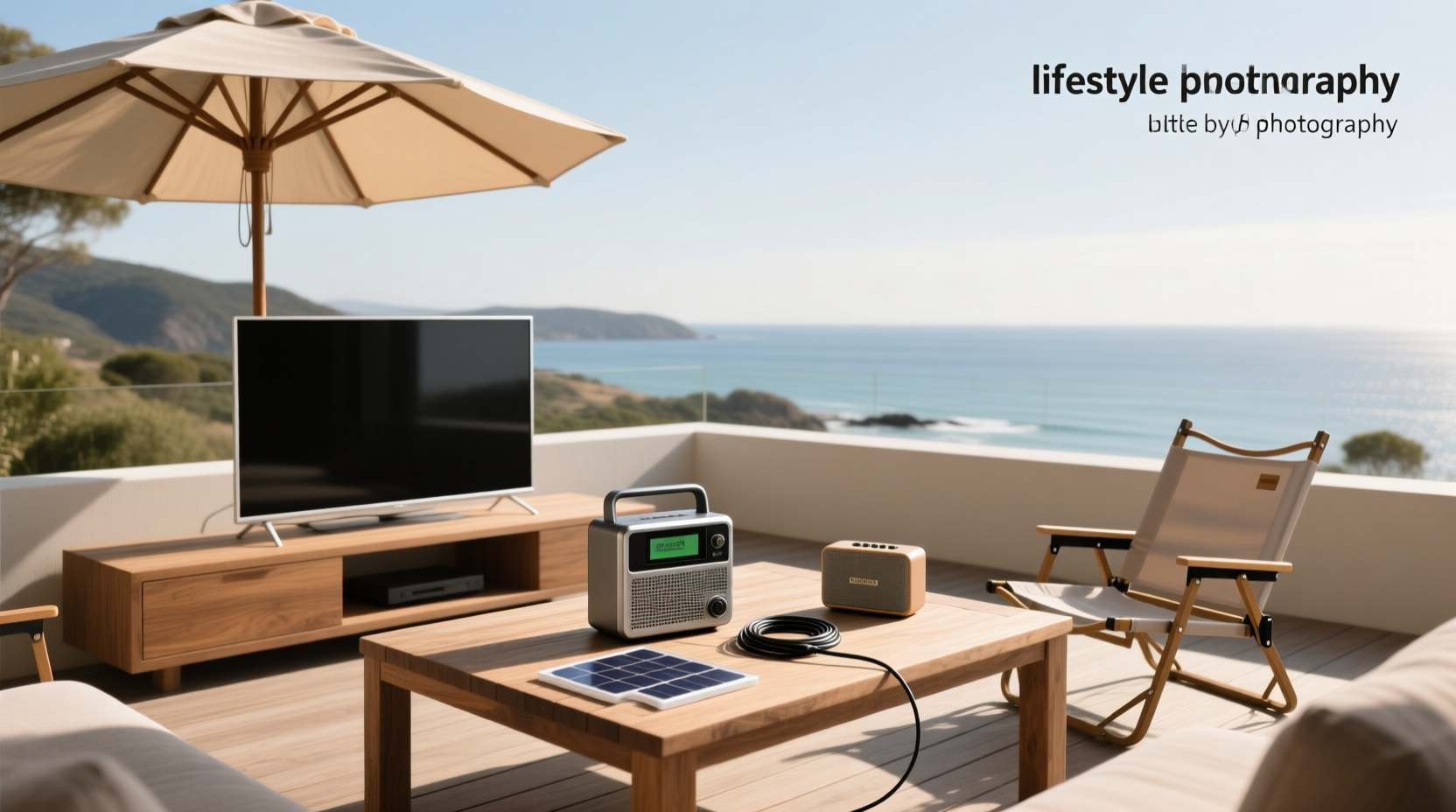
Yes—battery-operated portable TVs are real, but they’re not what most people imagine: they’re not full-size living-room TVs running for days on internal cells. Instead, true battery-powered models are compact (5–32 inches), feature integrated rechargeable lithium-ion packs (typically 5,000–15,000 mAh), and deliver 2.5 to 8 hours of continuous playback depending on screen brightness, resolution, audio output, and streaming load 1. This isn’t marketing hype—it’s physics. A 24-inch 1080p LED panel drawing ~25–40W at medium brightness consumes roughly 100–160Wh over 4 hours. Most built-in batteries supply only 50–120Wh—enough for short-duration mobility, not all-day viewing. If you need longer runtime, pairing a portable TV with an external power station (e.g., 300–1000Wh capacity) is the only reliable solution 2.
Why People Search for ‘Portable TV Battery Operated’ — And What They *Really* Need
The Google search data reveals three dominant user intents behind portable tv battery operated:
- Emergency resilience: Power outage preparedness (especially in hurricane-prone or rural areas); users want a screen that works when the grid fails—no cords, no setup.
- True off-grid mobility: Camping, tailgating, RV travel, beach use, or backyard lounging where AC outlets are unavailable or impractical.
- Flexible indoor utility: Moving between rooms (bedroom → patio → garage), using during home renovations, or supporting elderly or mobility-limited users who can’t reposition heavy furniture.
Yet many shoppers mistakenly assume “battery operated” means plug-free independence for extended periods. In reality, nearly every model marketed this way still requires regular recharging via USB-C or DC barrel jack, and few exceed 6 hours—even under optimal conditions. Worse, advertised “8-hour battery life” often reflects low-brightness, silent, local-file playback—not Netflix streaming at 75% brightness with Dolby Audio enabled.
How Battery-Powered Portable TVs Actually Work: The Technical Reality
Unlike laptops or tablets, portable TVs don’t optimize for energy efficiency across the stack. Their displays (LED/LCD), tuners (ATSC 3.0 or legacy ATSC 1.0), speakers, and smart OS layers all draw power simultaneously. Here’s how components impact runtime:
| Component | Typical Power Draw (W) | Impact on Battery Life |
|---|---|---|
| 7–10″ LCD panel (720p) | 3–8 W | Enables longest runtimes (5–8 hrs); common in mini TVs for kitchens or cars. |
| 13–15.6″ LED (1080p) | 12–22 W | Most balanced option: 3–5 hrs realistic; widely used in camping & RV models. |
| 22–27″ Smart TV (1080p/FHD) | 25–45 W | Runtime drops sharply: 2.5–4 hrs unless battery capacity exceeds 12,000 mAh. |
| 32″+ 4K UHD display | 50–90 W+ | Not feasible with internal battery alone; these rely on external power banks or AC adapters. |
Note: Battery capacity is rated in watt-hours (Wh), not just milliamp-hours (mAh). To convert: Wh = (mAh × V) ÷ 1000. A “10,000 mAh” pack at 11.1V (common in 3-cell lithium packs) equals ~111 Wh—not 10 Wh. Always check voltage and Wh rating, not just mAh, when comparing specs 3.
Key Specs That Matter — And Which Ones Are Often Misleading
When evaluating a battery-operated portable TV, ignore flashy claims like “All-Day Power” or “Ultra-Long Life.” Focus instead on verifiable, testable metrics:
✅ Must-Verify Specifications
- Battery Capacity in Watt-Hours (Wh): Look for ≥60Wh for 13–15″ models; ≥100Wh for 22–24″ units. Anything below 40Wh will likely deliver <2.5 hours.
- Actual Measured Runtime Under Load: Reputable brands publish lab-tested durations at 50% brightness + volume + streaming. If it’s missing, assume worst-case (subtract 30–40% from advertised time).
- Recharge Time & Input Type: USB-C PD (≥45W input) cuts recharge time to 2–3 hours. Micro-USB or 5V/2A inputs may require 6+ hours—rendering daily use impractical.
- ATSC Tuner Compatibility: For over-the-air broadcast TV without internet, confirm ATSC 3.0 support if available in your area—or stick with proven ATSC 1.0 for reliability.
❌ Overhyped or Irrelevant Claims
- “Waterproof” without IP rating: IP66 or IP67 means dust-tight and high-pressure water resistance. “Water resistant” or “splash proof” has no standardized meaning—and won’t survive poolside humidity or rain exposure.
- “Smart TV” without offline functionality: Many Android TV or Google TV interfaces freeze or fail without Wi-Fi. Verify if apps like YouTube or Netflix cache content or support offline playback.
- “Built-in battery” with no removable design: Non-replaceable batteries degrade after ~300–500 charge cycles (~18–24 months of weekly use). If the pack fails, the entire unit becomes e-waste.
Real-World Use Cases: Where Battery TVs Excel (and Where They Don’t)
Understanding context prevents buyer’s remorse. Below is a scenario-based assessment:
✅ Ideal Applications
- Camping & Backpacking: A 7–10″ ATSC-equipped model (e.g., Naxa NT70) fits in a daypack, runs 3–4 hours on a single charge, and pulls local news/weather without cellular data 3.
- RVs & Van Life: 13.3–15.6″ models with 12V DC car input + internal battery let you watch while driving (passenger seat) or overnight on battery—provided you manage brightness and disable Bluetooth/Wi-Fi when unused.
- Power Outage Backup: A 24″ Skyworth or Sylvox unit with ≥3-hour runtime gives critical access to weather alerts, emergency broadcasts, and local news—far more useful than a smartphone screen during extended blackouts.
❌ Poor Fit Scenarios
- Full-time outdoor patio use: Even IP66-rated units aren’t designed for permanent sun exposure. UV degradation, thermal expansion, and condensation risk shorten lifespan significantly.
- Kid-focused backseat entertainment: Models advertising “6-hour battery life” often achieve that only with static video files—not interactive streaming. Real-world use with YouTube Kids or Disney+ rarely exceeds 3 hours.
- Primary household TV replacement: No battery-powered portable delivers consistent picture quality, viewing angles, or speaker fidelity comparable to fixed-installation TVs. They’re supplemental—not primary.
Weight, Portability, and Physical Design Trade-Offs
“Portable” doesn’t mean lightweight. As screen size increases, so does structural reinforcement, battery mass, and heat dissipation hardware:
| Screen Size | Avg. Weight (lbs) | Carry Method | Practical Mobility Notes |
|---|---|---|---|
| 5–7″ | 0.5–1.2 | Pocket or small pouch | Fits in jacket pocket; ideal for hiking or commuting. |
| 10–13.3″ | 2.2–4.0 | Hand-carry or sling bag | Manageable for walking 10–15 mins; stands often add bulk. |
| 15.6–24″ | 5.5–11.0 | Carrying handle + wheeled case | Most require two hands or rolling luggage-style; not “grab-and-go.” |
| 27–32″ | 14–22+ | Wheeled cart or dolly required | Technically portable, but functionally semi-permanent; battery serves as backup, not primary power. |
Also note: Many “portable” models include folding stands—but those stands rarely lock securely on uneven ground (gravel, grass, sand). For outdoor stability, look for units with wide, rubberized feet or optional tripod mounts.
Smart Features vs. Simplicity: What You Gain—and What You Lose
Smart OS integration (Google TV, Android TV, Roku TV) adds convenience—but at a cost:
- Pros: App access, voice search, casting, OTA updates, parental controls.
- Cons: Higher idle power draw (2–4W even in standby), slower boot times (15–45 sec), firmware bugs, and dependency on cloud services that may sunset.
If your priority is reliability and battery longevity, consider non-smart models with analog/digital tuners and HDMI/USB playback only. These boot in <3 seconds, draw minimal standby power (<0.5W), and won’t brick if the manufacturer discontinues server support. For example, Emerson ET-7000 and Trexonic 14″ models prioritize tuner performance and battery efficiency over app ecosystems.
How to Extend Actual Battery Life — Practical Tips Backed by Testing
You can reliably add 30–60% more runtime with these evidence-based adjustments:
- Lower brightness to 40–50%: Reduces display power draw by up to 40%. Most users can’t perceive contrast loss at this level in shaded environments.
- Disable Bluetooth and Wi-Fi when unused: Each active radio draws 0.8–1.5W continuously—even if idle.
- Use wired headphones instead of speakers: Built-in speakers consume 2–5W; headphones draw negligible power from the audio DAC.
- Play local files (MP4/MKV) instead of streaming: Eliminates Wi-Fi radio load and buffering overhead—often adding 1–2 hours over Netflix/YouTube sessions.
- Store at 40–60% charge when unused: Lithium-ion degrades fastest at full or empty states. For seasonal use (e.g., summer camping), store powered off at ~50% charge.
Common Misconceptions — Debunked With Data
Misconception #1: “D-cell or AA battery operation exists for modern portable TVs.”
No mainstream battery-operated portable TV uses replaceable alkaline cells. D-cell setups would require 8–12 cells in series to reach 12–18V—and weigh 2–3 lbs just in batteries. All current models use sealed lithium-ion packs for safety, density, and cycle life.
Misconception #2: “A larger battery always means longer runtime.”
False. Thermal throttling limits sustained discharge. A poorly ventilated 15,000 mAh pack may throttle output after 30 minutes, delivering less total energy than a well-cooled 10,000 mAh unit.
Misconception #3: “Portable TVs work identically indoors and outdoors.”
Ambient temperature directly affects battery chemistry. At 32°F (0°C), capacity drops ~20%; at 104°F (40°C), degradation accelerates. Avoid direct sun exposure during charging or playback.
Final Recommendation Framework: Choose Based on Your Primary Need
Before purchasing, ask yourself:
- What’s my maximum acceptable weight? → Dictates upper size limit.
- What’s my minimum required runtime? → Determines minimum Wh capacity needed.
- Do I need over-the-air TV, streaming, or both? → Guides tuner + OS selection.
- Will I use it mostly stationary (RV, patio) or mobile (hiking, tailgating)? → Impacts stand/wheel needs and ruggedization.
- Is long-term serviceability important? → Prefer models with accessible battery compartments and documented repair paths.
There is no universal “best” battery-operated portable TV. There is only the best fit—for your constraints, environment, and usage rhythm.
Frequently Asked Questions
- Can a portable TV run solely on its built-in battery—or does it need external power?
- Yes, all true battery-operated portable TVs can run entirely on their internal rechargeable battery. However, runtime is limited (typically 2.5–6 hours), and recharging is required every 1–3 days with regular use.
- How do I verify the actual battery life before buying?
- Check independent reviews that measure runtime under streaming load (not just video playback), confirm watt-hour (Wh) rating—not just mAh—and look for third-party lab tests. Manufacturer claims alone are unreliable.
- Are battery-powered portable TVs safe to use in rain or near pools?
- Only if explicitly rated IP66 or higher. “Water resistant” or “splash proof” offers no meaningful protection. Never use any electronic device near standing water unless certified for such conditions.
- Can I connect a portable power station to extend runtime?
- Yes—most models accept 12V DC input (via car port or barrel jack). A 300Wh power station (e.g., EcoFlow River 2) can extend a 15″ TV’s runtime by 8–12 hours, depending on settings.
- Do battery-operated TVs support screen mirroring or casting?
- Smart models (Google TV, Android TV) support Chromecast and Miracast. Non-smart models require HDMI input from a phone/tablet via adapter—adding complexity and power drain.
