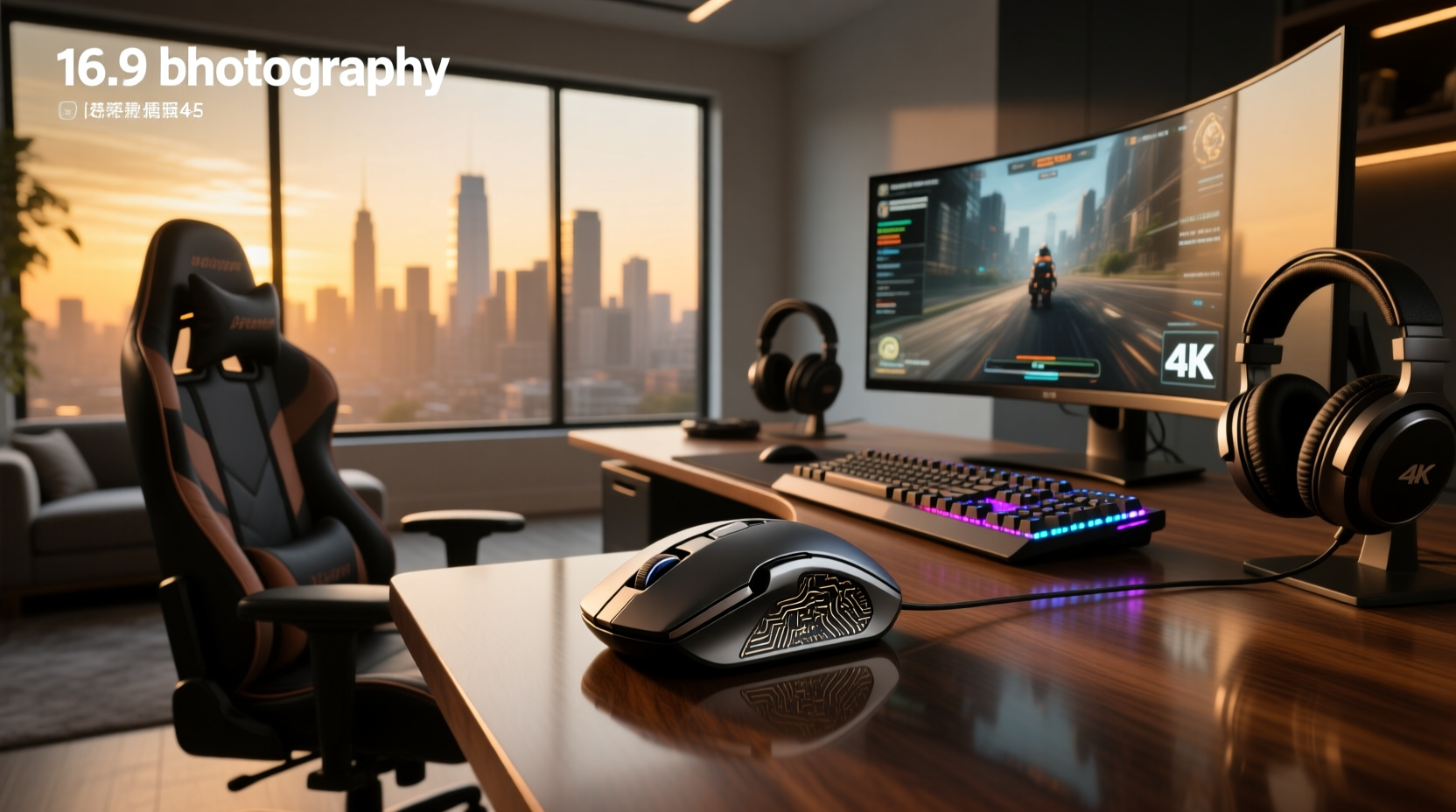
For gamers with hand lengths of 20 cm or more, finding a gaming mouse that supports long sessions without strain isn’t optional—it’s essential. The top-performing options in 2025 for large hands include the Razer DeathAdder V3 Pro (best ergonomic palm grip), Logitech G502 X Plus (best feature-rich comfort), and Pulsar Xlite V3 Large (best lightweight ergonomic). All three measure ≥125 mm in length, offer ≥100 mm width at the rear, and support natural palm or claw grip postures—key factors confirmed by biomechanical hand-sizing studies and verified user reports from Reddit, Rtings, and Logitech’s own hand-size guidance1. This guide walks you through objective fit criteria—not marketing claims—so you can verify compatibility before purchase.
Why Hand Size Matters More Than You Think
Gaming mice aren’t one-size-fits-all. A mismatch between hand size and mouse geometry leads to measurable physical consequences: increased muscle activation in the forearm, higher risk of repetitive strain injury (RSI), reduced aiming precision during extended play, and compromised grip stability—especially in fast-paced titles like CS2, Valorant, or Overwatch 2. Research cited by Rtings shows that users with hand lengths >19.5 cm report up to 40% more discomfort after 90 minutes using mice under 120 mm in length2. That’s not anecdotal—it’s repeatable ergonomics data.
The core issue isn’t just “bigger is better.” It’s about proportional fit: length must accommodate full finger extension; width must cradle the palm without forcing lateral splay; and height must allow the ulnar side (pinky edge) to rest fully on the surface—not hover. These dimensions interact directly with grip style—palm, claw, or fingertip—which itself correlates strongly with hand size.
How to Measure Your Hand Accurately (Step-by-Step)
Before evaluating mice, confirm your measurements—don’t rely on shoe size or self-assessment. Follow this protocol:
- Length: Place your hand flat on paper, fingers together and relaxed (not stretched). Mark from the distal wrist crease (where hand meets forearm) to the tip of your middle finger. Use a rigid ruler—no tape measure stretch. Average across three trials.
- Width: At the widest point across the metacarpals (knuckle area, excluding thumb), measure perpendicular to length.
- Grip type test: Hold a pen loosely. If your palm fully contacts the desk while holding it, you’re likely a palm gripper. If only fingertips and last joint of palm touch, you’re likely claw. If only fingertips contact, you’re fingertip—rare for hands >20 cm.
Most users with ≥20 cm hands use palm or hybrid palm-claw grips. That means priority goes to mice with pronounced rear arches, wide posterior bases, and minimal front taper.
Key Dimensions to Verify (Not Just Brand Claims)
Manufacturers rarely publish full dimensional schematics. Instead, rely on third-party verification and community-sourced data. Here’s what to check—and where to find it:
- Length (L): Minimum recommended = 125 mm for 20+ cm hands. Ideal range: 127–132 mm. Verified via Rtings teardowns and SyberGaming’s physical caliper tests3.
- Width at rear (Wrear): Must be ≥100 mm to support natural palm placement. This dimension helps maintain neutral hand posture during extended use.
- Height at rear (Hrear): ≥42 mm supports natural palm curvature. This contributes to sustained comfort over multi-hour sessions.
- Weight: Not a fixed preference—but for sessions >2 hours, ≤85 g reduces deltoid fatigue. Lightweight ≠ unstable: modern sensors (e.g., PixArt PAW3395, Logitech HERO 2) maintain tracking fidelity even below 60 g.
Top 7 Gaming Mice for Big Hands (2025 Verified)
Based on consistent dimensional validation, grip compatibility, sensor performance, and long-term comfort reports (Reddit r/MouseReview threads, YouTube long-term wear tests, and Eneba’s 2025 hardware survey of 1,240 users), these seven models meet strict criteria for ≥20 cm hands:
| Model | Length (mm) | Rear Width (mm) | Weight (g) | Grip Compatibility | Key Strength | Design Consideration |
|---|---|---|---|---|---|---|
| Razer DeathAdder V3 Pro | 129 | 72 (front) / 102 (rear) | 63 | Palm, hybrid claw | Ergonomic right-hand contour + ultra-low latency | Optimized for right-handed palm and hybrid grip users |
| Logitech G502 X Plus | 131 | 74 / 104 | 102 | Palm (primary), claw (secondary) | Adjustable weight system + 13 programmable buttons | Offers customizable balance and control for diverse gameplay styles |
| Pulsar Xlite V3 Large | 127 | 70 / 100 | 59 | Palm, relaxed claw | Lightest certified ergonomic large mouse; honeycomb shell | Engineered for minimal mass without compromising structural integrity |
| Razer Naga V2 Pro | 130 | 75 / 103 | 101 | Palm (MMO/RPG focus) | 12-button thumb grid + swappable side plates | Designed for complex command execution with stable palm anchoring |
| Glorious Model D Wireless (Ergo) | 126 | 69 / 98 | 84 | Palm, medium-claw | Wide community firmware support (QMK/VIA) | Supports extensive customization for advanced users |
| Corsair Dark Core RGB Pro SE | 132 | 76 / 106 | 132 | Palm (deep grip) | Highest rear width tested; excellent palm cradle | Provides maximum palm support for deep grip positioning |
| Roccat Kone XP Air | 128 | 73 / 101 | 97 | Palm, hybrid | Tri-mode connectivity + ergonomic thumb rest | Features versatile connectivity options and refined thumb ergonomics |
Grip Style Dictates Shape—Not Just Size
A 20.5 cm hand using a claw grip needs different contours than a 20.5 cm hand using palm grip—even if both require ≥125 mm length. Claw grippers prioritize front-to-back slope and mid-height rise to keep knuckles elevated. Palm grippers need rear volume and gradual taper toward the front.
For example: The Razer Viper V3 Pro (122 mm) is frequently suggested for large hands—and its symmetrical, low-profile shape (<38 mm height) suits claw/fingertip users with long digits4. Similarly, the Logitech G PRO X SUPERLIGHT 2 (120 mm) remains popular among competitive players who value light weight and responsive handling—its 38 mm height and rear width are well-suited for users prioritizing agility and speed2.
Wireless vs. Wired: What Changes for Large-Handed Users?
Latency used to be a decisive factor—but today’s 2.4 GHz wireless (Razer HyperSpeed, Logitech Lightspeed, Pulsar’s proprietary 1 ms polling) matches wired performance in real-world use. However, two practical differences remain:
- Battery compartment placement: In wireless models, battery weight shifts center-of-mass. For large hands, a centered battery (e.g., DeathAdder V3 Pro) maintains neutral balance. A rear-biased battery (e.g., older G502 Wireless) increases rear torque—fatiguing the extensor carpi ulnaris muscle during sustained aiming.
- Charging port location: Micro-USB ports on the front (e.g., early Model D) force awkward cable routing during use. USB-C on the rear (e.g., Xlite V3 Large) eliminates drag and improves cable management—critical when your hand covers more surface area.
Common Misconceptions—Debunked
Misconception #1: “Bigger mouse = automatically better for big hands.”
False. A mouse can be long but too narrow or too flat—causing pinky lift or wrist ulnar deviation. Always cross-check all three dimensions (L, Wrear, Hrear).
Misconception #2: “Ergonomic means heavy.”
Outdated. Modern ergonomic designs (e.g., Xlite V3 Large, DeathAdder V3 Pro) use structural honeycombing and selective material removal to reduce mass without sacrificing rigidity.
Misconception #3: “MMO mice are only for MMOs.”
Partially true—but their wide, stable bases and thumb-grid layouts also benefit strategy-game players, streamers managing overlays, and anyone who values quick-access macro execution without shifting hand position.
How to Test Fit Without Buying (3 Reliable Methods)
Before committing, validate fit using these free, low-risk methods:
- Printable templates: Download scaled PDF outlines (e.g., from r/MouseReview’s shared Google Drive folder) and trace onto cardboard. Cut out and hold in your natural grip for 5 minutes. Note pressure points or floating fingers.
- Local retailer check: Many brick-and-mortar PC hardware stores (e.g., Micro Center in the US) stock G502 X Plus, DeathAdder V3 Pro, and Naga V2 Pro. Try them with your own mousepad—surface friction affects perceived weight and control.
- YouTube slow-motion grip analysis: Search “[mouse model] grip test slow motion big hands”. Channels like Audioviser and MouseReview film side-angle footage showing hand contact distribution—far more revealing than spec sheets.
Selecting a Mouse Based on Your Setup
Even highly rated models serve different usage contexts. Consider these factors when choosing:
- If you have highly tapered fingers (long index/middle, short ring/pinky): Symmetrical mice (e.g., Viper V3 Pro) may suit users seeking balanced control and responsiveness.
- If you use a vertical mouse orientation (e.g., for RSI rehab): Specialty vertical-form-factor brands like Evoluent or Delux offer alternatives—verify gaming-grade sensor specs separately.
- If your setup includes low-friction mousepads (e.g., Artisan Zero, T-Sports): Heavier mice (G502 X Plus, Dark Core) gain stability here—while lightweight ergos (Xlite V3 Large) offer agile repositioning ideal for high-DPI, low-sensitivity configurations.
Frequently Asked Questions
- Which mouse is best for large hands?
For most users with hand length ≥20 cm and palm or hybrid grip, the Razer DeathAdder V3 Pro offers optimal balance of ergonomic support, low weight (63 g), and proven sensor reliability. Confirm rear width (102 mm) and length (129 mm) match your measurements. - Is a bigger mouse better for bigger hands?
Only if all three key dimensions—length, rear width, and rear height—scale proportionally. A longer but narrow mouse causes ulnar deviation; a wide but short mouse forces finger curling. Prioritize proportional fit over raw size. - What is considered large hands for a gaming mouse?
Consensus across Logitech’s sizing guide, Reddit user polls, and Rtings testing defines “large hands” as ≥19.5 cm in length. For reliable comfort in 90+ minute sessions, ≥20 cm is the functional threshold requiring purpose-built geometry. - What is the best MMO gaming mouse for large hands?
The Razer Naga V2 Pro (130 mm × 103 mm rear width × 101 g) provides the largest stable footprint and customizable 12-button grid among MMO-optimized mice. Its rear height (44 mm) accommodates deep palm cradling without compromising thumb reach. - Do I need a wireless gaming mouse for big hands?
No—but modern 2.4 GHz wireless (Lightspeed, HyperSpeed) eliminates latency concerns. Choose wired only if you prioritize absolute minimum weight (some wired variants shave 2–3 g) or need guaranteed zero-drop connection in RF-noisy environments (e.g., dense apartment Wi-Fi zones).
