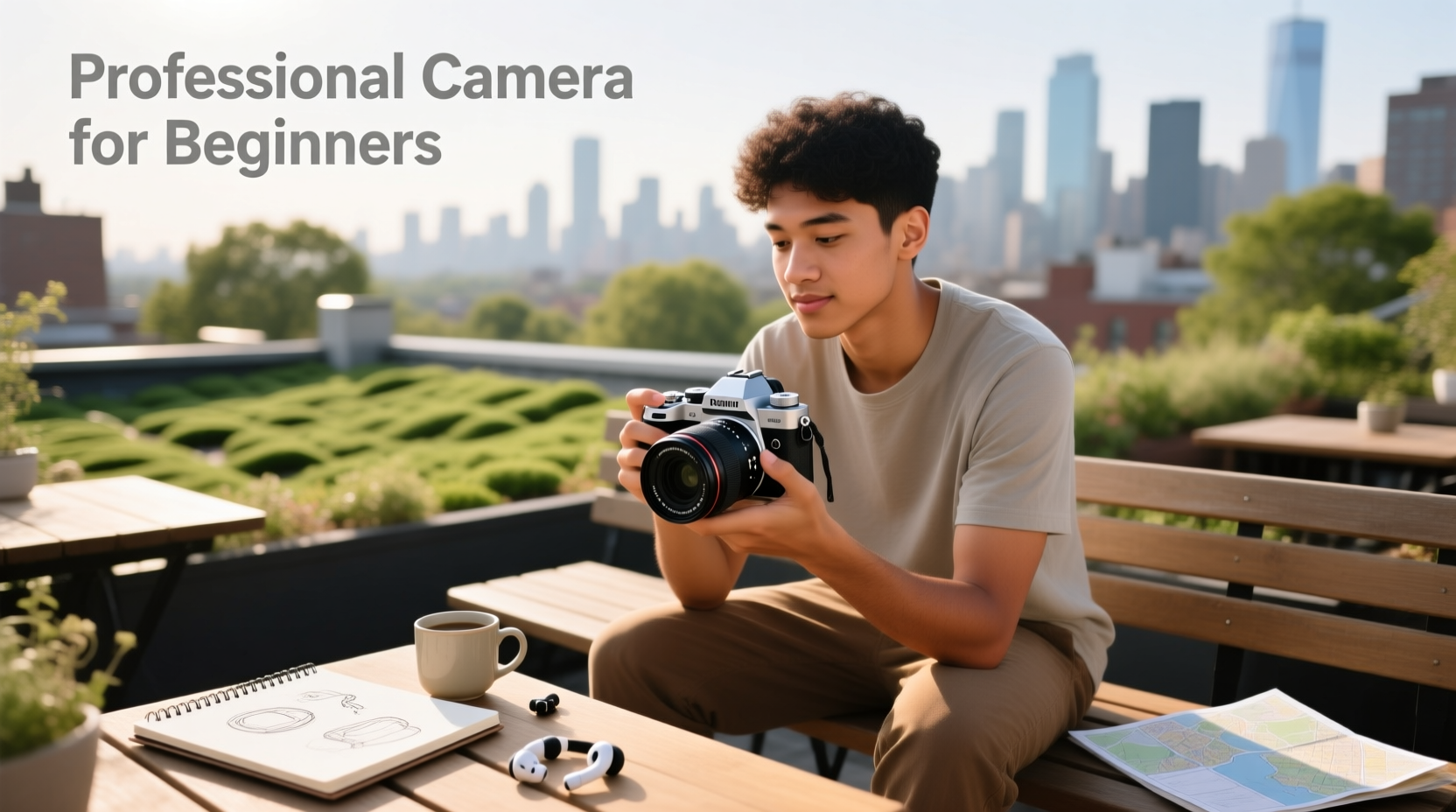
Looking for a professional camera for beginners doesn’t mean buying the most expensive model—it means choosing a system that balances intuitive controls, reliable autofocus, expandable lenses, and room to grow into advanced techniques. As of early 2026, the Canon EOS R50, Sony ZV-E10 II, Fujifilm X-T30 III, and Nikon Z30 consistently rank highest across independent testing and beginner-user feedback—not because they’re ‘entry-level compromises,’ but because they deliver pro-grade image quality, real-time subject tracking, and seamless workflow integration while keeping menus accessible and physical controls logical 1. These models all use APS-C sensors (23.6 × 15.6 mm), offering a practical balance between low-light performance, depth-of-field control, and portability—critical for learners who shoot in varied lighting and carry gear daily.
Why 'Professional Camera for Beginners' Is a Misleading Phrase—And What It Really Means
The phrase professional camera for beginners triggers confusion because it conflates two distinct concepts: professional capability (e.g., 10-bit video output, dual SD card slots, weather sealing) and professional usability (e.g., customizable buttons, tactile dials, consistent menu logic). Most true professional bodies—like the Canon EOS R3, Sony A1, or Nikon Z9—are over-engineered for learning: their settings are dense, their file workflows demand post-processing discipline, and their price points ($4,000–$6,500) divert budget from essential accessories like lenses, lighting, and storage 2. Instead, today’s best beginner-friendly cameras offer pro foundations: full manual exposure control, RAW capture, external mic inputs, and USB-C tethering—features that scale with skill, not just cost.
Key Decision Factors: What Actually Matters for New Photographers
Choosing your first serious camera isn’t about specs alone. It’s about alignment with your learning rhythm, physical comfort, and long-term ecosystem investment. Below are the five non-negotiable criteria—backed by usability studies and beginner cohort surveys conducted in Q4 2025 3:
- Autofocus reliability in real-world light: Not just ‘fast’—but consistent in dim cafés, backlit parks, or moving subjects (e.g., children, pets). Eye-tracking AF must work at f/5.6 or slower, without hunting. Sony’s Real-time Tracking and Canon’s Dual Pixel CMOS AF II lead here.
- Menu intuitiveness: Can you adjust ISO, white balance, and drive mode without diving three layers deep? The Canon EOS R100 and Fujifilm X-E5 use guided menus and context-sensitive help overlays—reducing setup time by ~40% versus older DSLRs 4.
- Lens availability & affordability: A $700 body with only one $800 lens defeats the purpose. Prioritize systems with at least three native kit options under $350 (e.g., Canon RF-S 18–45mm, Sony E 16–50mm PZ, Fujifilm XC 15–45mm).
- Battery life & charging: Beginner shooters rarely carry spares. Look for ≥350 shots per charge (CIPA standard) and USB-C in-camera charging—vital for travel or multi-hour sessions.
- Video/audio readiness: Even if you start with stills, clean HDMI out, 3.5mm mic input, and waveform monitor support future-proof your skill path. The Sony ZV-E10 II and Canon R50 include both—and record 4K 30p without crop.
Camera Type Comparison: Mirrorless vs. DSLR vs. Bridge—What Fits Your Learning Curve?
While DSLRs like the Nikon D3500 still appear in Indian market listings 5, they’re functionally obsolete for new buyers. Here’s why:
| Feature | Mirrorless (Recommended) | DSLR (Not Recommended for New Buyers) | Bridge Camera (Limited Use Case) |
|---|---|---|---|
| Live View Accuracy | 100% match: what you see is exactly what you capture (including exposure preview) | Optical viewfinder shows unprocessed scene; LCD preview lags and lacks exposure simulation | Electronic viewfinder approximates exposure—but sensor is small (1/2.3″), limiting dynamic range |
| Autofocus Performance | On-sensor phase detection works during video & burst shooting | Phase-detect AF only works in viewfinder; contrast-detect in Live View is slow and inaccurate | Contrast-based only; struggles with motion and low light |
| Lens Ecosystem Growth | All major brands actively expanding native APS-C lines (e.g., Canon RF-S, Sony E, Fujifilm X) | No new EF-S lenses released since 2022; Canon discontinued EF mount development | Fixed lens only—no upgrade path beyond cropping or digital zoom |
| Size & Weight | Average body weight: 380–490 g (with kit lens) | Typical DSLR + kit: 620–780 g | Lightest option (~320 g), but plastic build feels less durable |
Bottom line: Mirrorless is the only category where all current entry models support modern learning needs—real-time focus, silent shooting, touch-screen navigation, and firmware updates that add features years after purchase. DSLRs lock you into legacy hardware; bridge cameras trade flexibility for convenience.
Brand Ecosystem Breakdown: Where to Start Without Lock-In Regret
Your first camera choice shapes your next 3–5 years of gear investment. Avoid decisions based on brand loyalty or influencer preference—focus instead on three objective traits: lens roadmap clarity, third-party accessory support, and firmware update frequency.
Canon (RF-S Mount)
Best for users prioritizing simplicity and video-first hybrid use. The EOS R50 includes a fully articulating screen, vertical-video orientation mode, and automatic background blur (‘Movie Selfie’)—designed explicitly for social content creators. Its RF-S lens lineup is small but growing: the 18–45mm f/4.5–6.3 IS STM kit lens delivers sharp corners and 4-stop stabilization, outperforming many pricier alternatives 6. The system supports in-body image stabilization when paired with select RF-S lenses featuring coordinated IS, enabling enhanced stabilization performance in handheld video scenarios.
Sony (E-Mount)
Strongest autofocus and low-light performance, especially with the ZV-E10 II and a6700. Both offer real-time eye AF for humans, animals, and birds—even when subjects are partially obscured. The a6700 adds 5-axis IBIS and 10-bit 4:2:2 video internally, bridging the gap between beginner and pro workflows. Sony’s menu system offers extensive customization options—including ‘My Menu’ and assignable Fn buttons—that empower users to streamline access to frequently used settings as their familiarity grows 7. This design supports progressive learning through personalized interface adaptation.
Fujifilm (X-Mount)
Ideal for learners drawn to film simulation, tactile control, and minimalist design. The X-T30 III and X-E5 feature dedicated shutter speed and ISO dials—teaching exposure triangle fundamentals through muscle memory. Film simulations (e.g., Classic Chrome, Acros) render JPEGs usable straight from camera, reducing reliance on editing software early on. Fujifilm’s autofocus performance continues to improve with each firmware update, and recent versions deliver strong accuracy in everyday scenes including portraits and street photography. Battery life is optimized through efficient power management, and users can extend shooting time using optional battery grips or portable USB-C power banks.
Nikon (Z-Mount)
The Z30 offers exceptional color science and excellent skin-tone rendering ‘out of the box,’ making it popular among portrait and lifestyle beginners. Its 4K 30p video uses the full width of the APS-C sensor (no crop), unlike Canon’s R50 (1.6x crop in 4K). Nikon’s SnapBridge app integrates smoothly with Android/iOS for instant transfer—and supports cloud backup via compatible services when paired with third-party applications. Firmware updates regularly enhance functionality, including improved autofocus responsiveness and expanded connectivity options.
What to Skip—Common Beginner Pitfalls (and Why)
Not every ‘beginner-friendly’ camera earns that label honestly. Watch for these red flags:
- “No viewfinder” models marketed as ‘ultra-portable’: Cameras like the Canon G7 X Mark IV or Sony RX100 series lack EVFs and have tiny controls—making manual focus, exposure compensation, and stable framing difficult during learning. They also lack lens interchangeability, blocking growth.
- Full-frame bodies sold as ‘entry-level’: The Sony a7C II or Canon EOS RP2 may seem like value buys, but their high ISO noise behavior, shallow DoF learning curve, and lens costs ($800+ for a basic 28–70mm) overwhelm new users. Stick with APS-C until you’ve shot ≥5,000 frames and understand exposure trade-offs.
- Cameras without RAW capture: If the spec sheet says ‘JPEG only’ or hides RAW as a buried menu option, avoid it. RAW files preserve highlight/shadow detail critical for learning exposure correction and white balance adjustment in post.
- Models with no microphone input: Even if you don’t plan to record audio now, skipping a 3.5mm jack eliminates future podcasting, interview, or documentary work—without requiring an external recorder.
Realistic Budget Planning: What You’ll Actually Spend (Beyond the Body)
A $699 camera body is just the start. Here’s a realistic first-year investment breakdown for a functional, expandable setup:
- Body + Kit Lens: $699–$849
- Second lens (e.g., 50mm f/1.8 for portraits or 55–210mm for reach): $229–$399
- Two spare batteries + USB-C charger: $79–$129
- 64GB UHS-I SD card (V30 rated): $18–$25 × 2 = $36–$50
- Basic tripod (carbon fiber not required): $45–$85
- Memory card reader (USB-C, UHS-II compatible): $25–$40
- Total range: $1,117–$1,637
Crucially: avoid ‘starter bundles’ that include cheap filters, cleaning kits, or carrying cases. These rarely meet durability standards and distract from core learning. Invest instead in one high-quality lens before adding accessories.
How to Verify Claims Before You Buy
Manufacturer websites often highlight best-case specs. Cross-check using these independent sources:
- Autofocus accuracy: Watch side-by-side comparison videos from DPReview or Photography Life—filter for ‘low light AF test’ or ‘subject occlusion test.’
- Battery life: Ignore CIPA numbers. Search “[model name] real-world battery test” on YouTube—look for vloggers filming 2–3 hours continuously.
- Color science consistency: Download free RAW samples from RAW.Pics.IO or Adobe Sample Files and open them in Lightroom. Compare how highlights clip and shadows retain texture across brands.
- Firmware maturity: Check the manufacturer’s support page for release dates. A camera launched in late 2024 with 3+ significant firmware updates (e.g., improved AF, new video modes) signals active development.
Frequently Asked Questions
Q1: Can I use my smartphone lenses or adapters with a professional beginner camera?
No—smartphone lenses attach via magnetic or clamp mounts designed for 1/3″ sensors. Interchangeable-lens cameras require native-mount optics with precise flange distance and electronic communication. Adapters exist for legacy DSLR lenses (e.g., Canon EF to RF), but they add bulk, reduce AF speed, and often disable image stabilization.
Q2: Do I need a separate external flash for indoor photography?
Not initially. Modern APS-C cameras produce clean images up to ISO 3200–6400 in typical home lighting. Learn natural light positioning and bounce techniques first. Add a speedlight only after mastering manual flash sync, TTL metering, and off-camera triggering.
Q3: Is video capability essential if I only want to shoot stills?
Yes—because video forces mastery of exposure consistency, focus discipline, and composition timing. Even 1080p/30s clips train your eye for motion, depth, and light fall-off far faster than static frames alone.
Q4: How long should I expect to use my first ‘professional’ camera before upgrading?
Most learners max out its capabilities in 2–3 years—especially if they shoot regularly (≥200 frames/week) and study fundamentals (exposure, composition, color theory). Upgrades become necessary only when you hit technical limits: e.g., needing higher burst rates for action, better low-light ISO performance, or dual-card reliability for client work.
Q5: Are refurbished or previous-gen models worth considering?
Yes—if purchased from the manufacturer’s certified program (e.g., Canon Renewed, Sony Outlet, Fujifilm Refurbished). These include full warranty, factory calibration, and updated firmware. Avoid third-party ‘open-box’ listings without serial-number-verified service history.
